
Buffer Review 2026 - Social Media Scheduler
Verified Jun 6, 2026 by Tooliverse Editorial
Buffer turns social media chaos into calm—schedule posts across 11 platforms, reply to comments in one inbox, and see what's working with simple analytics. Over 100,000 businesses trust Buffer to save time and grow their audience without the stress.
How to Build on Buffer's New API — Quick-start Guide ⚡️
Automate Social Media Posts in 30 Minutes Using ChatGPT & Buffer
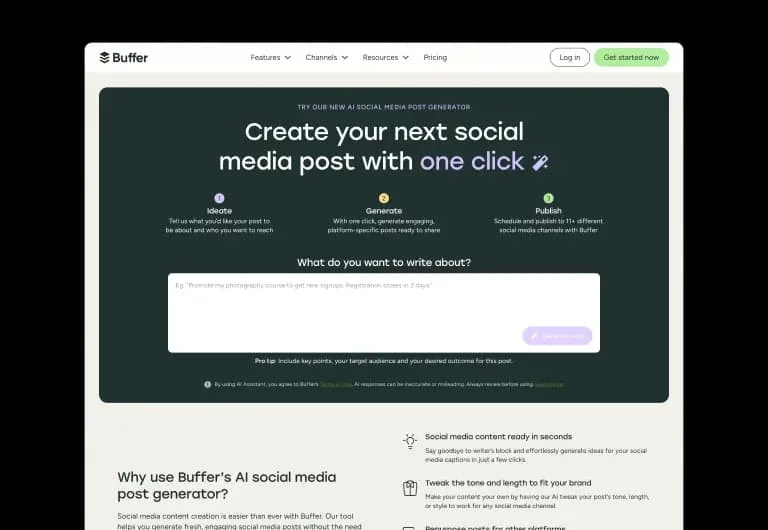
Generate engaging social media posts in one click with AI.
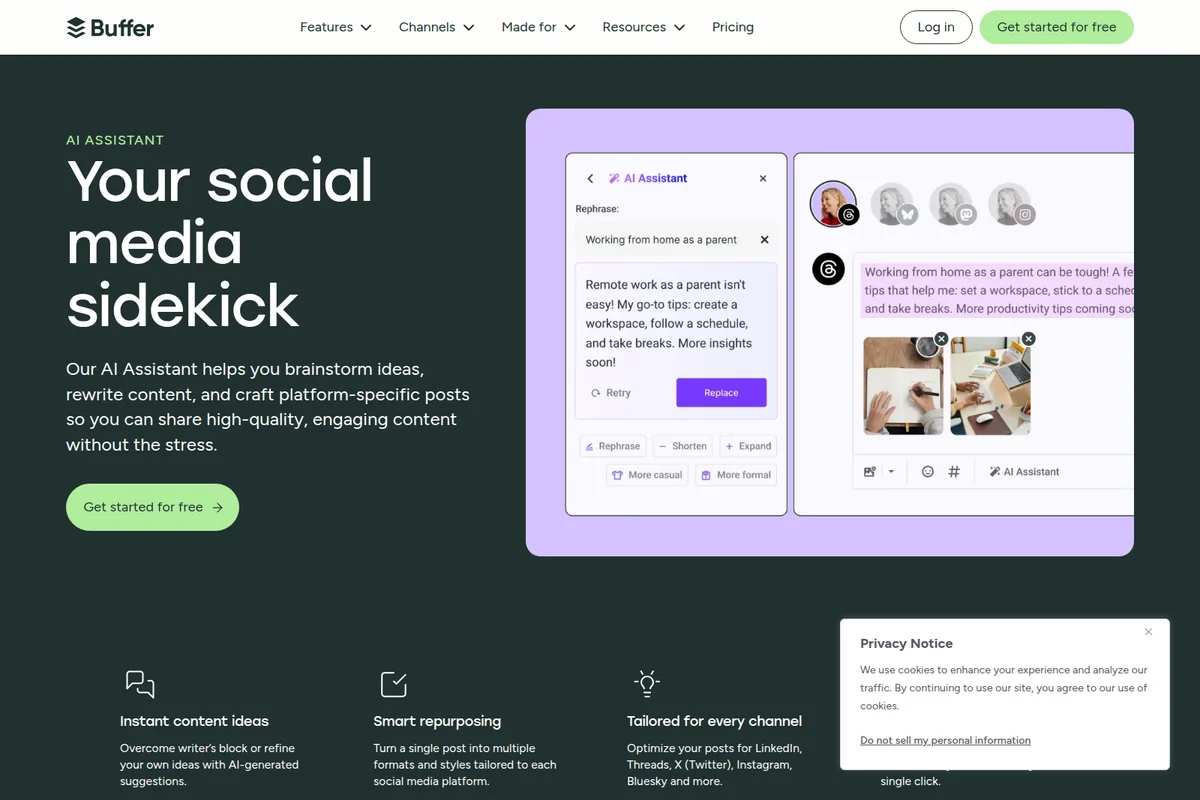
Craft high-quality, engaging social media posts with AI assistance.
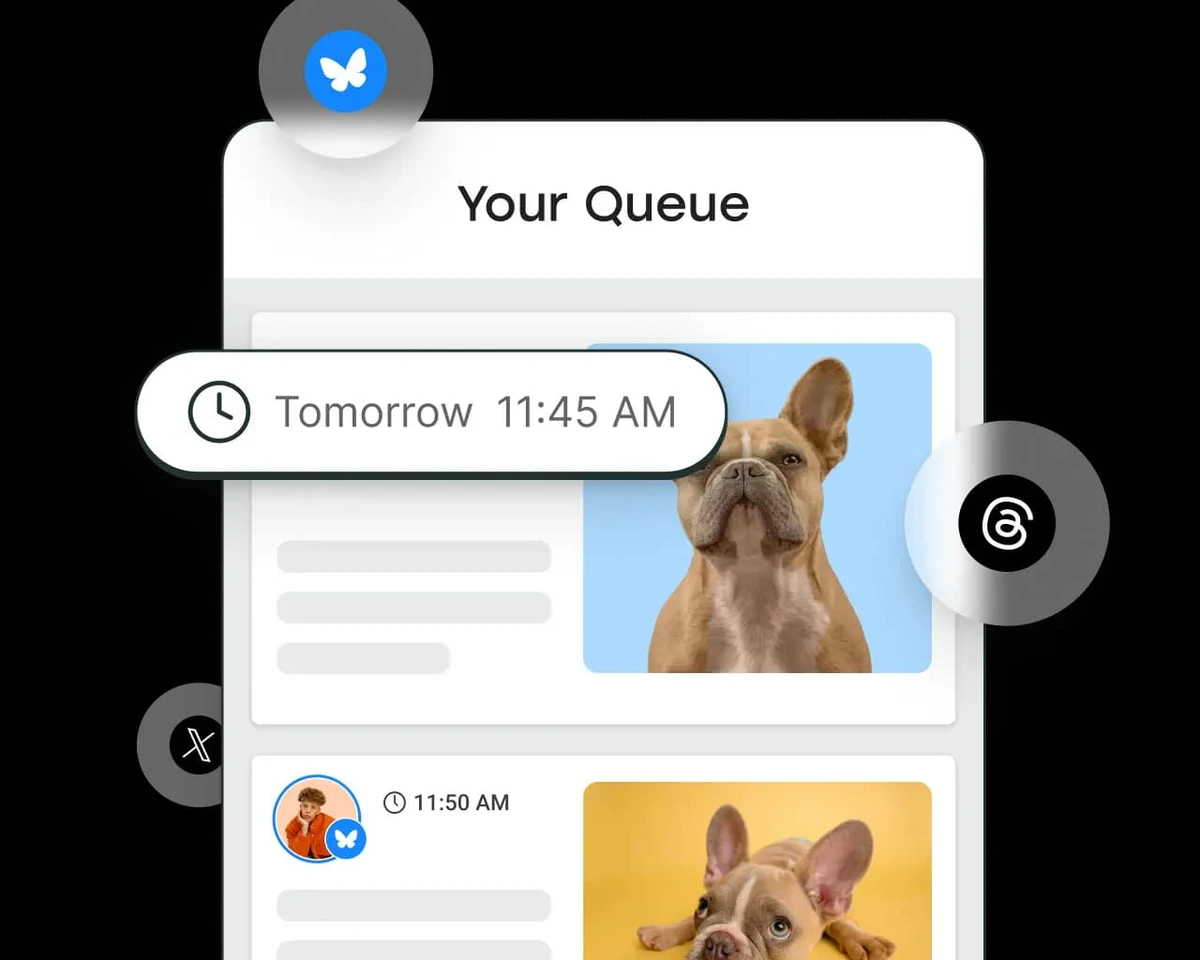
Manage your social media posts in an organized queue, ready for publishing across platforms.
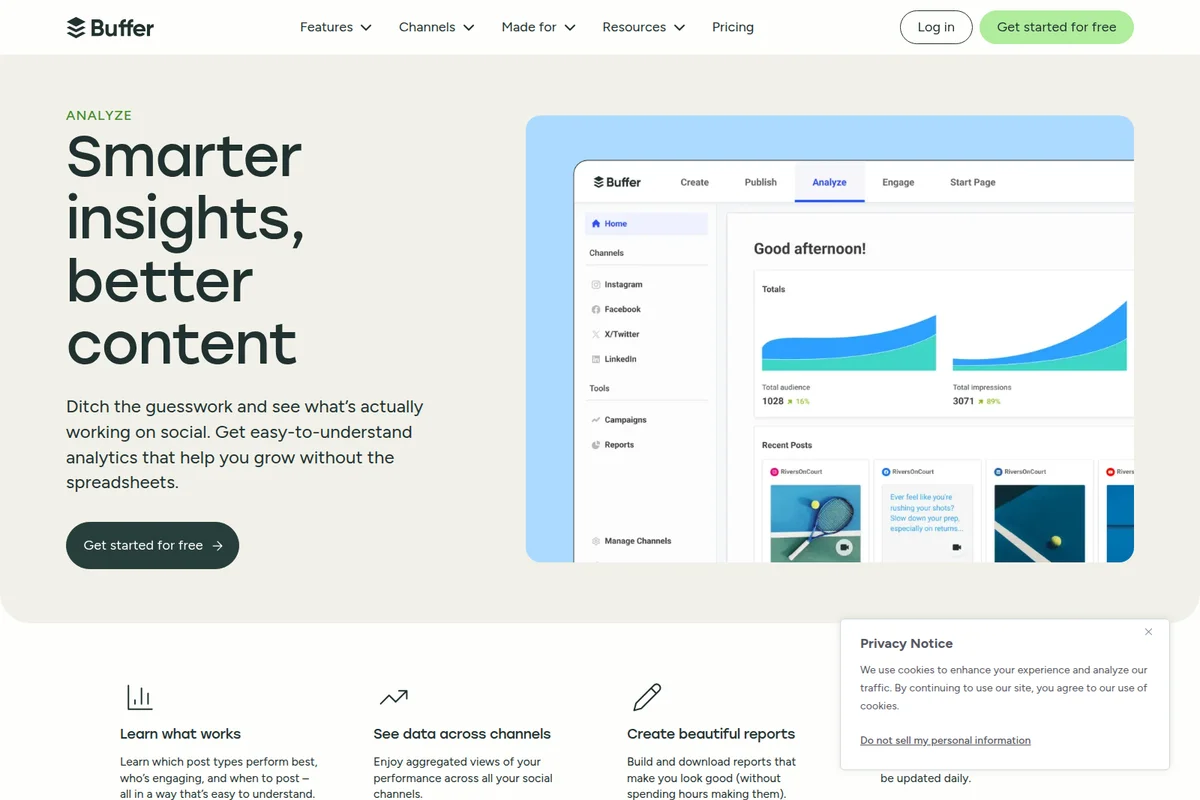
Get clear insights into your social media performance at a glance.
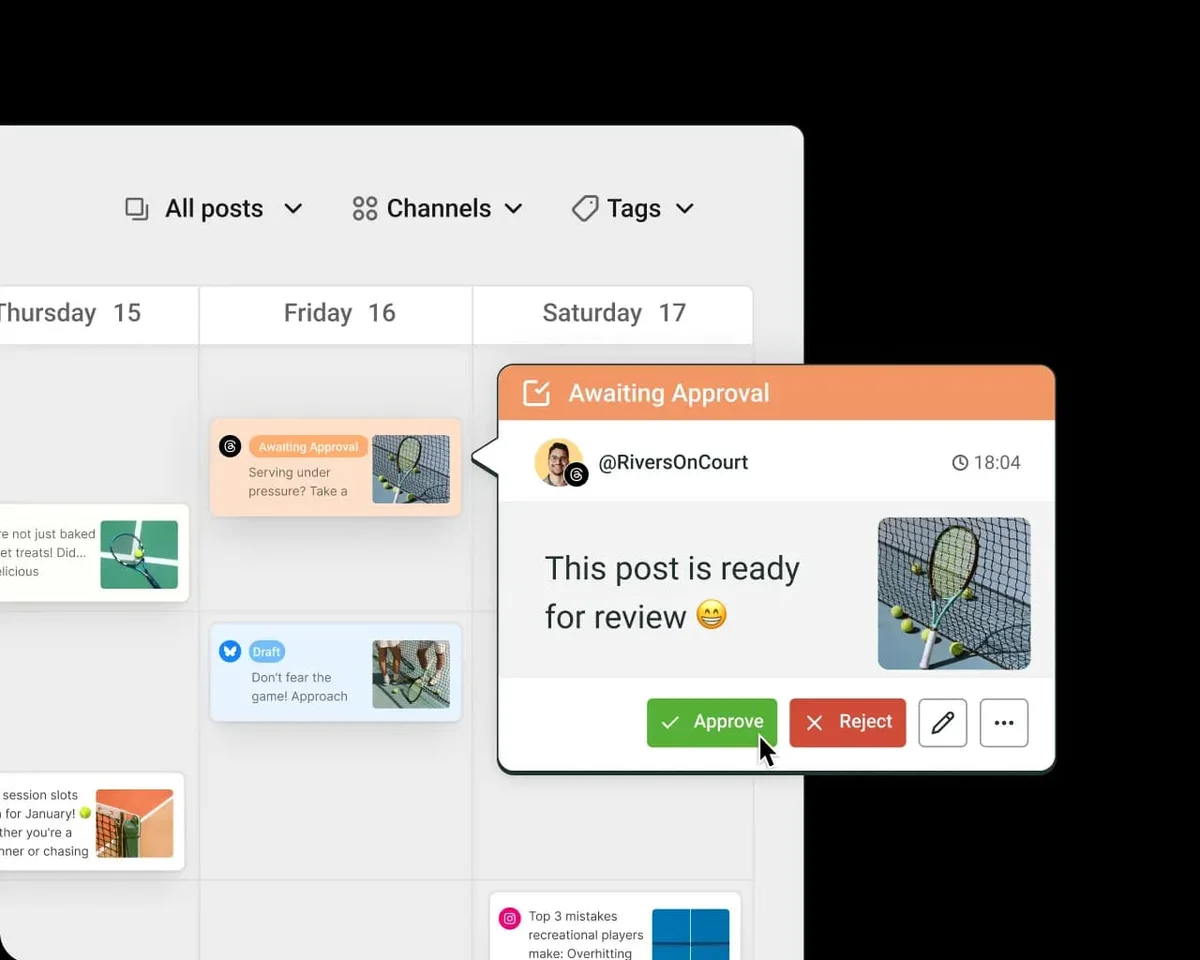
Streamline your content workflow with easy-to-use post approval for your team.
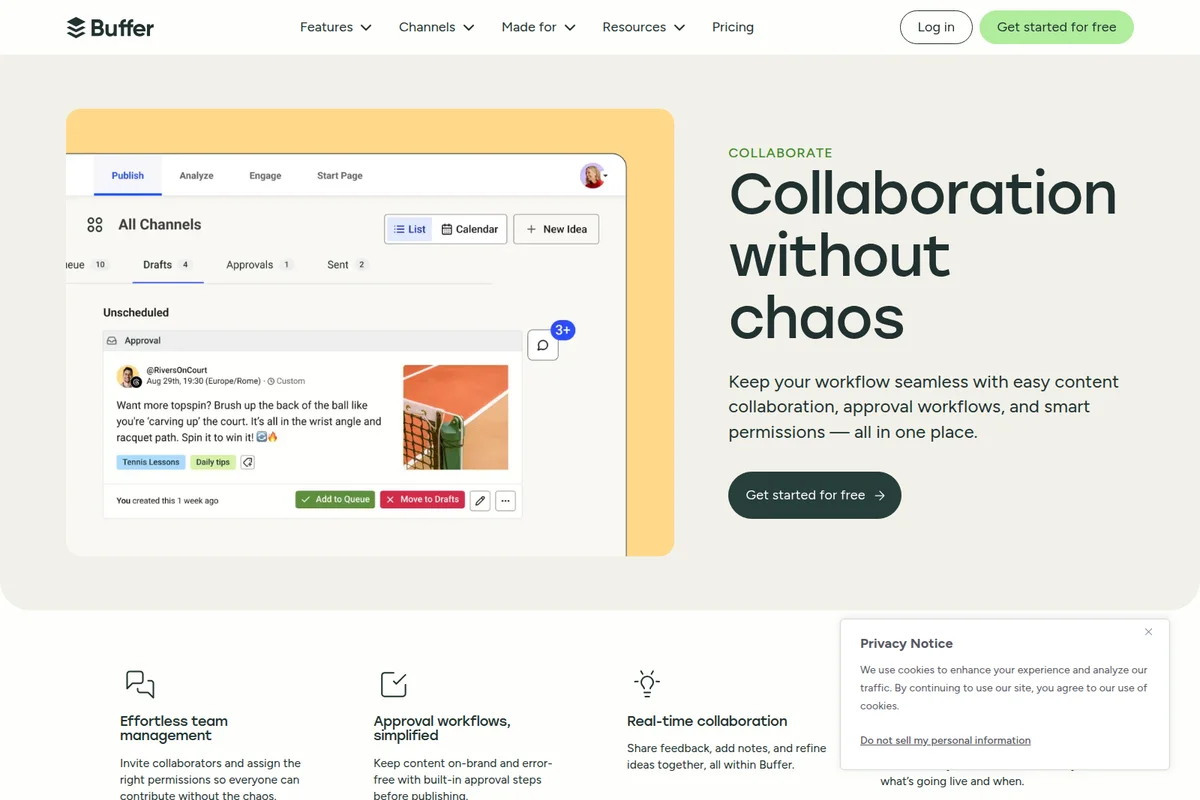
Streamline content creation and approvals for seamless team collaboration.
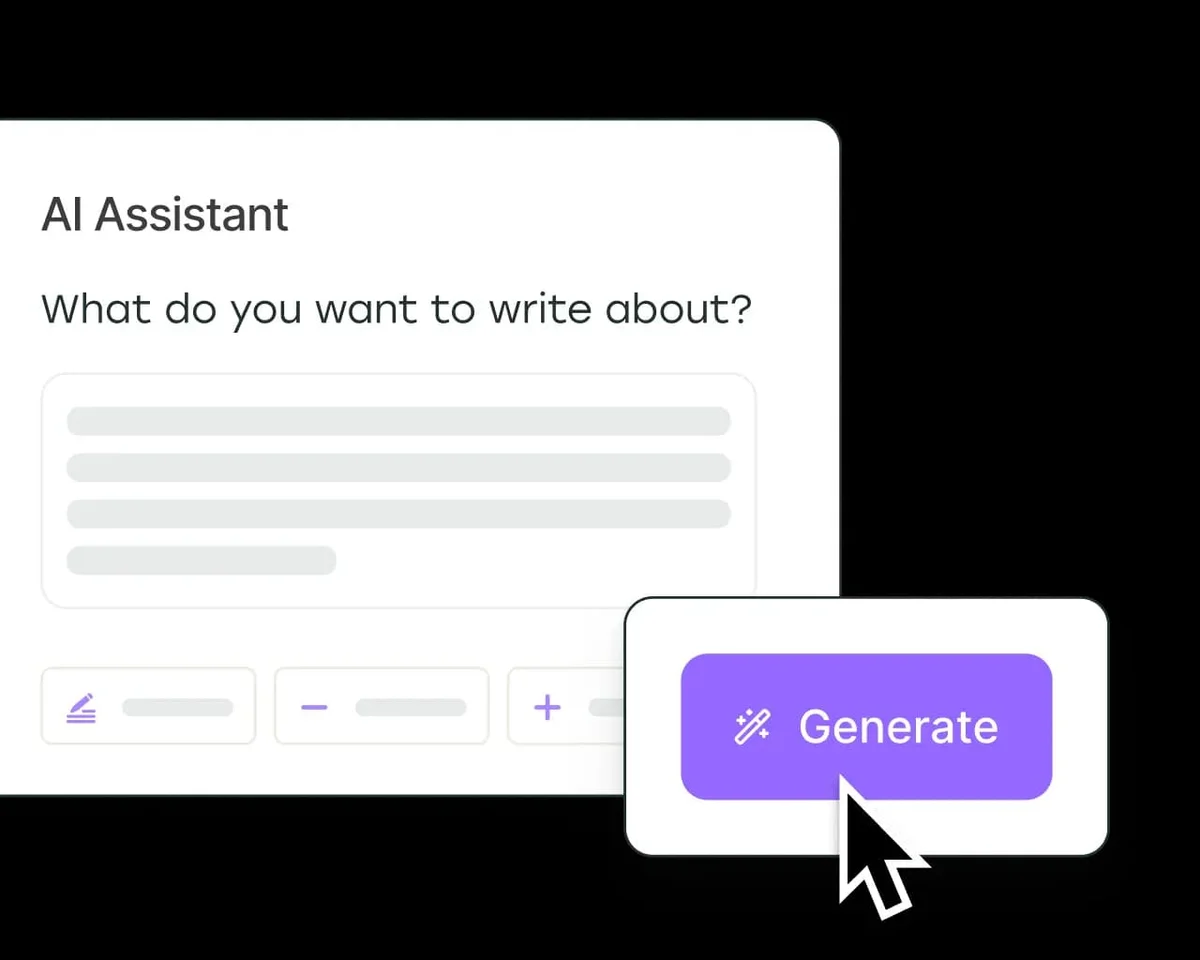
Generate compelling content effortlessly with the AI Assistant.
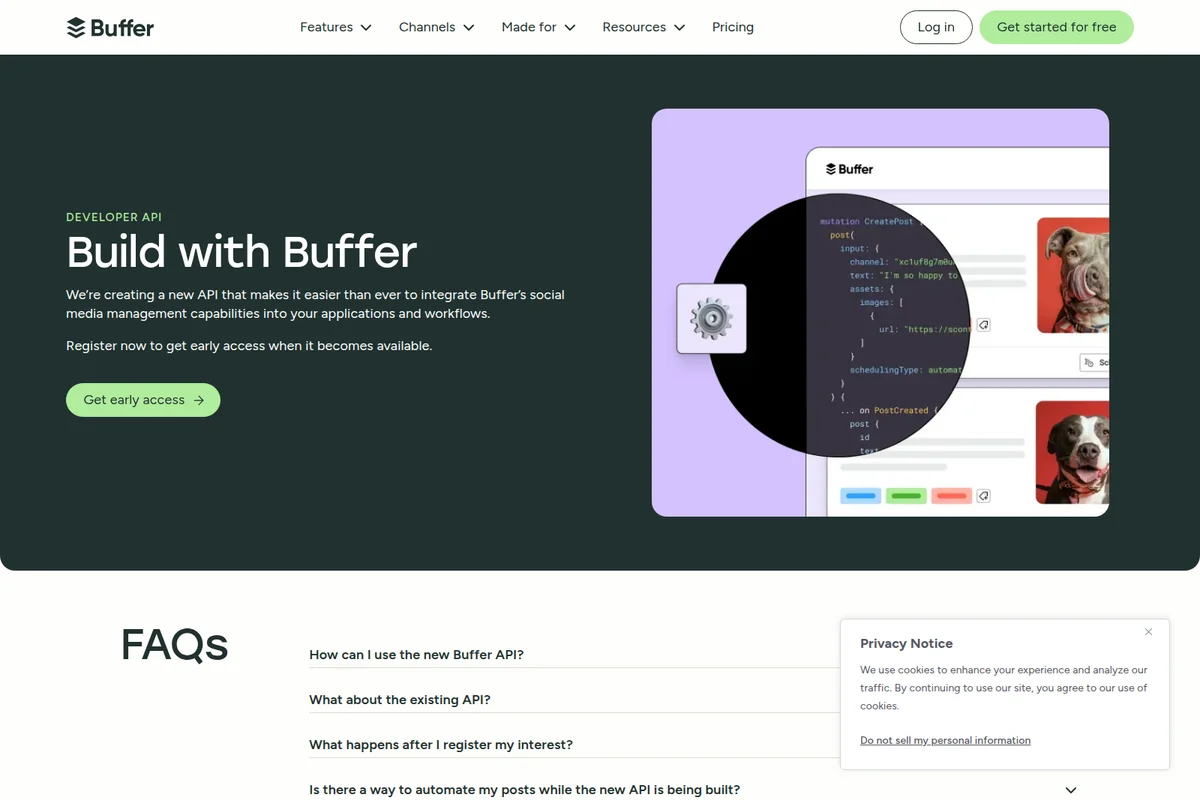
Integrate Buffer's social media capabilities with our new API.
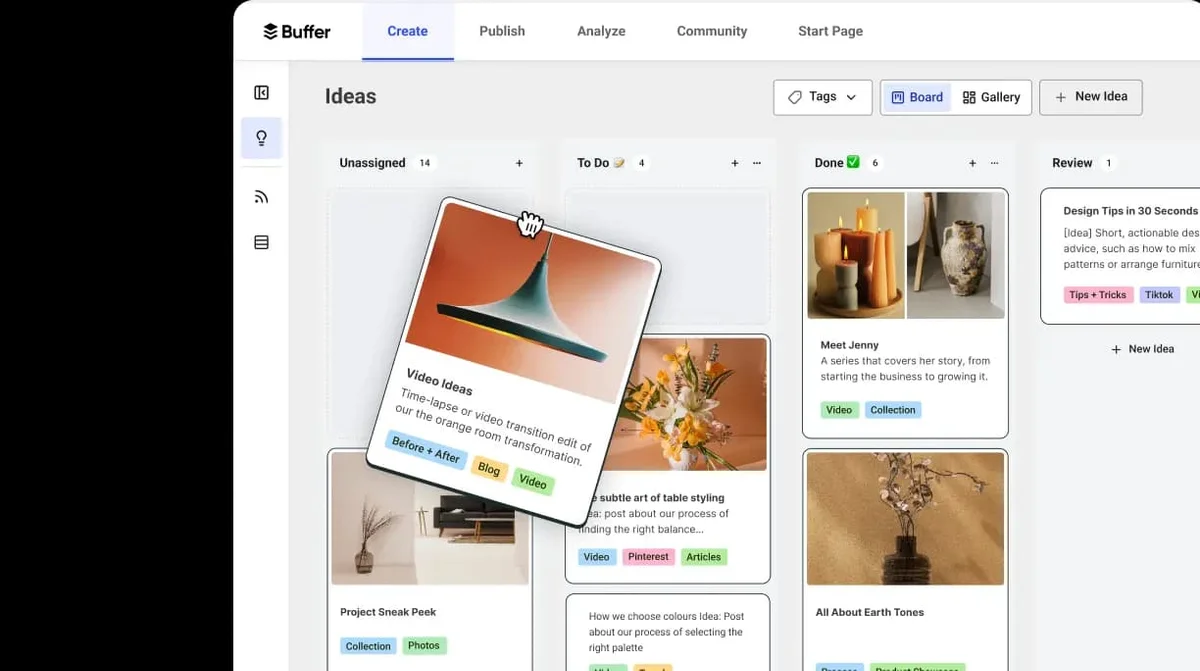
Organize and track all your content ideas across different stages.

Connect all your social media channels to one unified workspace.
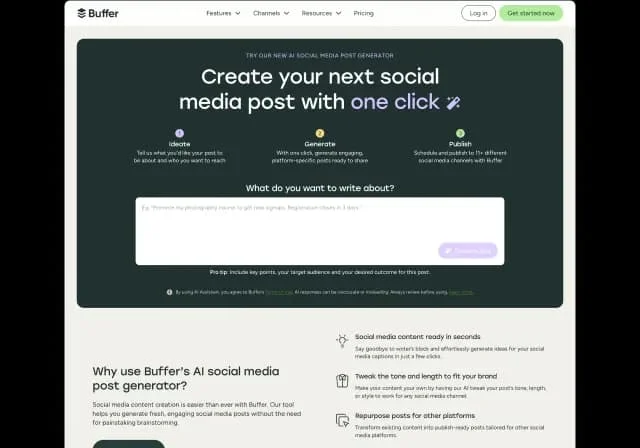
Create engaging social media posts in seconds with AI assistance.
Buffer Review: Tooliverse Consensus






Based on 2k+ verified reviews across 6 platforms,
combined with Tooliverse's expert analysis
Buffer has refined social media scheduling into a frictionless workflow that prioritizes ease of use over enterprise-grade analytics, making it the accessible entry point for creators and small teams managing multiple platforms. The clean interface, generous free tier, and AI-powered content adaptation handle the repetitive work of maintaining consistent social presence across 11 channels. The per-channel pricing model becomes expensive as social presence scales, and analytics remain basic, but unlimited team seats and straightforward scheduling keep it competitive for small teams who value simplicity over depth.
Bottom line: A strong social media scheduler that removes the friction from multi-platform content planning, though the per-channel pricing adds up quickly as your social presence expands beyond a handful of core channels.
Buffer | Key Specs
- Platforms
- Web, iOS, Android, Chrome Extension
- Pricing Model
- Freemium ($0-10/channel/month) See plans
- Privacy/Data Use
- AI prompts shared with OpenAI only
- Security
- Two-factor authentication See details
Wins
- •Provides a remarkably clean and intuitive interface that minimizes the learning curve for new usersmentioned in 342 reviews
- •Supports a wide range of platforms including emerging networks like Threads and Blueskymentioned in 218 reviews
- •Offers a generous and genuinely useful free plan for solo creators and small projectsmentioned in 195 reviews
Watch-Outs
- •Per-channel pricing model can become significantly expensive as social presence scalesmentioned in 156 reviews
- •Occasional technical glitches lead to account disconnections or failed post publishingmentioned in 112 reviews
- •Analytics and reporting features are relatively basic compared to enterprise-grade competitorsmentioned in 94 reviews
Buffer Features 2026
Multi-Platform Publishing
Schedule and publish content to 11 social platforms including Instagram, Facebook, TikTok, LinkedIn, X, YouTube, Threads, Bluesky, Pinterest, Google Business Profile, and Mastodon from one dashboard.
Unified Community Inbox
Reply to comments across all connected social channels from a single inbox with AI-powered reply suggestions, saved replies, and comment scoring to prioritize engagement.
AI Assistant
Generate, repurpose, and refine social media content using OpenAI-powered AI. Create platform-specific posts, adjust tone (casual/formal), shorten or expand content, and brainstorm ideas with unlimited credits on all plans.
Team Collaboration & Approval Workflows
Unlimited team members on Team plan with custom access levels, content approval workflows, internal notes, and role-based permissions for drafting and publishing.
Buffer User Reviews
Selected Reviews

"The platform offers a seamless and efficient way to schedule and post content across various social media channels, including Twitter, Facebook, LinkedIn, and Instagram."
"The AI assistant is actually useful for rewriting captions for different platforms. It saves me from having to think of five different ways to say the same thing."
"I dislike it when it fails to post, and unless one of our social media managers downloads the mobile app, they don't get notified at all. Price is reasonable but adds up."
More from the Community

"Buffer saves me so much time. Tools are efficient and easy to use, easy to swap out accounts and channels too. Would love to see Substack support soon."
"Effortless social media management with intuitive scheduling. Love how I can just queue all my posts at once and don't touch them again."
"Buffer is the easiest scheduler to learn and is reliable day to day. If you need deep analytics, look elsewhere, but for pure scheduling it's great."
"The browser extension is a lifesaver for sharing content as I find it. It's simple, reliable, and keeps my queue full without much effort."
"Still the best for small teams. The unlimited users on the Team plan is a huge win over competitors who charge per seat."
"Buffer saves me so much time. Tools are efficient and easy to use, easy to swap out accounts and channels too. Would love to see Substack support soon."
"Effortless social media management with intuitive scheduling. Love how I can just queue all my posts at once and don't touch them again."
"Buffer is the easiest scheduler to learn and is reliable day to day. If you need deep analytics, look elsewhere, but for pure scheduling it's great."
"The browser extension is a lifesaver for sharing content as I find it. It's simple, reliable, and keeps my queue full without much effort."
"Still the best for small teams. The unlimited users on the Team plan is a huge win over competitors who charge per seat."
"Preview doesn't always match the final post, and analytics are quite basic unless you upgrade to the higher tiers. Support can be slow."
"Solid app, but the per-channel pricing is starting to hurt as we expand to more platforms like TikTok and Threads. It adds up fast."
"I've used Buffer for years and it's still the cleanest UI out there. No clutter, just what you need to get the job done."
"Good for basic scheduling but the lack of social listening is a dealbreaker for our larger clients. We use it for our own small brand though."
"Preview doesn't always match the final post, and analytics are quite basic unless you upgrade to the higher tiers. Support can be slow."
"Solid app, but the per-channel pricing is starting to hurt as we expand to more platforms like TikTok and Threads. It adds up fast."
"I've used Buffer for years and it's still the cleanest UI out there. No clutter, just what you need to get the job done."
"Good for basic scheduling but the lack of social listening is a dealbreaker for our larger clients. We use it for our own small brand though."
Buffer Pricing 2026
View SourceThe free tier works for casual users managing up to three channels, but Essentials at $5 per channel monthly is where most professionals land: unlimited scheduling, advanced analytics, and AI assistance without usage caps. A typical setup with five channels costs $25 monthly, which is reasonable until you start adding platforms. Team at $10 per channel monthly is worth the upgrade primarily for the unlimited users; if you're a solo operator, the approval workflows won't justify doubling your cost. Volume discounts kick in after 10 channels, but most small teams hit budget constraints before reaching that scale.
Buffer In-Depth Review 2026

Buffer consolidates scheduling, engagement, and performance tracking for 11 social platforms into a single workspace. You draft posts once, adapt them for each channel with AI assistance, and schedule weeks of content in an afternoon. It runs on web and mobile, with a browser extension that lets you queue content as you find it. The platform supports Instagram, Facebook, TikTok, LinkedIn, X, YouTube Shorts, Threads, Bluesky, Pinterest, Google Business Profile, and Mastodon.
What It's Like Day-to-Day
The interface stays out of your way. You open the composer, write your post, select which channels get it, and Buffer handles the rest. The visual calendar shows your entire content pipeline at a glance, with drag-and-drop rescheduling when plans change. One Trustpilot reviewer noted Buffer "saves me so much time" with tools that are "easy to swap out accounts and channels." The learning curve is minimal because the design assumes you already know social media; it just removes the tedious parts.
The AI assistant earns its keep by handling the repetitive work of adapting content for different platforms.
Buffer Security & Compliance
Security Features
- Two-factor authentication
Privacy Commitments
- AI Assistant prompts shared with OpenAI, but no other account data is shared
Buffer: Frequently Asked Questions (FAQs)
What features are supported for each specific channel?
Buffer supports automatic publishing for most platforms including Bluesky, Facebook pages, Google Business Profiles, Instagram business/creator accounts, LinkedIn pages/profiles, Mastodon, Pinterest, Start Page, Threads, TikTok, YouTube Shorts, and X/Twitter. Some platforms like Instagram personal profiles, Facebook groups, and TikTok use reminder notifications instead of automatic publishing. Advanced analytics are available for Instagram business/creator accounts, Facebook pages, LinkedIn pages, and X/Twitter premium profiles.
What are the billing options for Buffer's paid plans?
Buffer offers monthly or annual billing. Annual billing provides a 20% discount (equivalent to 2 free months). You can switch between monthly and annual billing at any time, with automatic prorations or refunds applied.
Does Buffer have a free trial?
Yes, Buffer offers a 14-day free trial for paid plans. You can also start using Buffer immediately with the Free plan without needing a trial period.
What happens at the end of the 14-day trial?
If you enter payment details during the trial, you'll be charged and continue with your subscription. If you don't enter payment details, your account automatically downgrades to the Free plan. Scheduled posts will still publish if you stay within the Free plan's 3-channel limit.
Buffer Integrations
| Canva | Google Drive | Google Photos |
| Dropbox | OneDrive | Unsplash |
| Bitly | Zapier | IFTTT |
| Make | n8n | Microsoft Power Automate |
| WordPress | Feedly | |
| ChatGPT | Claude | Cursor |
| Perplexity | Raycast | OpenAI |
| Quuu | Nelio Content | WriteStack |
Buffer: Verified Data Sheet
| # | Label | Data Point |
|---|---|---|
| [1] | Buffer Consensus: 8.10/10 | Buffer is a highly-rated tool among AI marketing tools in the Tooliverse index, with a consensus score of 8.10/10 across 2,085 verified reviews. |
| [2] | What is Buffer | Buffer is a social media management platform serving over 100,000 businesses with $25.2M ARR. The platform supports 11 social channels including Instagram, TikTok, LinkedIn, and X, with pricing starting at $5/month per channel. |
| [3] | Tooliverse Consensus on Buffer | Buffer has refined social media scheduling into a frictionless workflow that prioritizes ease of use over enterprise-grade analytics, making it the accessible entry point for creators and small teams managing multiple platforms. The clean interface, generous free tier, and AI-powered content adaptation handle the repetitive work of maintaining consistent social presence across 11 channels. The per-channel pricing model becomes expensive as social presence scales, and analytics remain basic, but unlimited team seats and straightforward scheduling keep it competitive for small teams who value simplicity over depth. |
| [4] | Buffer Verdict | Buffer bottom line: A strong social media scheduler that removes the friction from multi-platform content planning, though the per-channel pricing adds up quickly as your social presence expands beyond a handful of core channels. |
| [5] | Free: Free | Buffer offers a functional Free tier that connects up to 3 channels with 10 scheduled posts per channel that refill after publishing, making social media management accessible at no cost. |
| [6] | Clean, intuitive interface | Buffer provides a remarkably clean and intuitive interface that minimizes the learning curve for new users, validated as a key strength by 342 user reviews. |
| [7] | 11 platforms including Threads, Bluesky | Buffer supports 11 social platforms including emerging networks like Threads and Bluesky, alongside established channels such as Instagram, TikTok, LinkedIn, and X, according to 218 user reviews highlighting platform breadth. |
| [8] | Generous free plan: 3 channels, 10 posts each | Buffer offers a generous free plan supporting 3 channels with 10 scheduled posts per channel, validated as genuinely useful for solo creators and small projects by 195 user reviews. |
| [9] | Team: $10/channel/mo (annual) | Buffer Team empowers users with Unlimited scheduled posts per channel for $10/channel/month billed annually, significantly expanding on the free tier's capabilities. |
| [10] | Visual calendar for multi-channel planning | Buffer features a visual content calendar that makes multi-channel planning effortless and organized, with drag-and-drop scheduling praised by 174 user reviews. |
| [11] | Per-channel pricing scales expensively | Buffer's per-channel pricing model can become significantly expensive as social presence scales across multiple platforms, a cost concern raised in 156 user reviews. |
| [12] | Occasional publishing failures | Buffer may experience occasional technical glitches leading to account disconnections or failed post publishing, according to 112 user reports. |
| [13] | Privacy: AI Assistant prompts shared with OpenAI, but no other account data is shared | Buffer privacy protections include AI Assistant prompts shared with OpenAI, but no other account data is shared. |
| [14] | Enterprise: Two-factor authentication | Buffer provides enterprise security with Two-factor authentication. |
| [15] | Saves time with efficient tools | Buffer "saves me so much time" with efficient tools that make it "easy to swap out accounts and channels," according to a verified Trustpilot reviewer who rated it 5/5. |
Best Buffer Alternatives
ContentStudio
Unified social media management platform for scheduling, analytics, and team collaboration across all major networks.

Hootsuite
Manage social media, protect your brand, and prove ROI—all from one powerful dashboard.

Planable
Plan social like a team—social media scheduling, collaboration, and organization in one place.