
DataSnipper Review 2026 - Audit Automation
Verified Jun 10, 2026 by Tooliverse Editorial
DataSnipper uses AI agents to automate repetitive audit and finance tasks—extract data from invoices, match documents, and validate financial statements without copy-pasting. Trusted by all Big Four firms and Fortune 500 companies across 175 countries.
Introducing DataSnipper Excel Agents: AI Excel Agents That Run Audit Tests Inside Excel
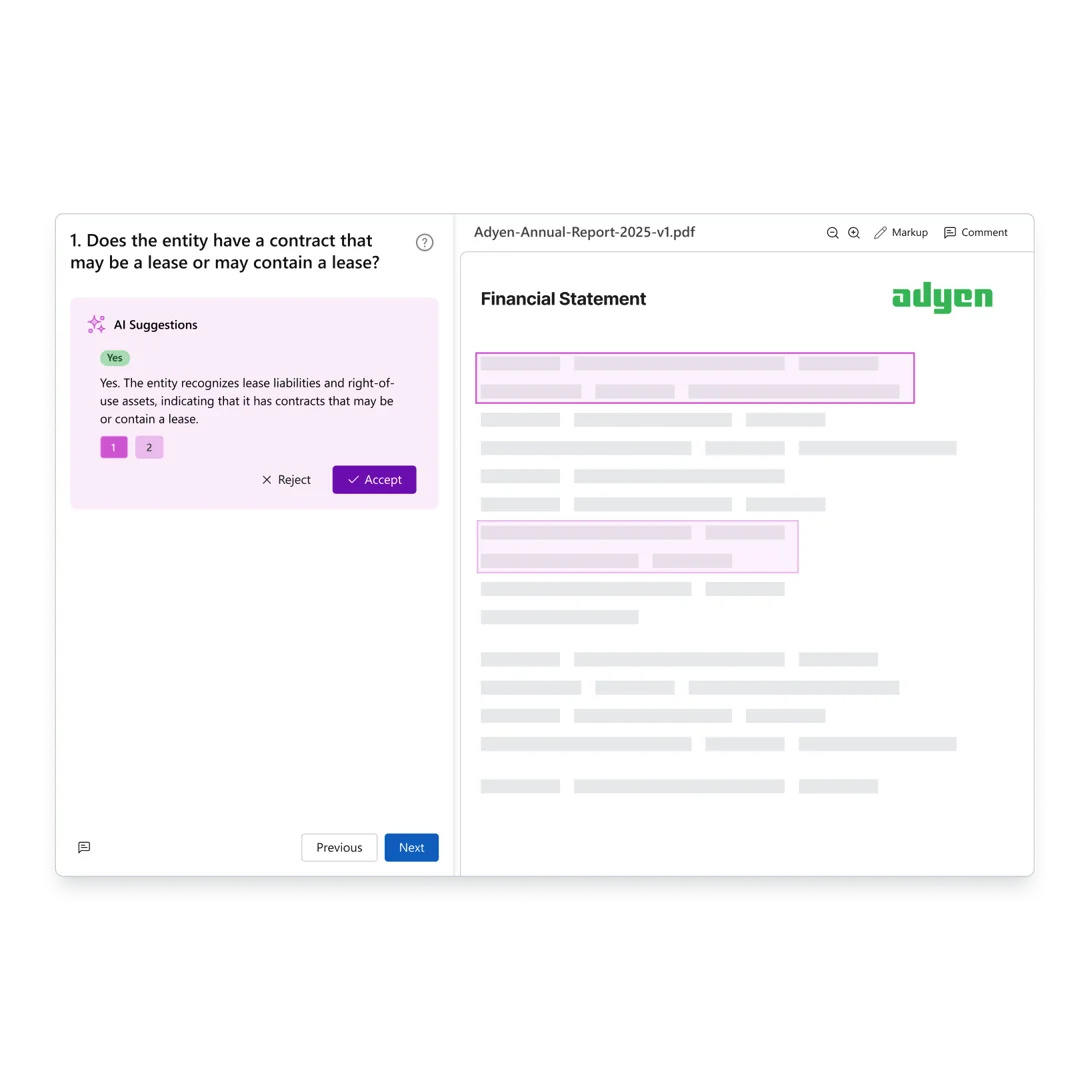
AI suggests answers to financial questions by analyzing document content.
Transform your firm with intelligent automation for audit reports in Excel.
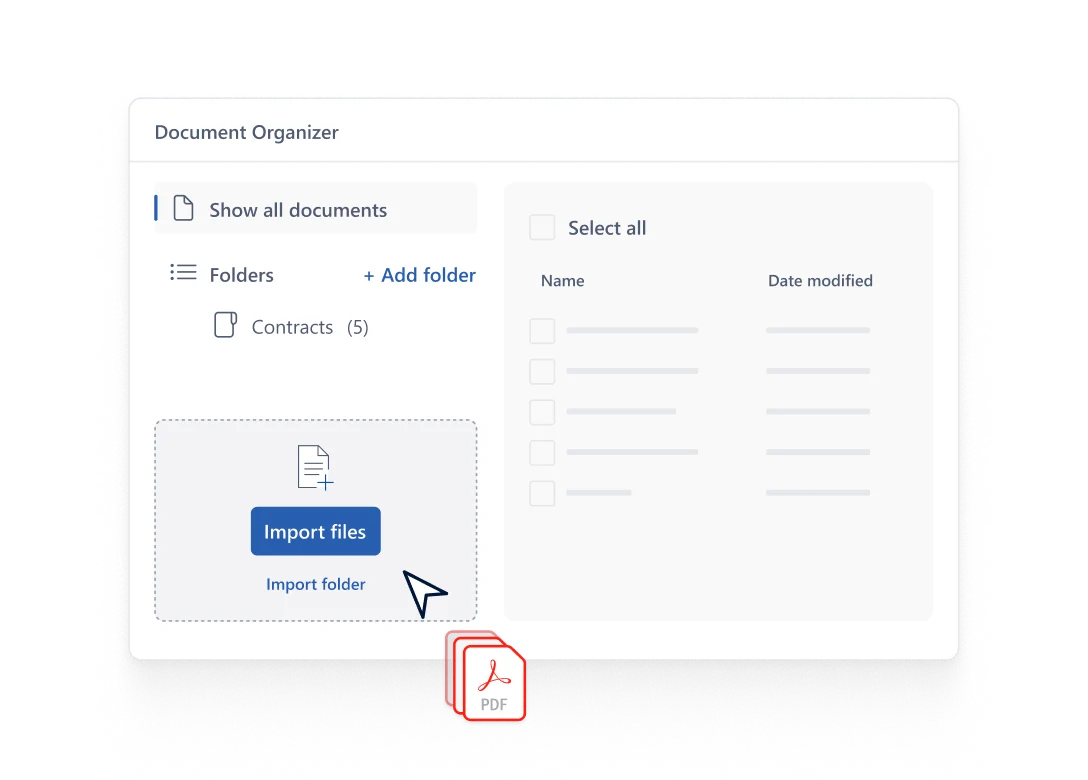
Effortlessly import and organize all your critical documents.
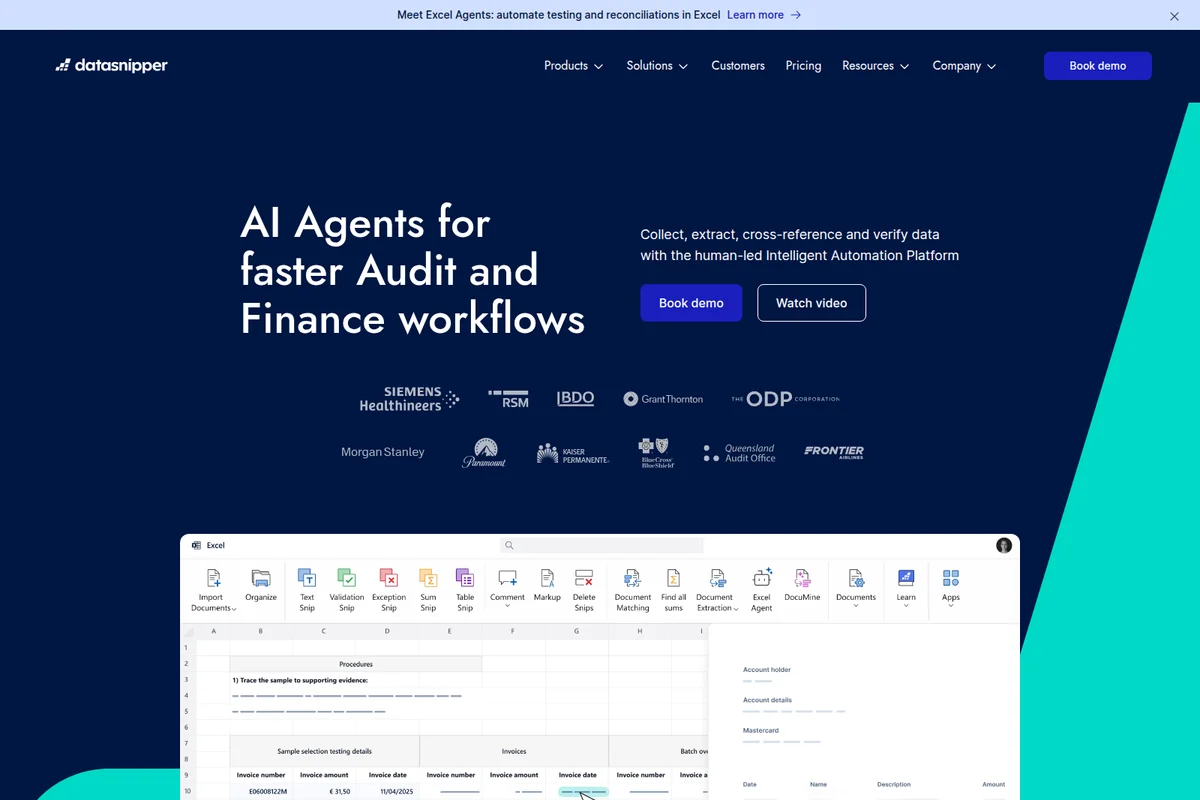
Automate audit and finance workflows directly within Excel with AI agents.
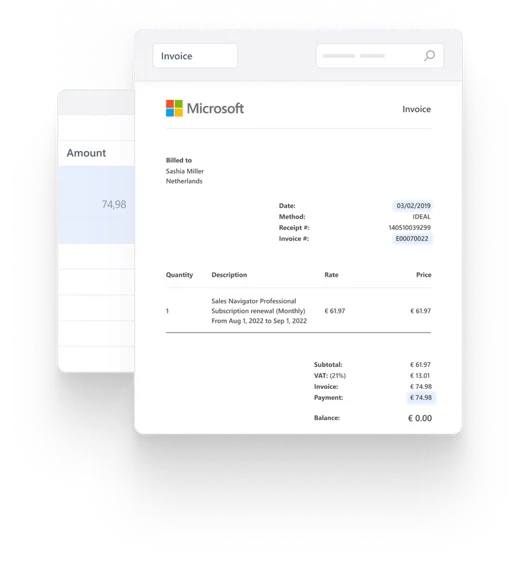
Effortlessly extract and verify data from complex invoices with structured views.
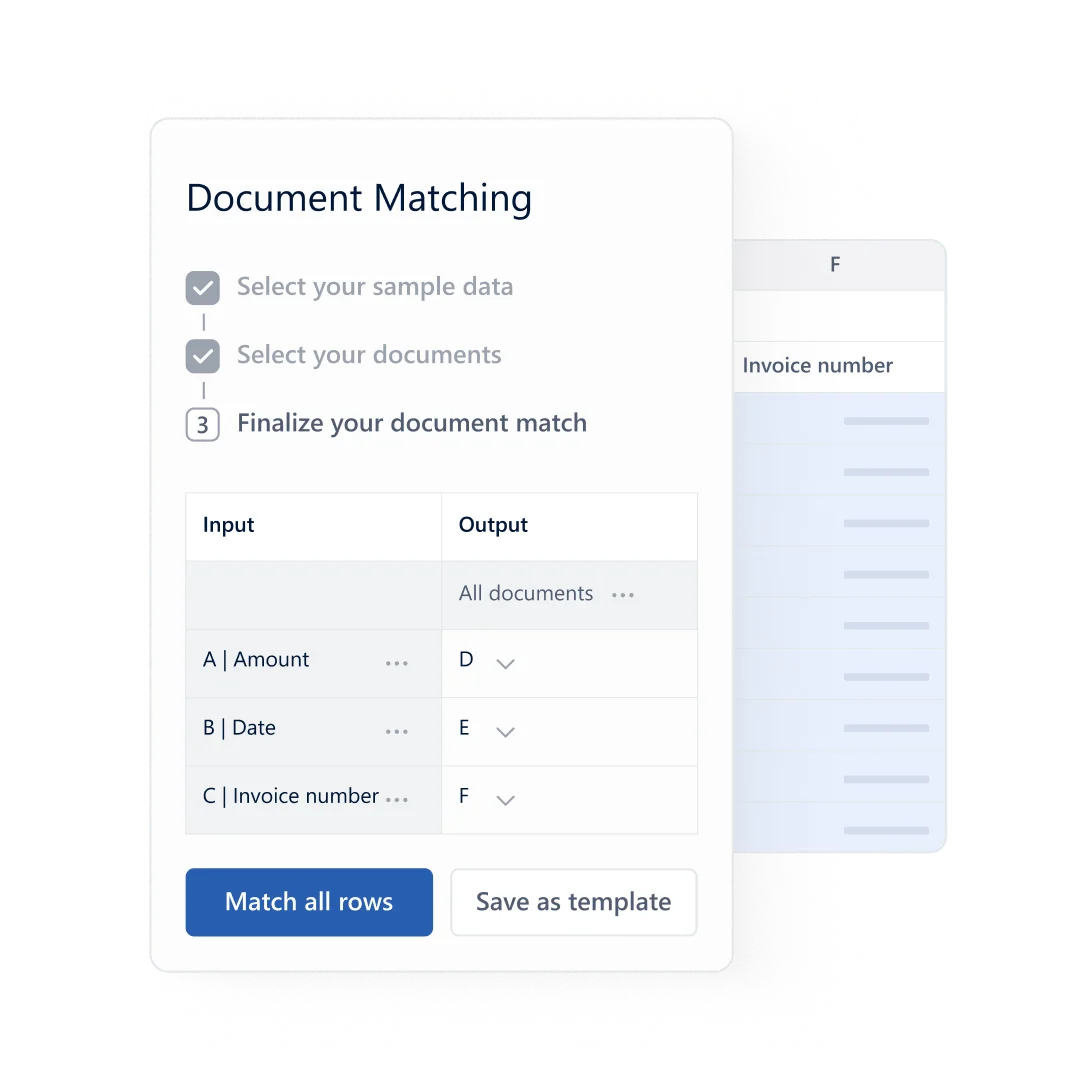
Map document fields to sample data for automated matching and processing.
DataSnipper Review: Tooliverse Consensus





Based on 272 verified reviews across 4 platforms,
combined with Tooliverse's expert analysis
DataSnipper transforms audit workflows by automating the manual data entry and document reconciliation that consumes thousands of hours annually, operating as an Excel-native add-in that creates clickable audit trails linking cells directly to source documents. The AI extraction accuracy and end-to-end workflow automation deliver measurable productivity gains for mid-to-large firms processing high volumes of invoices, bank statements, and financial forms. Per-seat contract minimums create barriers for smaller firms and seasonal staffing models, and performance degrades noticeably with exceptionally large PDF files, but the tool has become essential infrastructure across Big Four firms and Fortune 500 finance teams for good reason.
Bottom line: A leading audit automation platform that eliminates manual data entry and creates defensible audit trails at enterprise scale, though per-seat minimums and large-file performance issues limit accessibility for smaller firms.
DataSnipper | Key Specs
- Platforms
- Web, Windows, macOS, Chrome Extension
- Pricing Model
- Enterprise-only (custom pricing) See plans
- Privacy/Data Use
- No training on customer data, prompts deleted after 24 hours
- Security
- SOC 2 Type II, GDPR, AES-256 encryption, SSO See details
Wins
- •Integrates seamlessly within Excel, allowing auditors to work in a familiar environmentmentioned in 142 reviews
- •Drastically reduces the time spent on manual data entry and document reconciliationmentioned in 128 reviews
- •Creates a clear, clickable audit trail that links Excel cells directly to source documentsmentioned in 115 reviews
Watch-Outs
- •Per-seat contract minimums can be prohibitive for smaller audit firms or seasonal staffingmentioned in 78 reviews
- •Occasional performance lag or crashes when processing exceptionally large PDF files within Excelmentioned in 56 reviews
- •OCR accuracy can struggle with low-quality scans, handwritten notes, or complex formattingmentioned in 45 reviews
DataSnipper Features 2026
AI Extractions
Turn unstructured documents (bank statements, quarterly schedules) into structured data using natural language prompts or reusable templates. AI handles extraction from documents with inconsistent layouts.
Excel Agents
AI agents that run end-to-end workflows inside Excel (royalty calculations, revenue testing, tests of details). Agents handle the leg work while users review outputs and make final calls.
Financial Statement Suite
Automatically analyze, perform, and document all financial statement procedures. Verifies mathematical accuracy, internal consistency, and prior-year consistency. Create company-wide default and custom tickmarks.
Advanced Document Extraction
Automatically detect and extract data from structured documents like invoices, receipts, and tax forms. Perfect for high-volume workflows with consistent layouts, backed by AI confidence levels.
DataSnipper User Reviews
Selected Reviews
"DataSnipper is the intelligent automation platform transforming how audit and finance teams work. In 2025, it delivered more than $1.4B in productivity savings."
"Efficient Document Vouching and Faster Client Info Retrieval. It helps provide support for the information being audited because I can easily review documents."
"DataSnipper Streamlines Document Handling and Data Extraction for Audit Tasks. You can easily upload documents to excel and snip the data directly."
More from the Community
"It makes it easier to vouch documents, is efficient for finding information from clients, and provides better support for conclusions in the working papers."
"Real time saver, we use it regularly. And its pretty easy to use. It has been invaluable in gathering data for summary reports."
"My overall experience with Datasnipper has been very positive making document management very easy and helping to create a solid audit trail."
"Slow Interface Challenges Functionality Potential. The interface is slow at times but functional, it could be better with large files."
"Tick-and-tie worked fine but the per-seat contract minimum doesn't fit external audit staffing. We exited at renewal because the floor was too high."
"It makes it easier to vouch documents, is efficient for finding information from clients, and provides better support for conclusions in the working papers."
"Real time saver, we use it regularly. And its pretty easy to use. It has been invaluable in gathering data for summary reports."
"My overall experience with Datasnipper has been very positive making document management very easy and helping to create a solid audit trail."
"Slow Interface Challenges Functionality Potential. The interface is slow at times but functional, it could be better with large files."
"Tick-and-tie worked fine but the per-seat contract minimum doesn't fit external audit staffing. We exited at renewal because the floor was too high."
"The must-have tool to boost my productivity in audit and finance. It automates repetitive tasks and speeds up my productivity significantly."
"One of the drawbacks I have found is that at times the data extraction can be a bit limited in terms of the variety of formats."
"Solid and simple. It is a simple, helpful tool that can be added into Excel as a plugin, though pricing is a bit high."
"Sometimes difficulty in catching the text or numbers. The OCR isn't perfect on every document type and requires manual correction."
"The must-have tool to boost my productivity in audit and finance. It automates repetitive tasks and speeds up my productivity significantly."
"One of the drawbacks I have found is that at times the data extraction can be a bit limited in terms of the variety of formats."
"Solid and simple. It is a simple, helpful tool that can be added into Excel as a plugin, though pricing is a bit high."
"Sometimes difficulty in catching the text or numbers. The OCR isn't perfect on every document type and requires manual correction."
DataSnipper Pricing 2026
View SourceAll three tiers require contacting sales for custom quotes, which reflects the enterprise focus and per-seat contract structure. The Accelerate tier is where most audit teams should start the conversation: it adds DocuMine AI analysis, Advanced Document Extraction, and AI Extractions on top of the basic Form Extraction and Document Matching in Start. Elevate makes sense primarily for larger organizations that need Company Templates for firm-wide standardization and Directory Sync for SSO integration. The Financial Statement Suite and UpLink modules are separate add-ons priced independently.
DataSnipper In-Depth Review 2026

This Excel-native platform automates document reconciliation and data extraction for audit and finance teams, operating as an add-in that never forces you to leave your spreadsheet. It works across 175 countries and serves all Big Four firms, handling everything from invoice vouching to SOX controls testing. The AI extracts data from PDFs, creates clickable audit trails linking cells to source documents, and runs end-to-end workflows while keeping you in control of final approvals.
What It's Like Day-to-Day
The core experience centers on eliminating the manual grind. You upload a batch of invoices or bank statements, and DataSnipper's AI Extractions pull the relevant data into Excel automatically. The accuracy is high enough that you spend your time reviewing rather than typing, and when you click any cell, it jumps directly to the source document highlighting exactly where that number came from. As one G2 reviewer put it, the tool "makes it easier to vouch documents, is efficient for finding information from clients, and provides better support for conclusions in the working papers." That clickable audit trail is what transforms a spreadsheet full of numbers into defensible evidence.
DataSnipper Security & Compliance
Verified Compliance
- SOC 2 Type II
- GDPR
- EU AI Act
- EU-U.S. Data Privacy Framework
Security Features
- AES-256 Encryption (data at rest)
- TLS 1.2+ Encryption (data in transit)
- Single Sign-On (SSO)
- Directory Sync
- Network Segmentation
- Secure VPN Policies
- Regular Penetration Testing
Privacy Commitments
- No training on customer data (AI models are pre-trained only)
- Prompts and documents deleted after 24 hours
- GDPR compliant with minimal data retention principle
- Customer data remains fully owned by the customer
- Zero data retention for UpLink external LLM provider
DataSnipper Integrations
| Microsoft Excel | Microsoft Azure |
DataSnipper: Verified Data Sheet
| # | Label | Data Point |
|---|---|---|
| [1] | DataSnipper Consensus: 9.04/10 | DataSnipper is one of the highest-rated AI finance tools in the Tooliverse index, with a consensus score of 9.04/10 across 272 verified reviews. |
| [2] | What is DataSnipper | DataSnipper is an AI-powered intelligent automation platform for audit and finance teams, trusted by all Big Four accounting firms and Fortune 500 companies across 175 countries. The SOC 2 Type II certified platform serves 600,000+ active users and achieved unicorn status ($1B+ valuation) in 2024. |
| [3] | Tooliverse Consensus on DataSnipper | DataSnipper transforms audit workflows by automating the manual data entry and document reconciliation that consumes thousands of hours annually, operating as an Excel-native add-in that creates clickable audit trails linking cells directly to source documents. The AI extraction accuracy and end-to-end workflow automation deliver measurable productivity gains for mid-to-large firms processing high volumes of invoices, bank statements, and financial forms. Per-seat contract minimums create barriers for smaller firms and seasonal staffing models, and performance degrades noticeably with exceptionally large PDF files, but the tool has become essential infrastructure across Big Four firms and Fortune 500 finance teams for good reason. |
| [4] | DataSnipper Verdict | DataSnipper bottom line: A leading audit automation platform that eliminates manual data entry and creates defensible audit trails at enterprise scale, though per-seat minimums and large-file performance issues limit accessibility for smaller firms. |
| [5] | Excel-native integration | DataSnipper integrates seamlessly within Excel as a native add-in, allowing auditors to work in their familiar spreadsheet environment without switching between applications, validated by 142 user reviews. |
| [6] | Eliminates manual data entry | DataSnipper drastically reduces time spent on manual data entry and document reconciliation through automated extraction and cross-referencing, confirmed by 128 user reviews. |
| [7] | Clickable audit trail linking | DataSnipper creates a clear, clickable audit trail that links Excel cells directly to source documents in PDF, Word, and image formats, providing transparent evidence chains validated by 115 user reviews. |
| [8] | Automated extraction accuracy | DataSnipper automates data extraction from complex tables, invoices, and forms with high accuracy using AI confidence levels and reusable templates, confirmed by 98 user reviews. |
| [9] | High per-seat minimums | DataSnipper per-seat contract minimums can be prohibitive for smaller audit firms or organizations with seasonal staffing fluctuations, according to 78 user reports. |
| [10] | Large file performance issues | DataSnipper may experience occasional performance lag or crashes when processing exceptionally large PDF files within Excel, reported by 56 users. |
| [11] | Privacy: No training on customer data (AI models are pre-trained only) | DataSnipper privacy protections include No training on customer data (AI models are pre-trained only), Prompts and documents deleted after 24 hours, and GDPR compliant with minimal data retention principle. |
| [12] | Enterprise: AES-256 Encryption (data at rest) | DataSnipper provides enterprise security with AES-256 Encryption (data at rest), TLS 1.2+ Encryption (data in transit), and Single Sign-On (SSO). |
| [13] | Efficient document vouching | DataSnipper "makes it easier to vouch documents, is efficient for finding information from clients, and provides better support for conclusions in the working papers," according to a verified G2 reviewer. |
Best DataSnipper Alternatives

Datarails
Transform your CFO's office into the home of business insights with Excel-native FP&A automation.
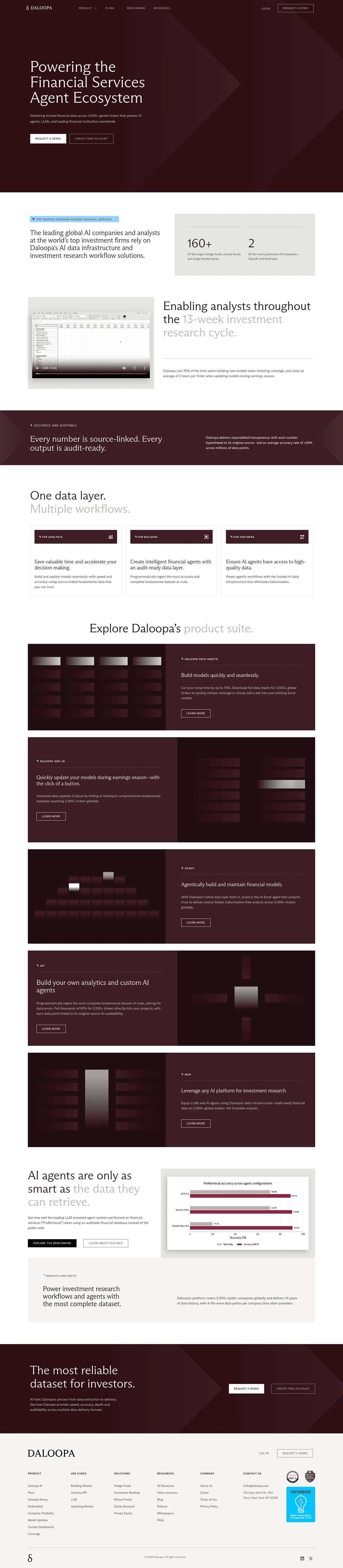
Daloopa
Eliminate manual financial data work and unlock more time for alpha-generating insights.

Truewind
Automate your month-end close with AI accountants that handle reconciliation, journal entries, and schedules while you keep final approval.