
Help Scout Review 2026 - Shared Inbox & AI
Verified Jun 12, 2026 by Tooliverse Editorial
Help Scout brings email, live chat, Instagram, Messenger, and WhatsApp into one shared inbox where teams collaborate to deliver personal support at scale. Over 12,000 companies use Help Scout to respond 56% faster in their first year, with AI features that resolve 73% of interactions automatically.
Help Scout Walkthrough
Help Scout Review: Best Help Desk SaaS for Small Business?
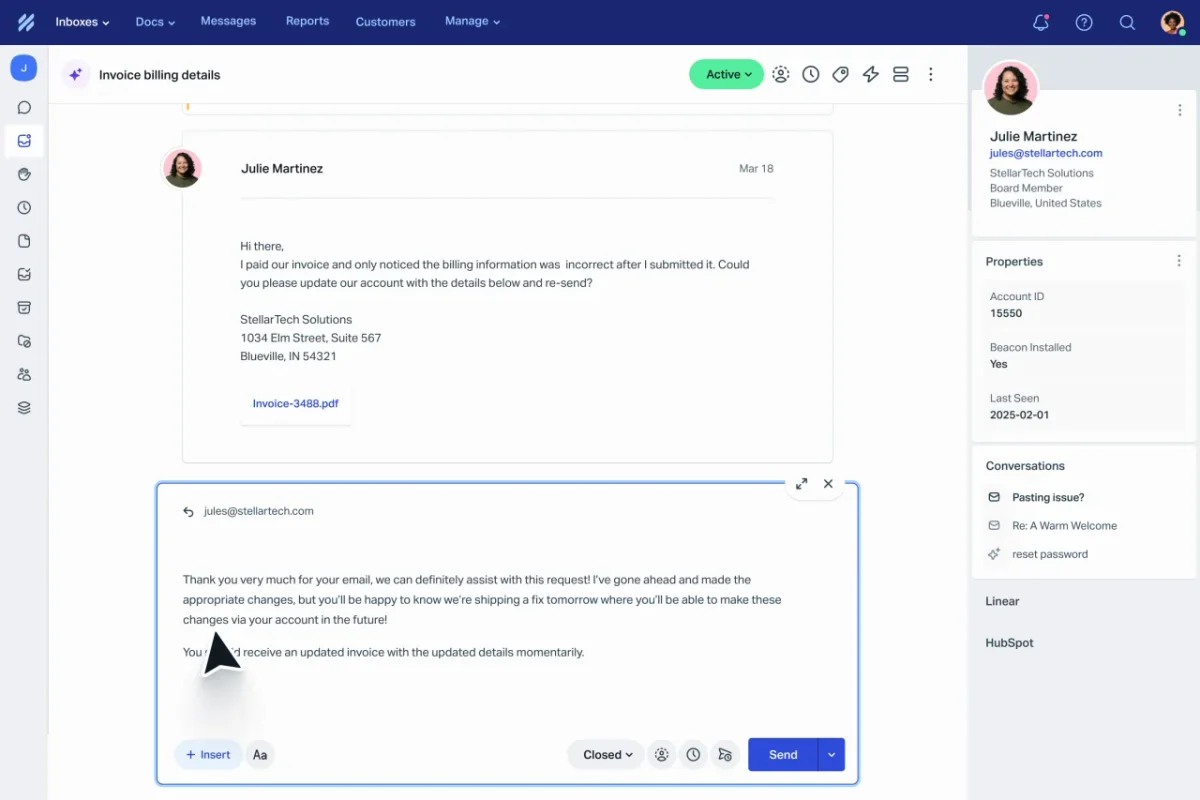
Efficiently resolve billing inquiries with customer context.
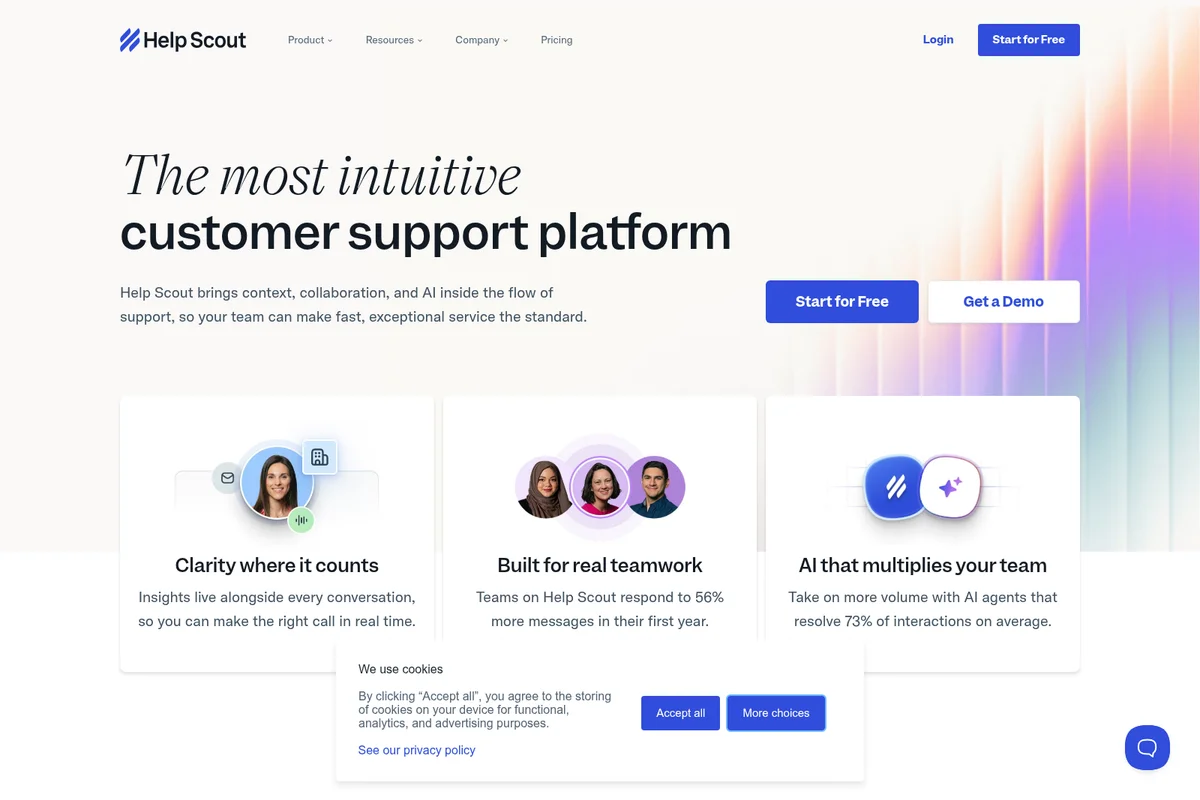
Discover Help Scout: the intuitive platform for exceptional customer support.
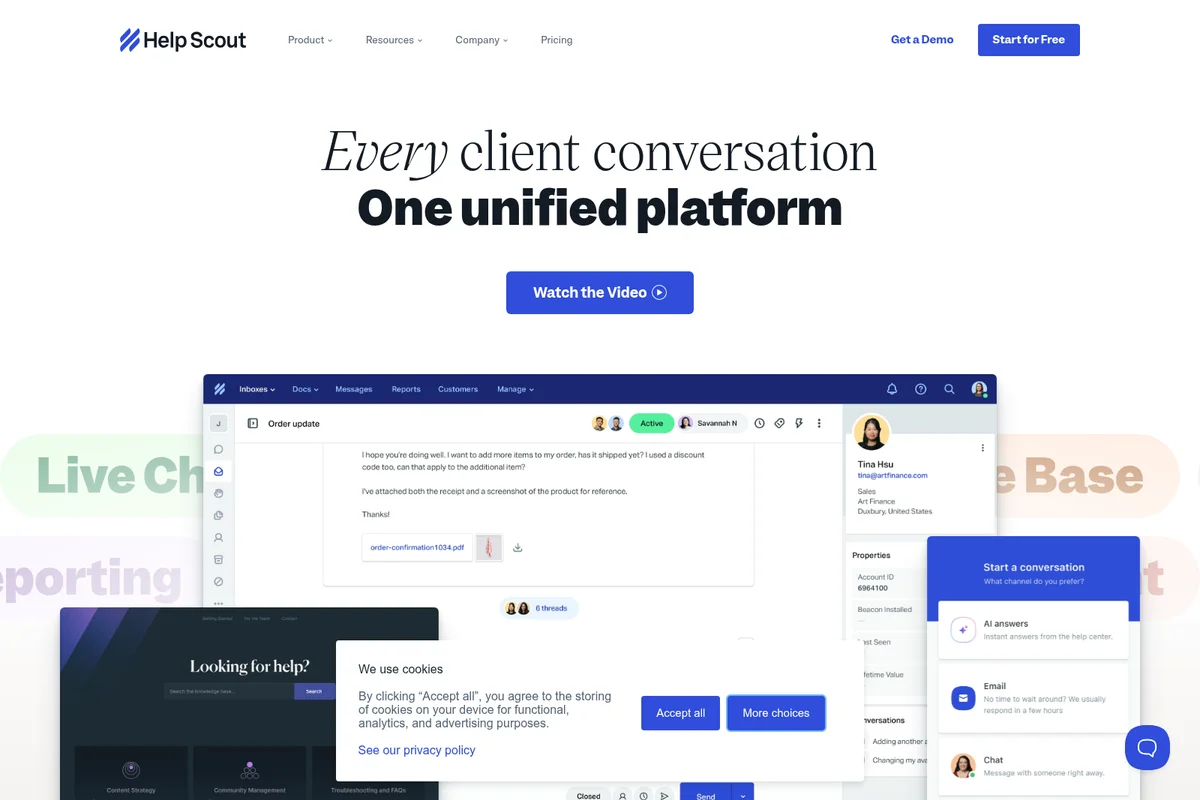
Manage every client conversation from one unified platform.
Help Scout Review: Tooliverse Consensus





Based on 445 verified reviews across 5 platforms,
combined with Tooliverse's expert analysis
Help Scout strips traditional help desk complexity down to an email-native interface that prioritizes conversation quality over ticket management, making it fast to deploy and intuitive for non-technical teams. The collision detection, integrated knowledge base, and AI-powered chatbot that resolves 73% of interactions distinguish it for teams focused on personal customer connection at scale. The mobile app trails the desktop experience in features and notification reliability, and the analytics dashboards lack depth for teams requiring custom reporting or advanced data analysis.
Bottom line: A strong customer support platform for teams that value human-centric communication over enterprise feature density, though mobile limitations and shallow analytics constrain teams needing advanced capabilities.
Help Scout | Key Specs
- Platforms
- Web, iOS, Android
- Pricing Model
- Freemium ($0-75/user/mo) See plans
- Security
- SSO/SAML, IP restrictions, HIPAA compliance See details
- Integrations
- Salesforce, HubSpot, Jira + 17 more
Wins
- •Features a clean, email-native interface that makes support feel personal rather than transactionalmentioned in 182 reviews
- •Enables rapid team onboarding with an intuitive design that requires minimal technical trainingmentioned in 144 reviews
- •Prevents duplicate replies through robust collision detection and real-time team collaboration toolsmentioned in 126 reviews
Watch-Outs
- •Mobile application lacks several key features and notification settings found on the desktop versionmentioned in 84 reviews
- •Reporting and analytics dashboards can feel shallow for teams needing deep data customizationmentioned in 72 reviews
- •Pricing for AI features and per-user seats can become expensive for scaling startupsmentioned in 64 reviews
Help Scout Features 2026
AI Features (Drafts, Summarize, Assist)
AI Drafts create first-draft replies from past conversations and help content. AI Summarize recaps long threads. AI Assist expands, shortens, edits, or translates replies with one click.
AI Answers Chatbot
Autonomous AI agent that resolves 73% of customer interactions on average by answering questions from your knowledge base and custom sources 24/7. Customers can escalate to human help anytime.
HIPAA Compliance
Safely store protected health information (PHI) in Help Scout with HIPAA-compliant infrastructure. Available as add-on on Plus or included on Pro.
Shared Inbox
Manage email, live chat, Instagram, Messenger, and WhatsApp in one unified workspace. Teams collaborate with @mentions, private notes, and collision detection to avoid duplicate replies.
Help Scout User Reviews
Selected Reviews
"I love the collision detection. No more double-replying to customers because two of us were looking at the same ticket at once. Everything is so polished it looks effortlessly simple."
"Help Scout has a clean, intuitive interface that doesn't overwhelm users with unnecessary complexity - new team members can get comfortable with it quickly without much hand-holding."
"The main reason I signed up was to consolidate ticketing and web chat. But the app not having reliable notifications for new chats is a showstopper for my mobile team."
More from the Community
"The reason we love Help Scout is because they are the most customer centric help desk. When your customers write in, they are not made to feel like a ticket number."
"Solid ticketing system for email. What I like most is the application interface, which is simple and contained within a single window. It makes tracking incoming tickets very easy."

"Been a customer for 2 years now. We are not switching EVER. Our support team really likes working on this tool and they don't even know what more features to ask for."
"Help Scout remains the gold standard for teams that value a human-centric support experience over the rigid, ticket-number-heavy interface of legacy enterprise tools."
"The reporting capabilities from Help Scout are a bit shallow and they need advanced support for custom metrics. It's great for basics but hard for deep data analysis."
"The reason we love Help Scout is because they are the most customer centric help desk. When your customers write in, they are not made to feel like a ticket number."
"Solid ticketing system for email. What I like most is the application interface, which is simple and contained within a single window. It makes tracking incoming tickets very easy."
"Been a customer for 2 years now. We are not switching EVER. Our support team really likes working on this tool and they don't even know what more features to ask for."
"Help Scout remains the gold standard for teams that value a human-centric support experience over the rigid, ticket-number-heavy interface of legacy enterprise tools."
"The reporting capabilities from Help Scout are a bit shallow and they need advanced support for custom metrics. It's great for basics but hard for deep data analysis."
"The mobile app is useful for on-the-go replying, but it lacks many features compared to the desktop version. I wouldn't rely on this as your main way to support customers."
"It strikes a good balance between being feature-rich enough to handle real support volume and simple enough that the whole team can get up and running quickly."
"The Knowledge Base (Docs) is so easy to set up. We had our entire help center live in a weekend, and it looks professional right out of the box."
"Internal notes are a lifesaver. We can discuss a customer's issue right in the thread without them ever seeing our messy back-and-forth."
"The mobile app is useful for on-the-go replying, but it lacks many features compared to the desktop version. I wouldn't rely on this as your main way to support customers."
"It strikes a good balance between being feature-rich enough to handle real support volume and simple enough that the whole team can get up and running quickly."
"The Knowledge Base (Docs) is so easy to set up. We had our entire help center live in a weekend, and it looks professional right out of the box."
"Internal notes are a lifesaver. We can discuss a customer's issue right in the thread without them ever seeing our messy back-and-forth."
Help Scout Pricing 2026
View SourceThe Free plan covers tiny teams (5 users, 1 inbox) but you'll outgrow it fast. Standard at $25 per user monthly is the entry point for real support operations, adding live chat and multiple inboxes. Plus at $45 per user monthly is where most growing teams land: WhatsApp support, advanced workflows, and the Salesforce integration that actually connects your support data to the rest of the business. Pro at $75 makes sense only if you need HIPAA compliance or SSO—otherwise Plus delivers the features that matter.
Help Scout In-Depth Review 2026

The shared inbox runs on email, live chat, Instagram, Messenger, and WhatsApp, consolidating channels without the visual chaos of traditional ticketing systems. It works across web and mobile apps, with over 100 integrations connecting Salesforce, HubSpot, Jira, and Shopify. The AI features—drafting replies, summarizing threads, translating messages—sit in the background until you need them, and the autonomous AI Answers chatbot resolves 73% of interactions on average before a human ever sees them.
What It's Like Day-to-Day
The interface strips away ticket numbers and status labels in favor of conversations that read like your personal inbox. New team members get comfortable within hours instead of days because the learning curve is nearly flat—if you've used Gmail, you already understand the basics. The collision detection is where the simplicity pays off in practice: Help Scout shows you in real time when a colleague is viewing or typing a response to the same conversation, and as one G2 reviewer put it, "no more double-replying to customers because two of us were looking at the same ticket at once." That feature alone saves the awkward apologies and customer confusion that plague teams using less coordinated tools.
Help Scout Security & Compliance
Security Features
- SSO/SAML
- IP restrictions
Privacy Commitments
- HIPAA compliance available
Help Scout: Frequently Asked Questions (FAQs)
Can I add more Inboxes or Docs sites to my plan?
Yes, additional Inboxes beyond the number included in your plan are available for $10 per month when paid annually (or $12 per month). Additional Docs sites are available for $20 per month when paid annually (or $24 per month). The Free plan is limited to just 1 Inbox and 1 Docs site.
What counts as an AI resolution?
A resolution is a single conversation that is resolved by AI Answers without human assistance. A resolution is counted only if the customer receives an AI response and doesn't use escalation, search the knowledge base, ask more questions, or indicate that they need more help. If a customer requests more help with natural language or by selecting the 'I still need help' button, the conversation won't count as a resolution and you won't be charged. You'll only be charged for one resolution per conversation, even if AI Answers responds to multiple questions.
Can I set caps on AI resolution spending?
Yes, you can set a monthly cap on AI Answers resolutions. If you hit your spending cap, AI Answers will be disabled automatically for the remainder of the monthly cycle. You'll receive email notifications as you get closer to your cap. This option allows for predictable billing, so you'll never be surprised at the end of the month.
How does the free trial work?
When you sign up for a free trial of the Standard or Plus plan, you'll get 15 days to take all of the plan's features for a test drive—no credit card required. Want to trial the Pro plan? Talk to the sales team.
Help Scout Integrations
| Salesforce | HubSpot | Jira |
| Linear | Shopify | Slack |
| Stripe | ||
| Facebook Messenger | Aircall | Zapier |
| GitHub | Asana | Mailchimp |
| Google Apps | Pipedrive | Zendesk |
| FullStory | Mixpanel |
Help Scout: Verified Data Sheet
| # | Label | Data Point |
|---|---|---|
| [1] | Help Scout Consensus: 8.22/10 | Help Scout is a highly-rated tool among AI support tools in the Tooliverse index, with a consensus score of 8.22/10 across 445 verified reviews. |
| [2] | What is Help Scout | Help Scout is a customer communication platform serving 12,000+ companies with shared inbox, AI chatbot, and knowledge base tools. The platform has handled 950 million+ conversations with 80% customer retention after 4 years, pricing from free to $75/user/month. |
| [3] | Tooliverse Consensus on Help Scout | Help Scout strips traditional help desk complexity down to an email-native interface that prioritizes conversation quality over ticket management, making it fast to deploy and intuitive for non-technical teams. The collision detection, integrated knowledge base, and AI-powered chatbot that resolves 73% of interactions distinguish it for teams focused on personal customer connection at scale. The mobile app trails the desktop experience in features and notification reliability, and the analytics dashboards lack depth for teams requiring custom reporting or advanced data analysis. |
| [4] | Help Scout Verdict | Help Scout bottom line: A strong customer support platform for teams that value human-centric communication over enterprise feature density, though mobile limitations and shallow analytics constrain teams needing advanced capabilities. |
| [5] | Free: Free | Help Scout offers a functional Free tier supporting 5 users and 1 Inbox, making core support tools accessible at no cost. |
| [6] | Email-native interface for personal support | Help Scout features a clean, email-native interface that makes customer support feel personal rather than transactional, validated as a core strength by 182 user reviews. |
| [7] | Rapid onboarding, minimal training | Help Scout enables rapid team onboarding with an intuitive design that requires minimal technical training, cited as a key advantage in 144 user reviews. |
| [8] | Collision detection prevents duplicate replies | Help Scout prevents duplicate replies through robust collision detection and real-time team collaboration tools, highlighted as essential functionality in 126 user reviews. |
| [9] | Integrated knowledge base for self-service | Help Scout integrates a seamless knowledge base that empowers customers to find answers independently, recognized as a valuable self-service tool in 112 user reviews. |
| [10] | Pro: $75/user/month | Help Scout Pro empowers users with Unlimited users (minimum 10) for just $75/user monthly, significantly expanding on the free tier's capabilities. |
| [11] | Mobile app missing desktop features | Help Scout's mobile application lacks several key features and notification settings found on the desktop version, identified as a significant limitation in 84 user reviews. |
| [12] | Shallow reporting for advanced analytics | Help Scout's reporting and analytics dashboards can feel shallow for teams needing deep data customization, noted as a constraint in 72 user reviews. |
| [13] | Privacy: HIPAA compliance available | Help Scout privacy protections include HIPAA compliance available. |
| [14] | Enterprise: SSO/SAML | Help Scout provides enterprise security with SSO/SAML and IP restrictions. |
| [15] | Collision detection prevents double replies | Help Scout's collision detection ensures "no more double-replying to customers because two of us were looking at the same ticket at once," according to a verified G2 reviewer who praised the polished simplicity. |
Best Help Scout Alternatives

Zendesk
Deliver faster, higher quality resolutions with AI that continuously improves every resolution.
Intercom
The only helpdesk with a natively integrated AI Agent that makes every customer conversation improve the next one.
Freshdesk
Customer service that puts people first—AI handles the complexity while your team builds the connections.