
HomeDesigns AI Review 2026 - Virtual Staging
Verified Jun 12, 2026 by Tooliverse Editorial
HomeDesigns AI transforms any space in under 30 seconds—upload a photo and watch AI redesign your interior, exterior, or garden across 80+ styles. Trusted by 2.68M+ users worldwide, from homeowners to Fortune 500 teams.
How to Make Precise Changes Without Redesigning Everything | Living Room Update

Visualize modern home designs with integrated landscaping and outdoor living spaces.

Explore real-world applications and use cases of HomeDesignsAI through a video presentation.
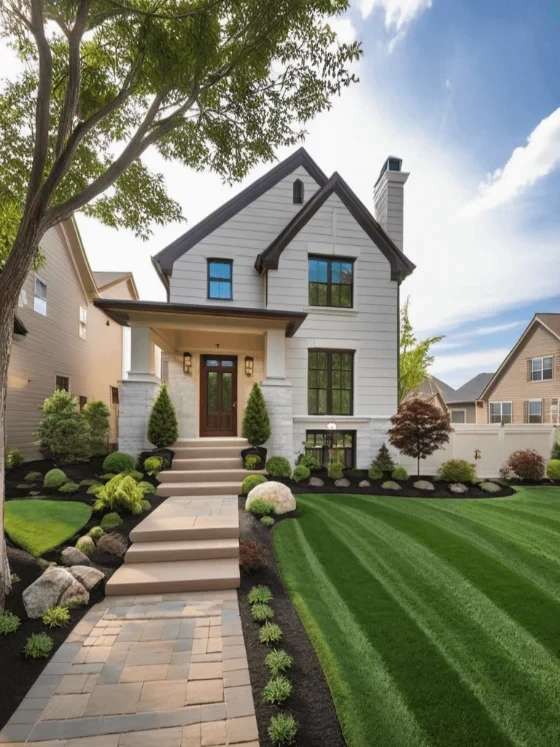
Generate photorealistic home designs complete with expertly manicured landscapes.

Redesign your interior and exterior spaces with AI assistance.

Visualize your dream home exterior and landscape designs with AI.
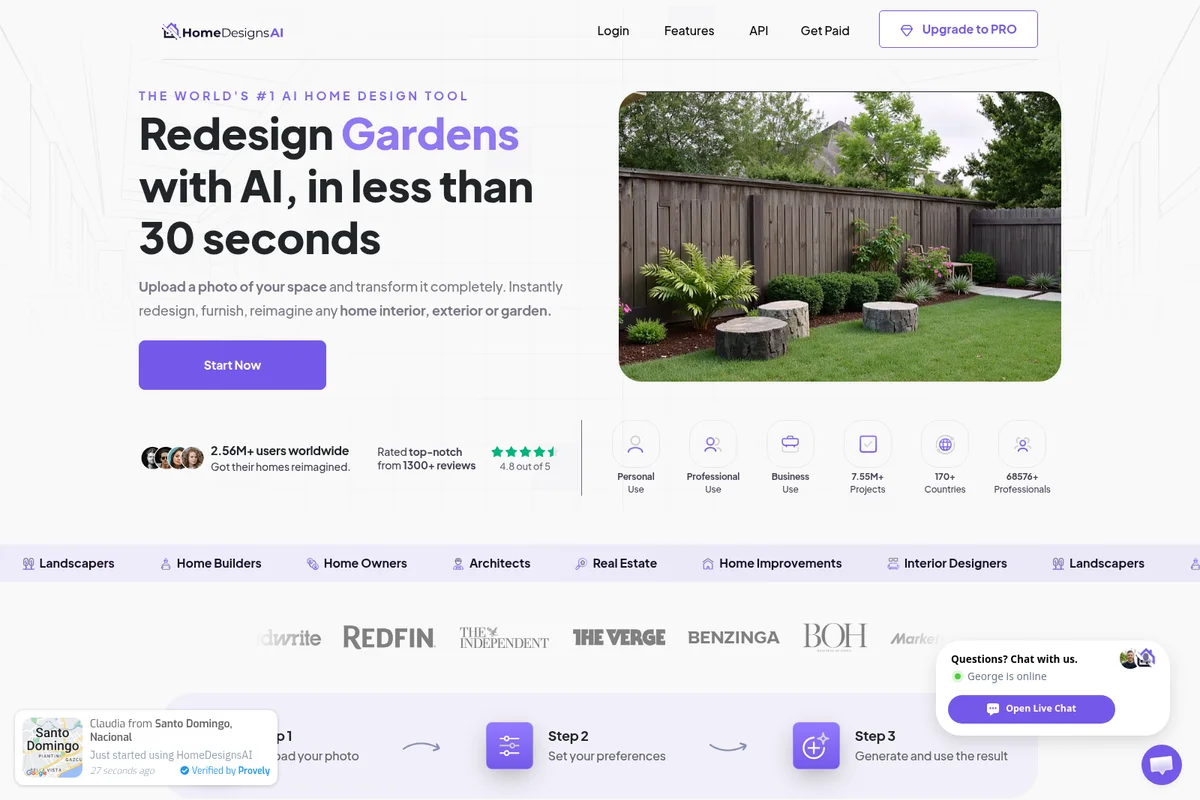
Transform your outdoor spaces instantly with AI-powered garden redesigns.
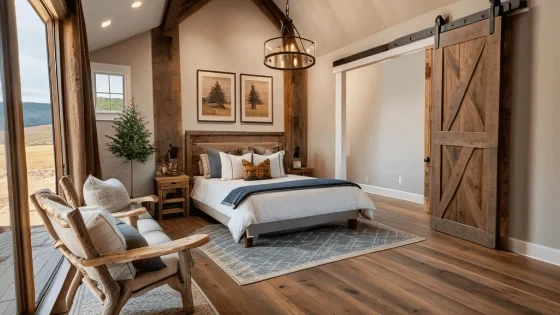
Experience AI-generated rustic modern bedroom designs with breathtaking views.
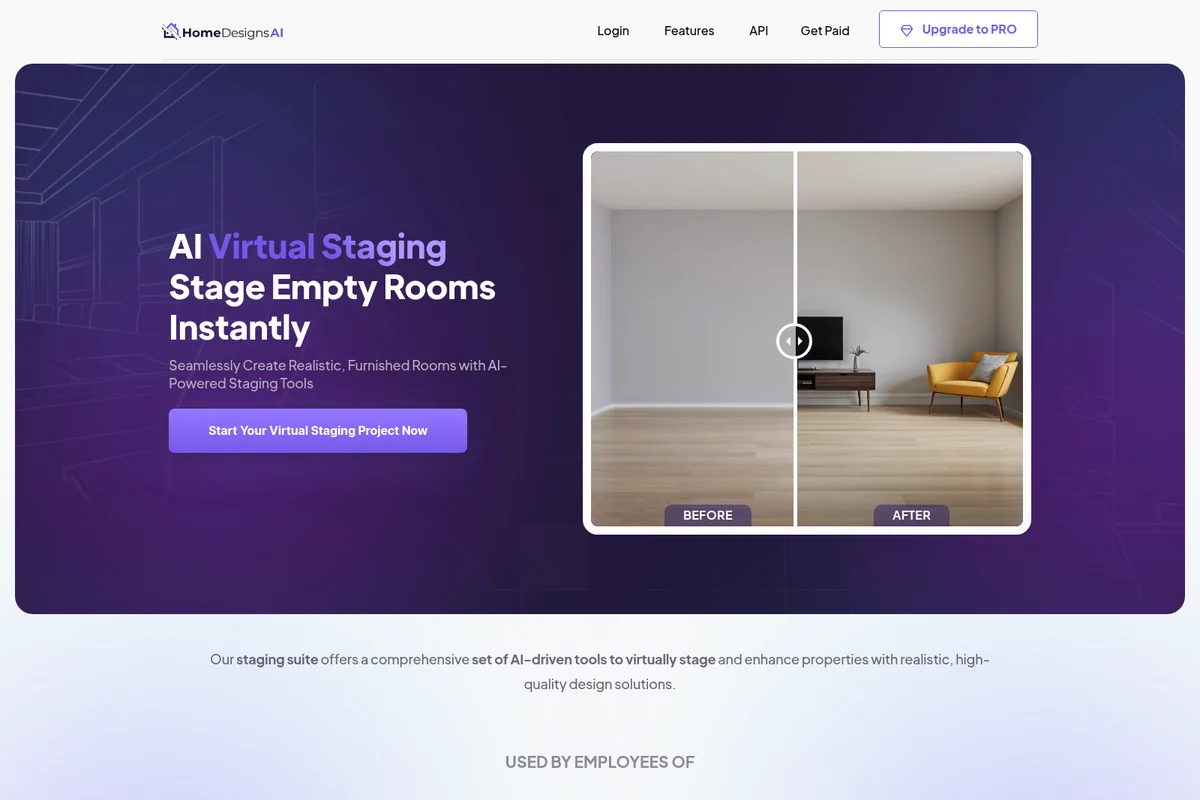
Instantly transform empty rooms into realistic, furnished spaces with AI.

Visualize your ideal outdoor living space with AI-generated landscape designs.
HomeDesigns AI Review: Tooliverse Consensus




Based on 2k+ verified reviews across 5 platforms,
combined with Tooliverse's expert analysis
HomeDesigns AI turns amateur room photos into professional-grade design renders in seconds, delivering rapid visualization that homeowners, real estate agents, and designers need without technical expertise or traditional design costs. The platform's strength lies in its extensive style library, realistic lighting engine, and speed across 200+ design styles, making it particularly effective for virtual staging and renovation planning. Spatial reasoning falters in irregularly shaped rooms, and the subscription model feels expensive for one-time projects, but output quality and workflow speed justify adoption for anyone visualizing design changes regularly.
Bottom line: A top-tier home design platform that democratizes professional visualization with impressive speed and realism, though irregular spaces challenge its spatial accuracy and one-time users may balk at subscription costs.
HomeDesigns AI | Key Specs
- Platforms
- Web, API
- Pricing Model
- Freemium (Free tier + Paid plans + Enterprise) See plans
- API Available
- Yes (REST + Python/Node SDKs)
- Design Styles
- 200+ (Modern, Scandinavian, Mediterranean, Industrial, etc.)
Wins
- •Transforms blurry room photos into high-quality professional renders in secondsmentioned in 245 reviews
- •Offers an extensive library of furniture styles that match real-world aestheticsmentioned in 198 reviews
- •Simplifies complex exterior renovations with intuitive drag-and-drop AI toolsmentioned in 167 reviews
Watch-Outs
- •Occasionally struggles with precise spatial measurements in irregularly shaped roomsmentioned in 84 reviews
- •Subscription model can feel expensive for one-time home renovation projectsmentioned in 72 reviews
- •AI sometimes hallucinations furniture legs or textures in low-light photosmentioned in 65 reviews
HomeDesigns AI Features 2026
Perfect Redesign
Most advanced AI-powered redesign with ultra-HD results, enhanced details with precision, refined styling, high-resolution upscaling, and automatic clarity and lighting enhancements.
Virtual Staging AI
Upload empty interior photos and fill with AI-generated furniture and decor. Test different styles, room types, and layouts to create photorealistic mockups ideal for real estate and renovation planning.
Sketch to Render
Converts design sketches into detailed, lifelike 3D visualizations. Transforms hand-drawn or digital sketches into photorealistic designs with a single API generation.
Furniture Finder
Identifies real furniture pieces within AI-generated designs and provides shopping links. Helps users purchase actual products shown in visualizations.
HomeDesigns AI User Reviews
Selected Reviews
"HomeDesigns AI is a game changer for real estate agents. I can virtually stage a room in under a minute, which used to take hours or cost a fortune with professional editors. The realism is enough to get buyers interested."
"Used this for a client presentation and they were blown away. It's much faster than building a full 3D model in SketchUp for the initial concept phase, allowing for much faster iterations and feedback."
"The renders are beautiful, but the pricing is a bit steep if you only have one project. I wish there was a 24-hour pass instead of a monthly subscription because I only needed it for one weekend."
More from the Community
"The speed at which it generates new layouts is incredible. It suggested a mid-century look I never would have thought of myself."
"Great tool for exterior house painting ideas. The AI handles textures well, though it sometimes misses the trim details around the windows."
"I've tried a few AI interior tools and this one has the best lighting engine. The shadows look very realistic."
"Very helpful for garden planning. It helped me visualize where to put a deck. It does get confused with very tall trees sometimes, but overall very solid."
"It's a bit hit or miss with small rooms. In my tiny bathroom, the AI tried to put a full-sized sofa in there."
"The speed at which it generates new layouts is incredible. It suggested a mid-century look I never would have thought of myself."
"Great tool for exterior house painting ideas. The AI handles textures well, though it sometimes misses the trim details around the windows."
"I've tried a few AI interior tools and this one has the best lighting engine. The shadows look very realistic."
"Very helpful for garden planning. It helped me visualize where to put a deck. It does get confused with very tall trees sometimes, but overall very solid."
"It's a bit hit or miss with small rooms. In my tiny bathroom, the AI tried to put a full-sized sofa in there."
"The furniture removal feature is like magic. It cleared out my cluttered basement in one click so I could see the potential of the space."
"Good app, but the mobile interface is a bit cramped compared to the desktop version. Still, the results are top-notch."
"Impressive variety of styles. From Scandi to Industrial, the AI understands the aesthetic cues perfectly. Just wish it had more specific brand-name furniture options."
"Saved me so much time. I was able to show my contractor exactly what I wanted for the kitchen remodel."
"The furniture removal feature is like magic. It cleared out my cluttered basement in one click so I could see the potential of the space."
"Good app, but the mobile interface is a bit cramped compared to the desktop version. Still, the results are top-notch."
"Impressive variety of styles. From Scandi to Industrial, the AI understands the aesthetic cues perfectly. Just wish it had more specific brand-name furniture options."
"Saved me so much time. I was able to show my contractor exactly what I wanted for the kitchen remodel."
HomeDesigns AI Pricing 2026
The free tier's 3 daily credits let you test the platform, but serious renovation planning demands more capacity. The $19 Unlimited AI Designs add-on is the move for homeowners tackling a single project—one payment removes generation limits permanently across all 25+ modules, better economics than a monthly subscription you'll cancel after two weeks. Real estate agents and designers with ongoing staging needs should evaluate monthly plans based on volume. The API and white-label widget pricing is custom, aimed at agencies and developers embedding the technology into their own platforms.
HomeDesigns AI In-Depth Review 2026

This web-based platform redesigns interiors, exteriors, and gardens across 120+ space types and 200+ design styles, from Scandinavian minimalism to Mediterranean warmth. It runs in any browser on any device without installation, generating renders in under 30 seconds. The platform has processed over 7.75 million projects for 2.68 million users since launching in 2023, with particular traction among real estate agents, homeowners planning renovations, and interior designers who need to show clients multiple concepts quickly.
What It's Like Day-to-Day
The core workflow is deceptively simple: upload a room photo, select a design mode (Beautiful for subtle updates, Creative for dramatic transformations, Perfect for highest-quality output), choose your style preferences, and generate. The speed is what changes the experience. Instead of committing to a single vision, you test five different kitchen backsplashes in the time it used to take to describe one to a contractor.
HomeDesigns AI: Frequently Asked Questions (FAQs)
How does HomeDesigns AI work?
HomeDesignsAI is a web-based application that transforms and redesigns all parts of your home, including interiors, exteriors, and gardens. Using AI, the app generates new concepts every few seconds across a wide range of styles, modes, and room types. Simply upload a photo of your space, select your preferences, and the AI offers realistic design options in under 30 seconds.
What is Virtual Staging, and how does it work?
Virtual Staging uses AI-powered tools to stage and enhance properties by digitally adding furniture, decor, and design elements to empty or unfurnished rooms. Simply upload a photo of your space, and the AI offers realistic staging options that help you visualize the room's potential across various styles.
Does it work on any device?
Yes, since this is a SaaS web application, it works on every device including PC, laptop, iOS, MacOS, and Android. You don't need to install any mobile app or desktop program—just run it from common browsers like Chrome, Firefox, or Safari.
Who can use HomeDesigns AI?
HomeDesigns AI can be used by anyone, regardless of their knowledge or expertise. It's utilized by homeowners seeking to remodel, architects needing fresh ideas, interior designers looking for decorating suggestions, landscapers, real estate agents enhancing listings, and property developers showcasing design options.
HomeDesigns AI: Verified Data Sheet
| # | Label | Data Point |
|---|---|---|
| [1] | HomeDesigns AI Consensus: 8.96/10 | HomeDesigns AI is a highly-rated tool among AI design tools in the Tooliverse index, with a consensus score of 8.96/10 across 2,720 verified reviews. |
| [2] | What is HomeDesigns AI | HomeDesigns AI, launched in 2023, is an AI-powered home design platform serving 2.68M+ users across 170+ countries. The platform generates interior, exterior, and garden redesigns in under 30 seconds across 200+ styles and 120+ space types, with pricing starting at free tier. |
| [3] | Tooliverse Consensus on HomeDesigns AI | HomeDesigns AI turns amateur room photos into professional-grade design renders in seconds, delivering rapid visualization that homeowners, real estate agents, and designers need without technical expertise or traditional design costs. The platform's strength lies in its extensive style library, realistic lighting engine, and speed across 200+ design styles, making it particularly effective for virtual staging and renovation planning. Spatial reasoning falters in irregularly shaped rooms, and the subscription model feels expensive for one-time projects, but output quality and workflow speed justify adoption for anyone visualizing design changes regularly. |
| [4] | HomeDesigns AI Verdict | HomeDesigns AI bottom line: A top-tier home design platform that democratizes professional visualization with impressive speed and realism, though irregular spaces challenge its spatial accuracy and one-time users may balk at subscription costs. |
| [5] | Free: Free | HomeDesigns AI provides a functional Free tier with 3 free credits every 24 hours and access to basic redesign tools, making AI-powered home design accessible at no cost. |
| [6] | Blurry photos to pro renders in seconds | HomeDesigns AI transforms blurry or amateur room photos into high-quality professional renders in seconds, a capability validated by 245 user reviews as essential for rapid visualization. |
| [7] | Extensive real-world furniture library | HomeDesigns AI offers an extensive library of furniture styles that match real-world aesthetics across 200+ design styles, according to 198 user reviews highlighting the platform's design accuracy. |
| [8] | Unlimited AI Designs Add-On: $19/one-time | HomeDesigns AI Unlimited AI Designs Add-On empowers users with Remove generation limit permanently for a one-time fee of $19, significantly expanding on the free tier's capabilities. |
| [9] | Intuitive exterior renovation tools | HomeDesigns AI simplifies complex exterior renovations with intuitive drag-and-drop AI tools, a workflow improvement mentioned in 167 user reviews as transformative for planning. |
| [10] | Instant garden layout inspiration | HomeDesigns AI provides instant inspiration for garden and landscape layouts with realistic textures, validated by 142 user reviews as particularly effective for outdoor space planning. |
| [11] | Struggles with irregular room shapes | HomeDesigns AI occasionally struggles with precise spatial measurements in irregularly shaped rooms, a limitation reported in 84 user reviews affecting accuracy for non-standard layouts. |
| [12] | Subscription steep for one-time use | HomeDesigns AI's subscription model can feel expensive for one-time home renovation projects, according to 72 user reviews from homeowners seeking short-term access. |
| [13] | Game changer for real estate staging | HomeDesigns AI "is a game changer for real estate agents" who can virtually stage a room in under a minute with realism sufficient to generate buyer interest, according to a verified Product Hunt reviewer. |
Best HomeDesigns AI Alternatives

ArchiVinci
Turn sketches into photorealistic architecture renders in seconds—no 3D modeling, no GPU, just AI.

Rendair AI
Transform sketches, 3D models, and floor plans into photorealistic architectural renders in seconds with AI.

Spacely AI
Turn sketches into photorealistic renders in under 60 seconds—no modeling skills required.