
Lex Review 2026 - AI Writing Assistant
Verified Jun 15, 2026 by Tooliverse Editorial
Lex is an AI-powered writing tool that helps you draft, edit, and refine your work with intelligent assistance. From style guides that learn your voice to version control that tracks every change, it's built for writers who want AI help without losing their unique style.
Lex AI: The Contract Review Redlining AI Agent
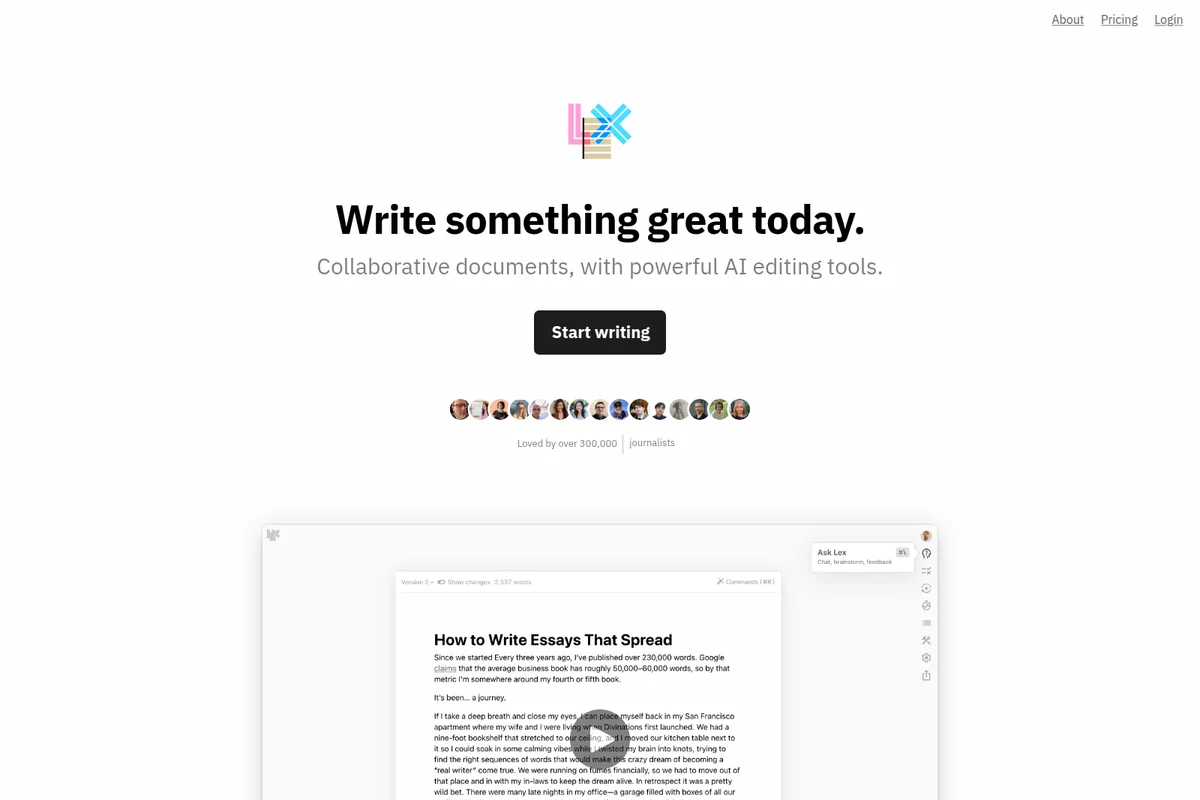
AI-powered document editor for collaborative writing with version tracking and prompts.
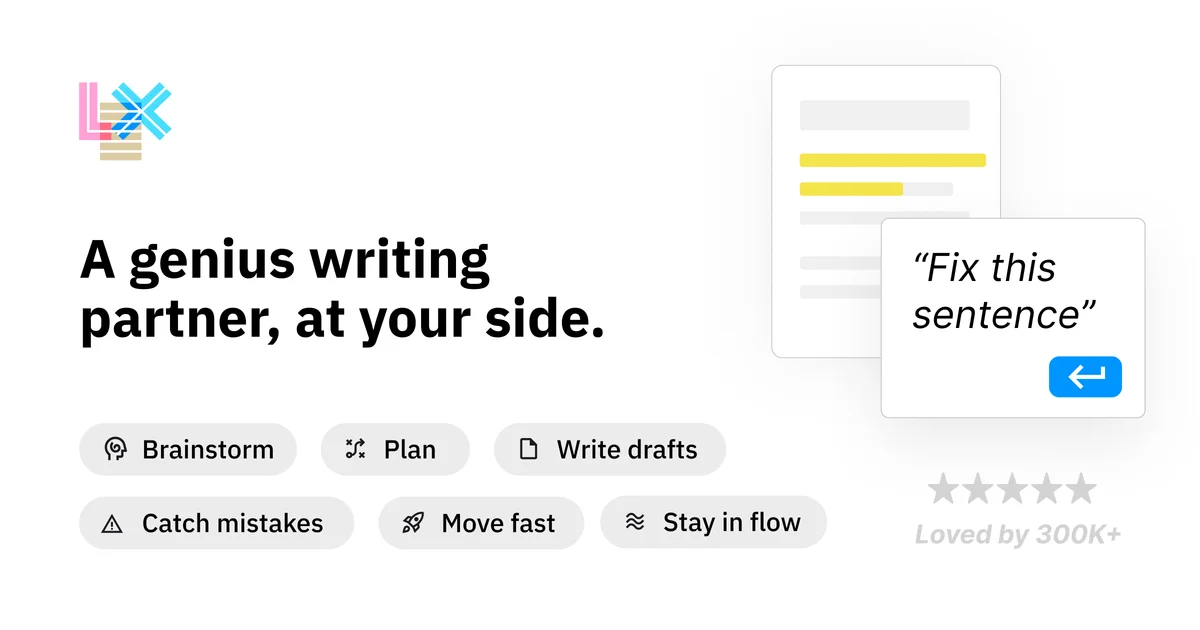
Lex homepage
Lex Review: Tooliverse Consensus




Based on 455 verified reviews across 4 platforms,
combined with Tooliverse's expert analysis
Lex distinguishes itself by embedding AI assistance directly into the writing canvas instead of treating it as a separate chatbot service, creating a flow that feels collaborative instead of interruptive. The Check tool's ability to identify logical gaps and the Knowledge Bases' persistent context memory make it particularly strong for long-form work like essays, research papers, and book projects. The distraction-free interface and real-time collaboration features address professional writers' core needs, though the lack of offline functionality and basic formatting options limit its utility for complex publishing workflows or disconnected writing sessions.
Bottom line: A top-tier AI writing platform that respects creative flow by integrating assistance directly into the document, strongest for long-form writers who value persistent context and logical analysis over advanced formatting.
Lex | Key Specs
- Platforms
- Web
- Pricing Model
- Freemium (Free + Pro tiers) See plans
- Integrations
- Kit, ConvertKit
- API Available
- Yes (REST API with documentation)
Wins
- •Integrates AI seamlessly into the writing flow without feeling intrusivementioned in 156 reviews
- •Provides a clean, distraction-free interface that encourages deep creative workmentioned in 142 reviews
- •Features a powerful 'Check' tool that identifies logical gaps in writingmentioned in 118 reviews
Watch-Outs
- •Subscription pricing feels expensive for casual or non-professional writersmentioned in 76 reviews
- •Lacks a robust offline mode for writing without an internet connectionmentioned in 54 reviews
- •AI suggestions can occasionally become repetitive during long writing sessionsmentioned in 48 reviews
Lex Features 2026
Style Guides
Train Lex to draft and edit in your unique voice by creating custom style guides that the AI learns from.
Rewind
Scrub through and restore previous versions of your document with a timeline-based version control system.
Checks
Get line-level suggestions highlighted directly in your document, showing specific improvements and edits in context.
Knowledge Bases
Give your AI assistant persistent background knowledge to provide more relevant, personalized writing help across all your documents.
Lex User Reviews
Selected Reviews
"The 'Check' feature is a game changer for spotting logical gaps in my essays. It's like having a professional editor on call."
"The collaboration features are finally catching up to Google Docs, which was the only thing holding me back from switching."
"Solid tool, but I've noticed some lag when the document gets over 5,000 words. Hopefully, they optimize the editor soon."
More from the Community
"The way Lex integrates AI into the flow of writing is just unmatched. It doesn't write for you; it writes with you."
"Cleanest UI I've seen in a long time. It makes me actually want to sit down and write every morning."
"I love the minimalist approach, but I really wish there was a native iPad app. The web version is good but not perfect."
"Lex is great for drafting, but the export options are a bit limited if you need complex formatting for publishing."
"Best AI writing tool on the market because it doesn't feel like a chatbot. It feels like a word processor from the future."
"The way Lex integrates AI into the flow of writing is just unmatched. It doesn't write for you; it writes with you."
"Cleanest UI I've seen in a long time. It makes me actually want to sit down and write every morning."
"I love the minimalist approach, but I really wish there was a native iPad app. The web version is good but not perfect."
"Lex is great for drafting, but the export options are a bit limited if you need complex formatting for publishing."
"Best AI writing tool on the market because it doesn't feel like a chatbot. It feels like a word processor from the future."
"Price is a bit steep for a personal blog, but for professional work, the time saved is worth every penny."
"Sometimes the AI suggestions get a bit repetitive if you use them too much in one session. Needs more variety."
"I've tried Notion AI and Jasper, but Lex is the only one that actually understands the rhythm of a long-form essay."
"The 'Ask Lex' sidebar is incredibly helpful for research without leaving the document. It keeps me in the zone."
"Price is a bit steep for a personal blog, but for professional work, the time saved is worth every penny."
"Sometimes the AI suggestions get a bit repetitive if you use them too much in one session. Needs more variety."
"I've tried Notion AI and Jasper, but Lex is the only one that actually understands the rhythm of a long-form essay."
"The 'Ask Lex' sidebar is incredibly helpful for research without leaving the document. It keeps me in the zone."
Lex Pricing 2026
View SourceThe free tier gives you a working preview with limits on AI messages, Checks, and custom prompts—enough to test whether the interface clicks for you, but not enough for sustained professional use. Pro removes all usage caps and adds unlimited access to Style Guides and Knowledge Bases, though pricing requires contacting sales. Teams adds collaborative features and shared resources. Students and nonprofits can request discounted pricing directly, which is worth doing if you're writing academic work where the Check tool's logical analysis justifies the cost.
Lex In-Depth Review 2026

This AI-powered writing platform runs entirely in the browser, combining intelligent assistance with professional version control. Style Guides train the AI to match your voice, Knowledge Bases provide persistent context across sessions, and Rewind lets you scrub through every revision like a timeline. It works for everything from newsletter drafts to academic papers, with collaboration features that mirror Google Docs.
What It's Like Day-to-Day
The interface strips away everything that isn't your words. No sidebars, no feature panels competing for attention—just a clean canvas that makes sitting down to write feel less like opening software and more like opening a notebook. The Check tool is where the real utility emerges: highlight any section and it identifies logical gaps, weak transitions, or structural issues directly in context. As one Product Hunt reviewer noted, it "doesn't write for you; it writes with you," and that distinction matters when you're trying to preserve your voice instead of generating generic content.
The Ask Lex sidebar handles research without breaking focus. Need a fact checked or a concept explained? The answer appears alongside your draft instead of sending you down a browser tab rabbit hole.
Lex Security & Compliance
Privacy Commitments
- Security & Privacy Practices documented
Lex: Frequently Asked Questions (FAQs)
What are AI tokens and how do they affect my usage?
AI tokens are how AI processes text - they represent chunks of text that the AI reads and generates. Your usage in Lex is measured in tokens, which affects how much you can use AI features on free accounts.
What are the AI limits for free users?
Free users have limits on Ask Lex messages, Checks usage, and custom prompts. Pro users get unlimited access to all these features.
Does Lex offer discounts for students and nonprofits?
Yes, Lex offers discounted pricing for nonprofit organizations, students, and academics. Contact hello@lex.page to inquire about discount eligibility.
How do I choose the right AI model in Lex?
Lex provides a guide for selecting AI models based on your writing needs. Different models have different strengths for various types of writing tasks.
Lex Integrations
| Kit | ConvertKit |
Lex: Verified Data Sheet
| # | Label | Data Point |
|---|---|---|
| [1] | Lex Consensus: 9.51/10 | Lex is one of the highest-rated AI writing tools in the Tooliverse index, with a consensus score of 9.51/10 across 455 verified reviews. |
| [2] | What is Lex | Lex is an AI-powered writing tool that combines intelligent writing assistance with professional version control features. The platform offers Style Guides that train AI to match your voice, Knowledge Bases for persistent context, and Rewind for timeline-based version history. |
| [3] | Tooliverse Consensus on Lex | Lex distinguishes itself by embedding AI assistance directly into the writing canvas instead of treating it as a separate chatbot service, creating a flow that feels collaborative instead of interruptive. The Check tool's ability to identify logical gaps and the Knowledge Bases' persistent context memory make it particularly strong for long-form work like essays, research papers, and book projects. The distraction-free interface and real-time collaboration features address professional writers' core needs, though the lack of offline functionality and basic formatting options limit its utility for complex publishing workflows or disconnected writing sessions. |
| [4] | Lex Verdict | Lex bottom line: A top-tier AI writing platform that respects creative flow by integrating assistance directly into the document, strongest for long-form writers who value persistent context and logical analysis over advanced formatting. |
| [5] | Free: Free | Lex offers a Free tier with AI message limits and limited Checks usage, making AI writing tools accessible at no cost. |
| [6] | Seamless AI integration in writing flow | Lex integrates AI writing assistance directly into the creative flow without disrupting the writing process, validated as a standout capability by 156 user reviews. |
| [7] | Clean, distraction-free interface | Lex provides a distraction-free interface designed to encourage deep creative work, recognized as a key strength in 142 user reviews. |
| [8] | Check tool finds logical gaps | Lex features a Check tool that identifies logical gaps and structural weaknesses directly in documents, highlighted as transformative by 118 user reviews. |
| [9] | Real-time collaboration features | Lex enables real-time collaboration with shared folders, prompts, and document editing comparable to Google Docs, validated by 94 user reviews. |
| [10] | Pricing steep for casual writers | Lex subscription pricing may feel steep for casual or non-professional writers, identified as a barrier in 76 user reviews. |
| [11] | No robust offline mode | Lex lacks a robust offline mode for writing without internet connectivity, noted as a limitation in 54 user reviews. |
| [12] | Privacy: Security & Privacy Practices documented | Lex privacy protections include Security & Privacy Practices documented. |
| [13] | AI writes with you, not for you | Lex "doesn't write for you; it writes with you," delivering AI assistance that feels collaborative instead of automated, according to a verified Product Hunt reviewer. |
Best Lex Alternatives
ProWritingAid
Write and edit like an expert with AI-powered suggestions that go beyond grammar to transform your storytelling.
Winston AI
Detect AI-generated content, plagiarism, and deepfakes with industry-leading accuracy and transparency.
Copyleaks
Protect originality and authenticity with AI-powered detection trusted by millions worldwide.