
Pieces Review 2026 - OS-Level AI Memory
Verified Jun 17, 2026 by Tooliverse Editorial
Pieces captures your workflow across browsers, IDEs, and chat tools—then lets you ask questions about what you worked on last week or three months ago. With 9 months of searchable memory and OS-level context awareness, it's the AI assistant that actually knows your work.
Say Goodbye to Code Chaos, Revolutionize Your Coding Workflow with Pieces for Developers 🦾
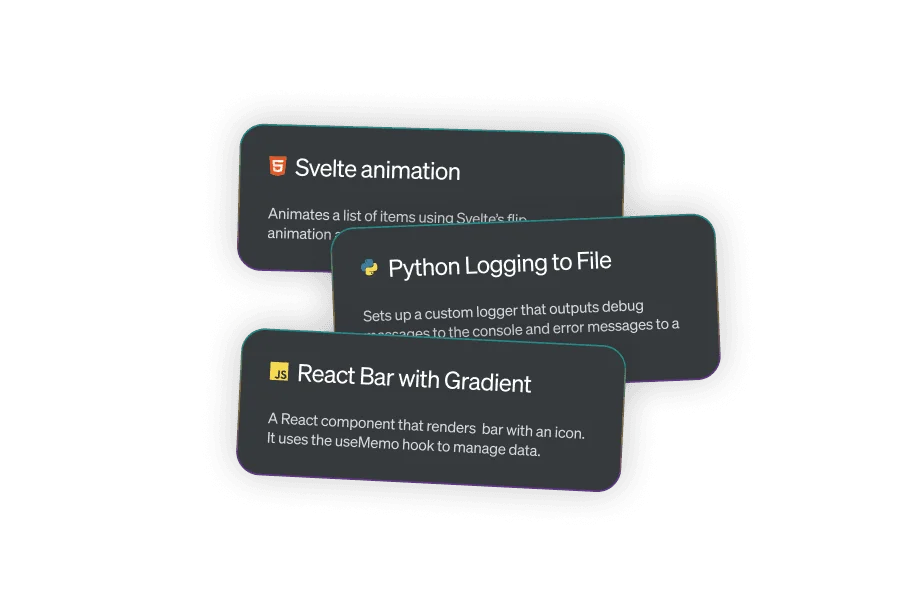
Explore useful code snippets and components for web development.
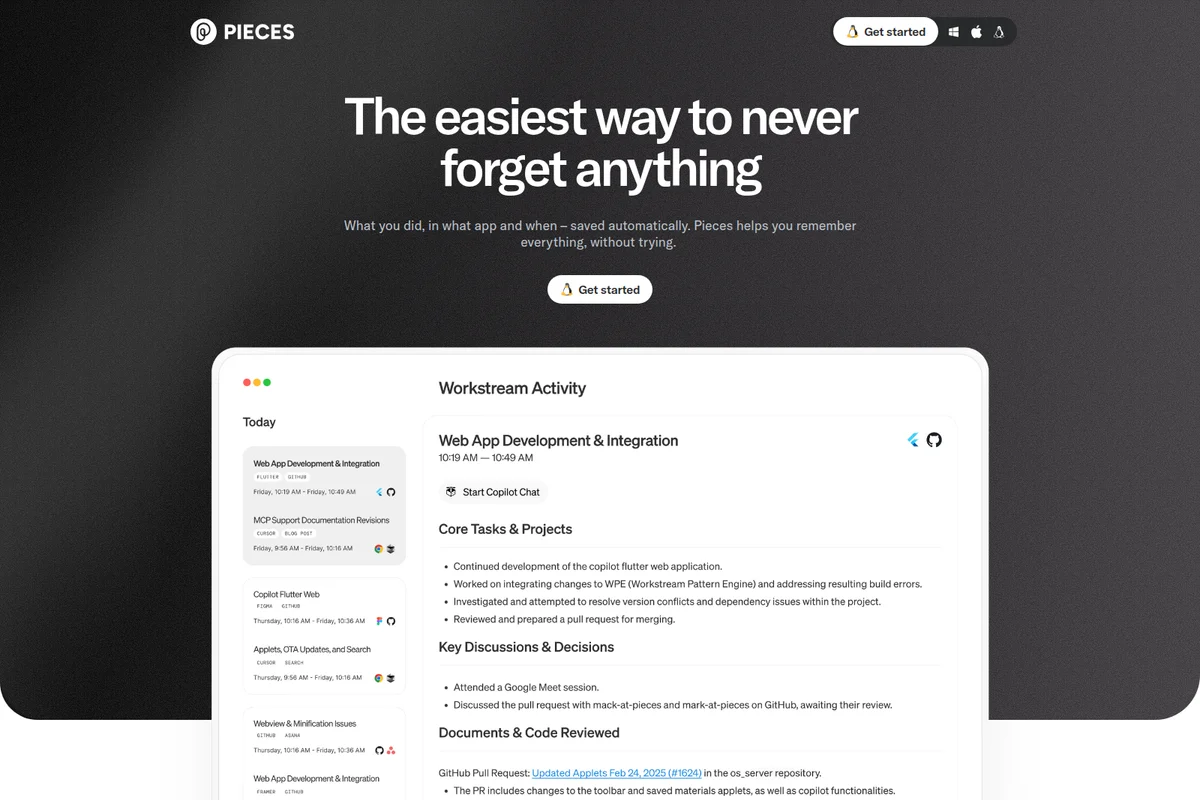
Never forget anything you do, with automatic activity tracking and insights.
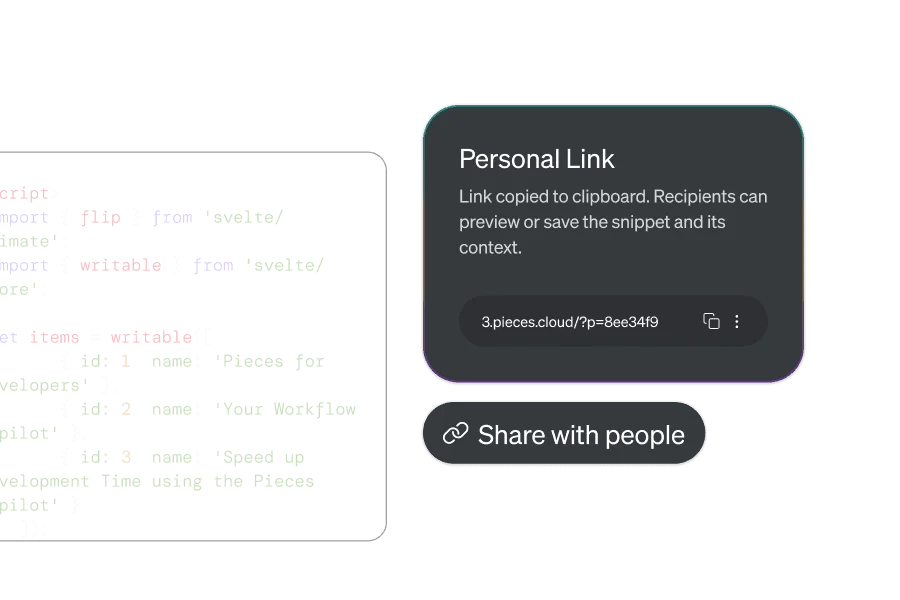
Easily generate and share unique links to your code snippets.
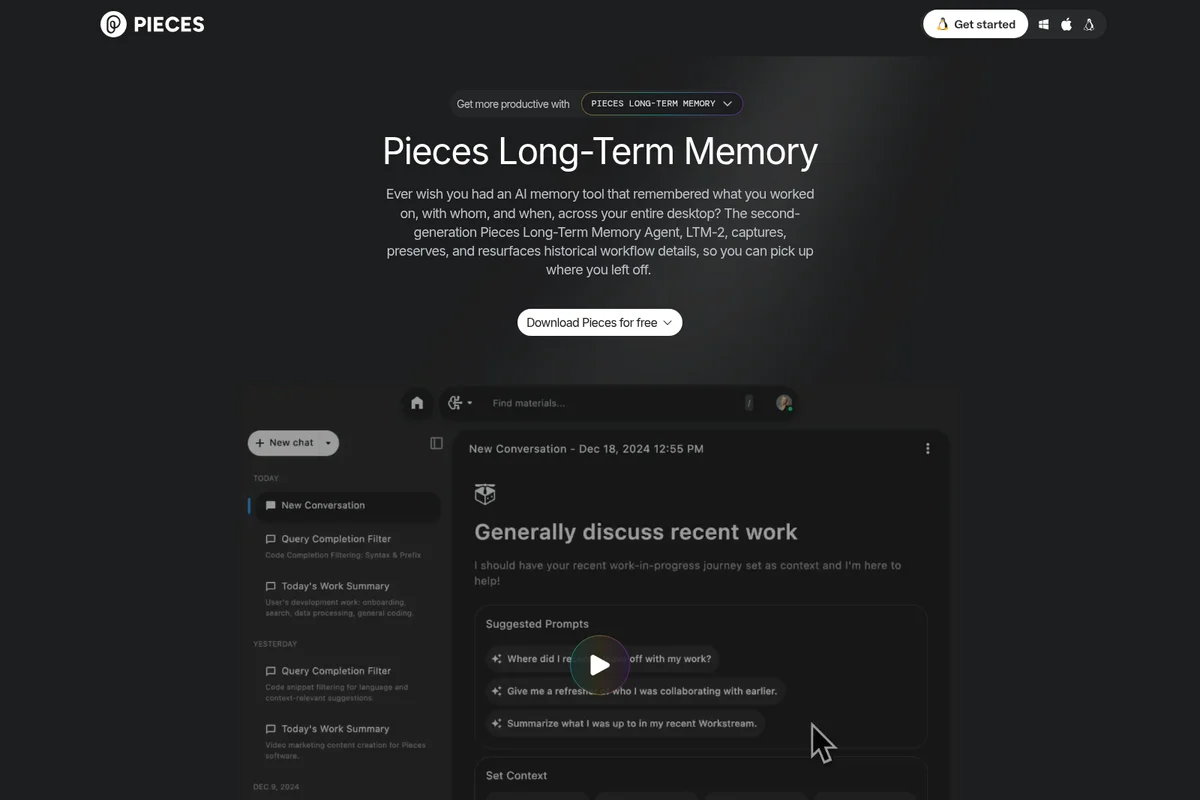
Leverage AI to discuss your recent work, recall collaborators, and summarize progress.
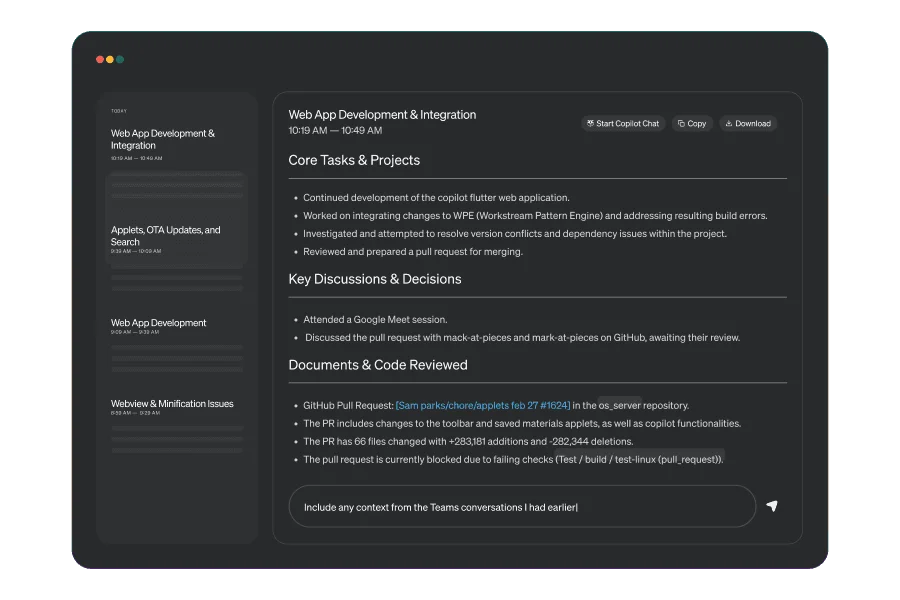
Generate AI-summaries of meetings and track development tasks seamlessly.
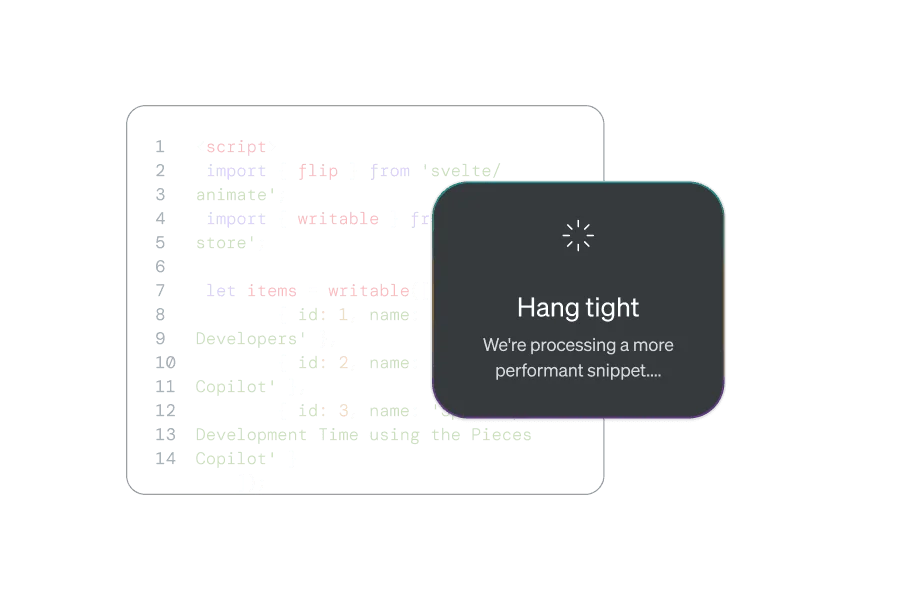
AI intelligently optimizes code snippets for better performance.
Pieces for Developers Review: Tooliverse Consensus







Based on 528 verified reviews across 7 platforms,
combined with Tooliverse's expert analysis
Pieces for Developers transforms the fragmented context problem that plagues modern development work—capturing workflow history across IDEs, browsers, terminals, and documentation at the OS level, then surfacing relevant past solutions exactly when needed. The local-first architecture and 14X performance improvement in LTM-2 address privacy and resource concerns that derailed earlier workflow assistants, though CPU consumption during indexing remains noticeable on older hardware. The ability to query nine months of searchable history with natural language and switch between AI models mid-conversation without losing context sets it apart for developers juggling multiple active projects.
Bottom line: A top-tier workflow assistant that actually solves the context-switching problem for developers working across multiple projects, though older hardware may struggle with indexing overhead.
Pieces for Developers | Key Specs
- Platforms
- Web, Windows, macOS, Linux, Chrome Extension
- Pricing Model
- Freemium ($0-18.99/mo) + Enterprise See plans
- Privacy/Data Use
- Local processing by default, cloud sync opt-in only
- Security
- SOC 2 Type II, GDPR-ready, air-gapped deployment See details
Wins
- •Captures deep workflow context across IDEs, browsers, and terminals automaticallymentioned in 214 reviews
- •Ensures data privacy with a local-first, on-device processing architecturementioned in 186 reviews
- •Integrates seamlessly with VS Code, JetBrains, and Chrome for uninterrupted flowmentioned in 154 reviews
Watch-Outs
- •Consumes significant CPU resources, leading to occasional lag on older hardwarementioned in 64 reviews
- •Chatbot memory can be inconsistent during long, complex debugging sessionsmentioned in 52 reviews
- •MacOS version occasionally reloads unexpectedly, risking loss of unsaved snippetsmentioned in 41 reviews
Pieces for Developers Features 2026
Long-Term Memory (LTM-2)
Captures context at the OS level across all applications—browsers, IDEs, team chats, and more—storing 9 months of searchable workflow history. Uses reinforcement & decay models to prioritize useful context and discard noise, with 380% increase in recall accuracy and 14X reduction in CPU/RAM usage.
Pieces Copilot with Context Awareness
AI copilot that knows what you know, not just what the LLM knows. Ask questions about your actual workflow across all tools, like 'What was I working on before this meeting?' or 'Summarize my conversations in the team chat for this project.' Maintains conversation context across topics without re-explaining your project.
Model-Agnostic LLM Support
Choose and switch between multiple LLMs seamlessly: GPT, Claude, Gemini cloud models, or local models like Llama and Mistral. Switch models mid-conversation without losing context. Bring your own API keys or run fully on-device with GPU acceleration.
On-Device AI Processing
Runs locally by default with hardware-accelerated, offline models for real-time memory association without cloud dependencies. Nothing leaves your device unless you configure it to. Optional cloud connectivity for premium models.
Pieces for Developers User Reviews
Selected Reviews
"Integrating seamlessly with my favorite tools makes solving complex development tasks feel effortless. I particularly love how it helps me save code snippets for later use."
"It's an intelligent AI-powered context manager that remembers your code, tracks insights, and syncs across your developer tools. It's like having a personal assistant."
"The local-first architecture is the other meaningful design choice — code stays on your device by default, with optional cloud features. For developers working with proprietary code, this matters."
More from the Community
"The LTM-1 feature is magical, it helps keep the long-term memory for my workflow and help me use my favorite LLMs inside most of my IDEs."
"Pieces accelerates my thinking. It solves the 'blank slate' problem every time I sit down to code by reminding me of what I already know and where I left off."
"While Pieces for Developers is great at generating and retrieving code, its chatbot functionality sometimes misses the mark. I've had conversations where it completely forgets what we discussed just a few interactions ago."
"The MacOS version of Pieces for Developers has an issue where it randomly reloads. When this happens, I've lost copied snippets before I could paste them into my code."
"I tested the Copilot and it works great. I look forward to start using it in my development workflow. Easy to install and get started."
"The LTM-1 feature is magical, it helps keep the long-term memory for my workflow and help me use my favorite LLMs inside most of my IDEs."
"Pieces accelerates my thinking. It solves the 'blank slate' problem every time I sit down to code by reminding me of what I already know and where I left off."
"While Pieces for Developers is great at generating and retrieving code, its chatbot functionality sometimes misses the mark. I've had conversations where it completely forgets what we discussed just a few interactions ago."
"The MacOS version of Pieces for Developers has an issue where it randomly reloads. When this happens, I've lost copied snippets before I could paste them into my code."
"I tested the Copilot and it works great. I look forward to start using it in my development workflow. Easy to install and get started."
"Great tool for snippet management. The AI tagging is surprisingly accurate and saves me a lot of time organizing my library."
"The RAG system in Pieces is the best I've encountered. It understands the context of my past work and provides code that fits seamlessly."
"Helpful but can be a bit heavy on system resources. I noticed my fan spinning up more often when the indexing is running in the background."
"The cross-project context surfacing addresses exactly the 'I implemented this in Project A and need it for Project B' pattern."
"Great tool for snippet management. The AI tagging is surprisingly accurate and saves me a lot of time organizing my library."
"The RAG system in Pieces is the best I've encountered. It understands the context of my past work and provides code that fits seamlessly."
"Helpful but can be a bit heavy on system resources. I noticed my fan spinning up more often when the indexing is running in the background."
"The cross-project context surfacing addresses exactly the 'I implemented this in Project A and need it for Project B' pattern."
Pieces for Developers Pricing 2026
The free tier is surprisingly complete—full local memory, chat history, and Copilot access with basic models—making it the right starting point for most developers. Pro at $18.99 monthly is where you upgrade if you need Claude 4 or Gemini 2.5 access; if you're already subscribing to multiple AI services, consolidating through Pieces while keeping workflow context makes more sense than paying separately. Enterprise pricing is contact-only but includes the deployment options (air-gapped, on-premises) and compliance features that security teams actually require.
Pieces for Developers In-Depth Review 2026

This workflow assistant captures context at the OS level across every application you touch—browsers, IDEs, terminals, documentation, team chats—creating a persistent memory layer that follows you through your entire toolchain. It runs on Windows, macOS, and Linux, with plugins for VS Code, JetBrains, Visual Studio, and browser extensions for Chrome and Edge. The architecture is local-first: your code stays on your machine by default, with cloud features as opt-in.
What It's Like Day-to-Day
The experience centers on never losing your place. You're debugging a React component, switch to Slack for a standup, then jump into a terminal to check logs. Pieces is capturing all of it—the code you were writing, the error message you Googled, the Slack thread where your teammate mentioned a similar issue last week. When you ask the Copilot "What was I working on before this meeting?" it recalls your last open files, browser tabs, and recent conversations without you manually saving anything.
Pieces for Developers Security & Compliance
Verified Compliance
- SOC 2 Type II
Security Features
- On-device AI processing with local models
- Air-gapped deployment support
- Optional telemetry (admin-controlled)
- Organization member roles (Read, Write, Admin, Owner)
Privacy Commitments
- Local processing by default - nothing leaves your device unless configured
- GDPR and enterprise data governance ready
- No external servers required - your work stays yours
- Cloud sync is opt-in, never automatic
Pieces for Developers: Frequently Asked Questions (FAQs)
How much does Pieces cost?
Pieces offers both a Free and Pro plan. The free plan includes Copilot, Pieces Drive, and full local memory and chat history at no cost. The Pro Plan costs $18.99/month + taxes and includes Claude 4 Sonnet & Opus, Gemini 2.5, and early access to premium models as they launch.
Is my data secure?
Yes, Pieces runs on-device by default with local processing. Nothing leaves your machine unless you configure it to. The platform is SOC 2 Type II certified, supports local LLM processing with no internet required, offers optional telemetry (admin-controlled), and provides air-gapped/offline deployment options. All memory is stored locally by default, with cloud sync as opt-in only.
How does Pieces compare to GitHub Copilot?
Pieces has a very different focus from GitHub Copilot. While GitHub Copilot focuses on the context of the current project open in your IDE, Pieces is a workflow assistant that captures context across all your tools at the OS level. With Pieces Copilot, you can ask questions about all your activities, any file or folder, or saved code snippets, and take conversations with you as you move from tool to tool. Many users use both together, leveraging GitHub Copilot's code completion with Pieces' cross-tool context awareness.
How does Pieces capture memories?
Pieces uses advanced AI mixed with OS-level capabilities and OCR to capture text from all applications you interact with, mining knowledge from documents, code, and context relevant to you. The system employs foundation models and a knowledge graph to organize and structure captured information. Pieces doesn't require connections to document management systems or chat tools like Slack or Teams—instead it captures from all applications you're using, creating a comprehensive memory cloud of your digital activities.
Pieces for Developers Integrations
| VS Code | Visual Studio | JetBrains |
| JupyterLab | Sublime Text | Neovim |
| Chrome | Edge | Raycast |
| Obsidian | GitHub Gists |
Pieces for Developers: Verified Data Sheet
| # | Label | Data Point |
|---|---|---|
| [1] | Pieces for Developers Consensus: 9.02/10 | Pieces for Developers is one of the highest-rated AI coding tools in the Tooliverse index, with a consensus score of 9.02/10 across 528 verified reviews. |
| [2] | What is Pieces for Developers | Pieces for Developers, operated by MESH INTELLIGENT TECHNOLOGIES, Inc., is a SOC 2 Type II certified AI productivity platform that captures workflow context at the OS level across all applications. The platform serves 150,000+ users at companies like Microsoft, Google, and Amazon, with pricing starting at free (Pro at $18.99/month). |
| [3] | Tooliverse Consensus on Pieces for Developers | Pieces for Developers transforms the fragmented context problem that plagues modern development work—capturing workflow history across IDEs, browsers, terminals, and documentation at the OS level, then surfacing relevant past solutions exactly when needed. The local-first architecture and 14X performance improvement in LTM-2 address privacy and resource concerns that derailed earlier workflow assistants, though CPU consumption during indexing remains noticeable on older hardware. The ability to query nine months of searchable history with natural language and switch between AI models mid-conversation without losing context sets it apart for developers juggling multiple active projects. |
| [4] | Pieces for Developers Verdict | Pieces for Developers bottom line: A top-tier workflow assistant that actually solves the context-switching problem for developers working across multiple projects, though older hardware may struggle with indexing overhead. |
| [5] | Free: Free | Pieces for Developers offers a functional Free tier with Pieces Copilot, context awareness, and Pieces Drive for code snippet management, making AI-powered workflow tools accessible at no cost. |
| [6] | OS-level context capture across all tools | Pieces for Developers captures deep workflow context automatically across IDEs, browsers, and terminals at the OS level, validated as essential for maintaining development flow by 214 user reviews. |
| [7] | Local-first privacy architecture | Pieces for Developers ensures data privacy through a local-first, on-device processing architecture that keeps code on your machine by default, confirmed as critical for proprietary work by 186 user reviews. |
| [8] | Seamless IDE and browser integration | Pieces for Developers integrates seamlessly with VS Code (95,000+ installs), JetBrains (34,000+ installs), and Chrome for uninterrupted development flow, validated by 154 user reviews. |
| [9] | 9-month searchable workflow memory | Pieces for Developers provides a powerful long-term memory system that surfaces relevant past solutions and workflow context across 9 months of searchable history, praised by 132 user reviews. |
| [10] | Pro: $18.99/month | MESH INTELLIGENT TECHNOLOGIES, Inc.'s Pieces for Developers Pro empowers users with Claude 4 Sonnet & Opus access for just $18.99 monthly, significantly expanding on the free tier's capabilities. |
| [11] | CPU-intensive on older hardware | Pieces for Developers consumes significant CPU resources during indexing operations, leading to occasional lag on older hardware according to 64 user reports. |
| [12] | Memory inconsistency in long sessions | Pieces for Developers chatbot memory can become inconsistent during long, complex debugging sessions, with context loss reported in 52 user reviews. |
| [13] | Privacy: Local processing by default - nothing leaves your device unless configured | Pieces for Developers privacy protections include Local processing by default - nothing leaves your device unless configured, GDPR and enterprise data governance ready, and No external servers required - your work stays yours. |
| [14] | Enterprise: On-device AI processing with local models | Pieces for Developers provides enterprise security with On-device AI processing with local models, Air-gapped deployment support, and Optional telemetry (admin-controlled). |
| [15] | Eliminates blank slate problem | Pieces for Developers "accelerates my thinking" and "solves the 'blank slate' problem every time I sit down to code by reminding me of what I already know and where I left off," according to a verified Skywork reviewer. |
Best Pieces for Developers Alternatives
GitHub Copilot
Command your craft with AI that accelerates every workflow, from the editor to the enterprise.

Warp
Turn the terminal into an agentic development environment where agents work alongside you.
Bito
Architect-level intelligence for every engineer, from spec to pull request.