
Vyond Review 2026 - AI Video Creation
Verified Jun 25, 2026 by Tooliverse Editorial
Vyond turns ideas into professional videos instantly—type a prompt, upload a document, or paste a URL and watch AI generate training, sales, or marketing content. Trusted by 65% of the Fortune 500, it's the fastest way to create on-brand videos without video experience.
How to Create Text to Speech (TTS) Dialogue | Vyond Tutorials
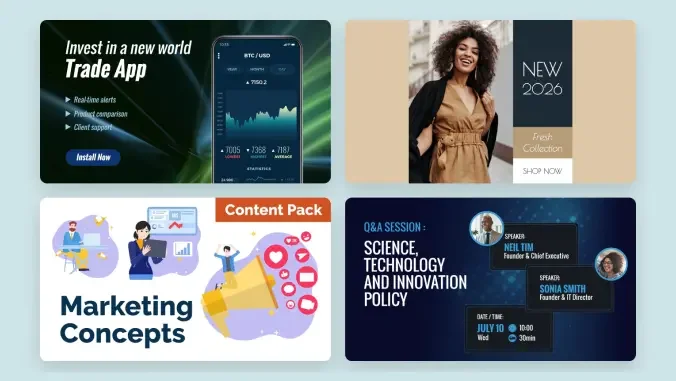
Create engaging animated explainer videos for marketing campaigns.
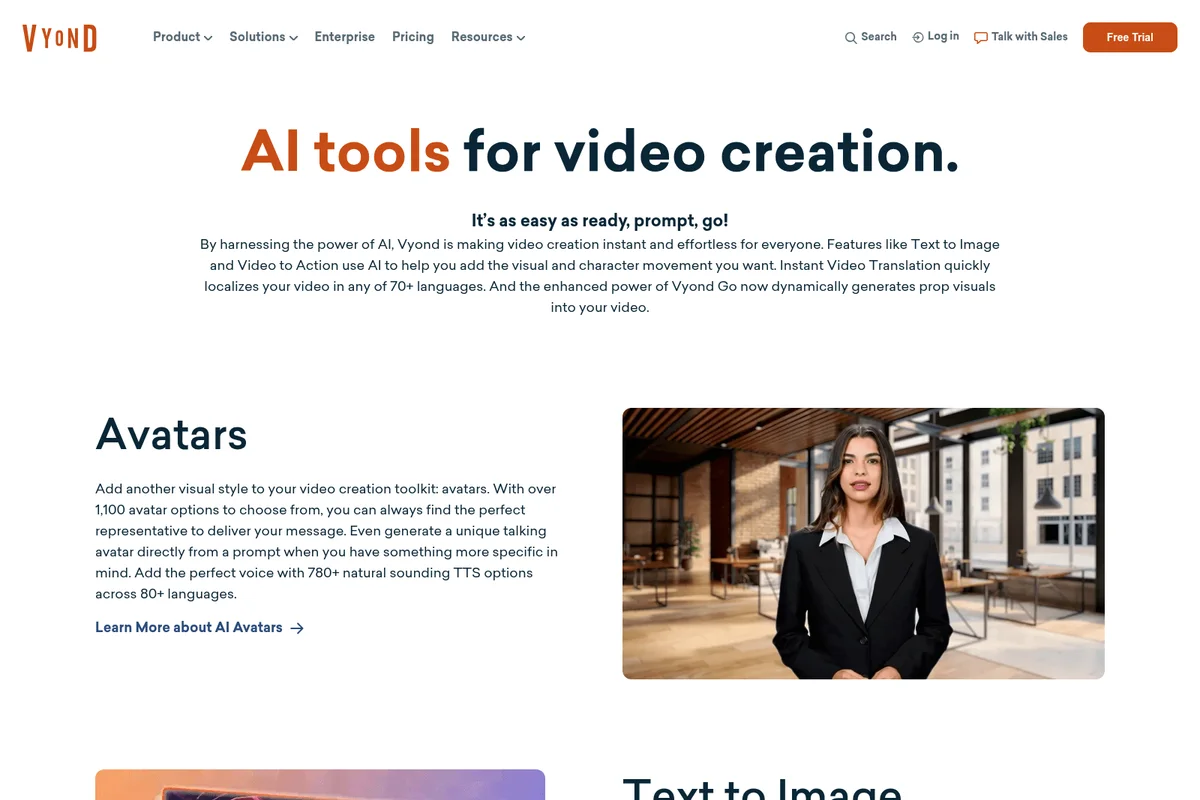
Generate realistic AI avatars with natural voices for your videos.

Craft detailed animated scenes for healthcare or educational content with diverse characters.
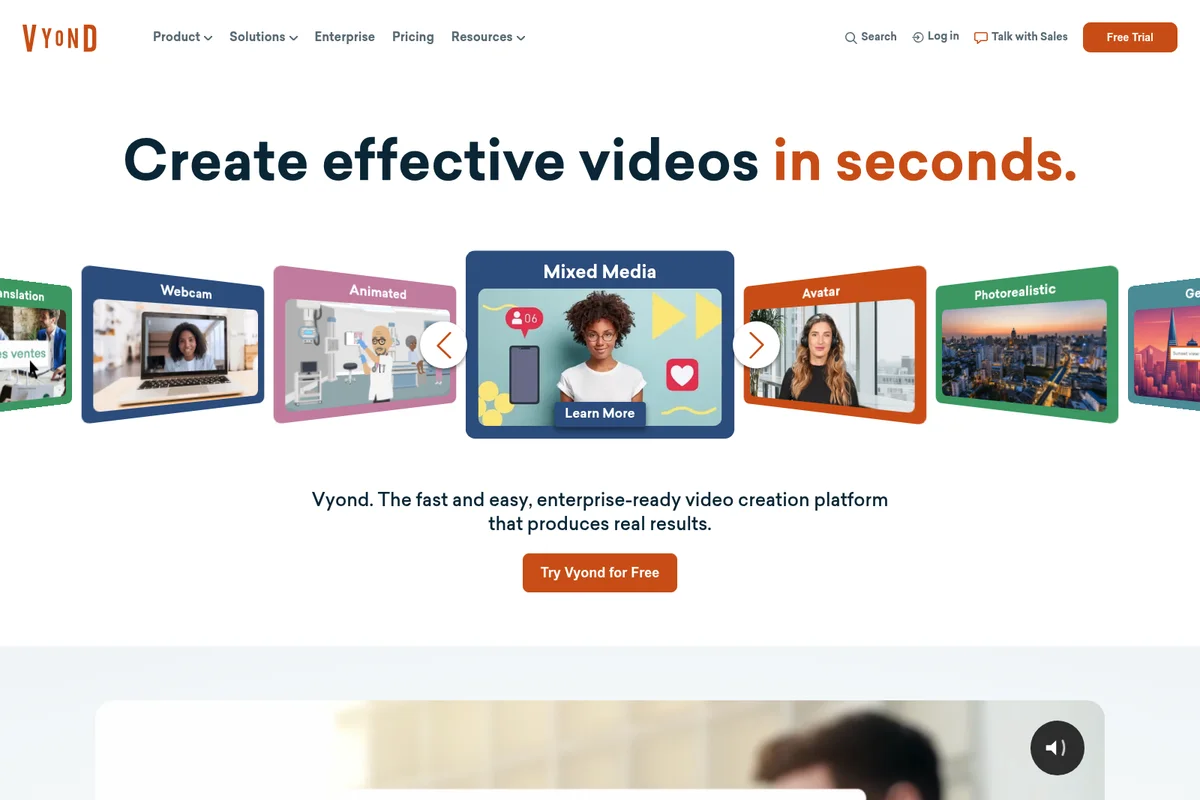
Create effective videos in seconds across multiple styles and formats.

Visually communicate data and business insights with animated characters.
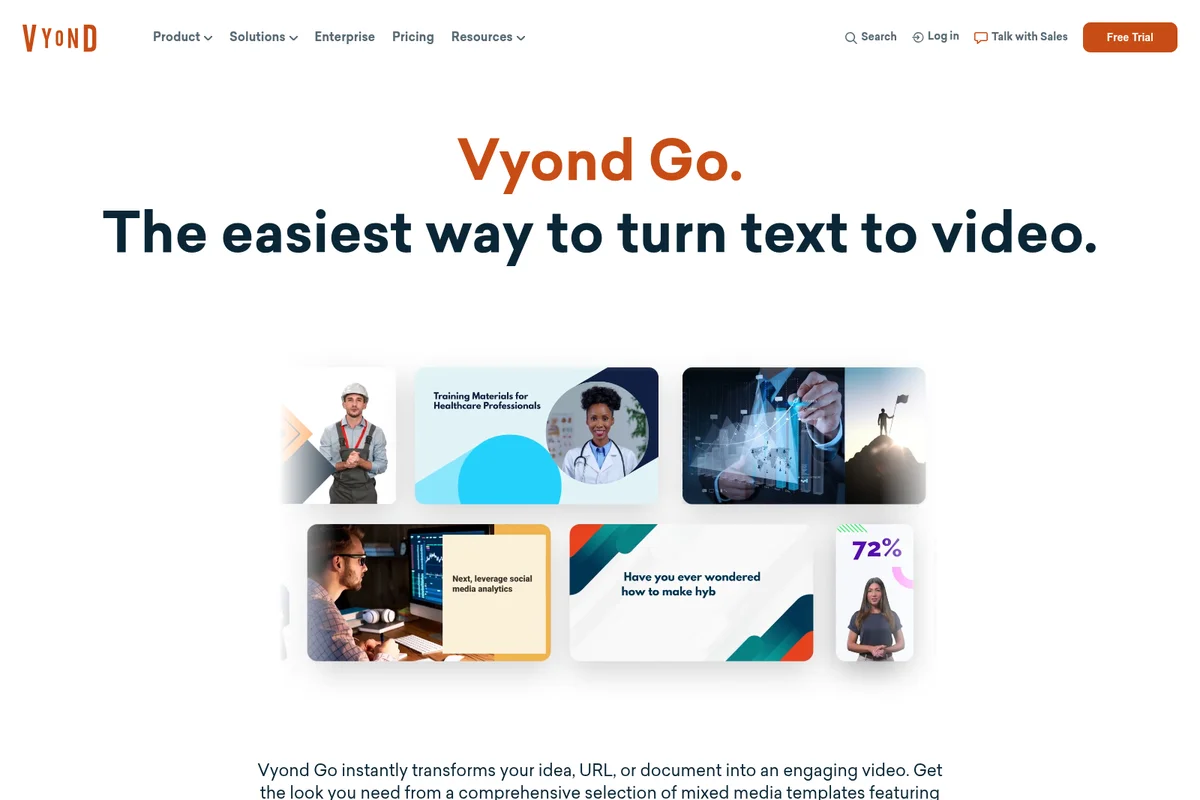
Effortlessly create professional videos from text using diverse templates.

Create engaging animated scenes with stylized cityscapes and vibrant colors.
Vyond Review: Tooliverse Consensus





Based on 1k+ verified reviews across 5 platforms,
combined with Tooliverse's expert analysis
Vyond has become the standard for corporate L&D teams who need to produce professional training videos without animation expertise or agency budgets. The AI-powered Vyond Go feature genuinely accelerates production by converting documents and URLs into finished videos in minutes, while the massive avatar library and automatic lip-syncing handle the tedious work that used to require specialists. The platform delivers strongest value for organizations producing training content at scale, though the subscription cost challenges individual creators and the AI voices occasionally lack the emotional nuance required for sensitive topics.
Bottom line: A strong video creation platform that bridges the gap between slide decks and professional animation for corporate teams, though premium pricing and occasional AI voice limitations require consideration.
Vyond | Key Specs
- Platforms
- Web, iOS, Android
- Pricing Model
- Freemium ($58-167/mo per user) See plans
- Privacy/Data Use
- No training on user data, GDPR compliant
- Security
- ISO 27001, GDPR, CCPA, SSO, SCIM See details
Wins
- •Speeds up video production significantly with the AI-powered Vyond Go script-to-video featurementioned in 312 reviews
- •Provides a massive library of customizable characters and props for diverse representationmentioned in 285 reviews
- •Enables non-designers to create professional-grade animations without a steep learning curvementioned in 245 reviews
Watch-Outs
- •Subscription costs are prohibitively high for individual creators or small startupsmentioned in 142 reviews
- •Requires a stable, high-speed internet connection to prevent browser lag during editingmentioned in 98 reviews
- •Advanced animation controls can feel limited compared to professional tools like After Effectsmentioned in 85 reviews
Vyond Features 2026
Vyond Go - AI-Powered Instant Video Creation
Industry's first AI-powered script and video creator. Instantly transforms text prompts, documents (.doc, .txt, .ppt, .pdf), or URLs into engaging videos in seconds. Template-based approach with avatar, mixed media, and animated styles.
AI Avatars
Choose from 1,100+ unique high-quality avatar options with 780+ natural-sounding text-to-speech voices across 80+ languages. Generate custom avatars from text prompts or create digital versions of yourself with voice cloning.
Instant Video Translation
Automatically translate all onscreen text, text-to-speech, and dialog scripts within videos into 80+ languages for global localization. Includes caption translation and multilingual Vyond Go prompting.
Brand Management Suite
Enterprise-grade brand control with Brand Kit, custom color palettes, font import, logo application, company watermarks, color shuffler, and approval management workflows. Available on Enterprise and Agency plans.
Vyond User Reviews
Selected Reviews
"Vyond Go has completely transformed how we handle rapid prototyping for our training modules. The AI script-to-video feature is a massive time-saver."
"The depth of character customization is unmatched. We can create scenarios that truly reflect our global team's diversity without needing a studio."
"The mobile app is decent for showing drafts to stakeholders on the fly, but the actual editing experience is strictly for desktop browsers."
More from the Community
"It's a powerful tool, but the pricing model is becoming a bit much for smaller teams. We've had to justify the ROI every single year."
"The automatic lip-syncing works surprisingly well even with uploaded audio files. It saves us hours of tedious animation work."
"I love the new AI features, but I wish there were more natural-sounding voice options for the text-to-speech engine."
"Vyond is the only tool that lets our HR team produce high-quality internal comms without having to hire an external agency."
"The asset library is huge, but sometimes it feels a bit cluttered. A better search or tagging system for props would be helpful."
"It's a powerful tool, but the pricing model is becoming a bit much for smaller teams. We've had to justify the ROI every single year."
"The automatic lip-syncing works surprisingly well even with uploaded audio files. It saves us hours of tedious animation work."
"I love the new AI features, but I wish there were more natural-sounding voice options for the text-to-speech engine."
"Vyond is the only tool that lets our HR team produce high-quality internal comms without having to hire an external agency."
"The asset library is huge, but sometimes it feels a bit cluttered. A better search or tagging system for props would be helpful."
"Great for instructional design. The SCORM export works perfectly with our LMS every time, which is a huge relief."
"The learning curve is manageable, but mastering the timeline and camera movements takes some practice to get right."
"Sometimes the browser version gets laggy when working on longer videos with lots of assets. Make sure you have a good PC."
"Excellent for quick explainers. The templates are professional and easy to tweak to match our brand colors."
"Great for instructional design. The SCORM export works perfectly with our LMS every time, which is a huge relief."
"The learning curve is manageable, but mastering the timeline and camera movements takes some practice to get right."
"Sometimes the browser version gets laggy when working on longer videos with lots of assets. Make sure you have a good PC."
"Excellent for quick explainers. The templates are professional and easy to tweak to match our brand colors."
Vyond Pricing 2026
View SourceProfessional at $100/month billed annually is where most teams should land: you get the Shutterstock asset library, instant translation into 80+ languages, and 20,000 monthly AI credits for Vyond Go generation. That's the tier that turns this from a decent animation tool into a proper production platform. Enterprise at $137/month adds the Brand Management Suite and virtually unlimited credits, worth the step up only if you're managing brand compliance across dozens of creators or need SSO and SCIM provisioning to satisfy IT requirements.
Vyond In-Depth Review 2026

This AI video creation platform runs entirely in the browser and works across desktop and mobile, though serious editing happens on desktop. It supports everything from AI-generated avatars to screen recordings to mixed media styles, with instant translation into 80+ languages and integration with LMS platforms through SCORM export. The defining feature is Vyond Go, which converts text prompts, uploaded documents, or URLs into finished videos in minutes instead of days.
What It's Like Day-to-Day
The workflow starts with either a blank canvas or Vyond Go's AI generation. Feed it a compliance policy document or a product spec URL, select an avatar or animated template style, and the platform scripts, animates, and voice-overs a complete video draft. The automatic lip-syncing works well enough that one G2 reviewer called it "surprisingly effective even with uploaded audio files" and noted it "saves us hours of tedious animation work." You're not getting Pixar-level results, but you're getting something watchable without touching After Effects.
The character customization library runs deep: over 1,100 AI avatars with skin tones, clothing, and props that let global teams build scenarios reflecting actual workforce diversity.
Vyond Security & Compliance
Verified Compliance
- ISO 27001
- GDPR
- CCPA
- Data Privacy Framework (EU-U.S. and Swiss-U.S.)
- PCI DSS Level 1
Security Features
- Single Sign-On (SSO) - SAML 2.0, Google, Office365
- SCIM Integration
- IP Whitelisting
- Password Complexity Controls
- Brute Force Login Protection
- Inactivity Logout
- Event Logging
- Data Partitioning & Encryption Keys (optional)
- Custom Video Cache Expiration
Privacy Commitments
- No training on user data - content created using generative AI involves no risk to the user
- GDPR compliant - full compliance with EU data protection regulation
- CCPA compliant - processing of personal information consistent with CCPA requirements
- Data Privacy Framework certified - participates in EU-U.S. and Swiss-U.S. Data Privacy Framework
- No payment card information stored - solely utilizes PCIDSS Level 1-compliant service providers
Vyond: Frequently Asked Questions (FAQs)
Which plan types have access to Vyond Go?
Vyond Go is accessible across all plan types, including Free Trials, up to the monthly credit usage limits within each plan. Free plans can experience Vyond Go but will not be able to download videos or receive monthly credit refreshes.
Does Vyond Go generate avatar videos?
Yes, Vyond Go has a growing selection of templates that include avatars. Simply enter your prompt (up to 4,000 characters) or upload your prompt source, select from a library of avatar, mixed media, or animated template styles, and generate. You can adjust the text to speech or swap your avatar easily without leaving the Vyond Go workflow with Quick Edit.
Why does generating with AI use credits?
There are costs associated with each prompt entered into Vyond and subsequently processed by Vyond's LLM (large language model) partners, who utilize significant computing power to perform their LLM calculations. The credit system considers these costs while offering more access to advanced AI features and the flexibility to shift AI usage across select tools that use credits, in any combination, up to the plan's monthly allotment.
How does Vyond protect my privacy and data when using AI?
Vyond is committed to data privacy, security, transparency, and fairness. Vyond is ISO 27001 certified (for all locations and use cases), GDPR and CCPA compliant, and Data Privacy Framework certified. As general practice, Vyond recommends avoiding prompts that contain personally identifiable information (PII) and adhering to your company's information security policies and guidelines.
Vyond Integrations
| Google Docs | Slack | Zapier |
| Shutterstock | AWS | Office 365 |
| Google Workspace | Dolby.io | VBrick |
Vyond: Verified Data Sheet
| # | Label | Data Point |
|---|---|---|
| [1] | Vyond Consensus: 7.58/10 | Vyond is a well-reviewed tool among AI video tools in the Tooliverse index, with a consensus score of 7.58/10 across 1,040 verified reviews. |
| [2] | What is Vyond | Vyond, operated by GoAnimate Inc., is an ISO 27001 certified enterprise AI video creation platform trusted by 65% of the Fortune 500. The platform serves 20M+ users worldwide with pricing starting at $58/month. |
| [3] | Tooliverse Consensus on Vyond | Vyond has become the standard for corporate L&D teams who need to produce professional training videos without animation expertise or agency budgets. The AI-powered Vyond Go feature genuinely accelerates production by converting documents and URLs into finished videos in minutes, while the massive avatar library and automatic lip-syncing handle the tedious work that used to require specialists. The platform delivers strongest value for organizations producing training content at scale, though the subscription cost challenges individual creators and the AI voices occasionally lack the emotional nuance required for sensitive topics. |
| [4] | Vyond Verdict | Vyond bottom line: A strong video creation platform that bridges the gap between slide decks and professional animation for corporate teams, though premium pricing and occasional AI voice limitations require consideration. |
| [5] | Starter: $58/user/mo (annual) | Vyond Starter provides access to AI avatars and animation tools for $58/user/month billed annually. |
| [6] | AI script-to-video speeds production | Vyond accelerates video production workflows with its AI-powered Vyond Go script-to-video feature, transforming text prompts, documents, or URLs into finished videos in seconds, validated by 312 user reviews as a massive time-saver for rapid prototyping. |
| [7] | 1,100+ avatars for diverse representation | Vyond provides a massive library of 1,100+ customizable AI avatars and props for diverse representation, enabling teams to create scenarios that authentically reflect global workforces without studio resources, according to 285 user reviews. |
| [8] | Starter: $99/user/month | GoAnimate, Inc.'s Vyond Starter empowers users with Access to AI avatars and tools for just $99/user monthly. |
| [9] | No design skills required | Vyond enables non-designers to create professional-grade animations without a steep learning curve, democratizing video production for L&D and HR teams, validated by 245 user reviews praising its accessibility. |
| [10] | 780+ TTS voices with auto lip-sync | Vyond features 780+ high-quality text-to-speech voices with automatic lip-syncing across 80+ languages, saving hours of recording and animation work according to 198 user reviews. |
| [11] | Premium pricing challenges small teams | Vyond subscription costs starting at $58/month billed annually may feel prohibitively high for individual creators or small startups, with 142 user reviews citing pricing as a barrier requiring annual ROI justification. |
| [12] | Requires fast internet for smooth editing | Vyond requires a stable, high-speed internet connection to prevent browser lag during editing sessions with asset-heavy projects, according to 98 user reports of performance issues on slower networks. |
| [13] | Privacy: No training on user data - content created using generative AI involves no risk to the user | Vyond privacy protections include No training on user data - content created using generative AI involves no risk to the user, GDPR compliant - full compliance with EU data protection regulation, and CCPA compliant - processing of personal information consistent with CCPA requirements. |
| [14] | Enterprise: Single Sign-On (SSO) - SAML 2.0, Google, Office365 | Vyond provides enterprise security with Single Sign-On (SSO) - SAML 2.0, Google, Office365, SCIM Integration, and IP Whitelisting. |
| [15] | Transforms rapid prototyping workflows | A verified G2 reviewer noted that Vyond Go "has completely transformed how we handle rapid prototyping for our training modules" and called the AI script-to-video feature "a massive time-saver" for L&D workflows. |
Best Vyond Alternatives
Animaker
Create studio-quality animation and live-action videos in minutes with AI-powered tools.
Synthesia
Create studio-quality AI videos in minutes—no cameras, mics, or actors needed.
VEED.IO
Turn any idea into a video worth posting—no camera, no crew, no complexity.