
Descript Review 2026 - Text-Based Video Editing
Verified Jun 10, 2026 by Tooliverse Editorial
Descript turns video editing into text editing—delete words to cut footage, add scenes like slides, and let AI handle filler words, captions, and sound quality. From podcasters to Fortune 500 teams, creators use Descript to produce professional video without traditional editing skills.
Community Office Hours
Edit Pro YouTube Videos in Descript | Tutorial For Complete Beginners
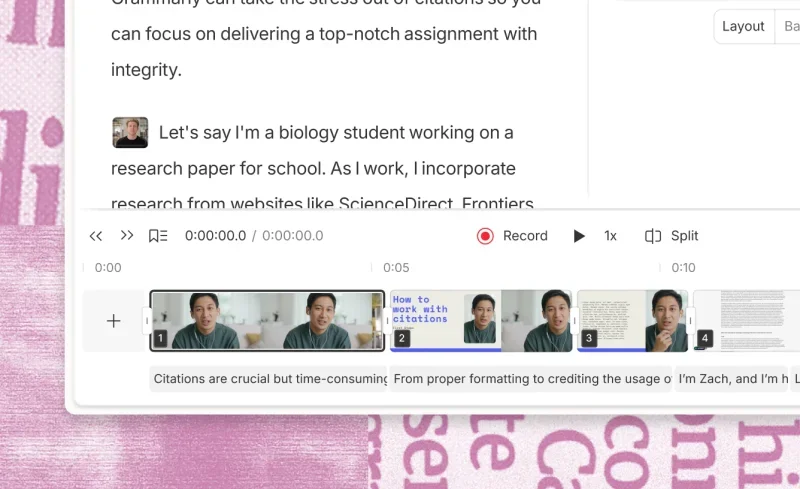
Edit videos by simply editing text, complete with a visual timeline.

Edit video effortlessly by typing, or let AI co-editor enhance your clips.
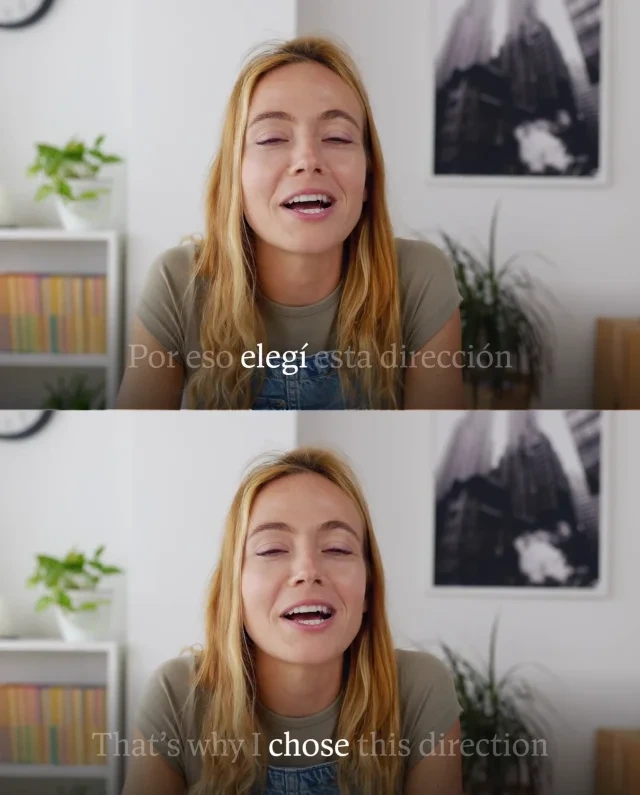
Edit video by editing text: instantly translate and highlight words for precision.
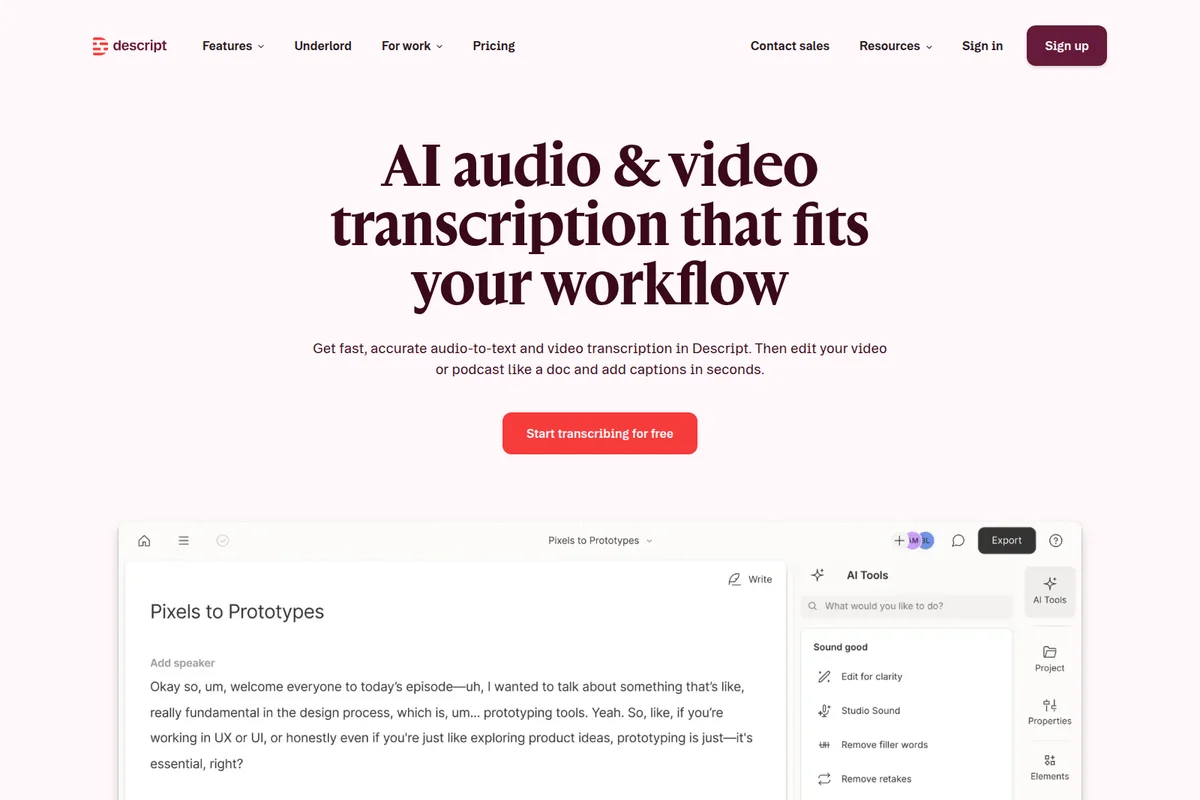
Get fast, accurate AI transcription, then edit audio and video like a document.
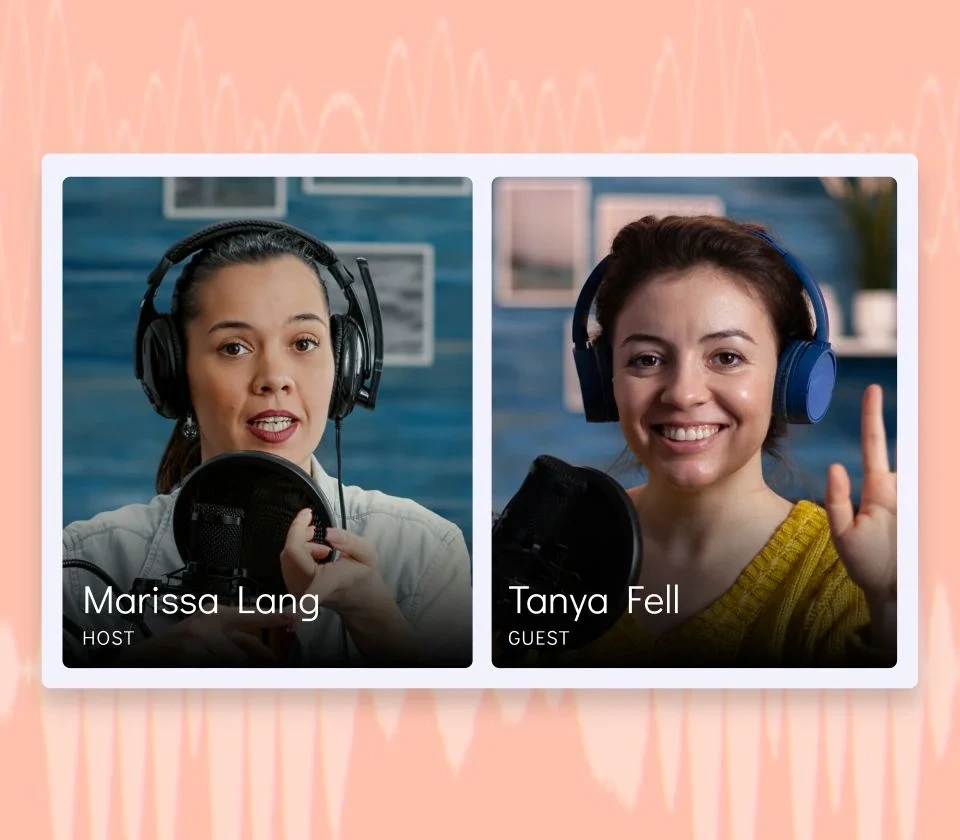
Visualize and manage your podcast hosts and guests during recording.

Edit video like text and get AI suggestions from your co-editor, Underlord.

Visualize sales growth and key performance indicators in a compelling presentation format.
Descript Review: Tooliverse Consensus





Based on 3k+ verified reviews across 6 platforms,
combined with Tooliverse's expert analysis
Descript transforms video editing from a timeline manipulation task into a text editing workflow, letting creators cut footage by deleting transcript words and automate tedious tasks through the Underlord AI assistant. The Studio Sound feature delivers professional audio quality from amateur recordings, and voice cloning fixes mistakes without re-recording. Performance lags with long complex projects and consumes significant system resources, while the mobile experience offers only basic functionality compared to the desktop application. The text-based approach removes the technical barrier that keeps most creators from producing polished video consistently.
Bottom line: A strong video editor that makes professional production accessible through text-based editing and AI automation, though performance struggles with complex projects and demands substantial system resources.
Descript | Key Specs
- Platforms
- Web, macOS, Windows
- Pricing Model
- Freemium ($0-50/mo) See plans
- Privacy/Data Use
- GDPR/CCPA compliant, data not used for marketing
- Security
- SOC 2 Type II, AES-256 encryption, SSO/SCIM (Enterprise) See details
Wins
- •Empowers creators to edit video by simply modifying text like a word processormentioned in 842 reviews
- •Removes background noise instantly with professional-grade Studio Sound AImentioned in 715 reviews
- •Automates tedious editing tasks like filler word removal through the Underlord assistantmentioned in 628 reviews
Watch-Outs
- •Experiences performance lag and stuttering when handling long or complex video projectsmentioned in 312 reviews
- •Consumes significant system memory and CPU resources during rendering and AI processingmentioned in 284 reviews
- •Offers a limited mobile experience compared to the feature-rich desktop applicationmentioned in 215 reviews
Descript Features 2026
Underlord AI Agent
AI-powered co-editor with judgment and expertise that executes complex editing workflows from conversational prompts. Can write scripts, make bulk edits, create clips, and handle any task you'd do manually in Descript.
Text-Based Editing
Edit video by editing the automatically generated transcript. Delete words to cut footage, copy-paste to rearrange clips, and use familiar text editing commands to control your video timeline.
AI Voices & Regenerate
Create ultra-realistic voice clones or use 60+ stock AI voices for text-to-speech. Regenerate feature repairs audio and fixes mistakes by typing corrections—AI matches surrounding tone and smooths awkward cuts.
Studio Sound
One-click AI audio enhancement that removes background noise, enhances speech clarity, and delivers studio-quality sound without professional recording equipment or soundproofing.
Descript User Reviews
Selected Reviews
"The Underlord update completely changed how I handle filler words. It used to take an hour, now it's literally one click. The AI is getting scary good."
"Eye contact correction is a game changer for my YouTube tutorials. I can look at my notes and still look like I'm engaging with the audience."
"Great for quick edits but the mobile app feels very stripped down compared to the desktop version. I can't do half the things I need to on the go."
More from the Community
"Studio Sound is magic. I recorded in a noisy cafe and it sounds like a professional booth. Only wish the export times were a bit faster on my Windows machine."
"Descript is the only tool that makes me feel like I have a superpower. Editing by deleting text is how all video should be made."
"The transcription is about 95% accurate. It struggles with my Scottish accent occasionally, but the correction tools are easy enough to use."
"Useful for remote recording but the app crashes frequently on my Pixel. It's a bit frustrating when you're in the middle of a session."
"Overdub saved my life when I realized I mispronounced a client's name throughout a 20-minute video. Didn't have to re-record a single thing."
"Studio Sound is magic. I recorded in a noisy cafe and it sounds like a professional booth. Only wish the export times were a bit faster on my Windows machine."
"Descript is the only tool that makes me feel like I have a superpower. Editing by deleting text is how all video should be made."
"The transcription is about 95% accurate. It struggles with my Scottish accent occasionally, but the correction tools are easy enough to use."
"Useful for remote recording but the app crashes frequently on my Pixel. It's a bit frustrating when you're in the middle of a session."
"Overdub saved my life when I realized I mispronounced a client's name throughout a 20-minute video. Didn't have to re-record a single thing."
"The best podcasting tool on the market. Period."
"The collaboration features are excellent. My editor can jump in and see exactly what I've changed in the transcript in real-time."
"Underlord is the assistant I always wanted. It handles the boring stuff so I can focus on the story."
"I love the tool but the subscription price is getting a bit steep for hobbyists. Still, the time saved is probably worth it."
"The best podcasting tool on the market. Period."
"The collaboration features are excellent. My editor can jump in and see exactly what I've changed in the transcript in real-time."
"Underlord is the assistant I always wanted. It handles the boring stuff so I can focus on the story."
"I love the tool but the subscription price is getting a bit steep for hobbyists. Still, the time saved is probably worth it."
Descript Pricing 2026
View SourceThe Free tier gives you 1 media hour monthly to test the workflow, but Hobbyist at $16 monthly is the entry point for regular use: 10 media hours, 400 AI credits, and 1080p export cover most solo podcasters and casual video creators. Creator at $24 monthly is where the value concentrates for anyone producing content consistently—30 media hours, 800 AI credits, 4K export, and the full AI toolkit including clip generation and unlimited stock media. Business at $50 monthly makes sense only if you need team brand controls, translation features, or enterprise security compliance.
Descript In-Depth Review 2026

Descript runs on Mac, Windows, and web browsers, treating video as editable text. Record or import your footage, and it generates a transcript automatically. Delete a sentence from the transcript, and the corresponding video disappears. Copy and paste text to rearrange clips. The interface feels like Google Docs, but you're editing video. It serves over 6 million creators including teams at Amazon, Salesforce, and Microsoft, with pricing starting at $16 monthly for the Hobbyist tier.
What It's Like Day-to-Day
The text-based workflow eliminates the friction that makes traditional editing tedious. You're not scrubbing through timelines hunting for the exact frame where you stumbled over a word; you just find it in the transcript and delete it. The Underlord AI assistant takes this further by handling bulk tasks through conversational prompts: remove all filler words, add captions, create three short clips from this 20-minute video. As one Reddit reviewer put it, the Underlord update "completely changed how I handle filler words" and reduced what used to take an hour to "literally one click."
Studio Sound is the feature that makes amateur recordings usable.
Descript Security & Compliance
Verified Compliance
- SOC 2 Type II
Security Features
- AES-256 Encryption at rest
- TLS 1.2 Encryption in transit (HTTPS)
- Multi-factor authentication (MFA)
- SSO / SCIM (Enterprise)
- Stytch identity authentication
Privacy Commitments
- GDPR compliant
- CCPA compliant
- Privacy by Design framework
- Data not used for marketing or advertising
- Project information confidential to Descript (unless opt-in)
- Custom AI Controls (Enterprise)
Descript: Frequently Asked Questions (FAQs)
Do I need to be a developer to use the Descript API?
No, you don't need to be a developer to use the Descript API. If you can use Zapier or connect an app to Claude, you can set this up. The CLI and direct API are available for technical users, but they're not required—you can automate workflows through Zapier or MCP integrations without writing code.
How does Descript protect my data?
Descript is SOC 2 Type II compliant and encrypts all data at rest using AES-256 and in transit using HTTPS with TLS 1.2. The platform uses Stytch for identity authentication, has a designated Data Protection Officer, and only works with third-party suppliers that commit to strict data processing agreements. Your project information is confidential and never used for marketing or advertising.
What can I automate with the Descript API?
You can automate media imports from URL or local upload, apply any edits Underlord can do (remove filler words, add Studio Sound, generate captions, create clips, translate and dub, build rough cuts), and publish projects via share page or download URL. If you can prompt it with Underlord in Descript, you can automate it through the API.
How does Descript store my data?
Descript stores your project information (uploaded files, transcripts, and metadata) on encrypted servers using Amazon AWS and Google Cloud. This enables features like live collaboration, full version history, and access from any computer. Your project information is only used to provide the service—it's not sold, used for marketing, or advertising. The data is confidential even to Descript unless you explicitly request customer service help or opt-in to sharing for service improvement.
Descript Integrations
| Ecamm | Restream | SquadCast |
| Captivate | Zoom | YouTube |
| Wistia | Google Drive | Buzzprout |
| Transistor | Podbean | Blubrry |
| Castos | Adobe Premiere | Final Cut Pro |
| Adobe Audition | Pro Tools | Logic Pro |
| DaVinci Resolve | Reaper | Slack |
| HubSpot | Zapier | Claude (MCP) |
| Dropbox |
Descript: Verified Data Sheet
| # | Label | Data Point |
|---|---|---|
| [1] | Descript Consensus: 8.16/10 | Descript is a highly-rated tool among AI video tools in the Tooliverse index, with a consensus score of 8.16/10 across 3,700 verified reviews. |
| [2] | What is Descript | Descript is a SOC 2 Type II compliant AI-powered video and podcast editor that enables text-based editing—users edit video by editing automatically generated transcripts. The platform serves 6 million+ creators including Amazon, Salesforce, and Microsoft, with pricing starting at $16/month. |
| [3] | Tooliverse Consensus on Descript | Descript transforms video editing from a timeline manipulation task into a text editing workflow, letting creators cut footage by deleting transcript words and automate tedious tasks through the Underlord AI assistant. The Studio Sound feature delivers professional audio quality from amateur recordings, and voice cloning fixes mistakes without re-recording. Performance lags with long complex projects and consumes significant system resources, while the mobile experience offers only basic functionality compared to the desktop application. The text-based approach removes the technical barrier that keeps most creators from producing polished video consistently. |
| [4] | Descript Verdict | Descript bottom line: A strong video editor that makes professional production accessible through text-based editing and AI automation, though performance struggles with complex projects and demands substantial system resources. |
| [5] | Free: Free | Descript offers a Free tier with 1 media hour monthly and 100 one-time AI credits, making AI-powered editing tools accessible at no cost. |
| [6] | Text-based video editing workflow | Descript enables creators to edit video by modifying automatically generated transcripts like a word processor, transforming complex video production into text editing, validated by 842 user reviews. |
| [7] | One-click Studio Sound AI enhancement | Descript removes background noise instantly with professional-grade Studio Sound AI, delivering studio-quality audio without soundproofing or professional equipment, according to 715 user reviews. |
| [8] | Underlord AI automates editing tasks | Descript automates tedious editing tasks like filler word removal through the Underlord AI assistant, saving hours of manual editing time, validated by 628 user reviews. |
| [9] | Hobbyist: $16/mo (annual) | Descript Hobbyist empowers users with 10 media hours / month for $16/month billed annually, significantly expanding on the free tier's capabilities. |
| [10] | Voice cloning for audio correction | Descript generates realistic voice clones to fix audio mistakes without re-recording, enabling creators to correct errors by typing replacement text, according to 412 user reviews. |
| [11] | Performance lag with complex projects | Descript experiences performance lag and stuttering when handling long or complex video projects, according to 312 user reports. |
| [12] | High resource consumption | Descript consumes significant system memory and CPU resources during rendering and AI processing, according to 284 user reports. |
| [13] | Privacy: GDPR compliant | Descript privacy protections include GDPR compliant, CCPA compliant, and Privacy by Design framework. |
| [14] | Enterprise: AES-256 Encryption at rest | Descript provides enterprise security with AES-256 Encryption at rest, TLS 1.2 Encryption in transit (HTTPS), and Multi-factor authentication (MFA). |
| [15] | Underlord transforms filler word editing | Descript's Underlord update "completely changed how I handle filler words" and reduced editing time from an hour to "literally one click," according to a verified Reddit reviewer who noted the AI is "getting scary good." |
Best Descript Alternatives

HappyScribe
AI-powered transcription, subtitles, and meeting notes in 150+ languages with human-quality precision.

Async
AI-powered audio and video creation platform that turns complex editing into simple conversations.

VEED.IO
Turn any idea into a video worth posting—no camera, no crew, no complexity.