
Heptabase Review 2026 - AI-Powered Learning
Verified Jun 12, 2026 by Tooliverse Editorial
Heptabase transforms complex learning into visual understanding—drag PDFs, videos, and notes onto whiteboards, ask AI to explain concepts, and build knowledge networks that actually make sense. Trusted by researchers, students, and knowledge workers worldwide.
The Ultimate AI Tutor You Wish You Had: Heptabase
Heptabase PDF Review: Obsidian and Scrintal Don't Win
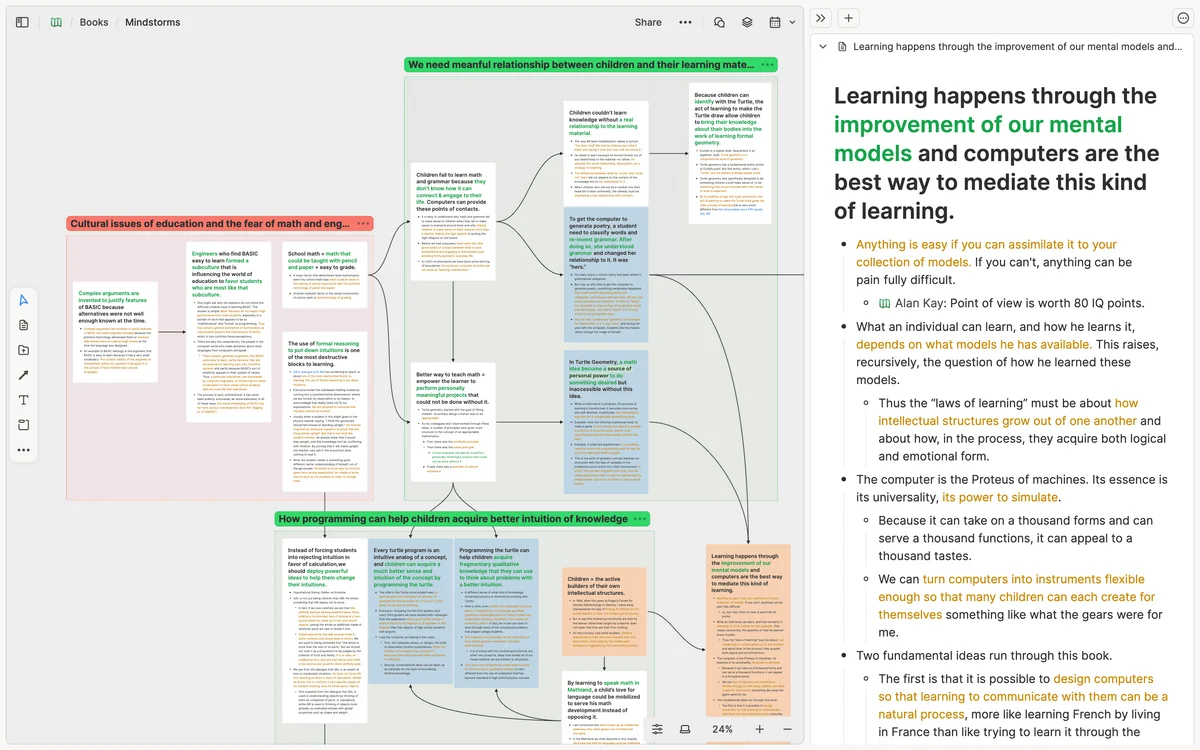
Visualize complex ideas and their relationships to deepen understanding and build mental models.
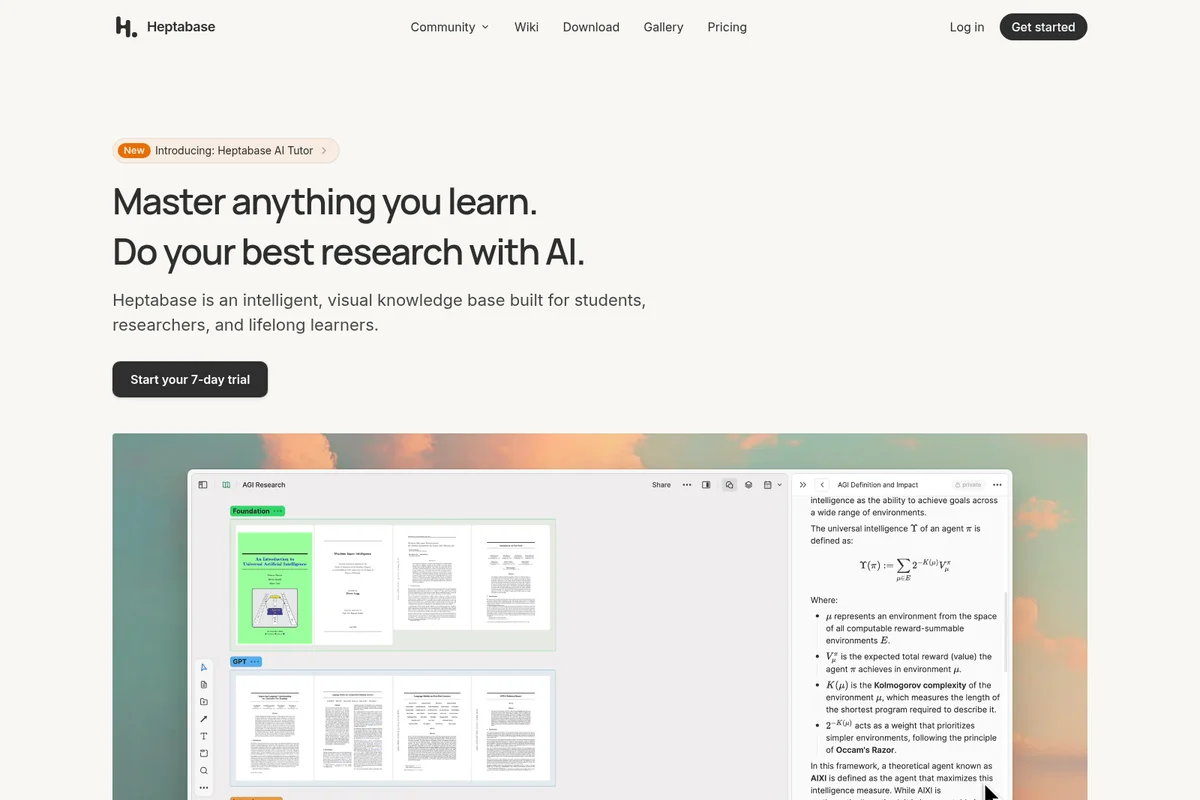
Master any subject and enhance research with Heptabase's intelligent visual knowledge base.
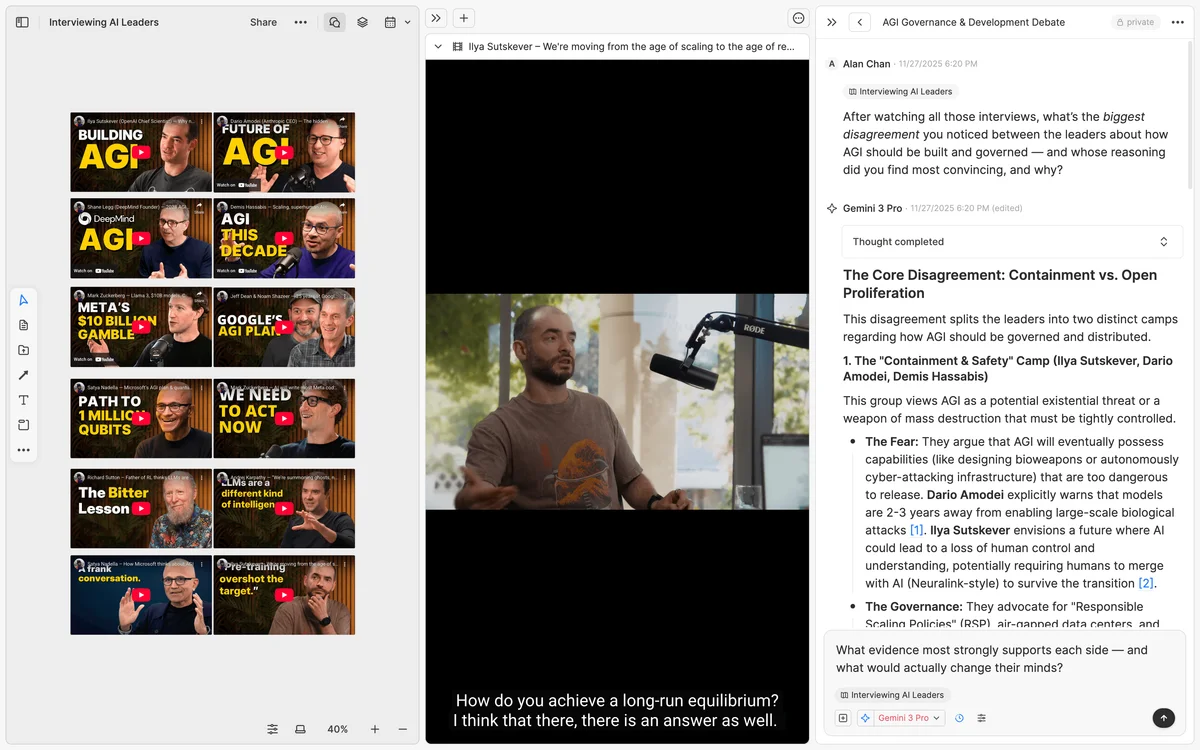
Organize AI leader interviews and synthesize insights in detailed notes.
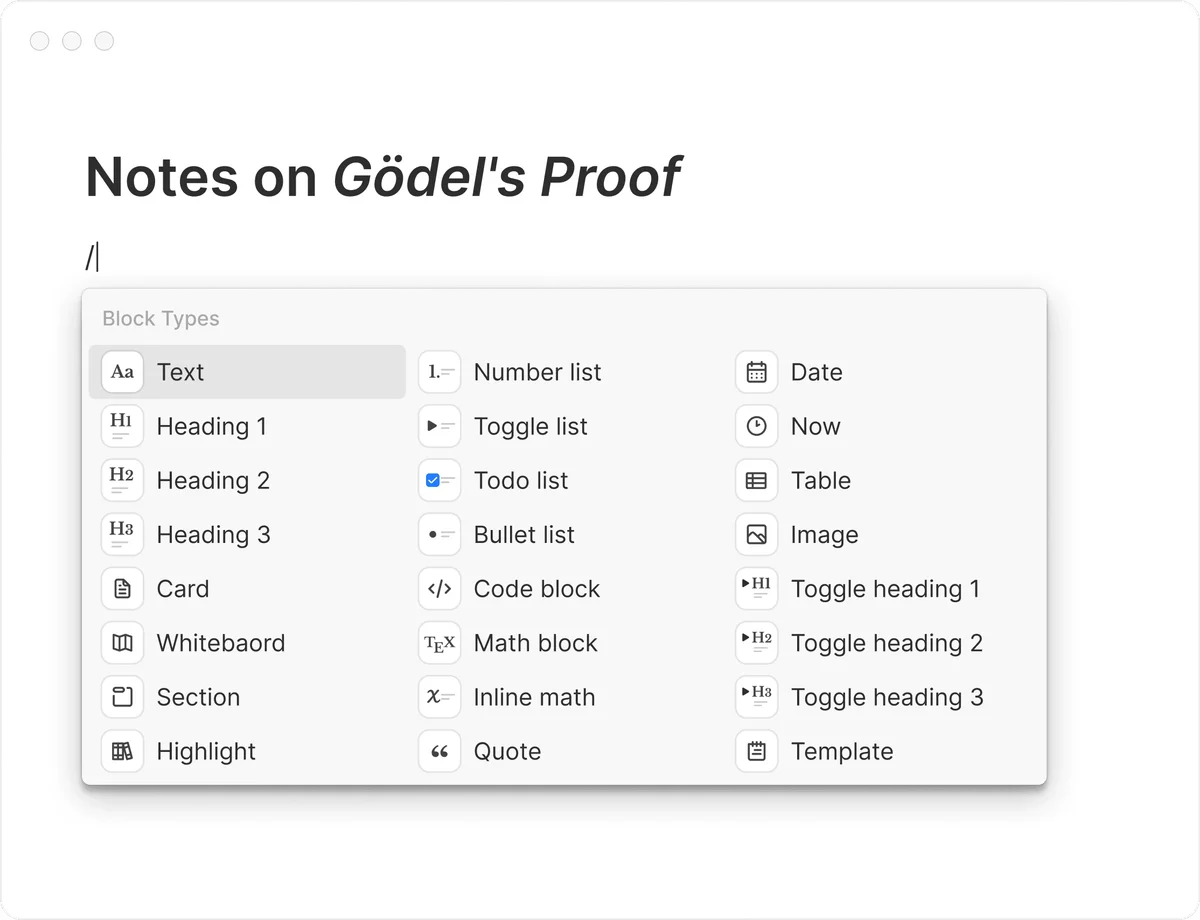
Seamlessly add diverse content blocks: headings, lists, todo, math, and more.
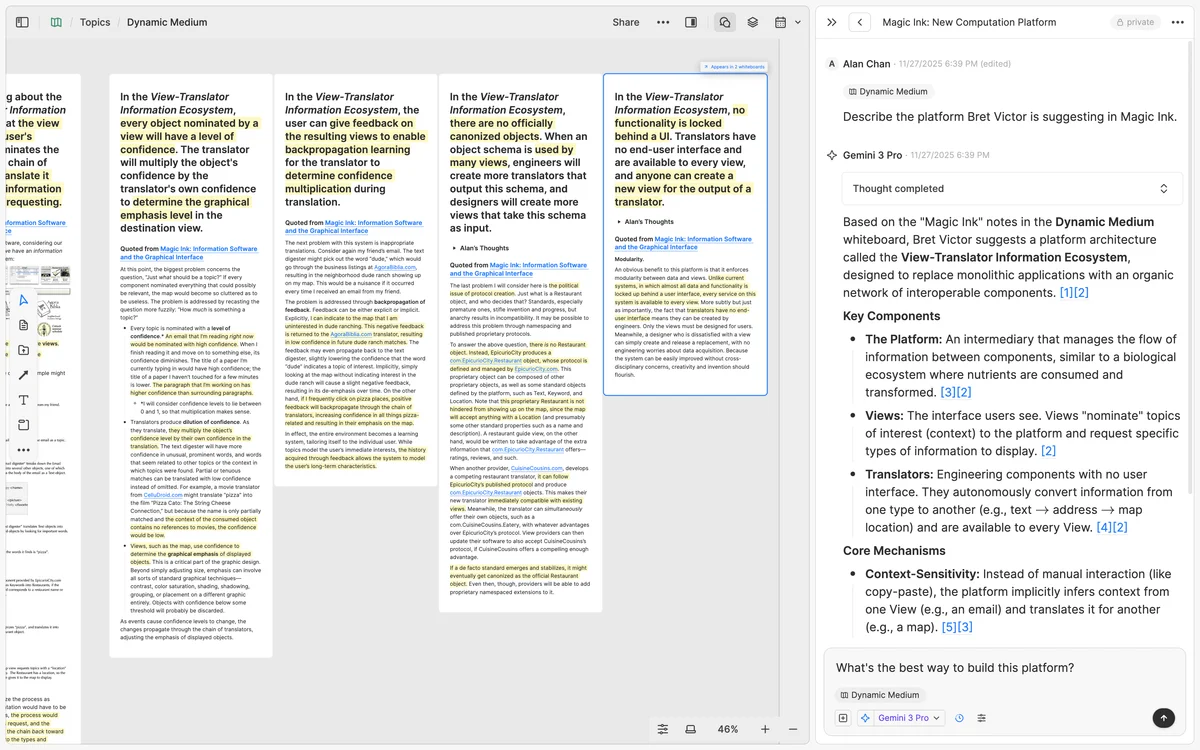
Organize complex research with interactive notes and integrated AI summaries.
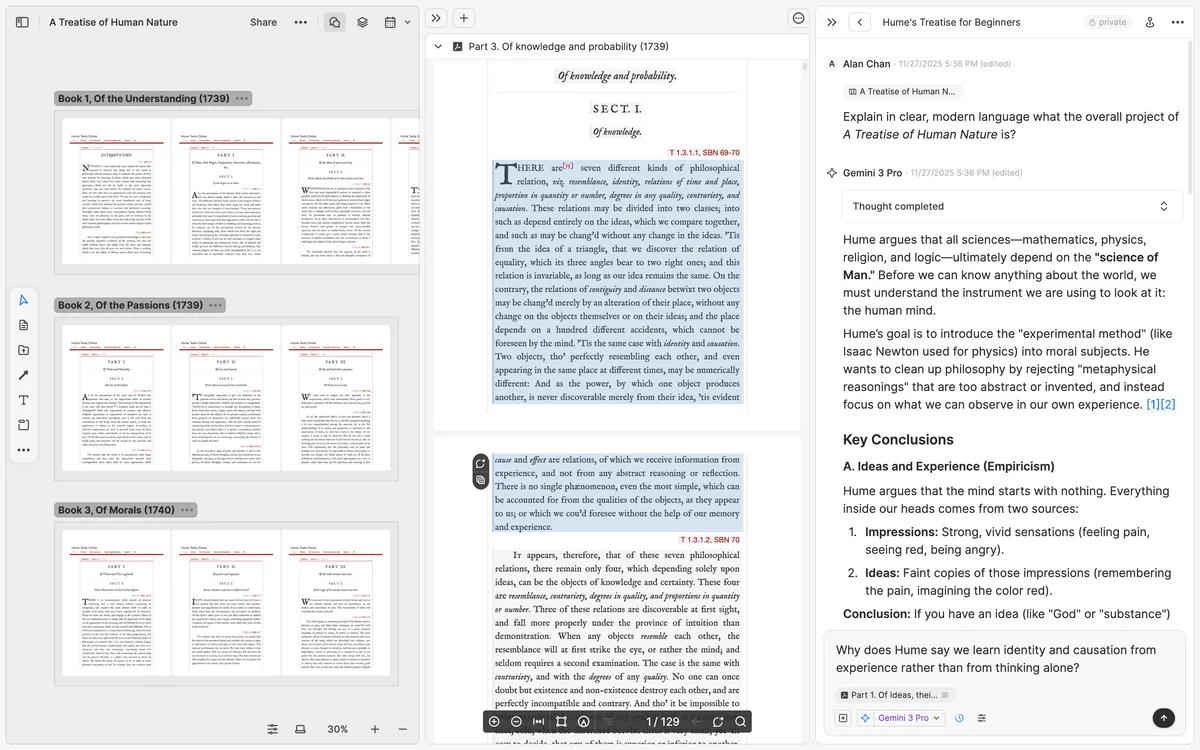
Accelerate understanding with AI-powered text analysis and key conclusions directly in your knowledge base.
Heptabase Review: Tooliverse Consensus





Based on 2k+ verified reviews across 6 platforms,
combined with Tooliverse's expert analysis
Heptabase bridges the gap between linear note-taking and spatial thinking, letting researchers map complex ideas on visual whiteboards instead of burying them in folders. The PDF annotation workflow that preserves page numbers and enables AI discussion stands out, along with the card system that prevents information silos by letting the same note appear across multiple contexts. The learning curve is steep for users accustomed to traditional note apps, but the platform delivers on its core promise of helping users think through problems visually.
Bottom line: A top-tier visual knowledge base that transforms how researchers and learners synthesize complex information, though the spatial workflow requires patience to master and works best on desktop.
Heptabase | Key Specs
Wins
- •Features a visual whiteboard interface for mapping complex ideas effectivelymentioned in 342 reviews
- •Provides seamless synchronization between mobile and desktop applicationsmentioned in 218 reviews
- •Offers powerful PDF annotation and highlighting capabilities for streamlined researchmentioned in 185 reviews
Watch-Outs
- •Subscription price is higher than many competitors in the spacementioned in 156 reviews
- •Presents a steep learning curve for users new to visual PKMmentioned in 98 reviews
- •Mobile app lacks some advanced whiteboard features found on desktopmentioned in 74 reviews
Heptabase Features 2026
Visual Whiteboards for Thinking
Unlimited canvas for placing cards, creating sections, nested whiteboards, and mindmaps to visually organize knowledge and see connections between concepts. Includes spatial algorithms like Card Space-out, Section Auto-grow, and Tidy Up.
AI Tutor with Personalized Courses
AI agent that creates structured, personalized learning sessions based on your goals and materials. Guides you through topics with lessons, quizzes, and progress tracking across multiple courses.
AI Chat with Knowledge Context
Chat with AI models using your cards, whiteboards, PDFs, videos, and journals as context. AI provides citations to source paragraphs and timestamps. Drag valuable responses onto whiteboards as cards.
PDF Annotation and Parsing
Import PDFs with automatic parsing of text, tables, images, and formulas. Create highlights and annotations, discuss specific pages with AI, and place PDF highlights on whiteboards as cards with page number traceability.
Heptabase User Reviews
Selected Reviews
"The PDF annotation tool is the best in the business. I can drag highlights directly onto the whiteboard as cards. It saves me hours of manual copying and pasting every single week, allowing me to focus on the actual synthesis of ideas."
"I've tried Obsidian, Logseq, and Notion, but Heptabase is the only one that actually helps me think through complex problems rather than just storing information."
"The whiteboard is great, but the mobile app feels a bit cramped for complex mapping. It's excellent for capturing quick notes, but the heavy lifting still happens on my Mac."
More from the Community
"Heptabase has completely changed how I approach my research projects."
"I really enjoy the spatial layout, but I wish there was a more affordable tier for students."
"The sync is flawless. I can start a thought on my iPhone during my commute and finish it on my desktop when I get home without any lag or conflict errors."
"It's a powerful tool, but the learning curve is real. It took me about two weeks of consistent use to really "get" the workflow and stop trying to use it like Evernote."
"Great app, but I'm waiting for better collaboration features. Right now it's a fantastic solo tool, but I can't easily share my boards with my team for feedback."
"Heptabase has completely changed how I approach my research projects."
"I really enjoy the spatial layout, but I wish there was a more affordable tier for students."
"The sync is flawless. I can start a thought on my iPhone during my commute and finish it on my desktop when I get home without any lag or conflict errors."
"It's a powerful tool, but the learning curve is real. It took me about two weeks of consistent use to really "get" the workflow and stop trying to use it like Evernote."
"Great app, but I'm waiting for better collaboration features. Right now it's a fantastic solo tool, but I can't easily share my boards with my team for feedback."
"The speed of the app is impressive. Even with thousands of cards and large PDF files, I haven't experienced any significant slowdowns or crashes."
"Heptabase is the first tool that actually mirrors how my brain works."
"I appreciate the frequent updates and the transparency of the development team. They actually listen to user feedback and implement requested features quickly."
"The export options are a bit limited. I'd love to see more ways to get my data out in different formats without losing the visual relationships."
"The speed of the app is impressive. Even with thousands of cards and large PDF files, I haven't experienced any significant slowdowns or crashes."
"Heptabase is the first tool that actually mirrors how my brain works."
"I appreciate the frequent updates and the transparency of the development team. They actually listen to user feedback and implement requested features quickly."
"The export options are a bit limited. I'd love to see more ways to get my data out in different formats without losing the visual relationships."
Heptabase Pricing 2026
The 7-day free trial gives full access to test the workflow before committing. Pro handles most individual researchers with unlimited whiteboards, PDF annotation, and limited monthly AI credits. Premium is where heavy AI users should land: 10x the credits of Pro, unlimited access to basic models when you run out, and access to the latest models from Google, OpenAI, and Anthropic. For anyone doing daily AI-assisted research, that unlimited fallback matters more than the credit multiplier.
Heptabase In-Depth Review 2026

This visual knowledge base combines whiteboards, AI tutoring, and networked note-taking to help you master complex topics through structured learning sessions. It runs on Mac, Windows, Linux, iOS, and Android with real-time sync, working wherever you need to capture or develop ideas. What sets it apart is the spatial canvas: you don't just take notes, you map relationships between concepts on unlimited whiteboards that mirror how your brain actually processes information.
What It's Like Day-to-Day
The workflow centers on cards and whiteboards. Cards hold your notes, and whiteboards are where you arrange them to see patterns. The same card can appear on multiple whiteboards simultaneously without duplication, so your literature review card can live on both your "Methodology" whiteboard and your "Key Findings" canvas. This prevents the information silos that plague folder-based systems.
The PDF annotation tool is where the platform shows its strength for researchers. Import a paper, and Heptabase automatically parses text, tables, images, and formulas into a format the AI can read. Highlight a passage, drag it onto your whiteboard as a card, and the page number stays attached.
Heptabase Security & Compliance
Privacy Commitments
- Offline-first architecture with local data storage
- User controls what data AI can access via context selection
Heptabase: Frequently Asked Questions (FAQs)
What is Heptabase best used for?
Heptabase is best used for learning and researching complex topics. It helps you analyze, understand, and digest complex literature, integrating this knowledge with your own ideas to create high-quality outcomes. Common use cases include academic research, product development, content creation, and deep learning.
How does AI Chat work in Heptabase?
AI Chat lets you chat with AI models using your cards, whiteboards, PDFs, videos, journals, and other content as context. You can add context using the '+' button or '@' mentions. AI answers are based on your knowledge base and include citations showing which paragraphs the answer came from. You can drag helpful responses onto whiteboards as cards.
What is the AI Tutor feature?
AI Tutor is an AI agent that guides you toward your goals through structured, personalized learning sessions. You share your learning goal, and AI Tutor builds a personalized course around your level and materials. It creates lessons, tracks progress, and adapts to your pace while you can ask questions anytime.
Can I use Heptabase offline?
Yes, Heptabase has been an offline-first desktop application since the closed alpha stage. You can access all notes and files without an internet connection on Mac, Windows, and Linux. The mobile apps also support offline access.
Heptabase Integrations
| Readwise | Zotero | OpenAI |
| Google Gemini | Anthropic Claude | ChatGPT |
| YouTube |
Heptabase: Verified Data Sheet
| # | Label | Data Point |
|---|---|---|
| [1] | Heptabase Consensus: 9.41/10 | Heptabase is one of the highest-rated AI productivity tools in the Tooliverse index, with a consensus score of 9.41/10 across 2,330 verified reviews. |
| [2] | What is Heptabase | Heptabase, operated by Hepta Platforms Inc., is a visual knowledge base backed by Y Combinator and Kleiner Perkins. The platform combines whiteboards, AI tutoring, and networked notes for deep learning and research, with pricing starting at a 7-day free trial. |
| [3] | Tooliverse Consensus on Heptabase | Heptabase bridges the gap between linear note-taking and spatial thinking, letting researchers map complex ideas on visual whiteboards instead of burying them in folders. The PDF annotation workflow that preserves page numbers and enables AI discussion stands out, along with the card system that prevents information silos by letting the same note appear across multiple contexts. The learning curve is steep for users accustomed to traditional note apps, but the platform delivers on its core promise of helping users think through problems visually. |
| [4] | Heptabase Verdict | Heptabase bottom line: A top-tier visual knowledge base that transforms how researchers and learners synthesize complex information, though the spatial workflow requires patience to master and works best on desktop. |
| [5] | Free Trial: Free | Heptabase offers a Free Trial tier with 7-day full access to all features, making the platform accessible at no cost for initial evaluation. |
| [6] | Visual whiteboard for complex ideas | Heptabase features a visual whiteboard interface for mapping complex ideas and concepts, validated as highly effective by 342 user reviews. |
| [7] | Seamless cross-device sync | Heptabase provides seamless synchronization between mobile and desktop applications across Mac, Windows, Linux, iOS, and Android platforms, confirmed by 218 user reviews. |
| [8] | Advanced PDF annotation tools | Heptabase offers powerful PDF annotation and highlighting capabilities that automatically parse text, tables, images, and formulas for AI discussion, validated by 185 user reviews. |
| [9] | Flexible card-based system | Heptabase utilizes a flexible card-based system where cards can appear on multiple whiteboards simultaneously without creating information silos, confirmed by 164 user reviews. |
| [10] | Premium pricing vs competitors | Heptabase subscription pricing is higher than many competitors in the personal knowledge management space, noted as a concern in 156 user reviews. |
| [11] | Steep learning curve for newcomers | Heptabase presents a steep learning curve for users new to visual personal knowledge management, with 98 user reviews reporting initial difficulty adapting to the workflow. |
| [12] | Privacy: Offline-first architecture with local data storage | Heptabase privacy protections include Offline-first architecture with local data storage and User controls what data AI can access via context selection. |
| [13] | Saves hours on research synthesis | Heptabase "saves me hours of manual copying and pasting every single week, allowing me to focus on the actual synthesis of ideas" through its PDF annotation tool, according to a verified Product Hunt reviewer. |
Best Heptabase Alternatives
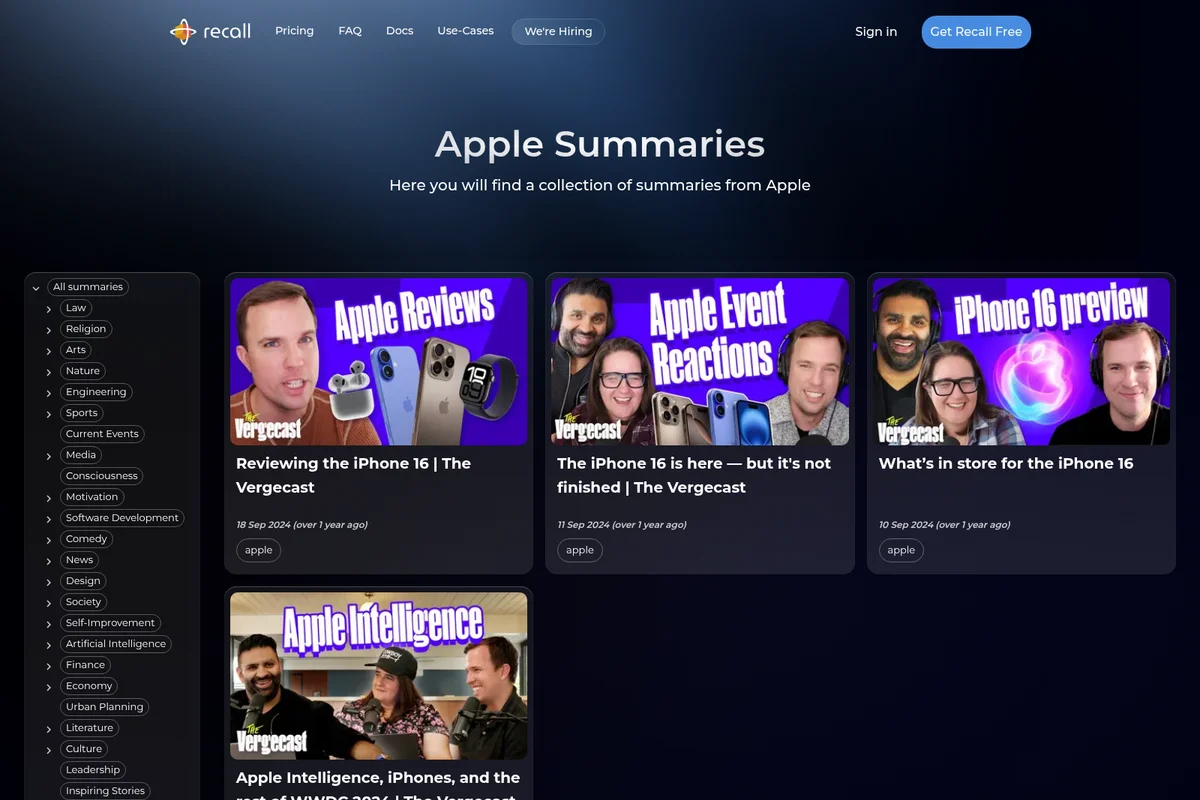
Recall
Turn your knowledge into your edge with AI that saves, summarizes, and connects everything you learn.
Knowt
Turn lectures, notes, and PDFs into flashcards and study guides in seconds with AI.
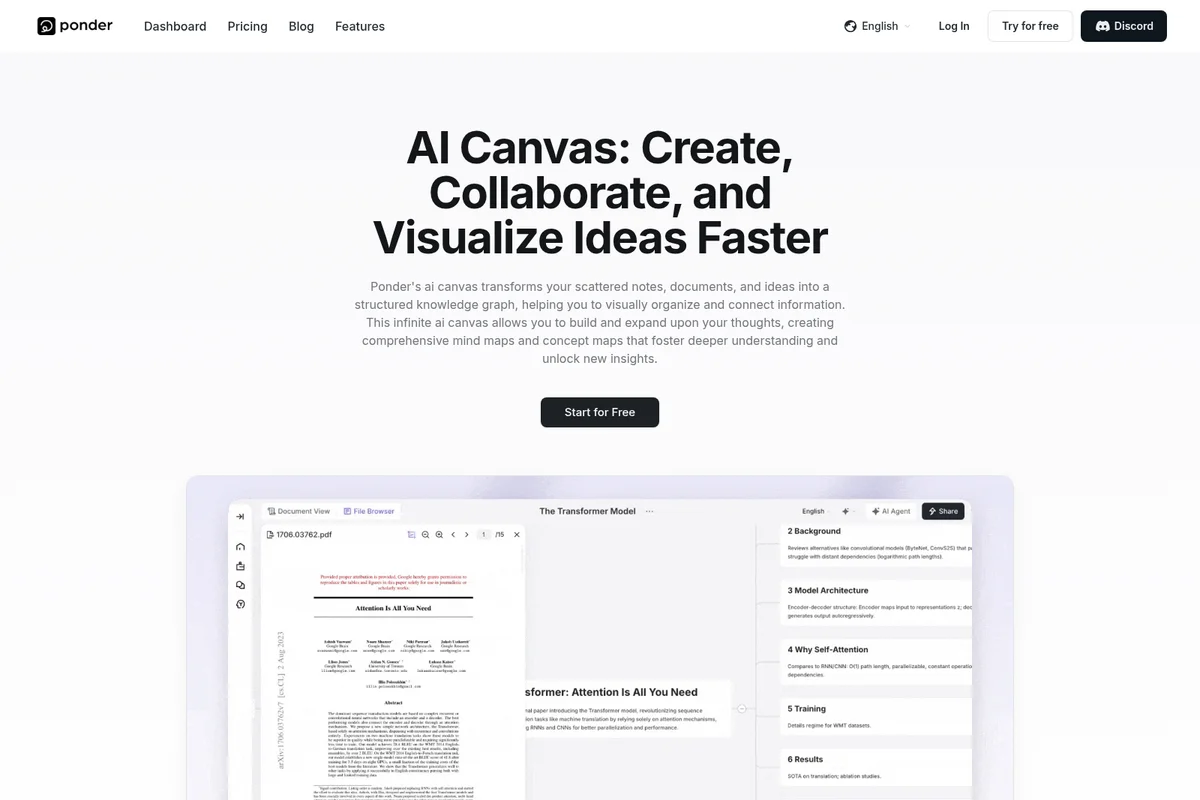
Ponder
Where thinking happens—explore, connect, and evolve your ideas in one visual workspace.