
Fyxer AI Review 2026 - Email, Meetings & Chat Assistant
Verified Sep 18, 2026 by Tooliverse Editorial
Fyxer works wherever client conversations happen. It sorts your inbox and drafts replies that actually sound like you, shows up to your meetings so you don't have to take notes, and answers questions in Slack or Teams. Since September 2026 it also runs routine follow-ups on a schedule.
What is Fyxer? The email assistant that saves you an hour a day
Fyxer AI Review (2026): Email, Meeting Notes & Scheduling in One
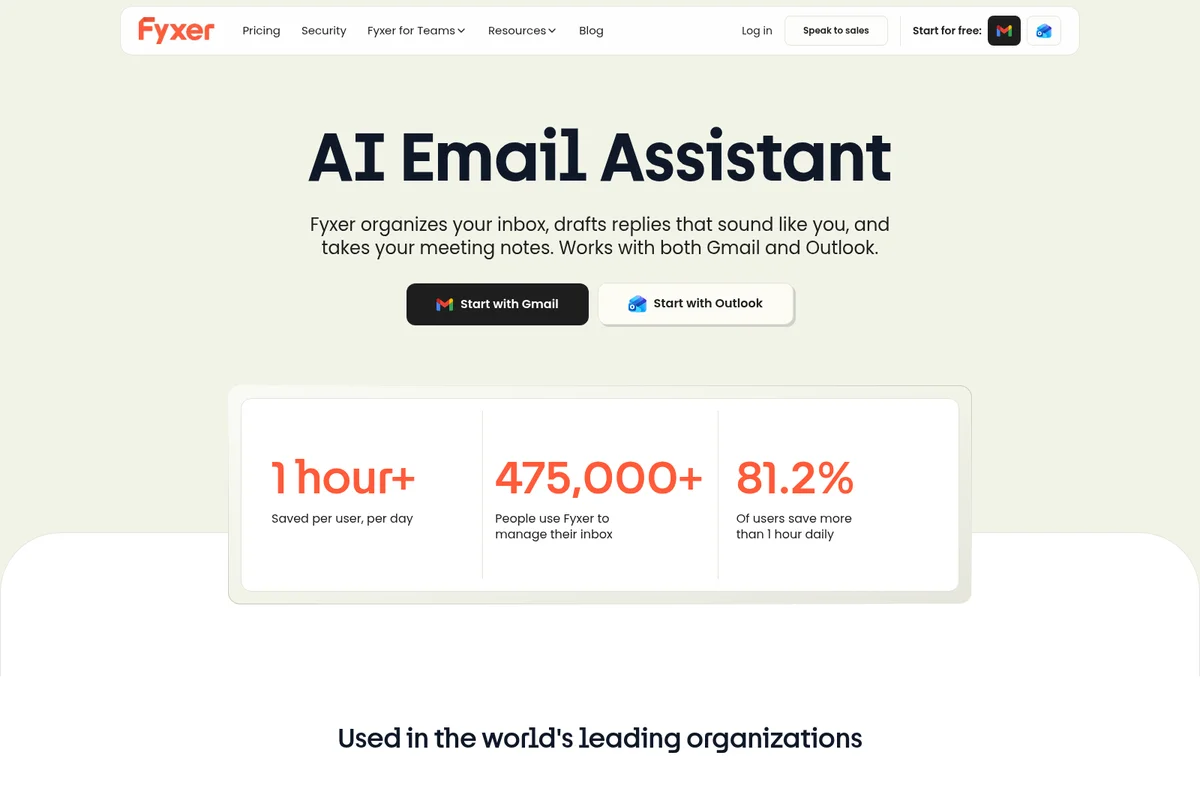
Automate email organization, drafting, and meeting notes with AI assistance, saving valuable time.
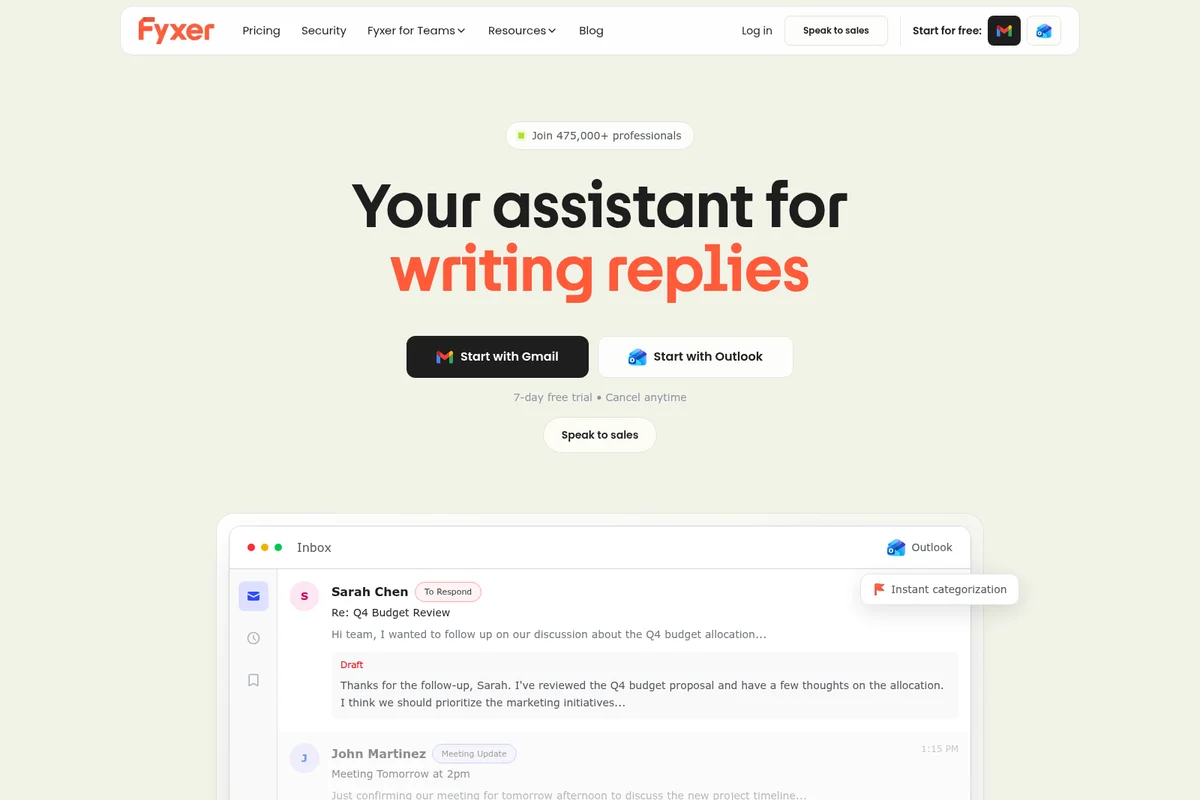
AI instantly drafts email replies and categorizes messages within your inbox.
Fyxer AI Review: Tooliverse Consensus






Based on 645 verified reviews across 6 platforms,
combined with Tooliverse's expert analysis
Fyxer AI turns inbox triage into a background process, automatically sorting mail and drafting replies that convincingly mirror a user's own voice. Reviewers consistently point to the morning-review summaries and calendar scheduling as the features that save real time, not just theoretical time. The tradeoffs are narrower: pricing feels steep for solo users, task extraction occasionally stumbles on jargon-heavy technical emails before it learns a user's vocabulary, and integration setup with less common email clients can require more troubleshooting than the marketing suggests.
Bottom line: A leading AI email assistant whose tone-matched drafting and meeting summaries save real hours daily, though its premium pricing and occasional technical-jargon slip-ups limit appeal for solo users.
Fyxer AI | Key Specs
- Platforms
- Web (Gmail & Outlook integration)
- Pricing Model
- Paid only, per-user ($22.50-$37.50/mo billed annually) plus custom Enterprise See plans
- Privacy/Data Use
- Data never used to train third-party AI models; meeting content private by default
- Security
- SOC 2 Type II, ISO 27001, HIPAA & GDPR compliant, SSO/SCIM (Enterprise) See details
Wins
- •Automates complex email drafting with context-aware suggestions that mirror personal writing stylesmentioned in 184 reviews
- •Condenses lengthy email threads into actionable summaries, saving significant time during morning reviewsmentioned in 156 reviews
- •Integrates seamlessly with existing calendars to suggest meeting times without manual checkingmentioned in 112 reviews
Watch-Outs
- •Premium subscription pricing may be prohibitive for individual users or small startupsmentioned in 62 reviews
- •Occasional inaccuracies in task extraction from highly technical or jargon-heavy emailsmentioned in 48 reviews
- •Initial synchronization with large Outlook archives can take several hours to completementioned in 35 reviews
Tooliverse readers: 14-day free trial + 20% off your first 2 months
We may earn commission, but this never affects how we review and rank tools.
Fyxer AI Features 2026
Spaces (shared client records)
A shared workspace for one client, deal or project. Emails, calls, action items and a timeline gather automatically, and you control who can see it. Rolling out gradually to existing accounts.
Slack and Microsoft Teams agent
Mention @Fyxer in Slack or Microsoft Teams to search your inbox, summarize a meeting, check availability or manage calendar events without leaving the conversation.
Flows (scheduled routines)
Set a routine up once, such as a morning briefing, an action-item roundup or a post-meeting follow-up, and Fyxer runs it on a schedule or a trigger, delivering the output to email, Slack, Teams or the app. Rolling out gradually to existing accounts.
Fyxer Chat
An AI chat interface that searches across a user's entire inbox and meeting transcripts to answer questions instantly and generate context-aware email drafts.
Fyxer AI User Reviews
Selected Reviews
"Fyxer has completely changed how I handle my inbox. The AI drafts are so accurate that I usually only have to change a word or two before hitting send. It's like having a real assistant."
"The summarization feature is the best part. I can catch up on a whole day's worth of project updates in five minutes. It identifies the "asks" perfectly."
"The pricing is definitely on the higher side compared to other AI tools, but the time saved makes it worth it for me. Still, a cheaper tier would be nice."
More from the Community
"Good tool, but I've noticed it struggles with some of the more niche technical terms in my industry. I have to double-check the summaries for accuracy."
"I love the Chrome extension. It sits right in my Gmail and makes it so easy to generate replies on the fly. Very intuitive design."
"Syncing with my mobile app was a bit frustrating at first. It took a few tries to get everything aligned, but once it worked, it was smooth."
"The calendar integration is a game changer. It knows my schedule and suggests times to clients automatically. No more back and forth."
"I was worried about privacy, but their documentation is very clear about how data is handled. Feels much safer than using a generic LLM."
"Good tool, but I've noticed it struggles with some of the more niche technical terms in my industry. I have to double-check the summaries for accuracy."
"I love the Chrome extension. It sits right in my Gmail and makes it so easy to generate replies on the fly. Very intuitive design."
"Syncing with my mobile app was a bit frustrating at first. It took a few tries to get everything aligned, but once it worked, it was smooth."
"The calendar integration is a game changer. It knows my schedule and suggests times to clients automatically. No more back and forth."
"I was worried about privacy, but their documentation is very clear about how data is handled. Feels much safer than using a generic LLM."
"Impressive tone matching. It actually picked up on my tendency to use bullet points and a more formal closing. Very impressed."
"Useful for clearing out the noise, but sometimes it marks important emails as low priority if they don't have a clear call to action."
"The onboarding process was a bit long. I had to go through several tutorials to really understand the power of the task manager."
"Absolutely essential for anyone managing multiple projects. It keeps everything organized in a way that my brain just can't do alone."
"Impressive tone matching. It actually picked up on my tendency to use bullet points and a more formal closing. Very impressed."
"Useful for clearing out the noise, but sometimes it marks important emails as low priority if they don't have a clear call to action."
"The onboarding process was a bit long. I had to go through several tutorials to really understand the power of the task manager."
"Absolutely essential for anyone managing multiple projects. It keeps everything organized in a way that my brain just can't do alone."
Fyxer AI Pricing 2026
View SourceStarter at $22.50 per user monthly billed annually, or $30 billed monthly, covers one inbox and calendar and is the right call for a single professional drowning in email. Professional at $37.50 billed annually, or $50 monthly, adds multiple inboxes, HubSpot and Fyxer Chat across your whole history, which is what actually justifies handing inbox access to an AI. Annual billing saves 25%, every plan starts with a 14-day free trial, and Enterprise pricing is bespoke.
Tooliverse readers: 14-day free trial + 20% off your first 2 months
We may earn commission, but this never affects how we review and rank tools.
Fyxer AI In-Depth Review 2026

Inside Gmail and Outlook it sorts incoming mail into categories like To Respond, FYI and Marketing, then drafts replies that sound like you wrote them. It joins calls on Zoom, Teams and Google Meet, transcribes them and writes the follow-up. Since mid-2026 you can also mention @Fyxer in Slack or Microsoft Teams to search your inbox, summarize a meeting or check availability without leaving the conversation. Nothing gets sent without your approval: it drafts, you review, you decide.
What September 2026 Added
Two additions take it further from the inbox. Flows are routines you set up once, a 7am briefing, an action-item roundup, a post-meeting follow-up, that run on a schedule or a trigger and deliver the result to email, Slack or Teams. Spaces give a client, deal or project its own shared record, where emails, calls, action items and a timeline gather automatically for whoever you give access to. Both are new enough to still be reaching existing accounts, and new enough that reviewers haven't caught up with them: the 9.
Fyxer AI Security & Compliance
Verified Compliance
- SOC 2 Type II
- ISO 27001
- GDPR compliant
- HIPAA compliant
Security Features
- AES-256 encryption in transit and at rest
- SSO and SCIM for automated team setup (Enterprise)
- 24/7 monitoring using Google's Security Command Center and regular penetration testing
- Principle of Least Privilege access controls
Privacy Commitments
- Data never used to train third-party AI models like OpenAI
- Fyxer never sends emails without user approval
- Meeting recordings and transcripts are private by default, visible only to the calendar event owner
- Email content is not stored after draft generation
Fyxer AI: Frequently Asked Questions (FAQs)
How much does Fyxer cost?
Fyxer's Starter plan is $22.50/user/month billed annually ($30/month if billed monthly) for a single inbox, and the Professional plan is $37.50/user/month billed annually ($50/month if billed monthly) for multiple inboxes plus Fyxer Chat and HubSpot integration. Enterprise pricing is bespoke and requires a minimum of 50 users.
What's included in the free trial?
The free trial gives full access to all core Fyxer features for 14 days. The Pro trial includes everything in the Standard plan, plus extras like managing multiple inboxes, reading email attachments, and connecting with a CRM.
Can I trial the Pro and Enterprise plans?
Yes, users can trial the Pro plan by signing up at fyxer.com for a 14-day free trial with all Pro features unlocked. For Enterprise, the Fyxer team sets up a tailored trial and onboarding for the team instead of a self-serve trial.
What is Fyxer and what does it do?
Fyxer is an AI email and meeting assistant that organizes inboxes, drafts email replies in the user's own tone, and captures meeting notes with automatic follow-ups, aiming to give users back at least one hour every day.
Fyxer AI Integrations
| Gmail | Outlook | Google Calendar |
| Outlook Calendar | Google Meet | Microsoft Teams |
| Zoom | Slack | HubSpot |
Fyxer AI: Verified Data Sheet
| # | Label | Data Point |
|---|---|---|
| [1] | Fyxer AI Consensus: 9.08/10 | Fyxer AI is one of the highest-rated AI productivity tools in the Tooliverse index, with a consensus score of 9.08/10 across 645 verified reviews. |
| [2] | What is Fyxer AI | Fyxer AI, developed by Fyxer AI Limited, is a SOC 2 Type II certified AI assistant for client communication across Gmail, Outlook, meetings and chat: it drafts replies in the user's voice, captures meeting notes, and answers in Slack or Microsoft Teams. Used by 100,000+ professionals, plans start at $22.50/user/month billed annually. |
| [3] | Tooliverse Consensus on Fyxer AI | Fyxer AI turns inbox triage into a background process, automatically sorting mail and drafting replies that convincingly mirror a user's own voice. Reviewers consistently point to the morning-review summaries and calendar scheduling as the features that save real time, not just theoretical time. The tradeoffs are narrower: pricing feels steep for solo users, task extraction occasionally stumbles on jargon-heavy technical emails before it learns a user's vocabulary, and integration setup with less common email clients can require more troubleshooting than the marketing suggests. |
| [4] | Fyxer AI Verdict | Fyxer AI bottom line: A leading AI email assistant whose tone-matched drafting and meeting summaries save real hours daily, though its premium pricing and occasional technical-jargon slip-ups limit appeal for solo users. |
| [5] | Starter: $22.5/user/mo (annual) | Fyxer AI's Starter plan organizes a single inbox and calendar for $22.5/user/month billed annually, or $30/user/month billed monthly, with a 14-day free trial. |
| [6] | Calendar integration, 112 mentions | Fyxer AI integrates seamlessly with existing calendars to suggest meeting times without manual checking, a strength cited in 112 user reviews. |
| [7] | Clean interface for executives, 98 mentions | Fyxer AI offers a clean, distraction-free interface that simplifies inbox management for busy executives, praised in 98 user reviews. |
| [8] | Robust security, 74 mentions | Fyxer AI provides robust security features, including SOC 2 Type II certification, that keep sensitive professional data private and protected, a strength noted in 74 user reviews. |
| [9] | Flows, Spaces and Slack/Teams agents (Sept 2026) | In September 2026 Fyxer AI added Flows (routines set up once that run on a schedule or trigger and deliver to email, Slack or Teams), Spaces (a shared record per client, deal or project that gathers emails, calls and action items automatically) and @Fyxer agents in Slack and Microsoft Teams, per the company's help centre. Fyxer describes Flows and Spaces as rolling out gradually to existing accounts. |
| [10] | Professional: $37.5/user/mo (annual) | Fyxer AI Limited's Professional plan organizes multiple inboxes and calendars for $37.5/user/month billed annually, or $50/user/month billed monthly, with a 14-day free trial. |
| [11] | Tone-matched email drafting, 184 mentions | Fyxer AI automates complex email drafting with context-aware suggestions that mirror a user's personal writing style, a capability validated by 184 user reviews. |
| [12] | Pricing steep for individuals, 62 mentions | Fyxer AI's premium subscription pricing, starting at $22.50/user/month billed annually, may be prohibitive for individual users or small startups, a concern raised in 62 user reviews. |
| [13] | Mobile app lag, 29 mentions | Fyxer AI's mobile application occasionally experiences lag when processing multiple high-priority notifications, an issue noted in 29 user reviews. |
| [14] | Privacy: Data never used to train third-party AI models like OpenAI | Fyxer AI privacy protections include Data never used to train third-party AI models like OpenAI, Fyxer never sends emails without user approval, and Meeting recordings and transcripts are private by default, visible only to the calendar event owner. |
| [15] | Enterprise: AES-256 encryption in transit and at rest | Fyxer AI delivers enterprise security through AES-256 encryption in transit and at rest, SSO and SCIM for automated team setup (Enterprise), and 24/7 monitoring using Google's Security Command Center and regular penetration testing. |
| [16] | Drafts need minimal edits, per reviewer | Fyxer AI users report that its AI drafts are so accurate they "usually only have to change a word or two before hitting send," according to a verified iOS App Store reviewer. |
Best Fyxer AI Alternatives
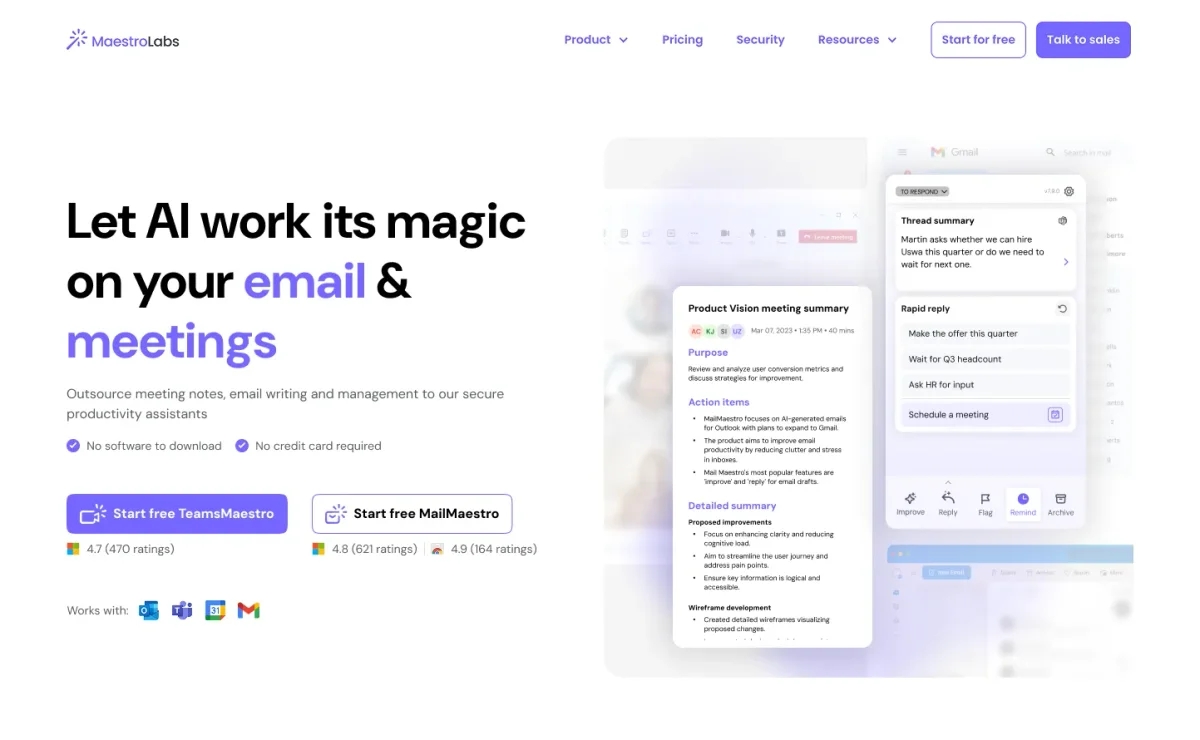
MailMaestro
Draft, reply to, and organize your email in seconds with an AI assistant inside Outlook and Gmail.

Superhuman
AI that works where you do, so your best work flows without switching tabs.
Spark Mail
Smart, focused email that filters out the noise so you can get to what matters.