Logo Diffusion Review 2026 - AI Logo Design
Verified Jun 15, 2026 by Tooliverse Editorial
Logo Diffusion transforms text, sketches, or images into production-ready logos using AI trained specifically for logo design. Generate up to 4 unique concepts per prompt across 45+ styles, then refine with built-in editing tools and export as clean SVG or transparent PNG—all in one platform.
What's New in Logo Diffusion V.5?
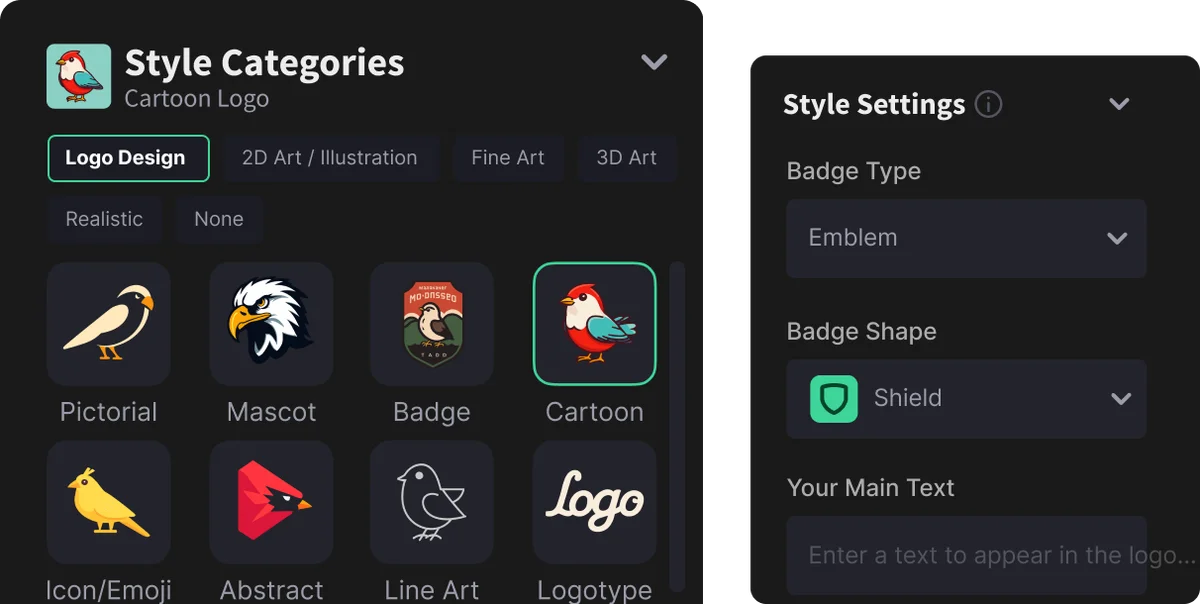
Choose from diverse logo styles and customize badge attributes for your designs.
Instantly create professional logos and brand visuals with AI.
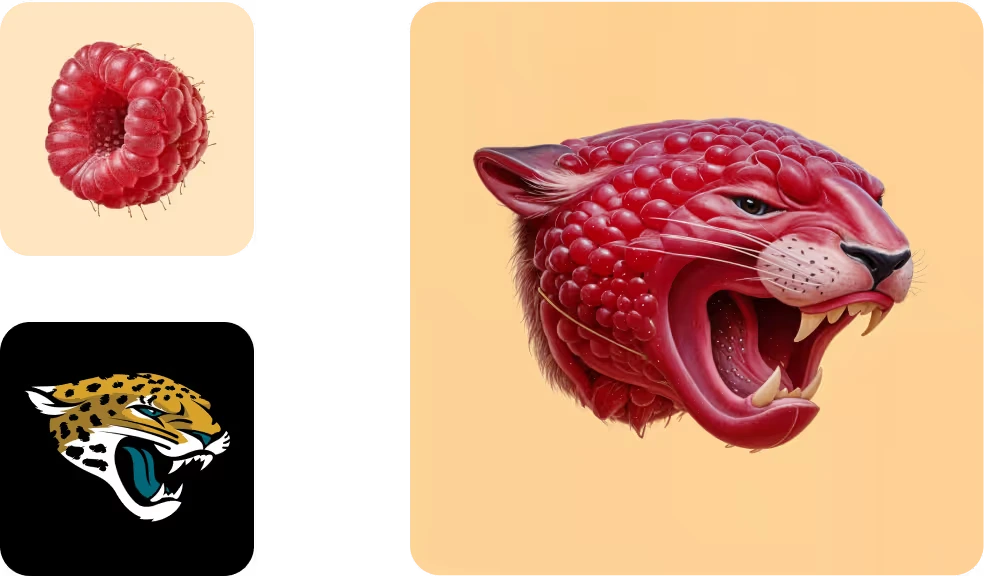
Generate unique, concept-driven logos by diffusing existing imagery and brand elements.
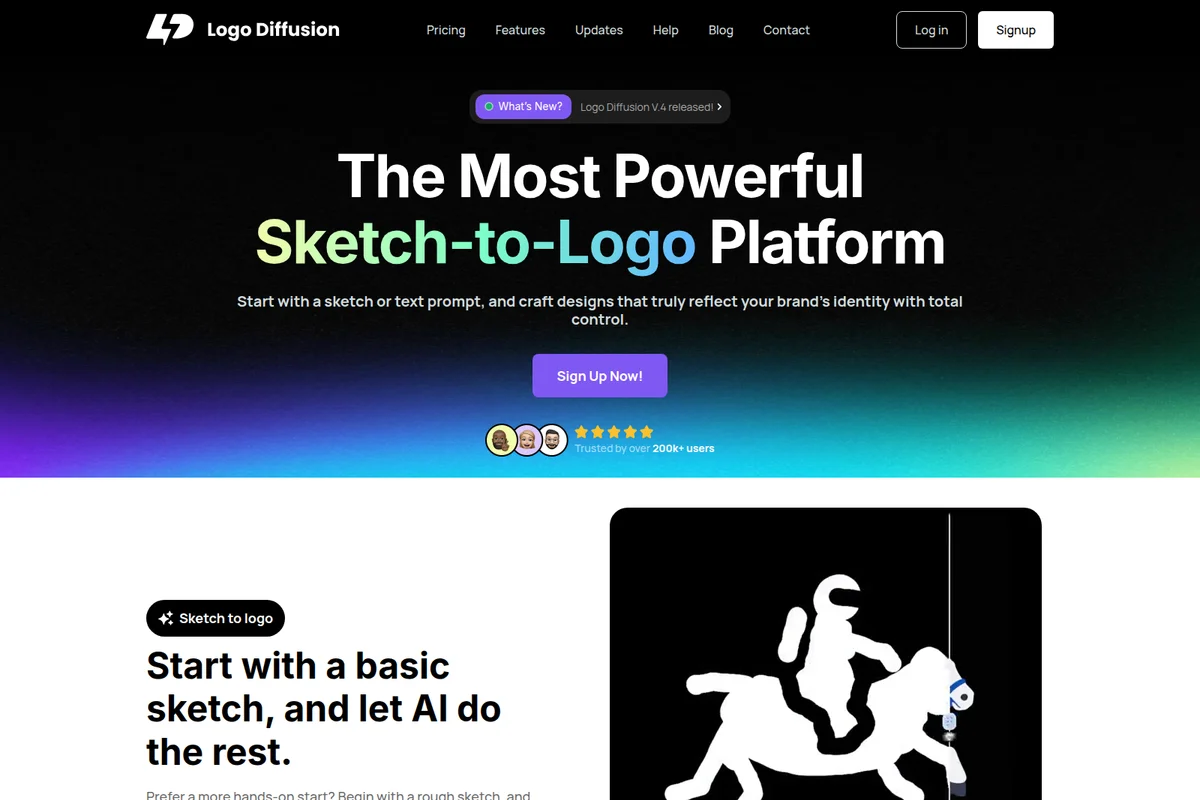
Turn your sketches and text prompts into unique logos using AI-powered design.
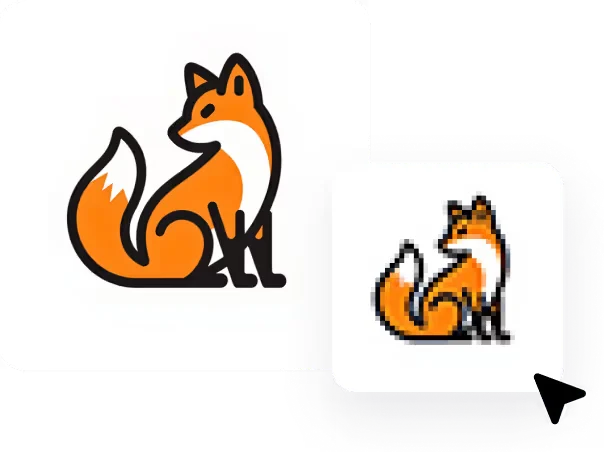
Transform high-resolution logos into engaging pixel art versions instantly.
Generate modern, stylized logos with integrated iconic elements effortlessly.
Logo Diffusion Review: Tooliverse Consensus


Based on 451 verified reviews across 5 platforms,
combined with Tooliverse's expert analysis
Logo Diffusion operates as a specialized bridge between generative AI and professional branding, converting rough concepts—whether text prompts, sketches, or existing images—into production-ready vector files with unusual precision for an AI tool. The platform's branding-specific training and clean SVG export distinguish it from general image generators, making it valuable for freelancers and agencies that need dozens of logo directions fast. Text rendering remains unreliable for typography-focused designs, and the credit system penalizes heavy iteration, but for pictorial and abstract marks, it compresses the concepting phase from days into minutes.
Bottom line: A strong logo generation tool that excels at visual concepting and vector output, best suited for designers who need speed on pictorial marks but should handle custom typography separately.
Logo Diffusion | Key Specs
- Platforms
- Web
- Pricing Model
- Freemium ($0-99/mo) See plans
- Logo Styles
- 45+ AI-trained styles (pictorial, mascot, monogram, badge, line art, retro, cartoon, abstract, flat, etc.)
- Generation Modes
- Text-to-Logo, Sketch-to-Logo, Image-to-Logo
Wins
- •Converts AI-generated raster images into clean, scalable vector files with impressive precisionmentioned in 84 reviews
- •Transforms rough hand-drawn sketches into professional logo concepts in secondsmentioned in 72 reviews
- •Provides a specialized interface tailored for branding rather than general image generationmentioned in 65 reviews
Watch-Outs
- •Struggles to render specific text or complex typography accurately within the logomentioned in 48 reviews
- •Requires a monthly subscription that some users find expensive for occasional usementioned in 41 reviews
- •Consumes credits quickly when iterating through multiple design variationsmentioned in 36 reviews
Logo Diffusion Features 2026
Text to Logo
Describe your logo idea in plain text and the AI generates up to 4 unique logo options per prompt. No design skills required—write it however you want and the AI optimizes your prompt.
Sketch to Logo
Draw a rough sketch directly on the canvas or upload a napkin drawing, and the AI refines it into polished logo options. Turns sketches into production-ready logos in about 2 minutes.
Image to Logo
Upload an existing image, photo, or logo and the AI creates new logo variations from it. Add a text prompt to control the design direction or let the AI interpret it automatically.
45+ AI Logo Styles
Choose from 45+ distinct logo styles including pictorial, logotype, mascot, monogram, engraved, line art, retro, cartoon, badge, abstract, and flat. Test your idea across all styles without reprompting.
Logo Diffusion User Reviews
Selected Reviews
"I am so excited to leverage AI to make my own logos instead of struggling with Midjourney or paying an arm and a leg for something I don't even like! I love the youtube tutorials."
"The vectorization is the killer feature here. I've tried other AI tools, but they all give me blurry PNGs. This actually gives me something I can use in print."
"It's a bit hit or miss. Sometimes you get a masterpiece, other times it's a weird blob. The vector output is good but often needs cleaning up in Illustrator because of too many nodes."
More from the Community
"Logo Diffusion is great for getting past the blank canvas stage. It's not going to replace a pro designer for a Fortune 500, but for my side projects, it's a lifesaver. The sketch-to-logo is magic."
"As a non-designer, I was able to create a brand identity that doesn't look like a template. The UI is very clean and the speed is impressive."
"The AI is powerful but the credit system is frustrating. I spent half my monthly credits just trying to get it to spell my company name correctly. It still can't do text well."
"Logo diffusion is underrated product that I initially had reservations about. However, after deciding to give it a try, I was pleasantly surprised by its capabilities. It's an excellent tool for generating high-quality logos."
"Impressive tech. The background removal is surprisingly accurate even on complex shapes. Wish there was a cheaper tier for hobbyists."
"Logo Diffusion is great for getting past the blank canvas stage. It's not going to replace a pro designer for a Fortune 500, but for my side projects, it's a lifesaver. The sketch-to-logo is magic."
"As a non-designer, I was able to create a brand identity that doesn't look like a template. The UI is very clean and the speed is impressive."
"The AI is powerful but the credit system is frustrating. I spent half my monthly credits just trying to get it to spell my company name correctly. It still can't do text well."
"Logo diffusion is underrated product that I initially had reservations about. However, after deciding to give it a try, I was pleasantly surprised by its capabilities. It's an excellent tool for generating high-quality logos."
"Impressive tech. The background removal is surprisingly accurate even on complex shapes. Wish there was a cheaper tier for hobbyists."
"I love how it handles different styles. From minimalist to 3D, it seems to understand the 'logo' aesthetic better than Midjourney."
"The new update to the vector engine is a huge improvement. Much cleaner paths now. Still waiting for better multi-color gradient support though."
"The most useful AI tool in my design stack. It doesn't do the work for me, but it makes the tedious parts of logo design much faster."
"Solid tool. The customer support was very responsive when I had an issue with my billing. The software itself is very stable."
"I love how it handles different styles. From minimalist to 3D, it seems to understand the 'logo' aesthetic better than Midjourney."
"The new update to the vector engine is a huge improvement. Much cleaner paths now. Still waiting for better multi-color gradient support though."
"The most useful AI tool in my design stack. It doesn't do the work for me, but it makes the tedious parts of logo design much faster."
"Solid tool. The customer support was very responsive when I had an issue with my billing. The software itself is very stable."
Logo Diffusion Pricing 2026
View SourceThe $24 Basic tier is where most professionals land: 1,000 credits monthly (around 500 logo generations), vectorizer access for 50 exports, and commercial licensing. That's the plan that actually pays for itself if you're creating logos for clients or business use. The $15 one-time Starter Pack makes sense for small business owners who need one solid logo and want to test the platform without subscription commitment. Pro at $49 monthly only becomes worthwhile if you're an agency generating hundreds of concepts monthly and need the concurrent job capacity.
Logo Diffusion In-Depth Review 2026

This AI logo generator runs on a proprietary model trained specifically for branding work, not generic image generation. It operates across three input methods—text prompts, hand-drawn sketches, or existing images—and outputs production-ready files including clean SVG vectors. The platform serves over 1.4 million users and has generated more than 50 million logos, with particular traction among freelancers, agencies, and small businesses that need professional concepts fast.
What It's Like Day-to-Day
The workflow feels less like using design software and more like having a conversation with a junior designer who works at inhuman speed. You describe what you want (or scribble it on the canvas), pick from 45+ styles ranging from minimalist to mascot, and get four variations in seconds. The sketch-to-logo feature is where the tool shows its training: rough napkin drawings become polished concepts in about two minutes, preserving your intent while adding the professional finish you'd normally spend an hour achieving manually.
The vectorization capability is what keeps people subscribed. As one Product Hunt reviewer put it, *"The vectorization is the killer feature here. I've tried other AI tools, but they all give me blurry PNGs.
Logo Diffusion: Frequently Asked Questions (FAQs)
How does an AI logo generator work, and is it easy to use?
Logo Diffusion's AI logo generator turns your input (a text prompt, a sketch, or an existing image) into multiple logo options using generative AI, then lets you refine the best result with built-in editing tools. It's designed to be easy to use: you choose your starting point (Text-to-Logo, Sketch-to-Logo, or Image-to-Logo), pick a style, generate options, adjust colors and details, and export production-ready files (including vector) in a few steps. No design skills are required.
Can I create a logo from a text description?
Yes, with the Text-to-Logo feature, you can input a simple text prompt describing your idea, and Logo Diffusion's AI will instantly generate up to four unique logo options per prompt. You can generate as many versions as needed until you find the perfect design.
How many logo options do I get per prompt in Logo Diffusion?
Logo Diffusion can generate up to 4 logo options per prompt. You can keep producing new variations until you land on the strongest direction.
Can I customise colors in Logo Diffusion?
Yes, Logo Diffusion supports custom colors and palette control. This helps you match an existing brand palette or explore new color directions.
Logo Diffusion: Verified Data Sheet
| # | Label | Data Point |
|---|---|---|
| [1] | Logo Diffusion Consensus: 8.42/10 | Logo Diffusion is a highly-rated tool among AI design tools in the Tooliverse index, with a consensus score of 8.42/10 across 451 verified reviews. |
| [2] | What is Logo Diffusion | Logo Diffusion is an AI logo generator trained specifically for logo design, serving 1.4M+ users worldwide with 50M+ logos generated. The platform offers text-to-logo, sketch-to-logo, and image-to-logo generation across 45+ styles, with pricing starting at $24/month. |
| [3] | Tooliverse Consensus on Logo Diffusion | Logo Diffusion operates as a specialized bridge between generative AI and professional branding, converting rough concepts—whether text prompts, sketches, or existing images—into production-ready vector files with unusual precision for an AI tool. The platform's branding-specific training and clean SVG export distinguish it from general image generators, making it valuable for freelancers and agencies that need dozens of logo directions fast. Text rendering remains unreliable for typography-focused designs, and the credit system penalizes heavy iteration, but for pictorial and abstract marks, it compresses the concepting phase from days into minutes. |
| [4] | Logo Diffusion Verdict | Logo Diffusion bottom line: A strong logo generation tool that excels at visual concepting and vector output, best suited for designers who need speed on pictorial marks but should handle custom typography separately. |
| [5] | Free: Free | Logo Diffusion offers a Free tier with 24 credits monthly (approximately 12 logos) and 1 concurrent generation, making AI logo creation accessible at no cost. |
| [6] | Clean vector conversion from raster | Logo Diffusion converts AI-generated raster images into clean, scalable vector files with impressive precision, validated as a killer feature by 84 user reviews. |
| [7] | Sketch-to-logo in 2 minutes | Logo Diffusion transforms rough hand-drawn sketches into professional logo concepts in approximately 2 minutes, according to 72 user reviews highlighting the Sketch-to-Logo capability. |
| [8] | Pro: $49/month | Logo Diffusion Pro empowers users with 2,500 Credits/month (~1,250 logos) for just $49 monthly, significantly expanding on the free tier's capabilities. |
| [9] | Branding-specific interface | Logo Diffusion provides a specialized interface tailored specifically for branding workflows instead of general image generation, validated by 65 user reviews as a key differentiator. |
| [10] | Accurate background removal tools | Logo Diffusion offers intuitive background removal and editing tools that streamline the design workflow, with 58 user reviews highlighting the accuracy on complex shapes. |
| [11] | Text rendering accuracy issues | Logo Diffusion struggles to render specific text or complex typography accurately within logo designs, a limitation reported in 48 user reviews. |
| [12] | Subscription cost for occasional users | Logo Diffusion requires a monthly subscription starting at $24 that some users find expensive for occasional use, mentioned in 41 user reviews. |
| [13] | Vectorization enables print use | Logo Diffusion "actually gives me something I can use in print" with vectorization as the killer feature, according to a verified Product Hunt reviewer who rated it 5/5. |