
Make Review 2026 - Visual Automation Platform
Verified Jun 17, 2026 by Tooliverse Editorial
Make turns complex integrations into visual workflows—connect 3,000+ apps, build AI agents, and automate anything without code. Over 400,000 organizations use Make's drag-and-drop platform to scale operations and orchestrate AI across their entire tech stack.
What are Make AI Agents | Features & How to get started
Gamma AI AUTOMATES your Social Media (n8n & Make)

Make.com AI workflow integration showing a person using a laptop with a visual diagram of ChatGPT connecting to AI services for automation.
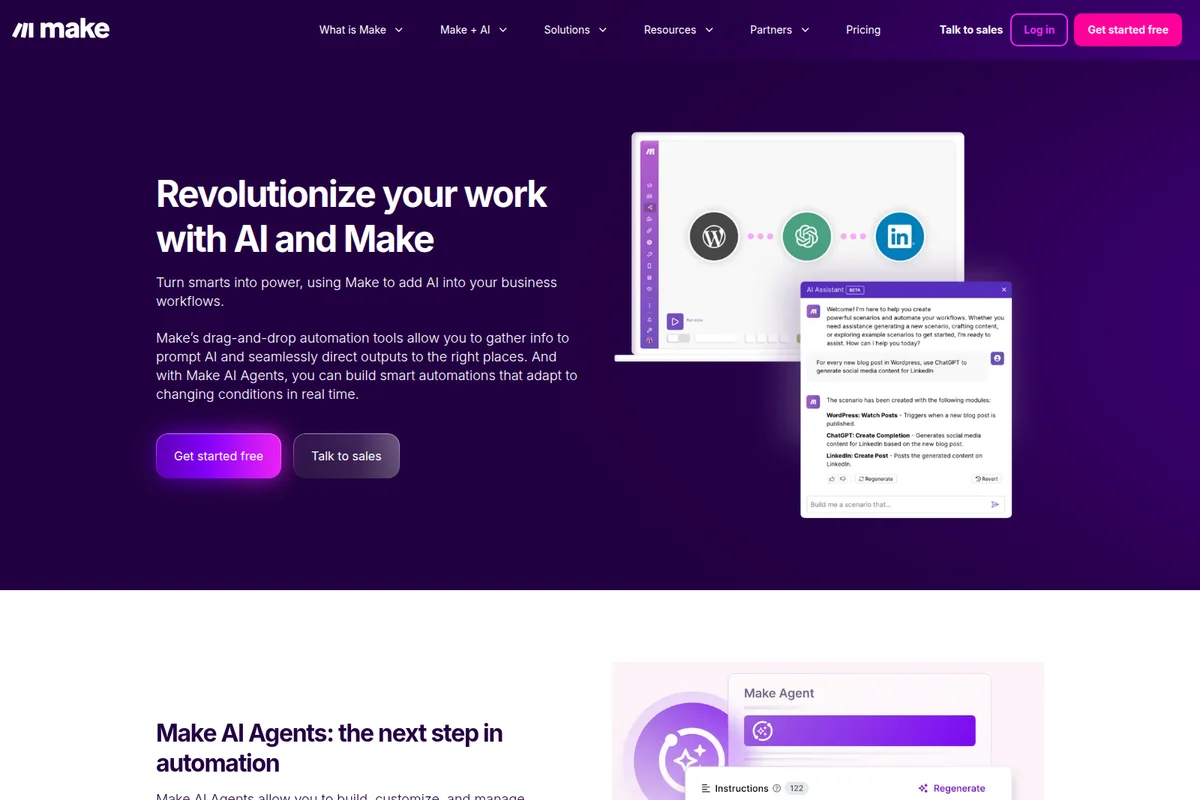
Make AI automation workspace showing a workflow with WordPress, ChatGPT, and LinkedIn connected, guided by an AI Assistant in a clean UI.
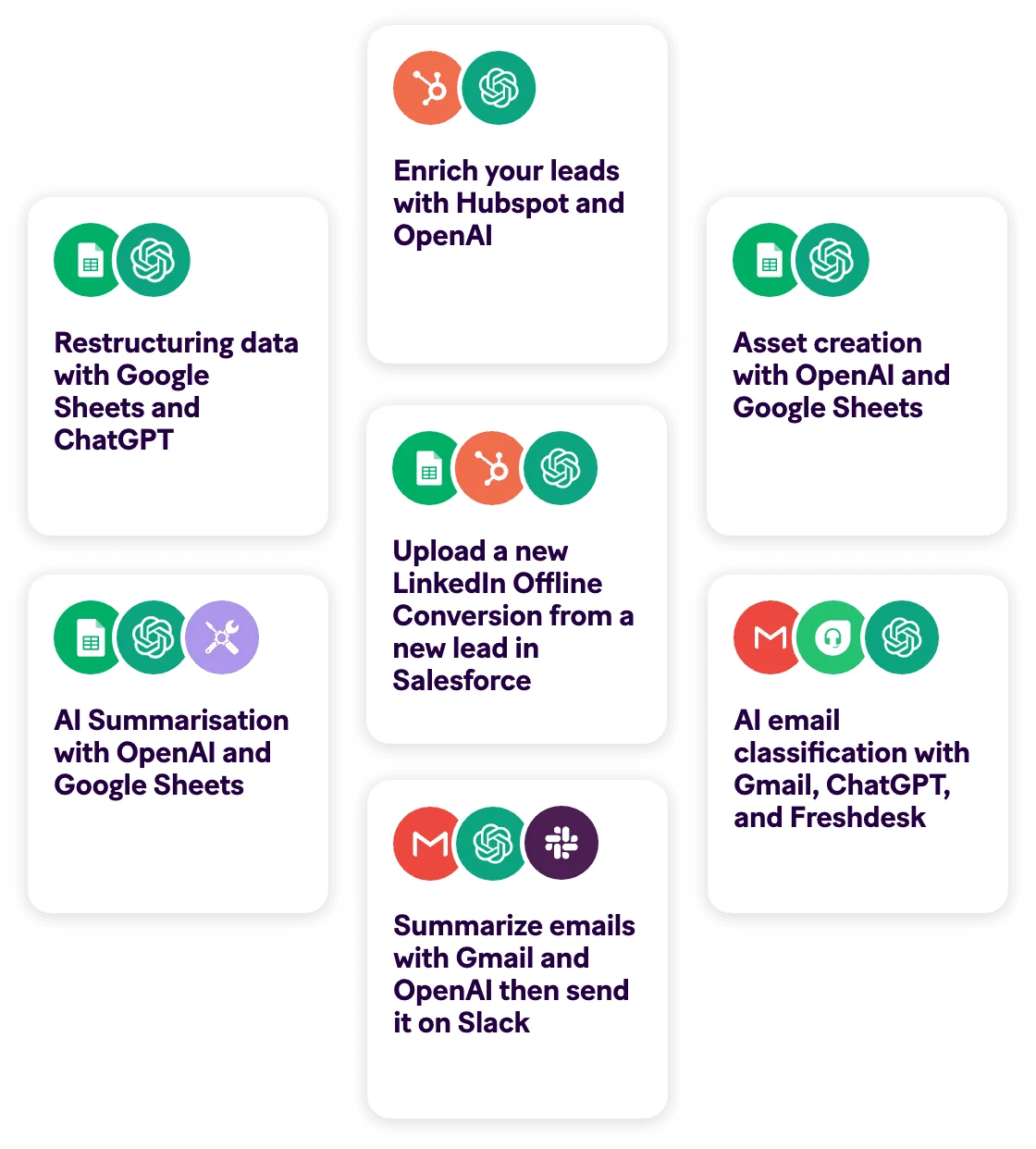
Make.com feature examples showing various AI and integration workflows like lead enrichment, data restructuring, and email summarization, presented in a clean, card-based interface.
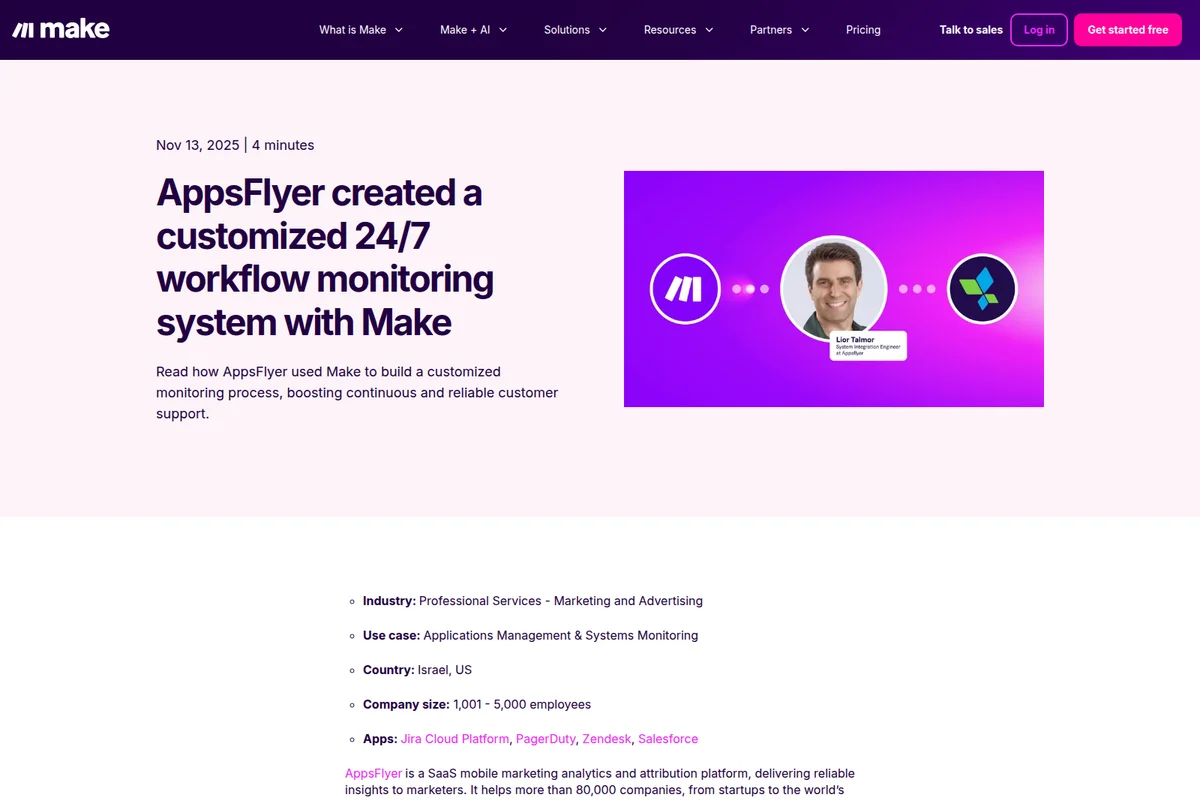
Make success story page detailing AppsFlyer's workflow monitoring system with a vibrant purple graphic featuring Make and AppsFlyer logos and Lior Talmor's photo.

Make collaboration interface showing users exchanging messages about JSON and XML conversion with reactions on a vibrant purple background.
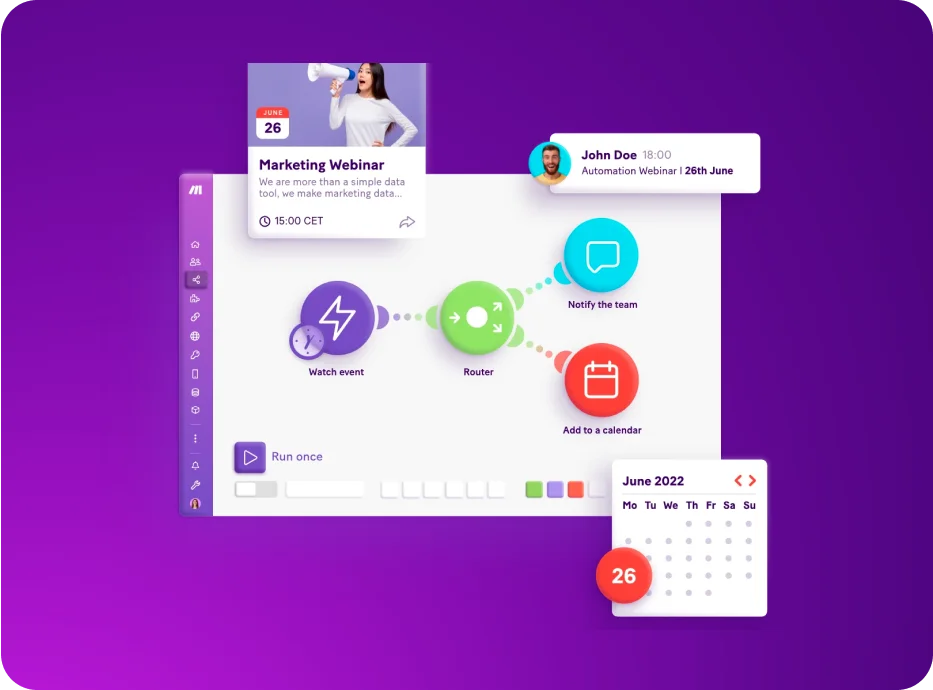
Make workspace UI showing an automation workflow being built with a modern, visual flow-chart interface.

Make workflow demonstration showing email summarization with Gmail and ChatGPT, then creating a Slack message, featuring a clear, icon-driven interface.

Make workspace UI showing a video playlist titled 'Seamless Integration: OpenAI Connection Setup' with a dark purple gradient design.
Make Review: Tooliverse Consensus





Based on 1k+ verified reviews across 6 platforms,
combined with Tooliverse's expert analysis
Make delivers a visual automation engine that exposes rather than hides complexity, letting technical users build and debug sophisticated workflows across 3,000+ apps with granular data control. The canvas-based interface and advanced JSON handling make it the preferred platform for logic-heavy integrations that would break simpler tools, while credit-based pricing offers substantial cost advantages at scale. The learning curve challenges non-technical users, and error messages occasionally obscure rather than clarify debugging paths, but the power and visibility reward the investment for anyone building production-grade automation.
Bottom line: A leading visual automation platform that gives technical users the control and cost-efficiency to build complex workflows other tools can't handle, though the learning curve demands comfort with logic and data structures.
Make | Key Specs
- Platforms
- Web, API
- Pricing Model
- Freemium ($0-38+/mo) See plans
- Security
- SOC 2 Type II, SOC 3, GDPR, SSO (Enterprise) See details
- API Available
- Yes (300+ REST endpoints, rate limits 60-1000/min by tier)
Wins
- •Visual canvas makes complex automation logic easy to mapmentioned in 184 reviews
- •Massive library of pre-built app connectors saves development timementioned in 162 reviews
- •Advanced data manipulation tools handle complex JSON and arraysmentioned in 145 reviews
Watch-Outs
- •Steep learning curve for users without technical or logic backgroundsmentioned in 89 reviews
- •Error messages can be cryptic and difficult to troubleshootmentioned in 74 reviews
- •Mobile app functionality is limited compared to the web buildermentioned in 56 reviews
Make Features 2026
Visual Workflow Builder
Design, build, and automate with a drag-and-drop interface that shows exactly how data flows between apps in real time. No coding required.
Make AI Agents
Build transparent AI agents that take action and orchestrate complex workflows across 3,000+ apps. Agents adapt in real time to business needs with agentic automation.
Make Grid
Auto-generated visual map of your entire automation landscape. See all agents, apps, and workflows in real time to identify dependencies, troubleshoot faster, and scale with confidence.
Make MCP Server
Connect AI assistants to real business actions securely and visually. Trigger Make scenarios from any AI tool using Model Context Protocol.
Make User Reviews
Selected Reviews
"I love the 'sleep' and 'ignore' error handling options. It gives me so much peace of mind knowing my scenarios won't just break and stop on a minor API hiccup."
"Make's visual canvas is lightyears ahead of Zapier for complex logic. I can see exactly where the data flows without clicking through a dozen nested menus."
"The mobile app is a bit clunky for editing scenarios, but it is great for monitoring executions and manually triggering runs when I am away from my desk."
More from the Community
"The ability to iterate through arrays and map data so granularly is incredible. It handles complex JSON structures that other tools just choke on."
"Pricing is much more fair for high-volume automation than the competition. We saved over $400 a month switching our lead gen flows to Make."
"Steep learning curve but absolutely worth the effort for the control you get. You really need to understand basic logic and data types to get the most out of it."
"Error messages could be more descriptive; I often spend too long debugging because the 'Validation Error' doesn't tell me which specific field failed."
"Best automation tool for power users, period. The HTTP module alone makes it worth it because you can connect to literally any API with a few clicks."
"The ability to iterate through arrays and map data so granularly is incredible. It handles complex JSON structures that other tools just choke on."
"Pricing is much more fair for high-volume automation than the competition. We saved over $400 a month switching our lead gen flows to Make."
"Steep learning curve but absolutely worth the effort for the control you get. You really need to understand basic logic and data types to get the most out of it."
"Error messages could be more descriptive; I often spend too long debugging because the 'Validation Error' doesn't tell me which specific field failed."
"Best automation tool for power users, period. The HTTP module alone makes it worth it because you can connect to literally any API with a few clicks."
"The library of apps is huge, and the HTTP module covers everything else. I haven't found a workflow I couldn't build yet."
"Sometimes the interface lags when I have 50+ modules in one scenario. It makes dragging and dropping a bit frustrating on larger projects."
"Support is slow unless you are on a high-tier plan, which is frustrating when you have a production scenario down and need a quick answer."
"Transformed our lead routing process entirely. Rock solid reliability and the visual history makes it so easy to audit what happened with a specific lead."
"The library of apps is huge, and the HTTP module covers everything else. I haven't found a workflow I couldn't build yet."
"Sometimes the interface lags when I have 50+ modules in one scenario. It makes dragging and dropping a bit frustrating on larger projects."
"Support is slow unless you are on a high-tier plan, which is frustrating when you have a production scenario down and need a quick answer."
"Transformed our lead routing process entirely. Rock solid reliability and the visual history makes it so easy to audit what happened with a specific lead."
Make Pricing 2026
View SourceThe free tier with 1,000 credits monthly lets you test whether Make's paradigm fits your brain before paying anything. Core at $12 monthly is the entry point most technical users need: unlimited scenarios, 10,000 credits, and API access scale further than competing platforms at twice the price. Pro at $21 monthly adds priority execution and full-text log search, worth the step up once you're running production workflows where downtime costs money. Credit economics favor Make heavily for high-volume automation—users report $400+ monthly savings versus alternatives once operations scale into the thousands.
Make In-Depth Review 2026

The platform connects over 3,000 apps and AI models through a drag-and-drop interface that maps data flow in real time. It runs on web browsers with mobile monitoring available, serving everyone from solo founders routing leads to enterprise IT teams orchestrating ServiceNow incidents across continents. Pricing starts at $12 monthly for the Core tier, with a functional free option for testing.
What It's Like Day-to-Day
The visual canvas is where Make earns its keep. Instead of clicking through configuration screens to understand what happens when a HubSpot contact updates, you see the entire flow: trigger fires, data gets filtered, JSON transforms, then three parallel branches send to Slack, update Airtable, and ping a webhook. One G2 reviewer captured it perfectly, noting the interface is "lightyears ahead of Zapier for complex logic" because you can see where data flows without navigating nested menus. When something breaks at 2am, that visibility cuts debugging time from hours to minutes.
The data manipulation tools handle complexity other platforms simply can't. You can iterate through arrays, parse nested JSON structures, apply conditional logic at every step, and transform data with surgical precision.
Make Security & Compliance
Verified Compliance
- SOC 2 Type II
- SOC 3
- GDPR Compliant
Security Features
- Single Sign-On (SSO) - OAuth2 and SAML2
- Two-Factor Authentication
- Two-Factor Authentication Enforcement
- Domain Claim
- Data Encryption
- Audit Logs
Privacy Commitments
- AWS hosting (EU/North America)
- Role-based access control
Make: Frequently Asked Questions (FAQs)
What are credits and how many do I need?
Credits are Make's billing unit. Each action a module performs (reading data, creating records, transforming data) consumes credits—most actions use 1 credit, while AI-powered features may use more. Depending on workflow complexity, scenarios can perform anywhere from 2 to thousands of credits per run. You can buy extra credits or upgrade tiers if you run out.
What is a scenario?
A scenario is an automated workflow you build using Make. It defines how different apps communicate and work together—typically triggering when data arrives (like a new Google Sheet row), transforming it as needed, and sending it to another app (like Airtable).
What happens if I run out of credits?
Scenarios stop running until credits are added. Make notifies you at 75% and 90% usage. Incoming webhooks queue up to your storage limit and process when credits resume. You can upgrade your plan, purchase extra credit bundles (1,000 or 10,000), or enable auto-purchasing (Core, Pro, Teams only).
What payment methods does Make accept?
Make accepts all major credit cards, ACH direct debit, and Google Pay for Core, Pro, and Teams plans. Enterprise customers can also pay via wire transfer after invoice.
Make Integrations
| OpenAI (ChatGPT, Sora, Whisper) | HubSpot CRM | monday.com |
| NetSuite | Salesforce | Slack |
| Canva | Perplexity AI | DeepSeek AI |
| Outreach | Greenhouse Recruiting | Microsoft Entra ID |
| Paylocity | Anaplan | Microsoft Power Automate |
| Adobe Workfront | Google Sheets | Airtable |
| Gmail | Pipedrive |
Make: Verified Data Sheet
| # | Label | Data Point |
|---|---|---|
| [1] | Make Consensus: 8.76/10 | Make is a highly-rated tool among AI productivity tools in the Tooliverse index, with a consensus score of 8.76/10 across 1,835 verified reviews. |
| [2] | What is Make | Make, operated by Celonis ($13B valuation), is a SOC 2 Type II certified visual automation platform connecting 3,000+ apps and AI models. The platform serves 400,000+ organizations across 200+ countries, with pricing starting at $12/month. |
| [3] | Tooliverse Consensus on Make | Make delivers a visual automation engine that exposes rather than hides complexity, letting technical users build and debug sophisticated workflows across 3,000+ apps with granular data control. The canvas-based interface and advanced JSON handling make it the preferred platform for logic-heavy integrations that would break simpler tools, while credit-based pricing offers substantial cost advantages at scale. The learning curve challenges non-technical users, and error messages occasionally obscure rather than clarify debugging paths, but the power and visibility reward the investment for anyone building production-grade automation. |
| [4] | Make Verdict | Make bottom line: A leading visual automation platform that gives technical users the control and cost-efficiency to build complex workflows other tools can't handle, though the learning curve demands comfort with logic and data structures. |
| [5] | Free: Free | Make offers a functional Free tier with 1,000 credits monthly and a no-code visual workflow builder, making automation accessible at no cost. |
| [6] | Visual canvas for complex logic mapping | Make's visual canvas interface enables users to map complex automation logic with clear data flow visibility, validated as significantly superior to menu-based alternatives by 184 user reviews. |
| [7] | 3,000+ pre-built app connectors | Make provides 3,000+ pre-built app integrations including enterprise applications like NetSuite, Workday, and SAP, reducing development time for workflow creation according to 162 user reviews. |
| [8] | Advanced JSON and array handling | Make handles advanced data manipulation including complex JSON structures and array iteration with granular control, validated by 145 user reviews as superior to competing automation platforms. |
| [9] | $400+ monthly savings vs competitors | Make delivers significantly lower costs for high-volume automation workflows compared to competitors, with users reporting savings exceeding $400 monthly according to 132 verified reviews. |
| [10] | Pro: $21/month | Celonis's Make Pro empowers users with 10,000 credits/month (scales with slider) for just $21 monthly, significantly expanding on the free tier's capabilities. |
| [11] | Steep learning curve for non-technical users | Make presents a steep learning curve for users without technical or logic backgrounds, identified as a barrier to adoption in 89 user reports. |
| [12] | Cryptic error messages hinder debugging | Make's error messages can be cryptic and difficult to troubleshoot, particularly validation errors that don't specify which field failed, according to 74 user reports. |
| [13] | Privacy: AWS hosting (EU/North America) | Make privacy protections include AWS hosting (EU/North America) and Role-based access control. |
| [14] | Enterprise: Single Sign-On (SSO) - OAuth2 and SAML2 | Make provides enterprise security with Single Sign-On (SSO) - OAuth2 and SAML2, Two-Factor Authentication, and Two-Factor Authentication Enforcement. |
| [15] | Visual canvas beats menu-based tools | A verified G2 reviewer noted that Make's visual canvas is "lightyears ahead of Zapier for complex logic" because it shows exactly where data flows without navigating nested menus. |
Best Make Alternatives

Zapier
Connect your apps and automate workflows—no code required, just results.
Gumloop
Build AI agents that automate any workflow across your entire tech stack—no coding required.

Activepieces
Open-source no-code automation that empowers every team to build AI workflows without technical skills.