
ON1 Resize AI Review 2026 - 10x Photo Upscaling
Verified Oct 5, 2026 by Tooliverse Editorial
ON1 Resize AI blows up tiny crops, old scans, and AI-generated images to poster and mural sizes while keeping detail crisp. Pair its two new AI models with Genuine Fractals technology for print-ready results up to 10x.
Scott Kelby Reviews ON1 Resize AI 2026 – Mind-Blowing Results!
ON1 Resize AI Review - Resize AI 2026 Destroys its Predecessor, but can it match Gigapixel?
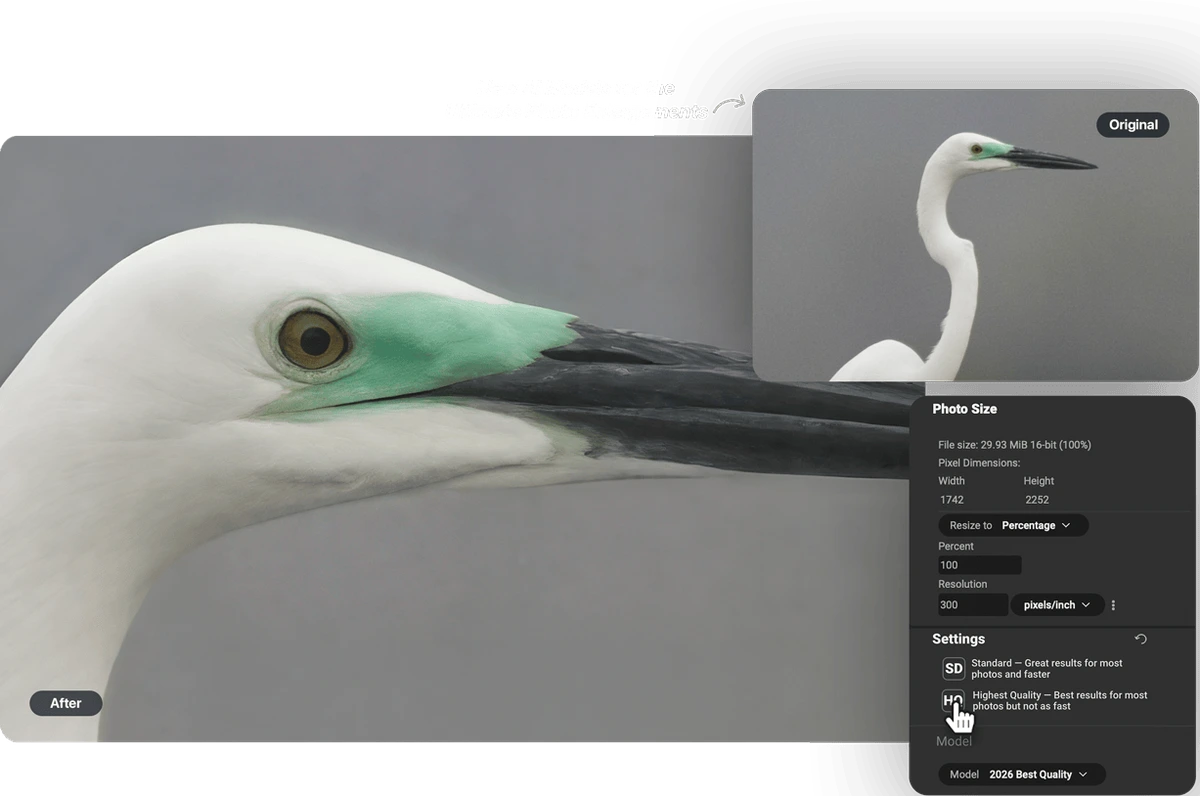
Enhance image resolution with AI-powered upscaling, choosing optimal quality settings.
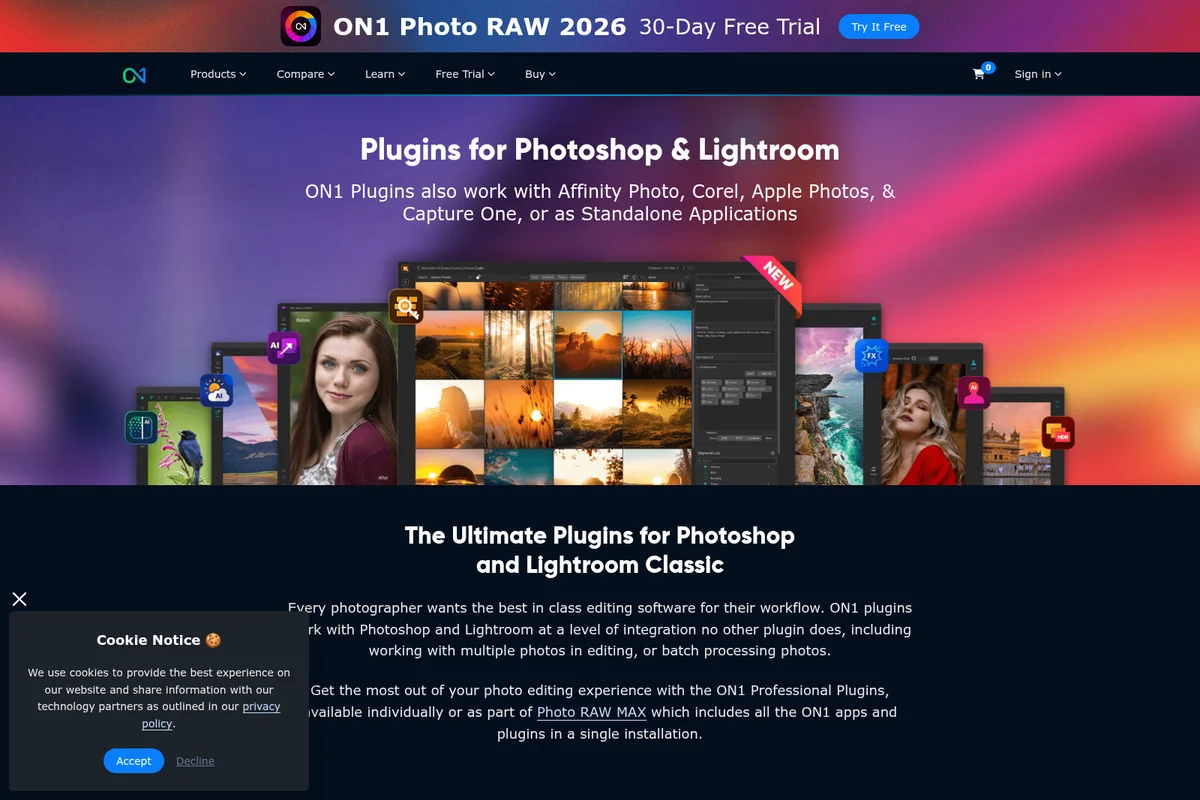
Explore the ultimate ON1 plugins for Photoshop and Lightroom Classic to enhance your creative workflow.
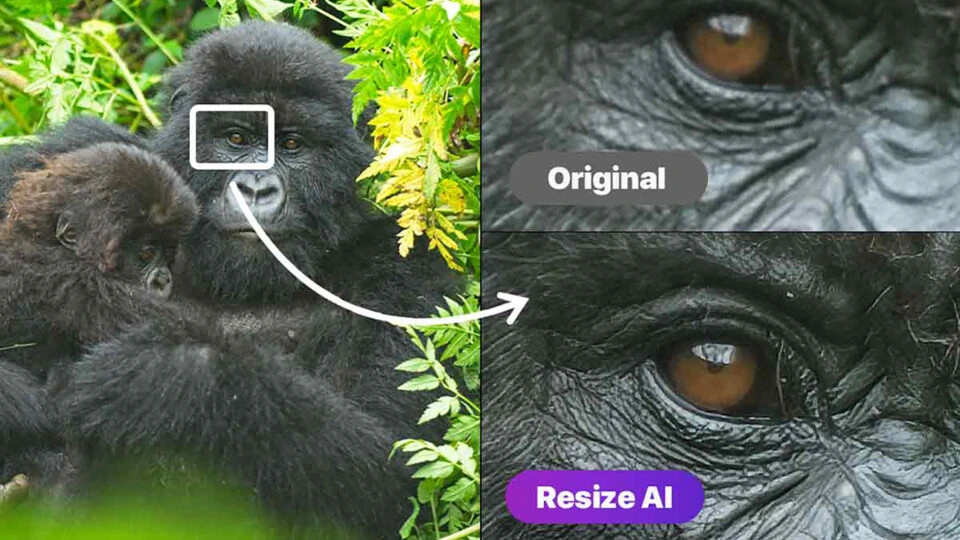
Experience AI-powered image upscaling for incredible detail.
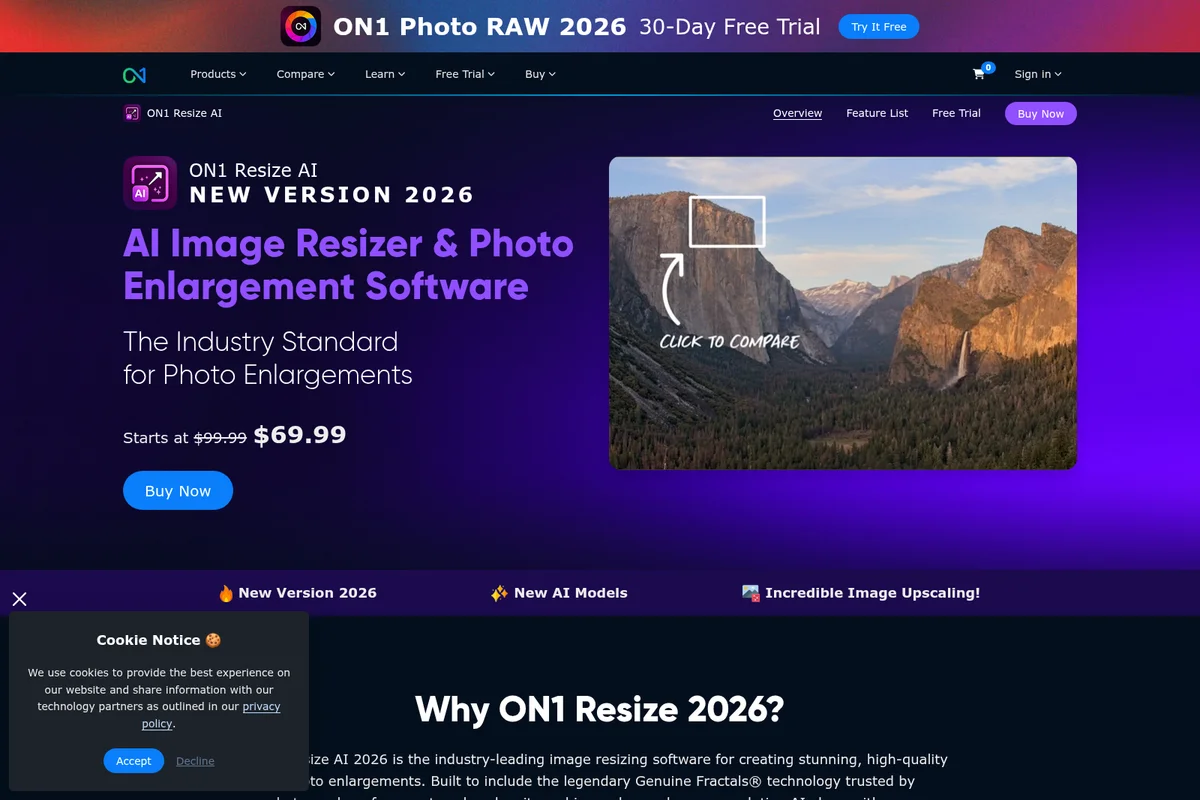
AI-powered photo enlargement delivers incredible detail retention.
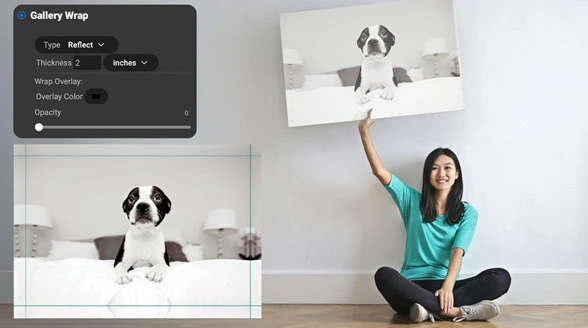
Prepare and output your digital photos as stunning physical canvas prints.
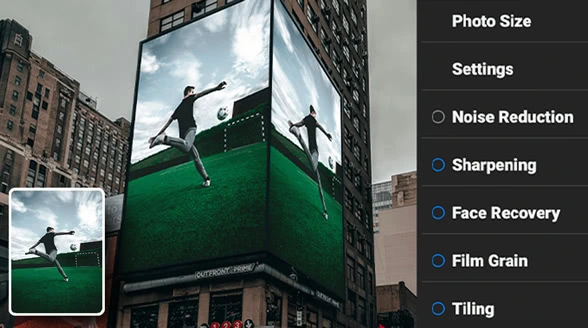
Enhance photos with AI-powered sharpening, noise reduction, and creative effects.
ON1 Resize AI Review: Tooliverse Consensus





Based on 514 verified reviews across 6 platforms,
combined with Tooliverse's expert analysis
ON1 Resize AI is a print-focused enlarger that holds edge sharpness and natural texture at sizes where ordinary interpolation turns to mush. Reviewers praise its fine detail on tight crops, face recovery on old scans, and a plugin that slots into Photoshop and Lightroom without extra export steps. The tradeoffs are hardware appetite, with 4GB of VRAM as the floor, and an over-sharpened look on some textures that needs dialing back. Batch jobs on very large files can also stall.
Bottom line: A strong, print-minded upscaler that keeps detail and texture intact at huge sizes, though older GPUs struggle and its default sharpening often needs to be dialed back.
ON1 Resize AI | Key Specs
- Platforms
- macOS, Windows
- Pricing Model
- Free trial + one-time license ($69.99) or subscription ($7.50-17.99/mo) See plans
- Privacy/Data Use
- No data mining, no cloud lock-in
- Integration
- Plugin for Photoshop, Lightroom Classic, Capture One, Apple Photos
Wins
- •Preserves incredible fine detail when blowing up small crops for gallery-sized printsmentioned in 184 reviews
- •Integrates flawlessly into existing Adobe workflows as a time-saving pluginmentioned in 156 reviews
- •Revitalizes old, low-resolution photos with impressive AI-driven face recovery technologymentioned in 142 reviews
Watch-Outs
- •Demands significant GPU power, leading to slow performance on older hardwarementioned in 89 reviews
- •Can occasionally produce an unnatural, over-sharpened look on specific texturesmentioned in 74 reviews
- •Initial software setup and activation process can be cumbersome for somementioned in 52 reviews
ON1 Resize AI Features 2026
Highest Quality Model
Diffusion-based AI model that rebuilds lost detail with realism, ideal for tight crops, small images, and gallery-quality enlargements.
Standard Model
Fast, reliable AI model optimized for low-quality or noisy images, large batch jobs, and older or less powerful GPUs.
Enlarge Up to 10x
AI-powered photo enlargements up to 10x the original size while keeping detail, sharpness, and edge clarity.
Genuine Fractals® Technology
Fractal-based interpolation trusted for over two decades that improves edge clarity and detail retention during enlargement.
ON1 Resize AI User Reviews
Selected Reviews
"The face recovery is a game changer for my old family scans. It brought back details I thought were lost forever in those tiny 3x5 prints."
"I've tried Topaz and others, but ON1 seems to handle natural textures like grass and stone much better without looking like a painting."
"Good detail but sometimes the AI artifacts are noticeable in the background bokeh. It needs a bit of masking to get it perfect."
More from the Community
"Best upscaler I've used for large format printing. I blew up a 12MP crop to a 40-inch canvas and the edges are still crisp."
"Great results but it really makes my laptop fans spin up. Don't expect to do much else while it's processing a batch."
"The plugin works well but the standalone app crashes occasionally on my Mac when I try to use the batch feature with TIFFs."
"Solid tool for the price. The integration with Lightroom is seamless and saves me a lot of export/import time."
"Impressive AI, but the subscription model is starting to get annoying. I wish the perpetual license updates were more frequent."
"Best upscaler I've used for large format printing. I blew up a 12MP crop to a 40-inch canvas and the edges are still crisp."
"Great results but it really makes my laptop fans spin up. Don't expect to do much else while it's processing a batch."
"The plugin works well but the standalone app crashes occasionally on my Mac when I try to use the batch feature with TIFFs."
"Solid tool for the price. The integration with Lightroom is seamless and saves me a lot of export/import time."
"Impressive AI, but the subscription model is starting to get annoying. I wish the perpetual license updates were more frequent."
"It's a bit slow on my older Surface Pro, but the quality of the upscale is worth the wait for my final portfolio pieces."
"The sharpening is a bit aggressive by default. You really have to dial it back to keep it looking photographic."
"Used this to rescue some 4MP shots from an old DSLR. The results were surprisingly usable for web display."
"Decent software but the customer support took three days to get back to me about a license key issue."
"It's a bit slow on my older Surface Pro, but the quality of the upscale is worth the wait for my final portfolio pieces."
"The sharpening is a bit aggressive by default. You really have to dial it back to keep it looking photographic."
"Used this to rescue some 4MP shots from an old DSLR. The results were surprisingly usable for web display."
"Decent software but the customer support took three days to get back to me about a license key issue."
ON1 Resize AI Pricing 2026
If upscaling is the only job, the $69.99 one-time license (down from $99.99) is the pick: it covers two computers, works standalone and as an Adobe plugin, and the free trial lets you test it on your worst crop first. Photo RAW MAX at $89.99/year, billed annually, only earns its place if you also want a full RAW editor and Cloud Sync alongside the upscaler.
ON1 Resize AI In-Depth Review 2026

ON1 Resize AI pairs diffusion-based super-resolution with the Genuine Fractals interpolation technology to enlarge photos up to 10x. It runs as a standalone app on Mac and Windows or as a plugin for Photoshop, Lightroom Classic, Capture One, and Apple Photos. The 2026 release adds two models, a Highest Quality Model that rebuilds believable detail and a faster Standard Model, along with print tools such as tiling, gallery wrap margins, and soft proofing.
What It's Like Day-to-Day
The workflow starts with a choice that does most of the thinking for you. You tell Resize AI whether the source is a standard or high-quality photo, and it suggests a model. The Highest Quality Model uses diffusion to rebuild detail in tight crops and small files, and it's the one reviewers credit for large-format work; a G2 reviewer who took a 12MP crop to a 40-inch canvas said the edges were "still crisp." The Standard Model trades some of that realism for speed, which helps with noisy sources and long queues.
Old photos are the other half of the story.
ON1 Resize AI Security & Compliance
Privacy Commitments
- Your photos stay yours: no cloud lock-in, no data mining, complete privacy
ON1 Resize AI: Frequently Asked Questions (FAQs)
How much does ON1 Resize AI cost?
ON1 Resize AI 2026 costs $69.99 as a one-time license (regularly $99.99). It is also included in Photo RAW MAX at $89.99/year and in ON1 Photo Studio at $15/month billed annually or $17.99/month billed monthly.
Can I buy ON1 Resize AI outright or do I need a subscription?
You can buy ON1 Resize AI 2026 outright as a one-time license to own forever. You can alternatively choose a Photo RAW MAX license or an ON1 Photo Studio subscription, which includes Resize AI, Photo RAW MAX, NoNoise AI, and more with continuous updates.
Is there a free trial of ON1 Resize AI?
Yes, ON1 offers a free trial download of Resize AI. The product page also offers a 30-day money-back guarantee on purchases.
Is Resize AI 2026 a paid upgrade from earlier versions?
Yes, Resize AI 2026 is a paid upgrade from previous versions. If you purchased Resize AI 2023 on or after June 24, 2025, you receive Resize AI 2026 for free.
ON1 Resize AI Integrations
| Adobe Photoshop | Adobe Lightroom Classic | Capture One |
| Apple Photos | Photoshop Elements | Affinity Photo |
ON1 Resize AI: Verified Data Sheet
| # | Label | Data Point |
|---|---|---|
| [1] | ON1 Resize AI Consensus: 8.42/10 | ON1 Resize AI is a highly-rated tool among AI image generators in the Tooliverse index, with a consensus score of 8.42/10 across 514 verified reviews. |
| [2] | What is ON1 Resize AI | ON1 Resize AI, from ON1, is an AI photo enlargement tool that upscales images up to 10x using diffusion AI and Genuine Fractals technology. It runs standalone or as a plugin, with a one-time license at $69.99. |
| [3] | Tooliverse Consensus on ON1 Resize AI | ON1 Resize AI is a print-focused enlarger that holds edge sharpness and natural texture at sizes where ordinary interpolation turns to mush. Reviewers praise its fine detail on tight crops, face recovery on old scans, and a plugin that slots into Photoshop and Lightroom without extra export steps. The tradeoffs are hardware appetite, with 4GB of VRAM as the floor, and an over-sharpened look on some textures that needs dialing back. Batch jobs on very large files can also stall. |
| [4] | ON1 Resize AI Verdict | ON1 Resize AI bottom line: A strong, print-minded upscaler that keeps detail and texture intact at huge sizes, though older GPUs struggle and its default sharpening often needs to be dialed back. |
| [5] | Free Trial: Free | ON1 Resize AI offers a Free Trial tier that lets users try Resize AI free before buying, with a download available from the product page, making the software accessible at no cost. |
| [6] | Preserves detail in large-print enlargements | ON1 Resize AI preserves fine detail when enlarging small crops for gallery-sized prints, a strength cited in 184 user reviews and backed by enlargement of up to 10x using diffusion AI and Genuine Fractals technology. |
| [7] | Smooth Adobe plugin workflow | ON1 Resize AI works as a plugin for Adobe Photoshop (including layered PSDs), Lightroom Classic, and Capture One, and 156 user reviews describe the Adobe integration as a time-saving part of their workflow. |
| [8] | Face recovery for old, low-res photos | ON1 Resize AI restores old, low-resolution and scanned photos with its Advanced Face Recovery feature, which has adjustable strength, a capability highlighted in 142 user reviews. |
| [9] | Efficient batch processing | ON1 Resize AI handles large folders through batch processing, letting users resize dozens or hundreds of photos at once with saved export settings and the fast Standard Model, according to 118 user reviews. |
| [10] | Resize AI 2026 (License to Own): $69.99/one-time | ON1's ON1 Resize AI Resize AI 2026 (License to Own) empowers users with Use as a standalone app on 2 computers for a one-time fee of $69.99, significantly expanding on the free tier's capabilities. |
| [11] | High GPU demands slow older hardware | ON1 Resize AI demands significant GPU power, with a minimum of a 4GB VRAM graphics card and 8GB of recommended VRAM, and 89 user reviews report slow performance on older hardware. |
| [12] | Occasional over-sharpened textures | ON1 Resize AI can produce an over-sharpened or unnatural look on specific textures such as background bokeh, according to 74 user reports, and some users dial back sharpening or apply masking to correct it. |
| [13] | Privacy: Your photos stay yours: no cloud lock-in, no data mining, complete privacy | ON1 Resize AI privacy protections include Your photos stay yours: no cloud lock-in, no data mining, complete privacy. |
| [14] | Crisp edges on a 40-inch canvas | A verified G2 reviewer noted that ON1 Resize AI is the "best upscaler I've used for large format printing," blowing up a 12MP crop to a 40-inch canvas with edges that stayed crisp. |
Best ON1 Resize AI Alternatives
Topaz Photo AI
Rescue blurry, noisy, low-res shots and make every photograph print-ready.
LetsEnhance
Enhance, enlarge, and fix any image with AI that looks natural, not over-processed.
Upscale.media
Turn blurry, low-resolution images into sharp, print-ready visuals in seconds, free and without watermarks.