
Photoroom Review 2026 - AI Product Visuals
Verified Jun 17, 2026 by Tooliverse Editorial
Photoroom transforms raw product photos into polished, marketplace-ready visuals without a studio. Remove backgrounds, generate lifestyle scenes, add shadows, and batch-edit thousands of images—trusted by 1M+ businesses from solo resellers to global brands like Amazon and Decathlon.
How to use Photoroom in 2025
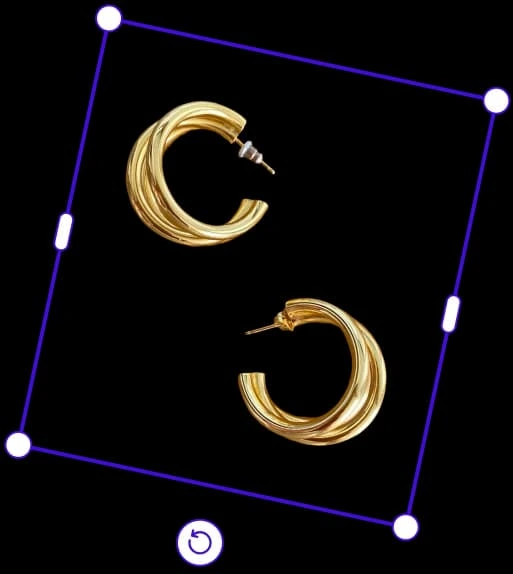
Easily select and edit products for perfect e-commerce photos.
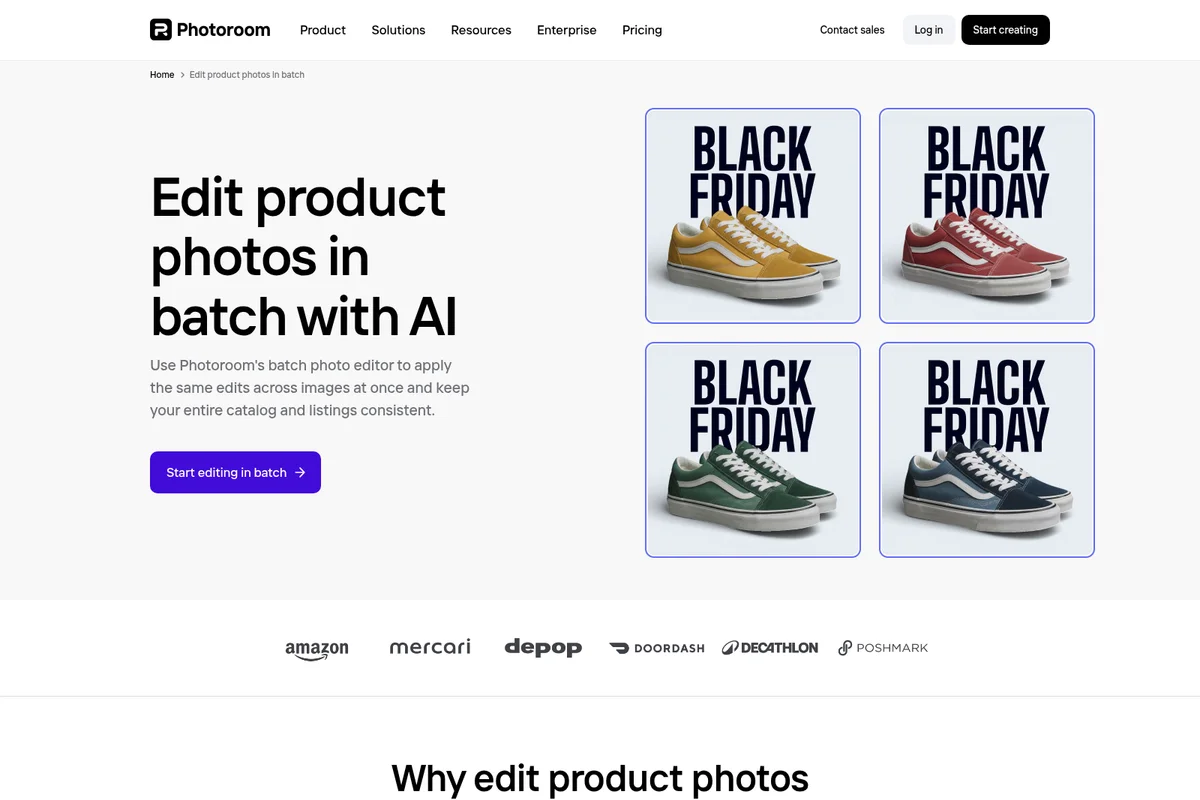
Apply consistent edits across your entire product catalog with AI.

Turn raw product photos into polished, e-commerce-ready listings with ease.

Create professional, scroll-stopping product visuals that drive sales.

Create professional-grade portraits and headshots with AI.

Real-time collaboration on photo edits with your entire team.

Flawless background removal even for intricate hair details

Showcases high-quality product imagery and portrait editing capabilities.
Photoroom Review: Tooliverse Consensus




Based on 33k+ verified reviews across 5 platforms,
combined with Tooliverse's expert analysis
Photoroom has become the definitive e-commerce photography tool by combining surgical background removal with generative AI staging, enabling sellers and brands to produce studio-quality product images without studios, photographers, or Photoshop expertise. The batch processing and marketplace integrations handle high-volume catalog work that would otherwise require dedicated editing staff, with proven impact including 93% lower editing costs and 4x faster time to market. The AI occasionally struggles with very fine hair and complex transparent objects, but for product photography at scale, it delivers consistently.
Bottom line: The gold standard for e-commerce product photography, delivering studio-quality results at scale for sellers and brands, though edge detection on complex transparent objects occasionally requires manual refinement.
Photoroom | Key Specs
- Platforms
- Web, iOS, Android
- Pricing Model
- Freemium ($0-82.50/mo) See plans
- Privacy/Data Use
- Safe model trained on licensed data (Enterprise), Responsible AI audits
- Security
- SOC 2 Type 2, GDPR compliant, GCP/AWS/Cloudflare infrastructure See details
Wins
- •Instantly removes backgrounds with surgical precision, saving hours of manual maskingmentioned in 2,450 reviews
- •Batch editing tools allow for processing hundreds of product photos in minutesmentioned in 1,820 reviews
- •AI-generated backgrounds create professional-looking studio environments from simple home shotsmentioned in 1,540 reviews
Watch-Outs
- •Subscription pricing can feel steep for casual users or hobbyistsmentioned in 840 reviews
- •AI occasionally struggles with complex edges like fine hair or transparent objectsmentioned in 620 reviews
- •Web version lacks some of the advanced features found in the mobile appmentioned in 410 reviews
Photoroom Features 2026
Background Remover
The fastest, most precise AI background removal on the market. Detects complex edges, handles transparency, and delivers clean cutouts at scale—ideal for product catalogs and marketplace listings. Processes 7 billion images per year.
AI Product Photography
Generate studio-quality product shots in seconds without a studio. Upload a product photo and Photoroom generates professional visuals with backgrounds, lighting, and staging automatically applied.
Batch Processing & Automation
Edit up to 250 images at once with the same settings applied across all files. Apply backgrounds, lighting fixes, retouching, and framing across entire collections in minutes. Supports thousands of images for enterprise workflows.
Virtual Model
Place apparel and accessories on AI-generated models that match your brand aesthetic. Create on-model imagery via API without casting, studio, or production timelines.
Photoroom User Reviews
Selected Reviews
"Best background remover on the market. The AI shadows make the products look like they are actually sitting on a surface rather than floating."
"Standardized our entire e-commerce catalog in a weekend. The background removal is much more accurate than the built-in Shopify tools."
"Photoroom is much faster than using Photoshop for basic product cutouts. The mobile app is surprisingly powerful for quick edits on the go."
More from the Community
"The batch mode is a lifesaver for my reselling business. I can process 50 items in the time it used to take for 5."
"The new AI backgrounds feature is incredible. It generates realistic textures and lighting that match the product perfectly."
"Great for our marketing team to standardize catalog photos. It has significantly reduced our outsourcing costs for photo editing."
"It is a good tool but the subscription price is getting a bit high for a small seller. I wish there was a cheaper tier for low volume."
"The app has been a bit glitchy after the last update. It sometimes freezes when I try to export high-res images."
"The batch mode is a lifesaver for my reselling business. I can process 50 items in the time it used to take for 5."
"The new AI backgrounds feature is incredible. It generates realistic textures and lighting that match the product perfectly."
"Great for our marketing team to standardize catalog photos. It has significantly reduced our outsourcing costs for photo editing."
"It is a good tool but the subscription price is getting a bit high for a small seller. I wish there was a cheaper tier for low volume."
"The app has been a bit glitchy after the last update. It sometimes freezes when I try to export high-res images."
"If you are a serious reseller on Poshmark or eBay, this is the best investment you can make. It pays for itself in saved time."
"I love the templates for social media. It makes creating Instagram stories for my shop so much easier and more professional."
"The API is very robust. We integrated it into our internal workflow and it handles thousands of images without any issues."
"The hair detection is good but not perfect yet. It still struggles with very frizzy hair against busy backgrounds."
"If you are a serious reseller on Poshmark or eBay, this is the best investment you can make. It pays for itself in saved time."
"I love the templates for social media. It makes creating Instagram stories for my shop so much easier and more professional."
"The API is very robust. We integrated it into our internal workflow and it handles thousands of images without any issues."
"The hair detection is good but not perfect yet. It still struggles with very frizzy hair against busy backgrounds."
Photoroom Pricing 2026
View SourceThe free tier handles 250 exports monthly with background removal and templates, enough for casual sellers testing the platform. Pro at $7.50 monthly is where most active resellers and small brands land: AI staging, Virtual Model, Ghost Mannequin, high-resolution exports, and 500 batch exports cover the workflow needs for anyone listing products regularly. Max at $20.99 monthly makes sense if you're processing 1,500+ images monthly and need the better AI models and priority processing. Annual billing cuts the monthly rate but requires upfront commitment.
Photoroom In-Depth Review 2026

The AI photo editor works across iOS, Android, and web browsers, processing over 3 million images daily for everyone from solo resellers to Amazon's catalog teams. Background removal happens in seconds, AI-generated environments replace your kitchen counter with studio backdrops, and batch tools apply the same edits across hundreds of SKUs without repetitive clicking. It's built specifically for product photography, not adapted from general-purpose editing software.
What It's Like Day-to-Day
The background removal is where most users start, and it's the feature that keeps them subscribed. Upload a product shot taken against any background and the AI separates subject from surroundings with edge precision that rivals manual masking. Fine details like jewelry chains, glass transparency, and fabric texture survive the cutout intact. One Reddit reviewer noted it "pays for itself in saved time" for serious Poshmark and eBay sellers, and after processing your first batch of 50 listings in the time manual editing would take for five, the math becomes obvious.
The AI backgrounds take it further than simple white backdrops.
Photoroom Security & Compliance
Verified Compliance
- SOC 2 Type 2
- GDPR compliant
Security Features
- Built on GCP, AWS, and Cloudflare infrastructure
- World-class infrastructure with redundancy and fault tolerance
Privacy Commitments
- Responsible AI with regular audits to reduce bias, ensure fairness, and maintain transparency
- Safe model trained on licensed data (Enterprise)
Photoroom: Frequently Asked Questions (FAQs)
How do I get started with Photoroom?
Download the Photoroom app from the Apple App Store or Google Play Store for mobile editing. For desktop editing, sign in to the Photoroom Web App at app.photoroom.com.
What is included in the Free plan?
The Free plan includes 250 exports per month when using Background Remover, Retouch, Templates, and limited access to AI features—a taste of Photoroom's AI power.
What is included in the Pro plan?
The Pro plan unlocks more AI features, Batch Mode, and higher generation limits—ideal for resellers and solopreneurs creating product listings and some marketing content.
What is included in the Max plan?
The Max plan gives you everything in Pro, plus access to more advanced AI models, more generation credits and more Batch export limits—perfect for small businesses and power users who need top-quality visuals and an automation solution.
Photoroom Integrations
| Shopify | Google Drive | Zapier |
| Figma | Image Relay | Airtable |
| WordPress | Make | Capture One |
| Pixelz | Model Context Protocol (MCP) |
Photoroom: Verified Data Sheet
| # | Label | Data Point |
|---|---|---|
| [1] | Photoroom Consensus: 9.46/10 | Photoroom is one of the highest-rated AI image generators in the Tooliverse index, with a consensus score of 9.46/10 across 33,155 verified reviews. |
| [2] | What is Photoroom | Photoroom, operated by Photoroom, Inc., is a SOC 2 Type 2 certified AI visual solution for e-commerce product photography. The platform processes 7 billion images per year for 1M+ businesses including Amazon, Decathlon, and Wolt, with pricing starting at $7.50/month. |
| [3] | Tooliverse Consensus on Photoroom | Photoroom has become the definitive e-commerce photography tool by combining surgical background removal with generative AI staging, enabling sellers and brands to produce studio-quality product images without studios, photographers, or Photoshop expertise. The batch processing and marketplace integrations handle high-volume catalog work that would otherwise require dedicated editing staff, with proven impact including 93% lower editing costs and 4x faster time to market. The AI occasionally struggles with very fine hair and complex transparent objects, but for product photography at scale, it delivers consistently. |
| [4] | Photoroom Verdict | Photoroom bottom line: The gold standard for e-commerce product photography, delivering studio-quality results at scale for sellers and brands, though edge detection on complex transparent objects occasionally requires manual refinement. |
| [5] | Free: Free | Photoroom offers a functional Free tier with 250 exports/month covering Background Remover, Retouch, Templates, and limited AI features, making professional photo editing accessible at no cost. |
| [6] | Surgical precision background removal | Photoroom removes backgrounds with surgical precision, eliminating hours of manual masking work according to 2,450+ user reviews validating the time-saving impact. |
| [7] | Batch processing hundreds of images | Photoroom batch editing processes hundreds of product photos in minutes, with 1,820+ reviews confirming the efficiency gains for high-volume catalog work. |
| [8] | AI studio backgrounds from home shots | Photoroom AI-generated backgrounds create professional studio environments from home shots, validated as a production-quality solution by 1,540+ user reviews. |
| [9] | Pro: $7.5/mo (annual) | Photoroom, Inc.'s Pro empowers users with Advanced AI tools (Product Staging, Virtual Model, Ghost Mannequin) for $7.5/month billed annually, significantly expanding on the free tier's capabilities. |
| [10] | Accessible to non-designers | Photoroom makes high-end photo editing accessible to non-designers through its user-friendly interface, with 1,210+ reviews highlighting the low learning curve. |
| [11] | Pricing steep for casual users | Photoroom subscription pricing can feel steep for casual users or hobbyists, with 840+ reviews noting the cost barrier for low-volume personal use. |
| [12] | Complex edge detection challenges | Photoroom AI occasionally struggles with complex edges like fine hair or transparent objects, according to 620+ user reports on edge detection accuracy. |
| [13] | Privacy: Responsible AI with regular audits to reduce bias, ensure fairness, and maintain transparency | Photoroom privacy protections include Responsible AI with regular audits to reduce bias, ensure fairness, and maintain transparency along with a Safe model trained on licensed data (Enterprise). |
| [14] | Enterprise: Built on GCP, AWS, and Cloudflare infrastructure | Photoroom provides enterprise security with Built on GCP, AWS, and Cloudflare infrastructure and World-class infrastructure with redundancy and fault tolerance. |
| [15] | Best investment for resellers | Photoroom "is the best investment you can make" for serious resellers on Poshmark or eBay, as it "pays for itself in saved time," according to a verified Reddit reviewer. |
Best Photoroom Alternatives

WeShop AI
Transform product photos and fashion content with AI models, backgrounds, and video—no photoshoots required.

Remove.bg
Remove image backgrounds automatically with AI—no design skills needed.

Claid.ai
Turn plain product photos into professional lifestyle scenes, on-model fashion shots, and high-quality videos—all with AI.