
Proposify Review 2026 - Proposal Automation
Verified Jun 18, 2026 by Tooliverse Editorial
Proposify transforms how sales teams create, track, and close deals—build branded proposals in 17 minutes, monitor prospect engagement in real-time, and get signatures 3x faster. Over 8,976 companies achieve a 2x industry-average close rate with streamlined workflows.
Getting Started | Proposify
Proposify Honest Review - Is it worth it? (2025 Guide)
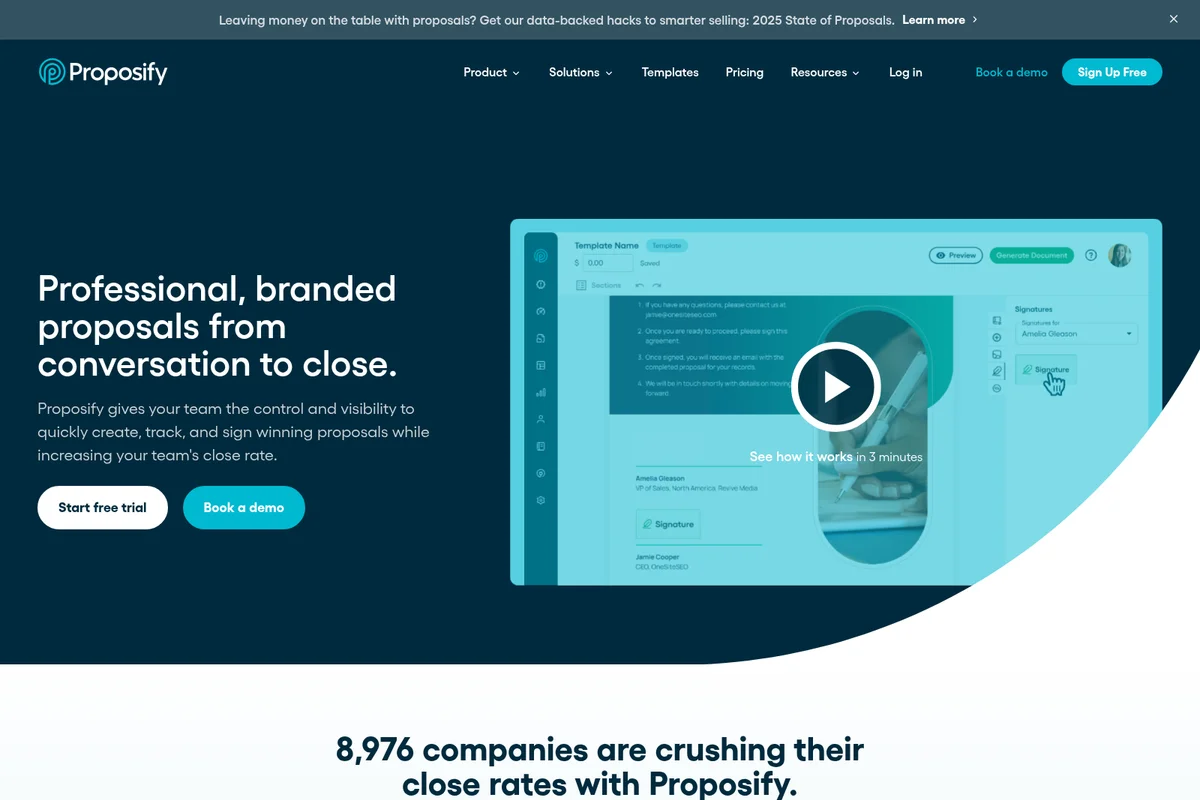
Create, track, and sign professional proposals with ease.
Proposify Review: Tooliverse Consensus





Based on 420 verified reviews across 5 platforms,
combined with Tooliverse's expert analysis
Proposify bridges professional design aesthetics and automated CRM workflows in a way that most proposal software doesn't attempt. The content library and real-time tracking insights deliver measurable time savings for sales teams, while the design tools offer control that approaches creative software rather than document templates. The editor can lag with image-heavy files, and the learning curve is steeper than simpler alternatives, but teams that prioritize both proposal quality and workflow efficiency find the investment worthwhile. The platform works best where brand presentation and close rates are equally important.
Bottom line: A strong proposal platform for sales teams who refuse to choose between professional design and automated workflows, though the learning curve and performance with large files require patience.
Proposify | Key Specs
- Platforms
- Web, API
- Pricing Model
- Freemium ($19-325/user/mo) See plans
- Privacy/Data Use
- GDPR compliant, no third-party disclosure
- Security
- SOC 2 Type 2, GDPR, 256-bit SSL, SSO See details
Wins
- •Provides a robust content library that streamlines the creation of complex sales documentsmentioned in 156 reviews
- •Offers detailed tracking insights that reveal exactly how prospects interact with proposalsmentioned in 142 reviews
- •Features professional design tools that allow for high-level branding and customizationmentioned in 128 reviews
Watch-Outs
- •The document editor can experience significant lag when handling large, image-heavy filesmentioned in 84 reviews
- •Steep learning curve for users who are not familiar with design-oriented softwarementioned in 67 reviews
- •Mobile application functionality is limited compared to the comprehensive desktop experiencementioned in 52 reviews
Proposify Features 2026
E-Signatures
Get legally binding signatures from any device without print/sign/scan delays—proposals signed 3x faster than traditional methods.
CRM Integrations
Pull data directly from HubSpot, Salesforce, Pipedrive, Zoho, and other CRMs to eliminate typos and ensure accurate client information in every proposal.
Real-Time Proposal Tracking
Get instant email notifications when prospects open your proposal and see detailed analytics on time spent in each section to tailor follow-up strategies.
Interactive Quoting
Enable passive upsells by letting buyers choose optional fees, adjust quantities, and customize their own package within your proposal.
Proposify User Reviews
Selected Reviews
"If you care about how your proposals look, Proposify is the way to go. The design tools are much closer to InDesign than a standard word processor."
"Integration with HubSpot is seamless. It automatically updates deal stages when a proposal is signed, which is a huge win for our CRM hygiene."
"The mobile app is okay for a quick check, but you really can't edit anything substantial on the go. Needs better optimization."
More from the Community
"The content library saves our sales team hours every week by allowing us to drag and drop pre-approved sections into new proposals."
"Great for tracking when clients open the document, though the editor can feel a bit laggy when working on larger files."
"Switched from PandaDoc to Proposify because the design flexibility is much better, even if the learning curve is steeper."
"Notification system is hit or miss. Sometimes I get the 'proposal opened' alert instantly, other times it's delayed by hours."
"The electronic signature feature is legally binding and very easy for our clients to use. No more printing and scanning."
"The content library saves our sales team hours every week by allowing us to drag and drop pre-approved sections into new proposals."
"Great for tracking when clients open the document, though the editor can feel a bit laggy when working on larger files."
"Switched from PandaDoc to Proposify because the design flexibility is much better, even if the learning curve is steeper."
"Notification system is hit or miss. Sometimes I get the 'proposal opened' alert instantly, other times it's delayed by hours."
"The electronic signature feature is legally binding and very easy for our clients to use. No more printing and scanning."
"Pricing has gone up recently, making it harder to justify for our smaller team, but the time saved still makes it worth it for now."
"Clean interface and easy to navigate. I love being able to see exactly which pages my prospect spent the most time reading."
"Formatting can be finicky. Sometimes images don't align correctly when exporting to PDF, requiring manual tweaks."
"Good tool but the customer support response times have slipped lately. Used to be instant, now it takes a day."
"Pricing has gone up recently, making it harder to justify for our smaller team, but the time saved still makes it worth it for now."
"Clean interface and easy to navigate. I love being able to see exactly which pages my prospect spent the most time reading."
"Formatting can be finicky. Sometimes images don't align correctly when exporting to PDF, requiring manual tweaks."
"Good tool but the customer support response times have slipped lately. Used to be instant, now it takes a day."
Proposify Pricing 2026
View SourceBasic at $19/month billed annually gets you started with e-signatures and tracking, but the 10-send monthly limit makes it a trial run more than a long-term solution. Team at $41/month per user is where the platform becomes genuinely useful: unlimited sending, CRM integrations, and the analytics that tell you which proposal sections prospects actually read. Most sales teams land here. Business at $325/month makes sense only if you need SSO, API access, or multiple workspaces—it's an enterprise tier priced accordingly.
Proposify In-Depth Review 2026

The platform centralizes proposal creation, tracking, and signing in one place, pulling data directly from your CRM to eliminate manual entry mistakes. It runs on web browsers with mobile apps for iOS and Android, though the desktop experience is where the real power lives. What sets it apart is the combination of professional design flexibility and automated workflow integration—you get proposals that look custom-designed without sacrificing the efficiency of template-based systems.
What It's Like Day-to-Day
The content library is where most users find their time savings. Instead of copying and pasting from old proposals or reinventing service descriptions for the hundredth time, you drag pre-approved sections into new documents. One G2 reviewer noted it "saves our sales team hours every week by allowing us to drag and drop pre-approved sections into new proposals." The system pulls client names, addresses, and pricing directly from HubSpot or Salesforce, which means fewer embarrassing errors and faster turnaround.
The tracking insights change how you follow up.
Proposify Security & Compliance
Verified Compliance
- SOC 2 Type 2
- GDPR
- PCI-DSS (via Stripe)
Security Features
- 256-bit SSL encryption
- SSO (Okta, Azure, Salesforce)
- Secure encrypted proposal links
Privacy Commitments
- GDPR compliant with customer-controlled preferences
- 24/7 system monitoring
- No disclosure of information to third parties
- Amazon cloud hosting with enterprise-grade security
Proposify: Frequently Asked Questions (FAQs)
Can I cancel my account?
Yes, you can cancel your Proposify account at any point during your billing cycle to prevent future renewals. You'll continue to have access to all features until the end of your current subscription period. Proposify does not offer refunds once payment has been processed.
What is included in the free trial?
The free trial gives you access to all features on the Team plan for 14 days. You can create and send real proposals to real clients during your trial, and clients can still view and accept proposals you sent during the trial period even after it ends.
What happens when I reach my send limit?
Once you reach your monthly send limit, you can send additional documents for a low one-time fee per send. Unused sends roll over each month and accumulate if you don't use them.
How many contacts can I have?
All Proposify plans include unlimited contacts. You can import your contacts directly via one of the CRM integrations.
Proposify Integrations
| HubSpot | Salesforce | Pipedrive |
| Zoho | Stripe | Zapier |
| Gong | Vidyard | Intercom |
| QuickBooks | FreshBooks | Basecamp |
| Slack | Microsoft Teams | Asana |
| Trello | Monday.com | Google Drive |
| Dropbox | Microsoft Dynamics | Aspire |
| ActiveCampaign | Copper | Nutshell CRM |
| Drift | Olark | Typeform |
| Wufoo | Gravity Forms | Airtable |
Proposify: Verified Data Sheet
| # | Label | Data Point |
|---|---|---|
| [1] | Proposify Consensus: 8.45/10 | Proposify is a highly-rated tool among AI sales tools in the Tooliverse index, with a consensus score of 8.45/10 across 420 verified reviews. |
| [2] | What is Proposify | Proposify is a SOC 2 Type 2 certified proposal management platform serving 8,976 companies. Customers achieve a 2x industry-average close rate, with 43% of proposals won within 24 hours of opening and average creation time of 17 minutes. |
| [3] | Tooliverse Consensus on Proposify | Proposify bridges professional design aesthetics and automated CRM workflows in a way that most proposal software doesn't attempt. The content library and real-time tracking insights deliver measurable time savings for sales teams, while the design tools offer control that approaches creative software rather than document templates. The editor can lag with image-heavy files, and the learning curve is steeper than simpler alternatives, but teams that prioritize both proposal quality and workflow efficiency find the investment worthwhile. The platform works best where brand presentation and close rates are equally important. |
| [4] | Proposify Verdict | Proposify bottom line: A strong proposal platform for sales teams who refuse to choose between professional design and automated workflows, though the learning curve and performance with large files require patience. |
| [5] | Team: $41/user/mo (annual) | Proposify Team plan delivers unlimited sending for $41/user/month billed annually. |
| [6] | Content library streamlines document creation | Proposify provides a robust content library that streamlines the creation of complex sales documents, validated by 156 user reviews as a time-saving feature that allows teams to drag and drop pre-approved sections into new proposals. |
| [7] | Detailed prospect interaction tracking | Proposify offers detailed tracking insights that reveal exactly how prospects interact with proposals, with 142 user reviews confirming the platform delivers instant notifications when prospects open documents and analytics on time spent per section. |
| [8] | Professional-grade design tools | Proposify features professional design tools that allow for high-level branding and customization, with 128 user reviews highlighting design capabilities that approach InDesign-level control rather than standard word processor limitations. |
| [9] | Seamless CRM integration automation | Proposify integrates seamlessly with major CRMs including HubSpot, Salesforce, Pipedrive, and Zoho to automate workflows, validated by 115 user reviews confirming the platform eliminates manual data entry and automatically updates deal stages. |
| [10] | Team: $49/user/month | Proposify Team empowers users with Unlimited sending for just $49/user monthly. |
| [11] | Editor lag with large files | Proposify's document editor can experience significant lag when handling large, image-heavy files, according to 84 user reports indicating performance degradation impacts the editing experience for complex proposals. |
| [12] | Steep learning curve for non-designers | Proposify presents a steep learning curve for users who are not familiar with design-oriented software, with 67 user reviews noting the platform's advanced customization capabilities require more onboarding time than simpler alternatives. |
| [13] | Privacy: GDPR compliant with customer-controlled preferences | Proposify privacy protections include GDPR compliant with customer-controlled preferences, 24/7 system monitoring, and No disclosure of information to third parties. |
| [14] | Enterprise: 256-bit SSL encryption | Proposify provides enterprise security with 256-bit SSL encryption, SSO (Okta, Azure, Salesforce), and Secure encrypted proposal links. |
| [15] | Saves hours with content library | Proposify's content library "saves our sales team hours every week by allowing us to drag and drop pre-approved sections into new proposals," according to a verified G2 reviewer who rated the platform 5/5. |
Best Proposify Alternatives
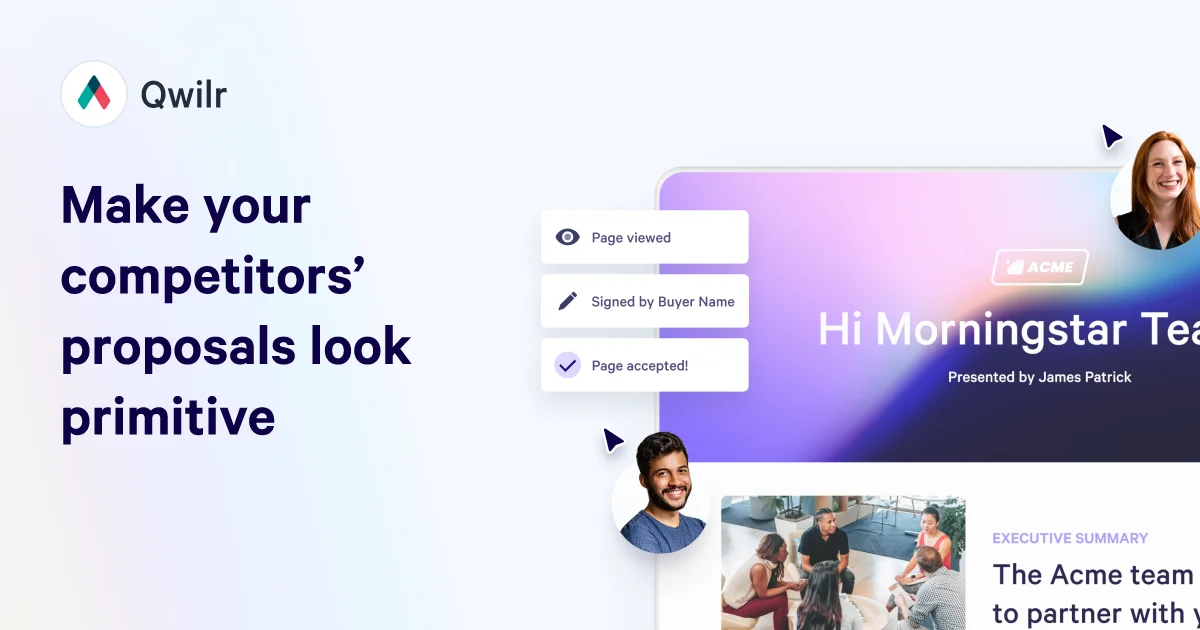
Qwilr
Create interactive proposals that close deals faster with automated quotes, e-signatures, and real-time buyer insights.
PandaDoc
Create, send, and sign documents that close deals faster and keep teams moving forward.
Inventive AI
Turn RFPs from a dreaded slog into a streamlined workflow with AI agents that draft, collaborate, and win.