
Quadratic Review 2026 - AI Spreadsheet Platform
Verified Jun 18, 2026 by Tooliverse Editorial
Quadratic turns spreadsheet chaos into clarity—connect live databases, ask AI to write Python or SQL, and ship analysis your whole team can trust. From traders to finance teams, 250,000+ users rely on Quadratic to unify data sources and automate insights without breaking formulas.
How to Clean & Prepare 47,000 Rows of Data Instantly Using Quadratic AI
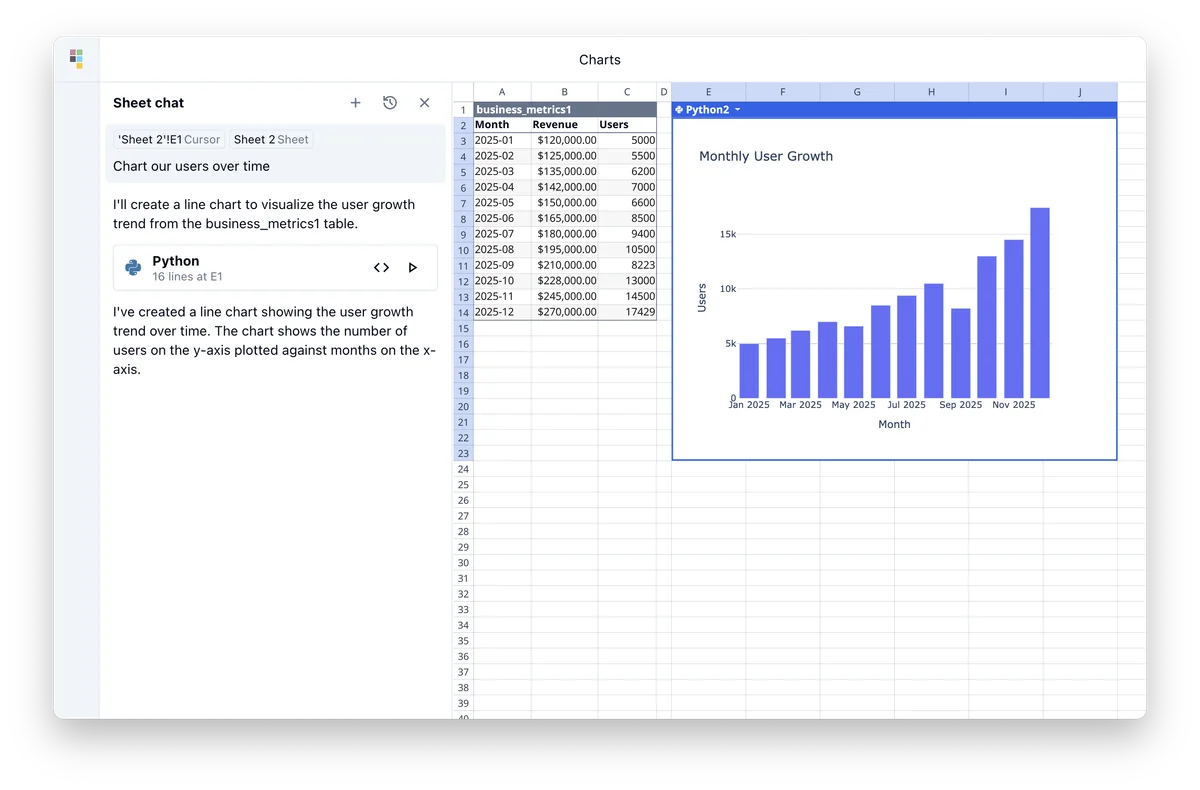
Generate data visualizations from spreadsheets using natural language prompts.
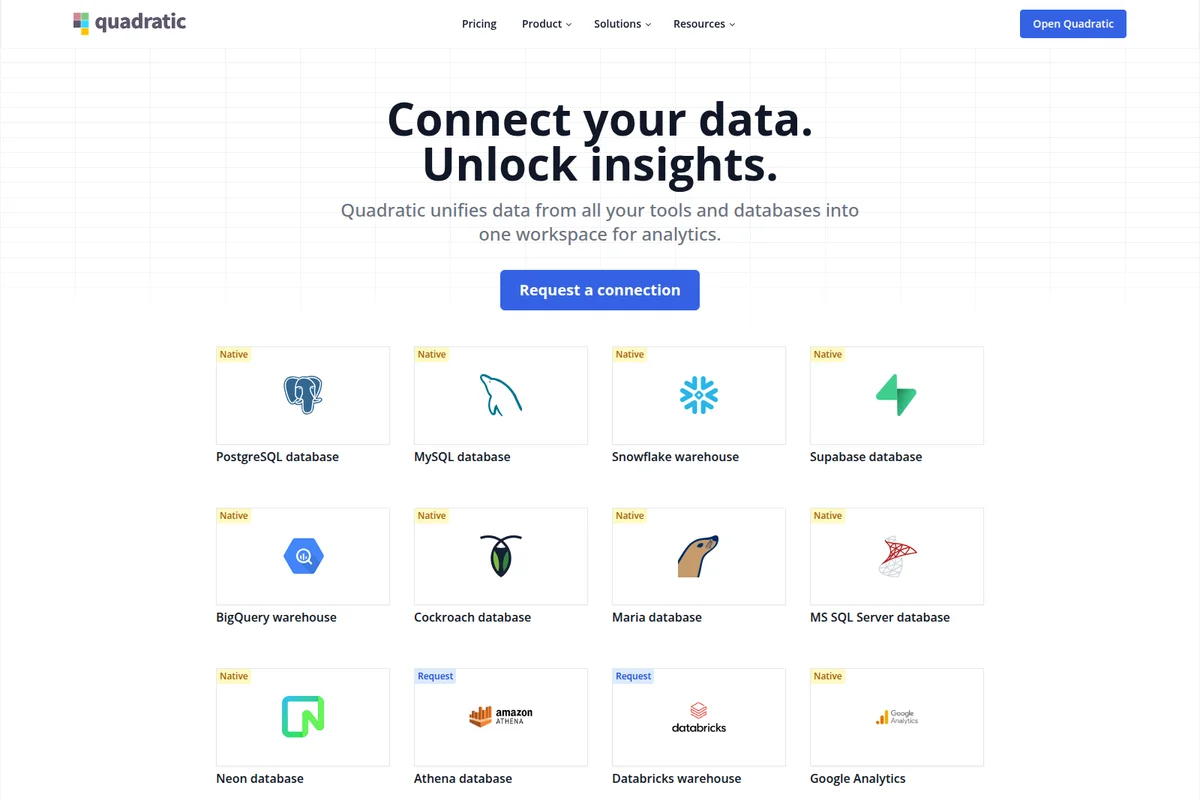
Connect to over a dozen popular data sources for unified analytics.
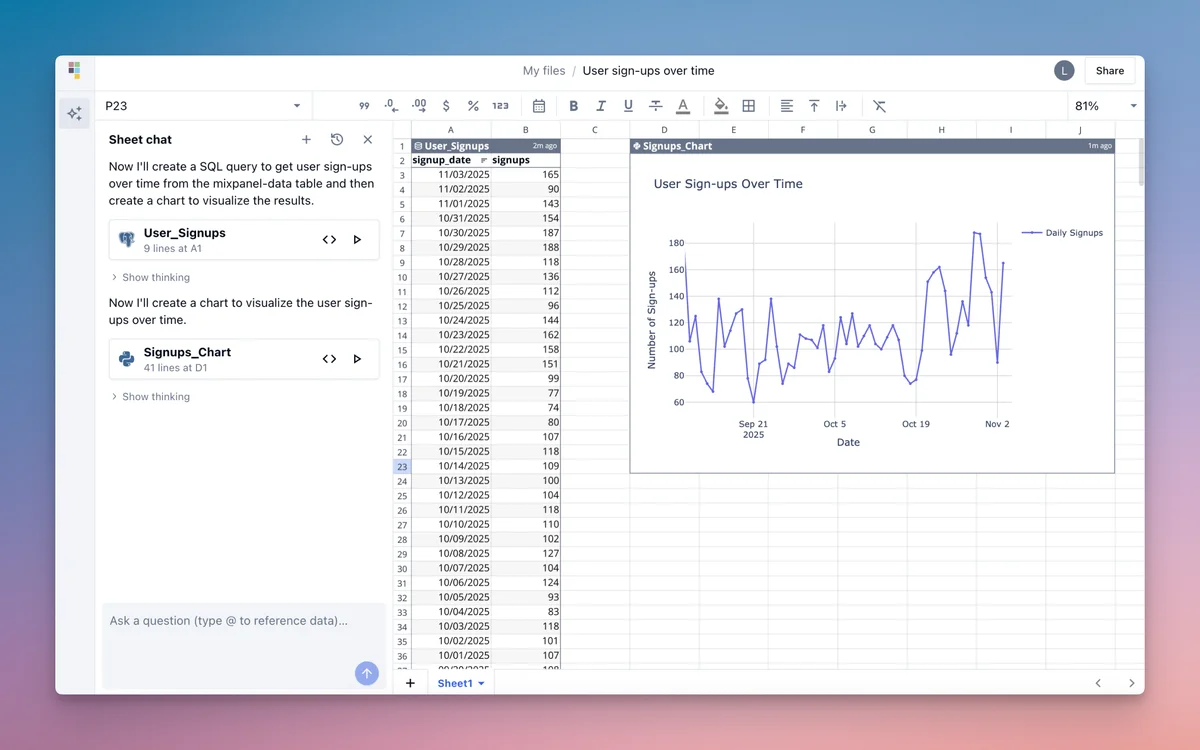
From chat command to data visualization: analyze user sign-ups over time.
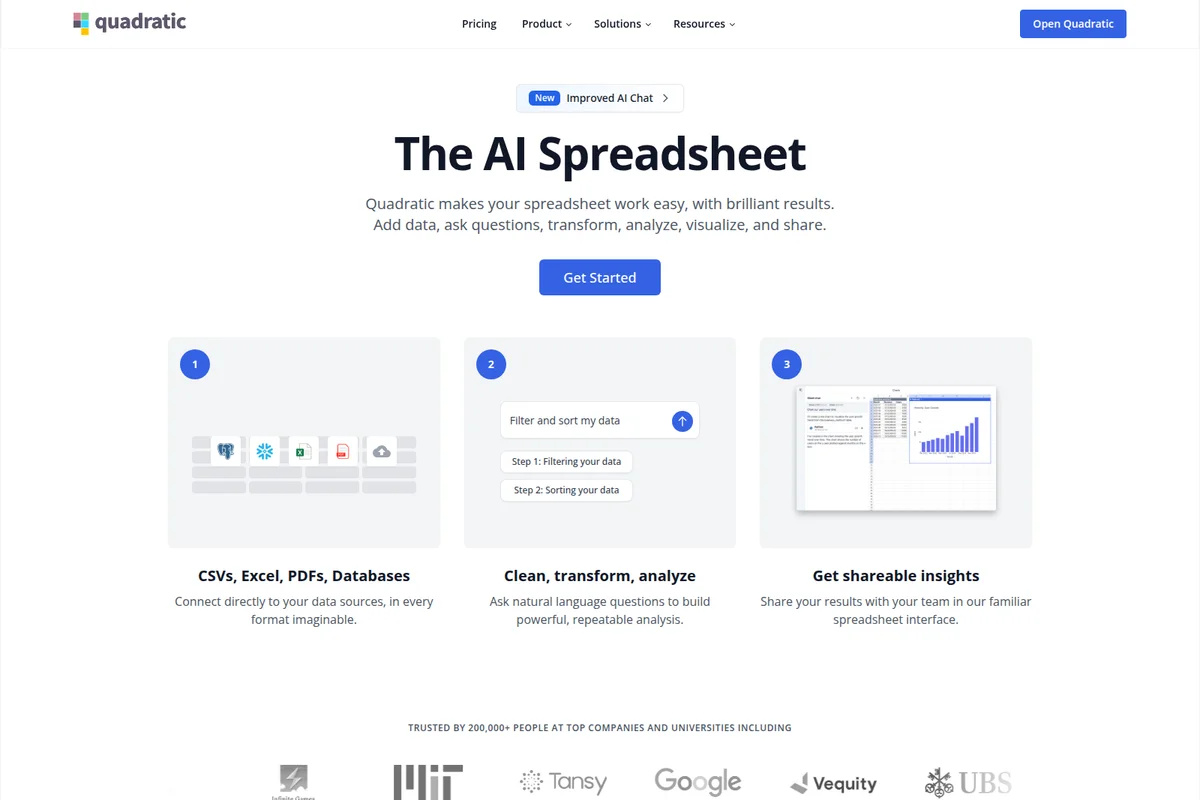
Connect data, use AI chat for analysis, and share insights quickly.
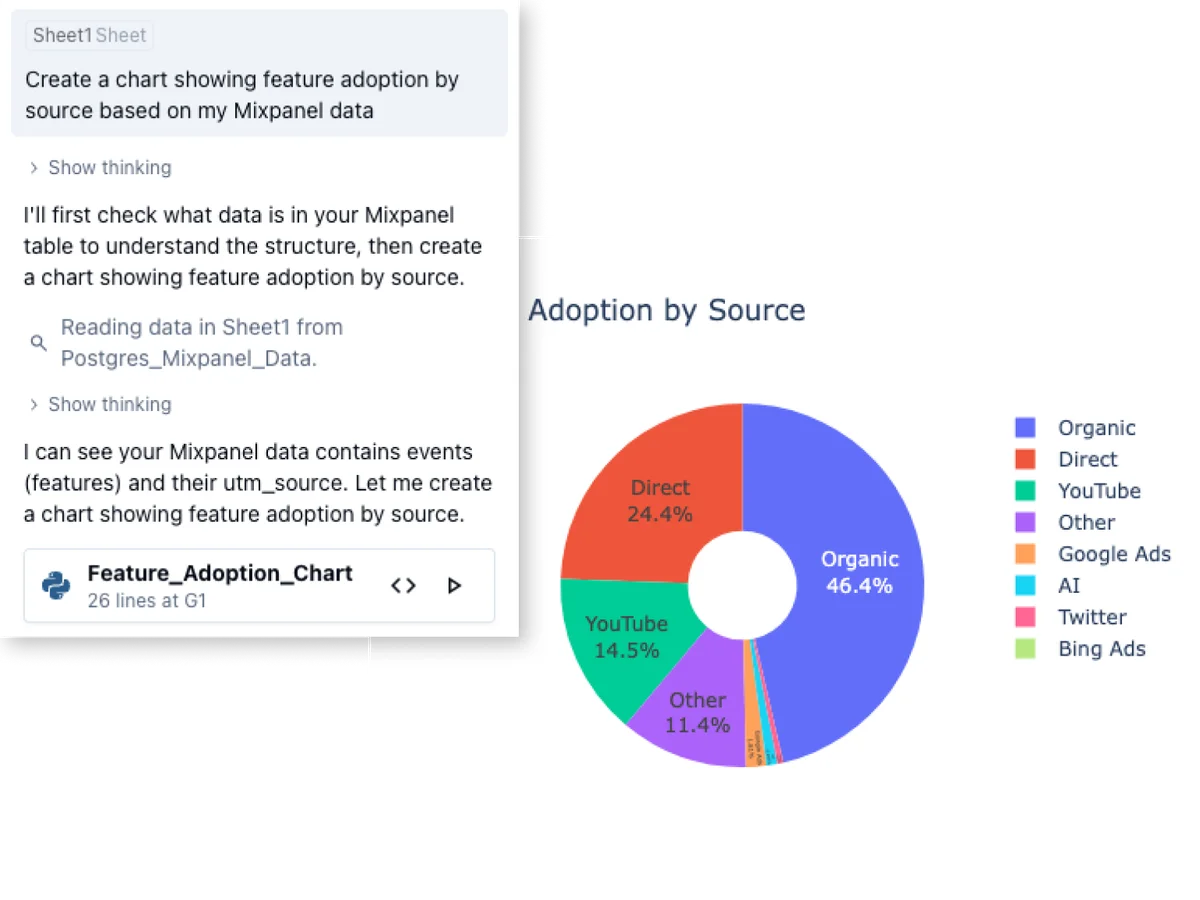
Analyze feature adoption by source and visualize data directly from conversational prompts.
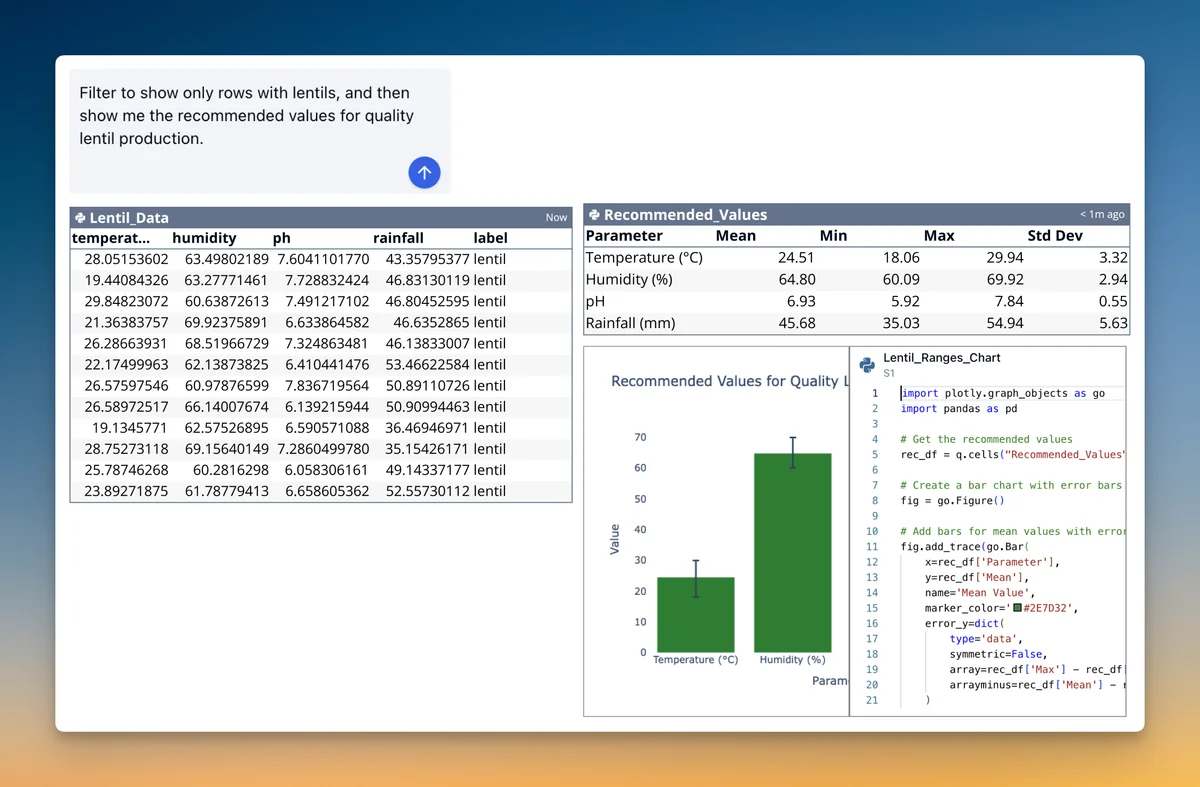
Instantly get recommended agricultural parameters for quality crop yields.
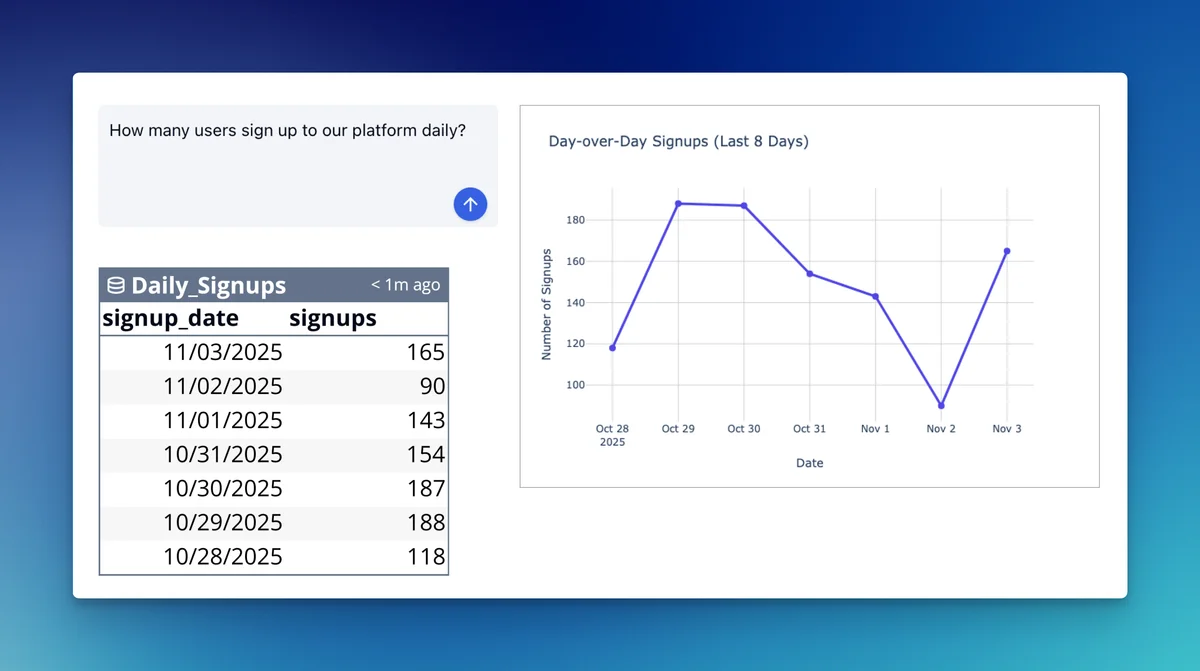
Track and visualize daily user signups for quick insights.
Quadratic Review: Tooliverse Consensus





Based on 270 verified reviews across 4 platforms,
combined with Tooliverse's expert analysis
Quadratic bridges the persistent gap between spreadsheets and data science tools by executing Python and SQL directly in cells while maintaining live connections to production databases, eliminating the export-transform-import cycle that fragments analytical workflows. The infinite canvas and open-source architecture resonate strongly with technical teams managing complex data pipelines, though the coding requirement creates a real barrier for non-technical collaborators and Excel-specific features remain underdeveloped for specialized financial modeling. Version control integration through Git provides meaningful advantages for collaborative analysis, yet enterprise adoption faces hurdles without robust audit logging.
Bottom line: A leading spreadsheet reimagined for technical teams, unifying live data connections with programmable transformations in one environment, though non-technical users will struggle with the syntax requirements.
Quadratic | Key Specs
- Platforms
- Web, API
- Pricing Model
- Freemium ($0-36/user/month) See plans
- Privacy/Data Use
- Additional privacy controls (Pro+), Revocable AI access
- Security
- SOC 2, HIPAA, SSO (Enterprise) See details
Wins
- •Integrates Python and SQL directly into spreadsheet cells for advanced data manipulationmentioned in 84 reviews
- •Provides an expansive infinite canvas that organizes complex data workflows visuallymentioned in 72 reviews
- •Offers an open-source architecture that allows for deep customization and transparencymentioned in 65 reviews
Watch-Outs
- •Requires basic coding knowledge to unlock the tool's full analytical potentialmentioned in 42 reviews
- •Lacks some specialized formatting and pivot table features found in Excelmentioned in 35 reviews
- •Occasional performance stutters when rendering extremely large or complex visual canvasesmentioned in 28 reviews
Quadratic Features 2026
AI-Powered Analysis
Ask questions in plain English and AI writes Python, SQL, or formulas to analyze your data. No coding required—AI generates charts, runs calculations, and explains its work in readable code.
Live Database Connections
Connect directly to Postgres, MySQL, Snowflake, BigQuery, and 60+ other data sources. Query live data without CSV exports—your spreadsheet stays in sync with production databases.
Python in Cells
Write and execute Python code directly in spreadsheet cells. Use pandas, numpy, and any Python library for advanced data manipulation, statistical analysis, and machine learning.
SQL Client
Run SQL queries directly in cells and output results to the spreadsheet grid. Query databases, transform data, and join tables without leaving your spreadsheet.
Quadratic User Reviews
Selected Reviews
"The ability to run Python scripts directly in a cell is a game changer for my data cleaning tasks. It saves me hours of context switching."
"Quadratic has completely replaced my messy Excel/Python/CSV workflow into one single, cohesive environment. Highly recommend for devs."
"Finally, a spreadsheet that doesn't choke when I try to do actual data science. The Python support is robust."
More from the Community
"Quadratic is what Excel should have evolved into. The infinite canvas makes it feel like Figma for data."
"Great for technical teams, but my non-technical colleagues struggle with the syntax requirements. It needs a better bridge for them."
"I love the open-source aspect. It's fast, reliable, and the SQL integration is top-notch."
"The UI is clean and modern. It makes working with complex data structures much less intimidating than a standard CSV."
"Still missing some of the deep financial modeling shortcuts I'm used to in Excel, but getting there. Hope for updates."
"Quadratic is what Excel should have evolved into. The infinite canvas makes it feel like Figma for data."
"Great for technical teams, but my non-technical colleagues struggle with the syntax requirements. It needs a better bridge for them."
"I love the open-source aspect. It's fast, reliable, and the SQL integration is top-notch."
"The UI is clean and modern. It makes working with complex data structures much less intimidating than a standard CSV."
"Still missing some of the deep financial modeling shortcuts I'm used to in Excel, but getting there. Hope for updates."
"The real-time collaboration works perfectly. We use it for all our internal data tracking now. Very impressive."
"It's the perfect bridge between a Jupyter notebook and a standard spreadsheet. Exactly what I needed."
"I had some issues with the desktop app crashing on large imports, but the web version is solid and fast."
"The infinite canvas is brilliant for mapping out data flows before actually processing them. Very intuitive."
"The real-time collaboration works perfectly. We use it for all our internal data tracking now. Very impressive."
"It's the perfect bridge between a Jupyter notebook and a standard spreadsheet. Exactly what I needed."
"I had some issues with the desktop app crashing on large imports, but the web version is solid and fast."
"The infinite canvas is brilliant for mapping out data flows before actually processing them. Very intuitive."
Quadratic Pricing 2026
View SourceThe free Personal tier lets you test the core concept with limited AI usage and sharing, but Pro at $18/month per user is where most technical teams should start. You get unlimited connections to live data sources, unlimited file sharing for collaboration, and $20 in monthly AI credits—enough for the tool to write substantial amounts of Python and SQL for you. Business at $36/month doubles the AI credits and adds on-demand usage, which matters if your team leans heavily on AI-generated code rather than writing it manually.
Quadratic In-Depth Review 2026

Quadratic runs Python, SQL, and JavaScript directly in spreadsheet cells, connecting live to 60+ data sources including Postgres, Snowflake, and QuickBooks. It works on desktop and web browsers, with an infinite canvas that lets you organize complex data transformations spatially instead of cramming everything into rigid grid layouts. The open-source architecture means you can inspect how it works, customize it deeply, and trust that your data workflows won't be locked into proprietary formats.
What It's Like Day-to-Day
The core experience feels like someone finally merged a Jupyter notebook with a spreadsheet without compromising either. You write a SQL query in one cell to pull live data from your production database, run Python in the next cell to clean and transform it using pandas, then output the results to the grid where your team can interact with it like any spreadsheet. One Product Hunt reviewer captured it well: the Python integration "saves hours of context switching" by keeping the entire workflow in one environment.
The infinite canvas changes how you think about organizing work.
Quadratic Security & Compliance
Verified Compliance
- SOC 2
- HIPAA
Security Features
- Single Sign-On (SSO)
- OAuth 2.0 authentication for MCP
- Self-hosting option
Privacy Commitments
- Additional privacy controls (Pro plan)
- Revocable AI client access
Quadratic: Frequently Asked Questions (FAQs)
What happens if I exceed my sharing limit?
Sharing is limited on the Personal plan. Upgrading to the Pro plan allows for unlimited shared files.
Can I add more users to my Pro plan after subscribing?
Yes. Pro is billed per user for the whole team. When you upgrade, all existing and new team members are billed at the Pro price.
How does billing work when I add a team member?
New members are added to your subscription at the per-user price. Your next bill includes a pro-rated charge for the rest of the current period, plus the updated total for all team members going forward.
Is there a free trial?
If you would like to test out Quadratic for free, please sign up for a free account.
Quadratic Integrations
| PostgreSQL | MySQL | Snowflake |
| BigQuery | QuickBooks | Google Analytics |
| Mixpanel | Plaid | Supabase |
| Neon | CockroachDB | MariaDB |
| MS SQL Server | Redshift | Databricks |
| Athena | ClickHouse | MongoDB |
| Presto | Trino | Stripe |
| GitHub | Datadog | Airtable |
| Amplitude | Polygon | Spotify |
| AccuWeather | Mercury Bank | Notion |
| Salesforce | ChatGPT | Claude |
| Cursor | VS Code | Windsurf |
| Zed |
Quadratic: Verified Data Sheet
| # | Label | Data Point |
|---|---|---|
| [1] | Quadratic Consensus: 9.15/10 | Quadratic is one of the highest-rated AI productivity tools in the Tooliverse index, with a consensus score of 9.15/10 across 270 verified reviews. |
| [2] | What is Quadratic | Quadratic, operated by Quadratic Growth Inc., is a SOC 2 and HIPAA certified AI spreadsheet platform that unifies live data from 60+ sources including Postgres, Snowflake, and QuickBooks. The platform serves 250,000+ users at companies like Bloomberg, Google, and UBS, with pricing starting at $18/user/month. |
| [3] | Tooliverse Consensus on Quadratic | Quadratic bridges the persistent gap between spreadsheets and data science tools by executing Python and SQL directly in cells while maintaining live connections to production databases, eliminating the export-transform-import cycle that fragments analytical workflows. The infinite canvas and open-source architecture resonate strongly with technical teams managing complex data pipelines, though the coding requirement creates a real barrier for non-technical collaborators and Excel-specific features remain underdeveloped for specialized financial modeling. Version control integration through Git provides meaningful advantages for collaborative analysis, yet enterprise adoption faces hurdles without robust audit logging. |
| [4] | Quadratic Verdict | Quadratic bottom line: A leading spreadsheet reimagined for technical teams, unifying live data connections with programmable transformations in one environment, though non-technical users will struggle with the syntax requirements. |
| [5] | Personal: Free | Quadratic provides a functional Personal tier with Limited AI usage and Limited sharing, making AI-powered spreadsheet tools accessible at no cost. |
| [6] | Native Python and SQL in cells | Quadratic integrates Python and SQL directly into spreadsheet cells for advanced data manipulation, validated as transformative for technical workflows by 84 user reviews. |
| [7] | Infinite canvas for data workflows | Quadratic provides an expansive infinite canvas that organizes complex data workflows visually, praised for spatial data organization by 72 user reviews. |
| [8] | Open-source architecture | Quadratic offers an open-source architecture that allows for deep customization and transparency, validated by 65 user reviews as critical for technical trust. |
| [9] | Pro: $18/user/mo (annual) | Quadratic's Pro tier delivers $20 in AI credits per month for $18/user/month billed annually, significantly expanding on the free tier's capabilities. |
| [10] | Real-time team collaboration | Quadratic facilitates seamless real-time collaboration for teams working on technical data projects, with 58 user reviews confirming reliable multi-user editing. |
| [11] | Coding knowledge required | Quadratic requires basic coding knowledge to unlock the tool's full analytical potential, noted as a barrier for non-technical users in 42 user reports. |
| [12] | Missing Excel-specific features | Quadratic lacks some specialized formatting and pivot table features found in Excel, identified as a gap by 35 user reviews from finance and accounting professionals. |
| [13] | Privacy: Additional privacy controls (Pro plan) | Quadratic privacy protections include Additional privacy controls (Pro plan) and Revocable AI client access. |
| [14] | Enterprise: Single Sign-On (SSO) | Quadratic provides enterprise security with Single Sign-On (SSO), OAuth 2.0 authentication for MCP, and Self-hosting option. |
| [15] | Eliminates context switching | Quadratic "saves hours of context switching" by running Python scripts directly in cells for data cleaning tasks, according to a verified Product Hunt reviewer. |
Compare Quadratic with…
Best Quadratic Alternatives
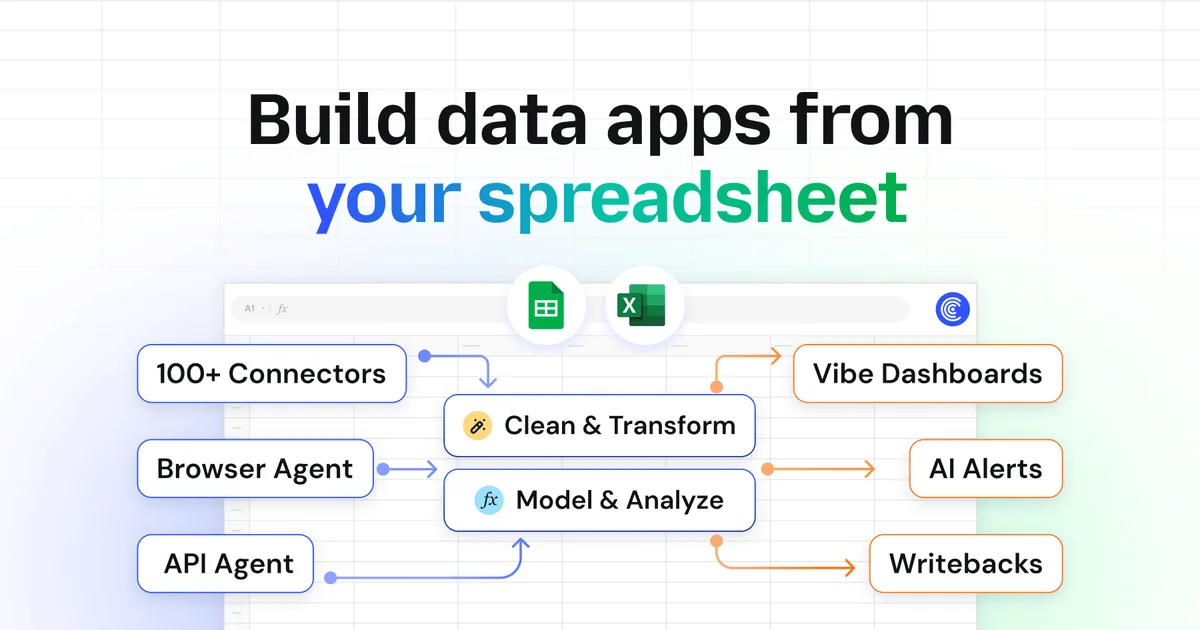
Coefficient
Connect live data to spreadsheets, automate workflows, and share insights—no code required.
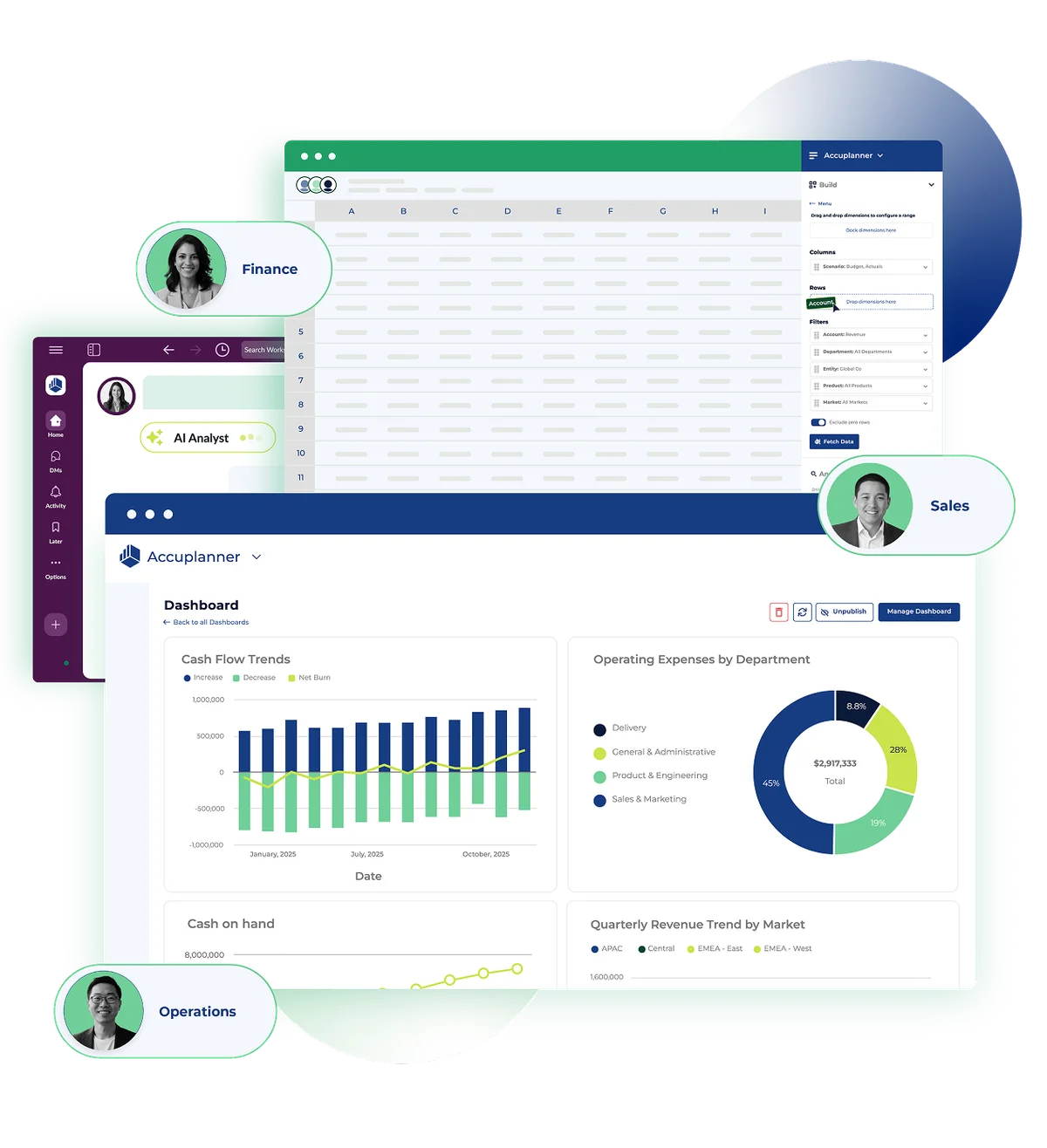
Cube
Transform financial planning and analysis with AI-powered intelligence that works where you already work.
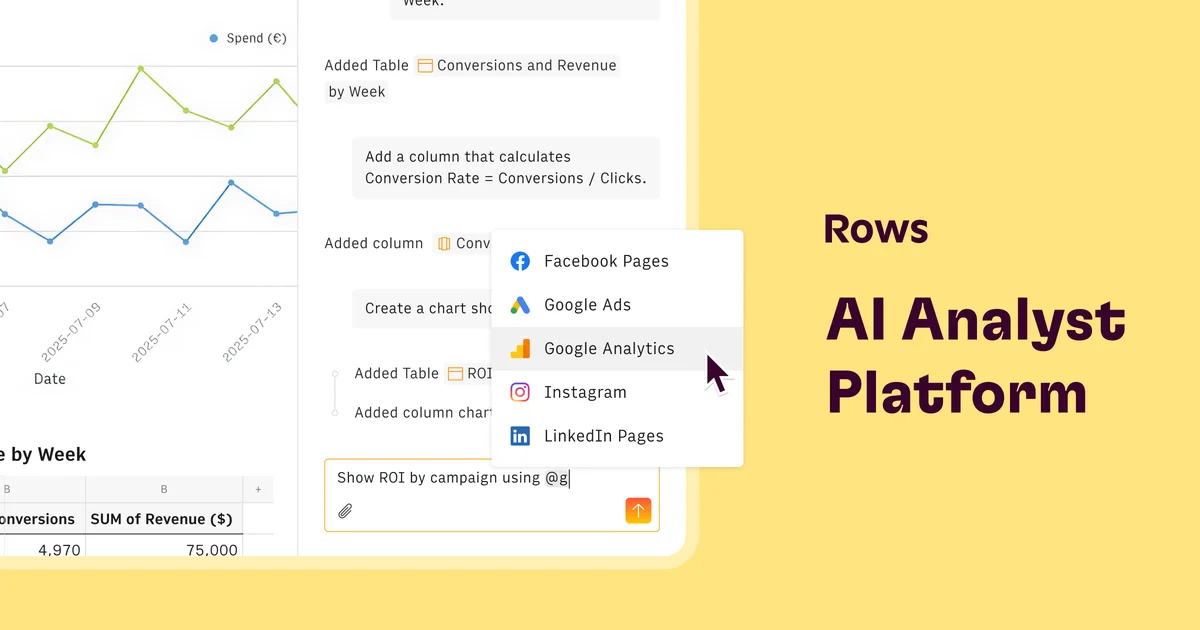
Rows
Turn spreadsheets into powerful data tools with AI—no coding required.