
QuillBot Review 2026 - AI Paraphrasing Tool
Verified Jun 18, 2026 by Tooliverse Editorial
QuillBot transforms your writing with AI that paraphrases, checks grammar, and polishes tone across any platform. From students to Fortune 500 teams, over 35 million monthly users rely on QuillBot's suite of tools to write with clarity and confidence.
How to Rephrase Anything with QuillBot’s Paraphraser—Demo & Tutorial
QuillBot Review 2026: More Than Just an AI Paraphrasing Tool
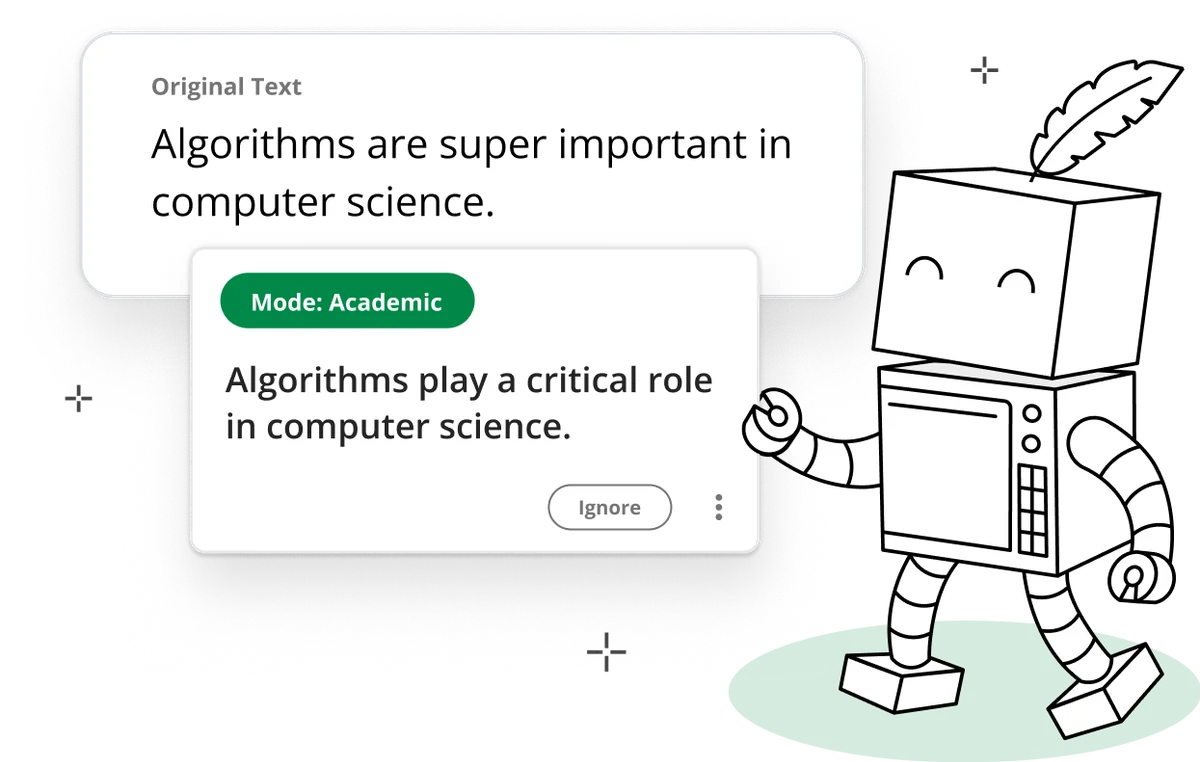
Instantly rephrase text to suit an academic tone with precision and clarity.
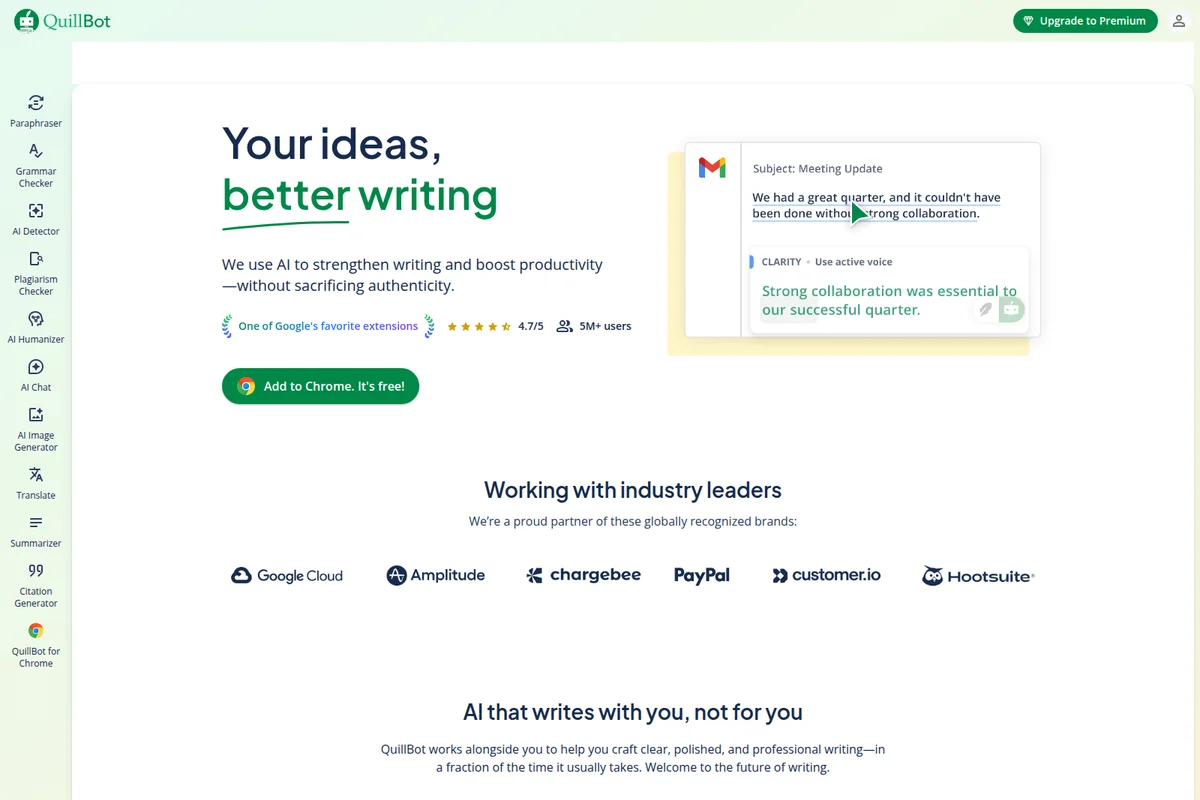
Instantly rephrase and enhance your writing for better clarity.
AI-powered content transformation and creation across diverse media types.

Meet QuillBot's friendly AI companion, ready to make your writing clear and concise.
QuillBot Review: Tooliverse Consensus






Based on 19k+ verified reviews across 6 platforms,
combined with Tooliverse's expert analysis
QuillBot has established itself as the gold standard for AI paraphrasing, delivering natural rewrites that preserve meaning while refining tone across 10+ modes, with particularly strong citation and grammar tools that make it indispensable for academic work. The seamless integration across browsers, Word, and mobile keyboards means it works where you already write, and the 5.3 billion annual paraphrases across 35+ million users reflect category-defining adoption. The free tier's 125-word limit frustrates long-form writers, Creative mode occasionally produces awkward phrasings, and the tool can trigger AI detection even for minor paraphrasing.
Bottom line: The definitive AI writing assistant for paraphrasing and academic citation, refining tone and clarity across billions of uses annually, though the free tier's strict limits and occasional Creative mode misfires require careful review.
QuillBot | Key Specs
- Platforms
- Web, iOS, Android, macOS, Windows, Chrome, Edge, Safari
- Pricing Model
- Freemium (Free + Premium) See plans
- Paraphrasing Modes
- 10+ modes (Standard, Fluency, Formal, Simple, Creative, Academic, Expand, Shorten, Humanize, Custom)
- Word Limit
- 125 words (Free), Unlimited (Premium)
Wins
- •Provides exceptionally natural paraphrasing that helps refine tone and clarity effortlesslymentioned in 412 reviews
- •Integrates seamlessly into browsers and Word to streamline the writing processmentioned in 385 reviews
- •Offers a robust citation generator that saves significant time on academic papersmentioned in 310 reviews
Watch-Outs
- •Imposes strict character limits on the free tier that hinder long-form writingmentioned in 198 reviews
- •Produces occasional "Creative" mode outputs that sound unnatural or overly complexmentioned in 156 reviews
- •Requires a separate or limited subscription for the plagiarism checking featurementioned in 134 reviews
QuillBot Features 2026
AI Paraphrasing Tool
Rephrase text in 10+ modes with unlimited Custom options. Synonym slider lets you control how much vocabulary changes, from minimal edits to creative rewrites.
AI Humanizer
Transforms AI-generated text into writing that sounds more natural and human, helping content pass AI detection.
Plagiarism Checker
Scans text for originality and provides detailed plagiarism reports to ensure content authenticity.
AI Detector
Identifies AI-generated content to verify authenticity before submission or publication.
QuillBot User Reviews
Selected Reviews
"The paraphrasing tool is a lifesaver for my thesis. It helps me find better ways to express complex ideas without losing the original meaning."
"Simple, effective, and clean. No annoying pop-ups like other writing assistants. Highly recommend for students who need a quick polish."
"Great app but the mobile keyboard can be a bit buggy sometimes. The paraphrasing is top-notch though and helps me sound more professional on the go."
More from the Community
"Best extension I've ever installed. The grammar checker is way more intuitive than Grammarly and the Word integration is flawless."
"It's helpful for flow, but be careful with the "Creative" mode. It sometimes swaps in words that don't make sense in context. Good for a first pass."
"The tool is excellent for short emails, but the character limit on the free version is very frustrating for blog posts. I find myself splitting text constantly."
"The citation generator alone is worth the price. It handles APA and MLA perfectly, which used to take me hours of manual formatting."
"I love the co-writer feature. It's like having a brainstorming partner right in the document. Just wish it was a bit faster with large files."
"Best extension I've ever installed. The grammar checker is way more intuitive than Grammarly and the Word integration is flawless."
"It's helpful for flow, but be careful with the "Creative" mode. It sometimes swaps in words that don't make sense in context. Good for a first pass."
"The tool is excellent for short emails, but the character limit on the free version is very frustrating for blog posts. I find myself splitting text constantly."
"The citation generator alone is worth the price. It handles APA and MLA perfectly, which used to take me hours of manual formatting."
"I love the co-writer feature. It's like having a brainstorming partner right in the document. Just wish it was a bit faster with large files."
"QuillBot has become my daily driver for work emails. It makes me sound much more professional and concise without much effort."
"Used it to rewrite my resume. The "Formal" mode is actually quite good at striking the right professional tone without sounding like a robot."
"The plagiarism checker is a bit expensive since it's not unlimited. I wish they'd include more pages in the standard premium plan for heavy users."
"Solid tool for non-native English speakers. It helps me correct my phrasing so I sound more like a local in my business correspondence."
"QuillBot has become my daily driver for work emails. It makes me sound much more professional and concise without much effort."
"Used it to rewrite my resume. The "Formal" mode is actually quite good at striking the right professional tone without sounding like a robot."
"The plagiarism checker is a bit expensive since it's not unlimited. I wish they'd include more pages in the standard premium plan for heavy users."
"Solid tool for non-native English speakers. It helps me correct my phrasing so I sound more like a local in my business correspondence."
QuillBot Pricing 2026
View SourceThe free tier gives you a functional preview with 125 words per paraphrase and two basic modes, but Premium is where the tool becomes genuinely useful for regular work. You get unlimited paraphrasing, access to all 10+ tone modes including Academic and Humanize, faster processing, and the plagiarism checker that students actually need. The pricing isn't public, so you'll need to contact sales for a quote, but the feature jump from free to Premium is substantial enough that most serious users make the upgrade within their first month.
QuillBot In-Depth Review 2026

This AI writing platform combines paraphrasing, grammar checking, summarization, and citation tools in a single workspace. It runs across Chrome, Edge, Safari, Microsoft Word, Google Docs, and mobile keyboards for iOS and Android, working where you already write instead of forcing you into yet another editor. The 35+ million monthly users generate 5.3 billion paraphrases annually, a scale that reflects how often professionals need to polish their words before hitting send.
What It's Like Day-to-Day
The paraphrasing engine is where QuillBot separates itself from basic grammar checkers. You paste a paragraph that's technically correct but reads stiffly, select from modes like Formal, Simple, or Academic, and watch it transform into something that actually sounds like competent professional writing. The synonym slider gives you control over how aggressively it rewrites: dial it low for light polish, crank it high when you need a complete rephrase to avoid repetition across sections.
QuillBot Flow brings everything into one window so you stop juggling tabs between your draft, the paraphraser, the citation generator, and Google. You write, highlight a clunky sentence, paraphrase it inline, then pull citations directly from web search without leaving the document.
QuillBot: Frequently Asked Questions (FAQs)
Is QuillBot's paraphrasing tool free?
Yes, QuillBot's Paraphraser is free to use. You can rephrase up to 125 words at a time with unlimited paraphrases and no daily limits. Free users access Standard and Fluency modes. QuillBot Premium unlocks unlimited word input and 10+ paraphrasing styles.
What is paraphrasing?
Paraphrasing is putting text into new words without changing the overall meaning. It involves rephrasing sentences or paragraphs using synonyms and restructuring while maintaining the core message. You can paraphrase manually or with AI writing tools like QuillBot.
What's the difference between paraphrasing and summarizing?
Paraphrasing transforms text into new words without changing the overall length. Summarizing condenses the main ideas of a text into a much shorter version.
How can Paraphraser help working professionals?
Working professionals can use AI Paraphraser to rephrase digital communication for clarity and professionalism, expand or shorten memos and reports, improve flow and consistency of written content, simplify technical language, and more.
QuillBot Integrations
| Chrome | Edge | Safari |
| Microsoft Word | Slack |
QuillBot: Verified Data Sheet
| # | Label | Data Point |
|---|---|---|
| [1] | QuillBot Consensus: 9.11/10 | QuillBot is one of the highest-rated AI writing tools in the Tooliverse index, with a consensus score of 9.11/10 across 19,470 verified reviews. |
| [2] | What is QuillBot | QuillBot, operated by Learneo, Inc., is an AI-powered writing platform offering paraphrasing, grammar checking, summarization, and citation tools. The platform serves 35+ million monthly active users with 5.3 billion annual paraphraser inputs, available as a freemium service across web, mobile, and desktop. |
| [3] | Tooliverse Consensus on QuillBot | QuillBot has established itself as the gold standard for AI paraphrasing, delivering natural rewrites that preserve meaning while refining tone across 10+ modes, with particularly strong citation and grammar tools that make it indispensable for academic work. The seamless integration across browsers, Word, and mobile keyboards means it works where you already write, and the 5.3 billion annual paraphrases across 35+ million users reflect category-defining adoption. The free tier's 125-word limit frustrates long-form writers, Creative mode occasionally produces awkward phrasings, and the tool can trigger AI detection even for minor paraphrasing. |
| [4] | QuillBot Verdict | QuillBot bottom line: The definitive AI writing assistant for paraphrasing and academic citation, refining tone and clarity across billions of uses annually, though the free tier's strict limits and occasional Creative mode misfires require careful review. |
| [5] | Free: Free | QuillBot provides a functional Free tier with 125 words per paraphrase and 2 paraphrasing modes (Standard and Fluency), making AI writing tools accessible at no cost. |
| [6] | Exceptionally natural paraphrasing | QuillBot provides exceptionally natural paraphrasing that helps refine tone and clarity effortlessly, validated as a core strength by 412 user reviews. |
| [7] | Seamless browser and Word integration | QuillBot integrates seamlessly into browsers and Microsoft Word to streamline the writing process, with 385 user reviews confirming the integration quality across platforms. |
| [8] | Robust citation generator | QuillBot offers a robust citation generator that saves significant time on academic papers, handling APA and MLA formatting automatically according to 310 user reviews. |
| [9] | Zero learning curve interface | QuillBot features a clean, user-friendly interface that requires zero learning curve, with 275 user reviews highlighting the immediate usability. |
| [10] | Free tier 125-word limit | QuillBot imposes strict character limits on the free tier that hinder long-form writing, with 198 user reviews citing the 125-word paraphrase limit as a significant constraint. |
| [11] | May trigger AI detection | QuillBot triggers AI detection tools even when used solely for minor paraphrasing, according to 112 user reports from students and professionals facing false positives. |
| [12] | Preserves meaning while improving expression | QuillBot "helps me find better ways to express complex ideas without losing the original meaning," according to a verified iOS App Store reviewer praising the paraphrasing accuracy for academic writing. |
Best QuillBot Alternatives
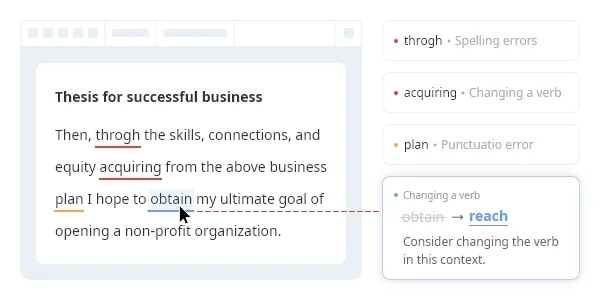
Wordvice AI
Perfect your writing with AI-powered proofreading, paraphrasing, and translation tools.
ProWritingAid
Write and edit like an expert with AI-powered suggestions that go beyond grammar to transform your storytelling.

Wordtune
Express yourself with confidence using AI that paraphrases, rewrites, and perfects your writing.