
Coefficient Review 2026 - Spreadsheet Automation
Verified Jun 10, 2026 by Tooliverse Editorial
Coefficient transforms Google Sheets and Excel into live data hubs—connect 100+ sources like Salesforce, Snowflake, and QuickBooks without writing code. Over 700,000 users automate reporting, build dashboards, and eliminate manual data entry.
Introducing AI Dashboards by Coefficient

Coefficient's top priority: ensuring your data is safe and secure.
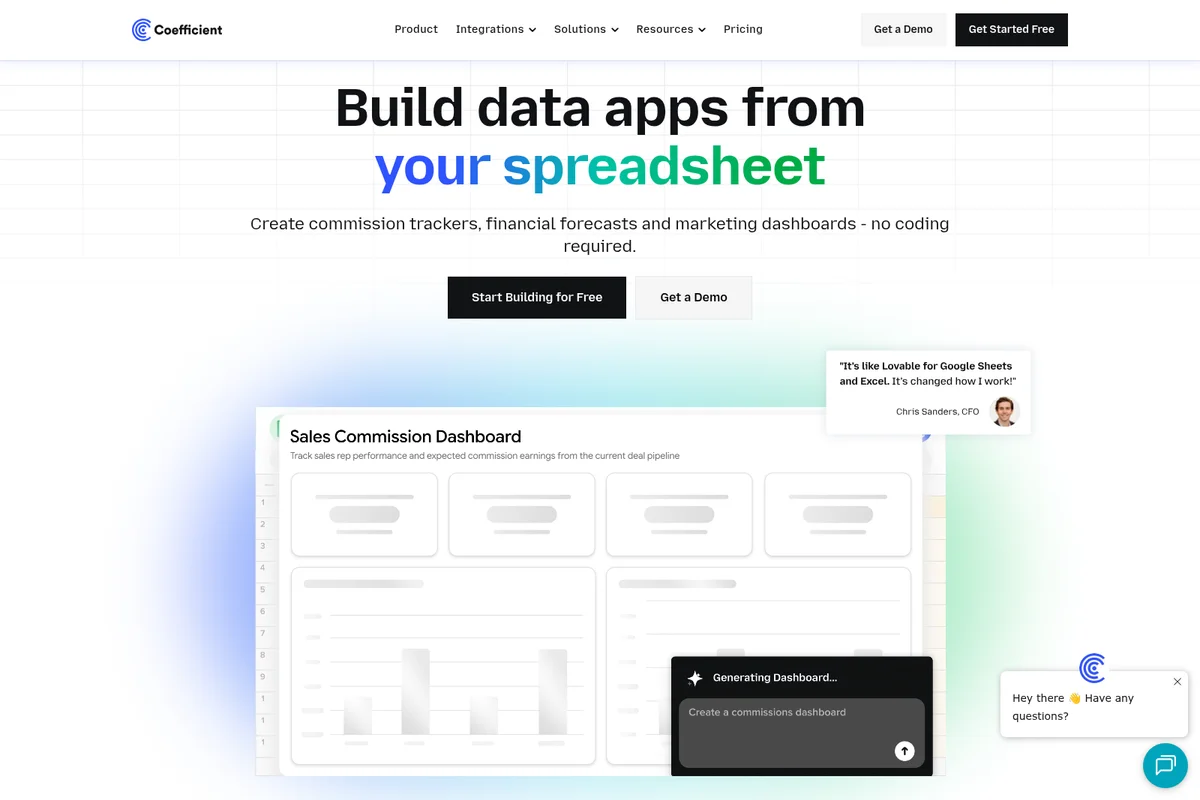
Transform your spreadsheets into powerful data apps and interactive dashboards.
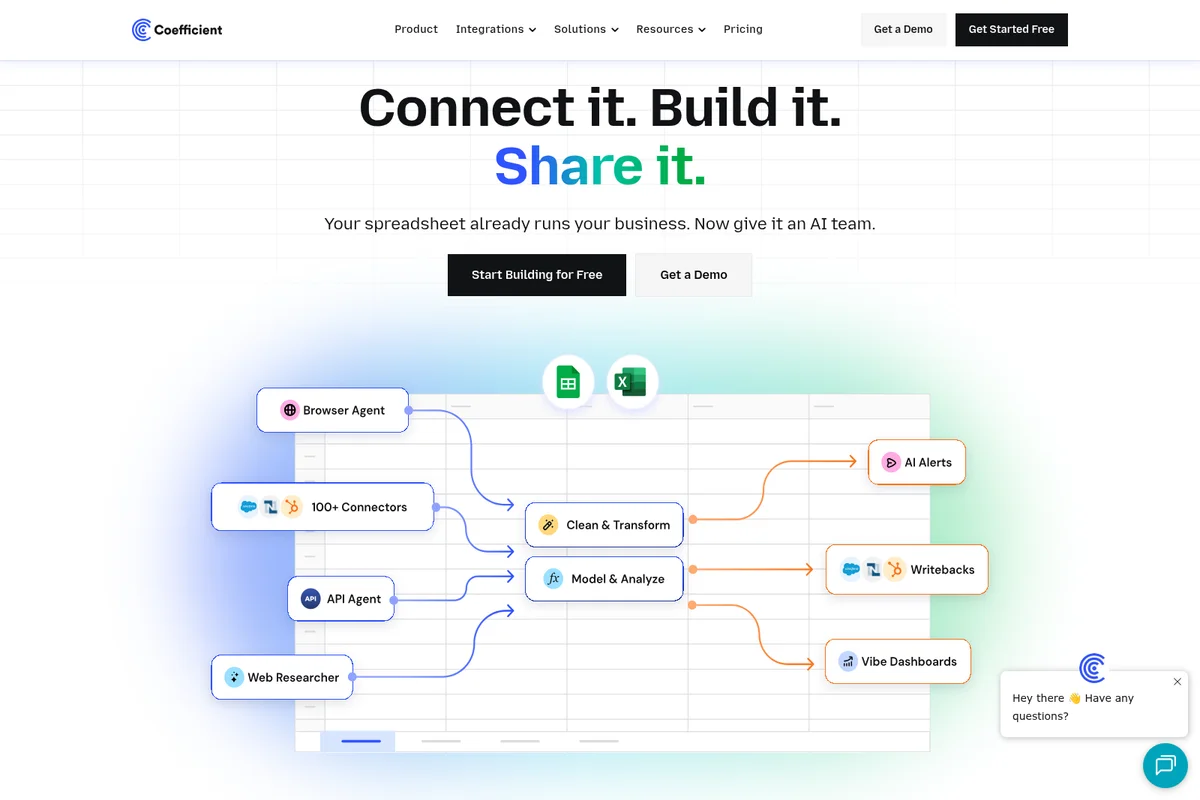
Automate data connections, transformations, and alerts in your spreadsheets.
Coefficient Review: Tooliverse Consensus


Based on 1k+ verified reviews across 5 platforms,
combined with Tooliverse's expert analysis
Coefficient transforms spreadsheets into live data hubs by syncing over 100 sources including Salesforce, HubSpot, and Snowflake directly into Google Sheets and Excel, eliminating manual exports that waste hours weekly. The zero-code interface and pre-built templates make sophisticated automation accessible to non-technical teams, while two-way sync and automated refresh deliver reliability that earns sustained use. Performance can lag with very large datasets, and pricing scales steeply for smaller teams, but the time savings justify the investment for operations, finance, and marketing teams drowning in manual reporting.
Bottom line: A leading spreadsheet automation platform that eliminates manual data exports and keeps dashboards current without breaking your workflow, though teams processing massive datasets may hit performance limits.
Coefficient | Key Specs
- Platforms
- Web, macOS, Windows (Google Sheets & Excel)
- Pricing Model
- Freemium ($0-99/user/month) See plans
- Privacy/Data Use
- Data imports never stored on servers, opt-in Cloud Datasets
- Security
- SOC 2 Type 2, Custom SSO, End-to-end encryption See details
Wins
- •Seamlessly syncs live Salesforce and HubSpot data directly into spreadsheetsmentioned in 245 reviews
- •Automates repetitive reporting tasks, saving teams hours of manual entrymentioned in 212 reviews
- •Offers an incredibly user-friendly interface that requires zero coding knowledgementioned in 189 reviews
Watch-Outs
- •Pricing can become expensive for smaller teams as data needs scalementioned in 89 reviews
- •Occasional performance lag when processing very large datasets in Google Sheetsmentioned in 64 reviews
- •Initial setup for specific custom SQL connectors can be slightly complexmentioned in 42 reviews
Coefficient Features 2026
100+ Pre-Built Data Connectors
Connect to CRM (Salesforce, HubSpot, Pipedrive), accounting (QuickBooks, NetSuite, Xero), databases (Snowflake, BigQuery, PostgreSQL), marketing (Google Ads, Facebook Ads, GA4), and 100+ other sources without writing code.
Two-Way Data Sync (Writeback)
Edit data in spreadsheets and automatically write changes back to source systems like Salesforce, QuickBooks, and HubSpot—eliminating manual data entry.
AI-Powered SQL Query Builder
Generate SQL queries using natural language prompts—no SQL knowledge required. Connect to databases and pull custom datasets by describing what you need.
Custom API Connector Builder
Build custom connectors for internal tools, external APIs, and MCP servers using AI—no engineering team required.
Coefficient User Reviews
Selected Reviews
"The HubSpot integration is seamless. It pulled all our custom fields without any issues, which other tools struggled with."
"The automated refresh feature is a lifesaver for our weekly executive dashboards. It just works in the background."

"Great product, but the free tier is very restrictive if you want to test it with real volume before committing."
More from the Community
"Coefficient has completely changed how we handle our Salesforce data. No more manual CSV exports every morning."
"It's great for basic syncing, but I wish the pricing was a bit more transparent for mid-sized teams as we scale."
"Setting up the SQL connection was a bit finicky at first, but support was very responsive and got us sorted."
"I love that I can write SQL directly in my sheet and have it update automatically. No more stale data."
"A bit of a learning curve for the more advanced features, but the templates help a lot for quick wins."
"Coefficient has completely changed how we handle our Salesforce data. No more manual CSV exports every morning."
"It's great for basic syncing, but I wish the pricing was a bit more transparent for mid-sized teams as we scale."
"Setting up the SQL connection was a bit finicky at first, but support was very responsive and got us sorted."
"I love that I can write SQL directly in my sheet and have it update automatically. No more stale data."
"A bit of a learning curve for the more advanced features, but the templates help a lot for quick wins."
"Powerful tool, though it can slow down the sheet if you have too many live imports running at once. Needs optimization."
"Finally, a way to get live data into Excel without needing a developer to build a custom API for every report."
"The Slack alerts for data changes are a game changer for our sales ops team. We catch errors instantly now."
"Saved me at least 5 hours a week on manual reporting. Worth every penny for the time it gives back."
"Powerful tool, though it can slow down the sheet if you have too many live imports running at once. Needs optimization."
"Finally, a way to get live data into Excel without needing a developer to build a custom API for every report."
"The Slack alerts for data changes are a game changer for our sales ops team. We catch errors instantly now."
"Saved me at least 5 hours a week on manual reporting. Worth every penny for the time it gives back."
Coefficient Pricing 2026
View SourceThe free tier with 3 data sources and 5,000-row imports is enough to test whether live Salesforce or HubSpot sync solves your reporting headache, but Pro at $99 per user monthly is where most teams land: 6 data sources, unlimited row imports, and 5,000 monthly refreshes cover the automation needs for sales ops, finance, and marketing teams without constant limit anxiety. Starter at $49 monthly offers a middle ground with daily auto-refresh, though the single-user restriction means any collaboration immediately requires Pro. Enterprise pricing unlocks unlimited refreshes and admin controls for larger deployments.
Coefficient In-Depth Review 2026

Coefficient connects Google Sheets and Excel to over 100 live data sources including Salesforce, HubSpot, Snowflake, QuickBooks, and Google Analytics. It runs as an add-on within the spreadsheet applications teams already use daily, eliminating the need to learn yet another BI platform. The data flows directly into familiar rows and columns, refreshes automatically on schedules you set, and stays current without manual intervention. What makes it different is the depth of integration: this isn't a clunky export tool, it's live two-way sync that lets you edit data in your sheet and write changes back to source systems.
What It's Like Day-to-Day
The experience centers on eliminating friction rather than adding features. You install the add-on, authenticate your data sources through OAuth, and select what you want to import using pre-built templates or custom queries. The interface feels native to Sheets and Excel because it is—no separate dashboard to learn, no context switching. As one G2 reviewer put it, Coefficient "completely changed how we handle our Salesforce data" by removing the morning ritual of manual CSV exports entirely.
The automated refresh schedules are where the time savings compound.
Coefficient Security & Compliance
Verified Compliance
- SOC 2 Type 2
- Google Workspace Marketplace Certified
- Microsoft AppSource Certified
Security Features
- End-to-end encryption for all credentials (OAuth tokens, API keys, passwords)
- Custom SSO (Okta, Azure AD, Google Workspace, OneLogin)
- AWS-hosted backend with VPC security groups
- Routine penetration and vulnerability testing
- Admin controls with centralized visibility
Privacy Commitments
- Data imports never stored on Coefficient servers (Data Connectors)
- Cloud Datasets storage is opt-in only and can be disabled via Admin Controls
- Adheres to Google and Microsoft security protocols
Coefficient: Frequently Asked Questions (FAQs)
How do I install Coefficient?
Click 'Get Started Free' and enter your email. For Google Sheets, install the add-on from the 'Getting Started with Coefficient' spreadsheet, then open Extensions > Coefficient > Launch. For Excel, click 'Get It Now' on Microsoft AppSource, then access the Coefficient tab in your Excel ribbon.
Do you offer a free trial, and how long is it?
Yes, Coefficient offers a full-featured 30-day free trial on the Pro plan. After the trial, you can upgrade to any paid plan or automatically enter the free plan.
What's included in the Free plan?
The Free plan includes data imports from 3 data sources (up to 5,000 rows), 1 account per source, 50 import refreshes per month, manual refresh only, 100-row data exports, 30 alerts per month, and 10,000 lifetime OpenAI API calls. Automations like automatic refreshes require a paid plan.
How do you secure my data?
Coefficient is SOC 2 Type 2 certified and adheres to Google and Microsoft security protocols. Data imports using Data Connectors are never stored on Coefficient servers. All credentials are encrypted end-to-end (OAuth tokens, API keys, passwords). The backend is hosted on AWS with security groups ensuring components are not publicly accessible. Routine penetration and vulnerability testing is performed.
Coefficient Integrations
| Salesforce | HubSpot | Pipedrive |
| Zoho | Intercom | NetSuite |
| QuickBooks | Xero | Chargebee |
| Sage Intacct | Stripe | Snowflake |
| BigQuery | Redshift | MySQL |
| PostgreSQL | SQL Server | Databricks |
| Looker | Tableau | Google Analytics 4 |
| Google Search Console | Facebook Ads | Mailchimp |
| LinkedIn Ads | Google Ads | Airtable |
| Notion | Jira | Asana |
| Trello | ClickUp | Shopify |
| WooCommerce | Shiprocket | Gong |
| Slack | Okta | Azure AD |
| Google Workspace | OneLogin |
Coefficient: Verified Data Sheet
| # | Label | Data Point |
|---|---|---|
| [1] | Coefficient Consensus: 9.10/10 | Coefficient is one of the highest-rated AI productivity tools in the Tooliverse index, with a consensus score of 9.10/10 across 1,100 verified reviews. |
| [2] | What is Coefficient | Coefficient is a SOC 2 Type 2 certified spreadsheet automation platform that connects Google Sheets and Excel to 100+ live data sources including Salesforce, Snowflake, and QuickBooks. The platform serves 700,000+ users across 50,000+ companies with pricing starting at $49/month. |
| [3] | Tooliverse Consensus on Coefficient | Coefficient transforms spreadsheets into live data hubs by syncing over 100 sources including Salesforce, HubSpot, and Snowflake directly into Google Sheets and Excel, eliminating manual exports that waste hours weekly. The zero-code interface and pre-built templates make sophisticated automation accessible to non-technical teams, while two-way sync and automated refresh deliver reliability that earns sustained use. Performance can lag with very large datasets, and pricing scales steeply for smaller teams, but the time savings justify the investment for operations, finance, and marketing teams drowning in manual reporting. |
| [4] | Coefficient Verdict | Coefficient bottom line: A leading spreadsheet automation platform that eliminates manual data exports and keeps dashboards current without breaking your workflow, though teams processing massive datasets may hit performance limits. |
| [5] | Free: Free | Coefficient offers a functional Free tier with 3 Data Sources and 1 Account per source, making spreadsheet automation accessible at no cost. |
| [6] | Live Salesforce and HubSpot sync | Coefficient seamlessly syncs live Salesforce and HubSpot data directly into spreadsheets, eliminating manual CSV exports according to 245 user reviews validating this capability. |
| [7] | Automates reporting, saves hours | Coefficient automates repetitive reporting tasks and saves teams hours of manual data entry, with 212 user reviews confirming significant time savings in daily workflows. |
| [8] | Zero-code interface | Coefficient offers an incredibly user-friendly interface requiring zero coding knowledge, validated by 189 user reviews praising its accessibility for non-technical teams. |
| [9] | Real-time dashboard updates | Coefficient enables real-time data refreshes that keep dashboards constantly up to date, with 167 user reviews highlighting automated synchronization as a core strength. |
| [10] | Pro: $99/user/month | Coefficient Pro empowers users with 6 Data Sources for just $99/user monthly, significantly expanding on the free tier's capabilities. |
| [11] | Pricing scales steeply for small teams | Coefficient pricing can become expensive for smaller teams as data needs scale, a concern raised in 89 user reviews about cost management. |
| [12] | Large dataset performance lag | Coefficient may experience occasional performance lag when processing very large datasets in Google Sheets, reported in 64 user reviews noting slowdowns with high-volume imports. |
| [13] | Privacy: Data imports never stored on Coefficient servers (Data Connectors) | Coefficient privacy protections include Data imports never stored on Coefficient servers (Data Connectors), Cloud Datasets storage is opt-in only and can be disabled via Admin Controls, and Adheres to Google and Microsoft security protocols. |
| [14] | Enterprise: End-to-end encryption for all credentials (OAuth tokens, API keys, passwords) | Coefficient provides enterprise security with End-to-end encryption for all credentials (OAuth tokens, API keys, passwords), Custom SSO (Okta, Azure AD, Google Workspace, OneLogin), and AWS-hosted backend with VPC security groups. |
| [15] | Eliminates manual Salesforce exports | Coefficient "completely changed how we handle our Salesforce data" and eliminated manual CSV exports every morning, according to a verified G2 reviewer. |
Best Coefficient Alternatives

Quadratic
Connect your data, ask AI, and get powerful, shareable, and repeatable code-based spreadsheets.
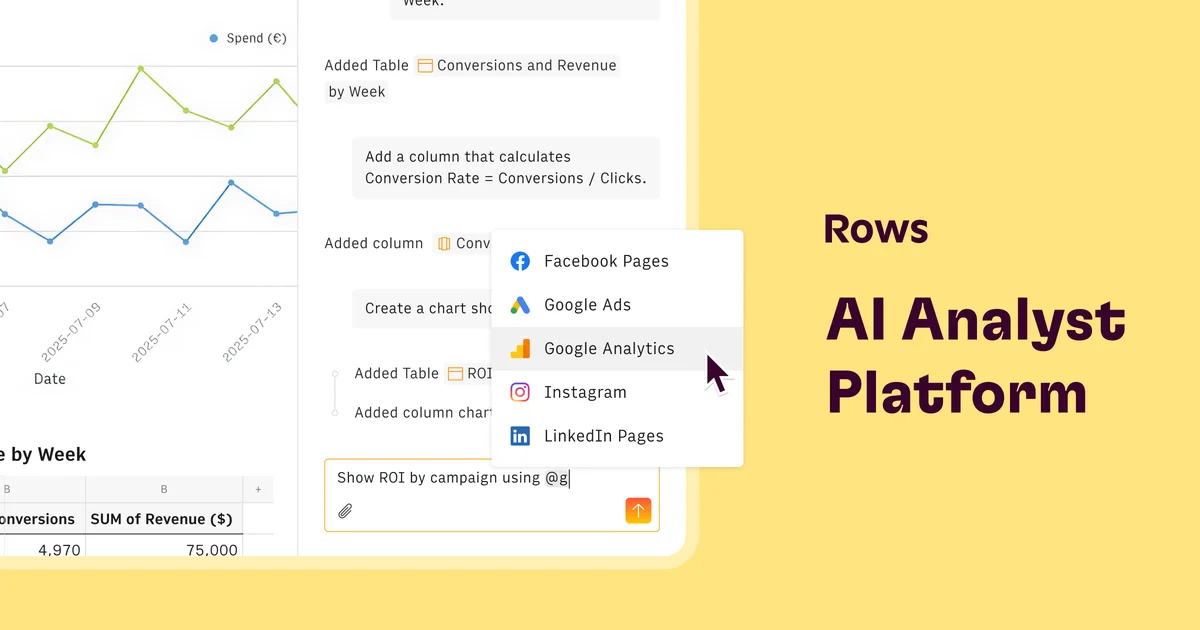
Rows
Turn spreadsheets into powerful data tools with AI—no coding required.

Cube
Transform financial planning and analysis with AI-powered intelligence that works where you already work.