
D5 Render Review 2026 - AI Rendering Platform
Verified Jun 10, 2026 by Tooliverse Editorial
D5 Render combines real-time path tracing with AI automation to transform architectural visualization. From SketchUp sync to 4K animations, 3M+ professionals use it to cut rendering time from hours to seconds while maintaining offline-quality results.
How to batch set your building facades in one click | Procedural Building | D5 Render
AI Rendering Inside D5 Render 3.0 | Architecture Visualization Tutorial

Showcases D5 Render's real-time rendering capabilities for complex architectural designs and lush natural environments.
Experience an unbroken, AI-driven workflow from concept to final render.

Showcase stunning architectural visualization with realistic lighting and environments.

Achieve stunning photorealistic natural environments with dynamic water effects.
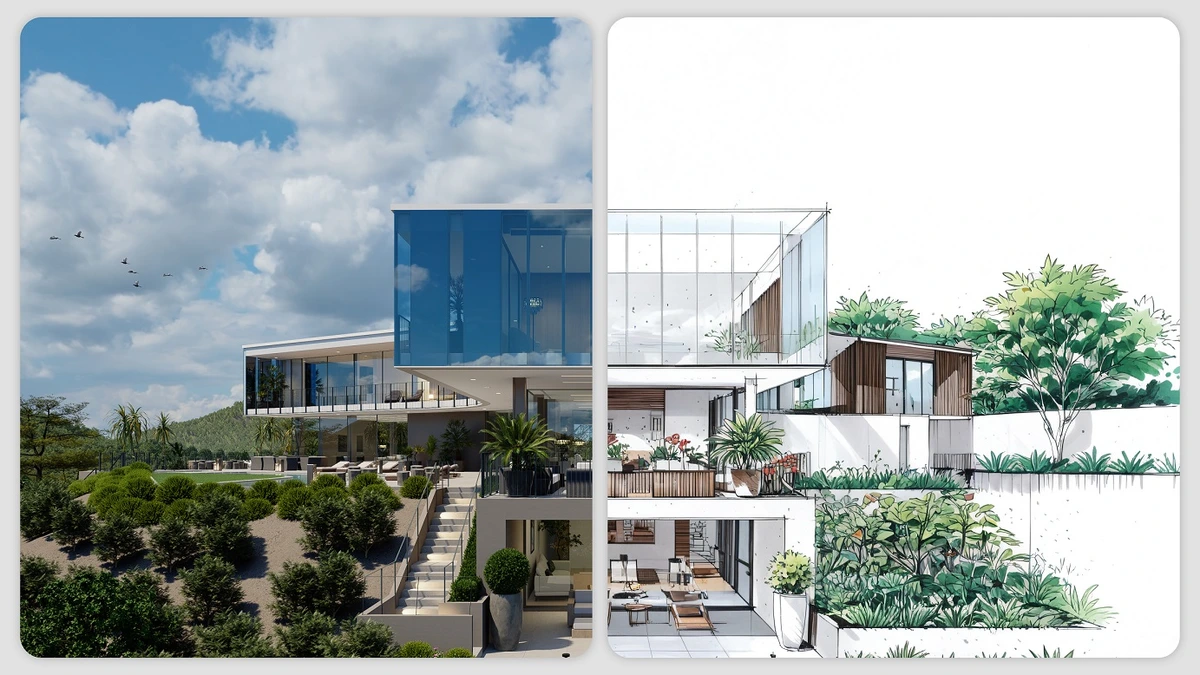
Seamlessly transition from architectural concept to stunning photorealistic visualization.
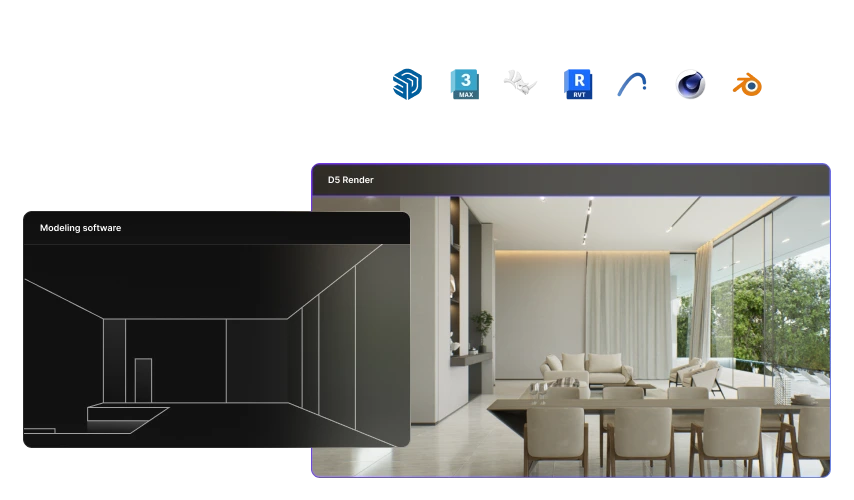
Transform basic 3D models into stunning, lifelike renders with D5 Render.
D5 Render Review: Tooliverse Consensus


Based on 389 verified reviews across 4 platforms,
combined with Tooliverse's expert analysis
D5 Render delivers on the long-standing promise of real-time architectural visualization by combining path-traced quality with 60 FPS performance, eliminating the traditional wait between design changes and photorealistic feedback. The LiveSync integration across eight major CAD platforms and AI-powered atmosphere generation compress multi-day rendering projects into same-day turnarounds, validated by professionals who report transformed client meeting workflows. The hardware demands are substantial, requiring high-end NVIDIA RTX cards, and stability issues emerge with complex scenes, but the speed-quality combination represents a genuine shift in how architectural visualization gets done.
Bottom line: A leading real-time renderer that finally delivers path-traced quality without the wait, though you'll need serious GPU hardware and should temper expectations for complex animation work.
D5 Render | Key Specs
- Platforms
- Windows, macOS
- Pricing Model
- Freemium ($0-59/mo) See plans
- Max Image Resolution
- 16K
- Max Video Resolution
- 4K (Community/Pro), 8K (Teams)
Wins
- •Delivers stunning real-time ray tracing that significantly reduces rendering wait timesmentioned in 156 reviews
- •Provides a massive, high-quality asset library that streamlines the architectural visualization processmentioned in 142 reviews
- •Integrates flawlessly with major CAD software like SketchUp and Revit for smooth workflowsmentioned in 128 reviews
Watch-Outs
- •Requires high-end NVIDIA RTX graphics cards to function effectively at peak performancementioned in 84 reviews
- •Experiences occasional stability issues and crashes when handling extremely large or complex scenesmentioned in 62 reviews
- •Offers limited advanced animation and keyframing tools compared to dedicated motion softwarementioned in 45 reviews
D5 Render Features 2026
Real-time Path Tracing
Self-developed real-time path tracing for global illumination calculates ray bounces and caches results to world space, delivering photorealistic quality at 60 FPS without offline rendering waits.
LiveSync Workflow Integration
Real-time synchronization with SketchUp, 3ds Max, Rhino, Revit, Archicad, Blender, Cinema 4D, and Vectorworks. Model and material changes sync instantly into D5 without re-importing.
AI SmartPlanting Agent
Generates site-specific planting designs using extensive plant database and climate models based on location and preferences, automating landscape design workflows.
XR Tour with 3D Gaussian Splatting
Converts rendered scenes into explorable 3D spaces using 3D Gaussian Splatting technology, accessible in any browser without plugins for immersive client presentations.
D5 Render User Reviews
Selected Reviews
"Flawless integration with SketchUp. The sync is fast and I haven't had any issues with geometry disappearing or textures not loading correctly."
"Incredible tool. The learning curve is almost zero if you've used any other 3D software before. Highly recommended for quick turnarounds."
"I've been using it for 6 months now. The speed is unmatched, but it does crash occasionally on my 3080 when I have too many high-poly trees in the scene."
More from the Community
"D5 has completely changed my workflow. The real-time feedback is incredible for client meetings."
"The asset library is the best in the business, but I wish the grass tool was more optimized for large landscapes and complex terrains."
"Great for stills, but the video animation pathing is still a bit clunky compared to Lumion. It needs better keyframe control and smoother transitions."
"The AI atmosphere tool is a lifesaver. It creates realistic lighting in seconds which used to take me hours in V-Ray or Corona."
"It's a powerful tool for the price, but the stability on large projects needs work. I've lost progress twice this week due to unexpected crashes."
"D5 has completely changed my workflow. The real-time feedback is incredible for client meetings."
"The asset library is the best in the business, but I wish the grass tool was more optimized for large landscapes and complex terrains."
"Great for stills, but the video animation pathing is still a bit clunky compared to Lumion. It needs better keyframe control and smoother transitions."
"The AI atmosphere tool is a lifesaver. It creates realistic lighting in seconds which used to take me hours in V-Ray or Corona."
"It's a powerful tool for the price, but the stability on large projects needs work. I've lost progress twice this week due to unexpected crashes."
"The new 2.9 update is fantastic. The caustic effects are finally looking professional and the UI is cleaner than ever before."
"Best real-time renderer for architects. The price is fair and the community assets are top-tier for high-end visualization."
"I love the speed, but the subscription model is starting to get expensive for a small studio like mine compared to perpetual licenses."
"The displacement maps look great, but they really eat up VRAM. Make sure you have at least 12GB to avoid performance issues."
"The new 2.9 update is fantastic. The caustic effects are finally looking professional and the UI is cleaner than ever before."
"Best real-time renderer for architects. The price is fair and the community assets are top-tier for high-end visualization."
"I love the speed, but the subscription model is starting to get expensive for a small studio like mine compared to perpetual licenses."
"The displacement maps look great, but they really eat up VRAM. Make sure you have at least 12GB to avoid performance issues."
D5 Render Pricing 2026
View SourceThe Community tier is genuinely useful for students and personal projects with full rendering capability and 16K output, but any commercial work requires Pro at $30/month. That's the tier most professionals need: unlimited AI features, the full 16,000-asset library, and VR walkthrough support that justifies the cost if you're currently paying for traditional rendering subscriptions. Teams at $59/month per seat makes sense once you have multiple people working on shared projects and need the collaboration tools to prevent version chaos.
D5 Render In-Depth Review 2026

The real-time rendering platform runs on Windows and delivers path-traced quality at 60 FPS, letting architects and designers see photorealistic results the moment they make a change. LiveSync plugins connect directly to SketchUp, Revit, Rhino, and five other major CAD platforms, so model updates flow into D5 instantly without re-importing. The 16,000-asset library and AI automation tools handle the tedious work of populating scenes and generating atmospheric effects, compressing what used to be multi-day projects into same-day turnarounds.
What It's Like Day-to-Day
The real-time feedback loop changes how you work with clients. Adjust the time of day, swap materials, reposition the camera, and the photorealistic result updates immediately. As one Reddit reviewer put it, D5 has "completely changed my workflow" with real-time feedback that is "incredible for client meetings." Instead of presenting static renderings and hoping you guessed the client's preferences correctly, you iterate together in the room until everyone agrees.
The AI atmosphere tool deserves specific mention because it solves a problem that used to consume hours: realistic lighting setup.
D5 Render Security & Compliance
Security Features
- SAML SSO
D5 Render: Frequently Asked Questions (FAQs)
How do I get an invoice for my D5 subscription?
Go to Myspace > Billing to download your invoice directly from your account dashboard.
Can D5 Pro be upgraded to D5 for Teams?
Yes, D5 Pro can be upgraded to D5 for Teams. Contact D5 sales for upgrade information, or reach out to your team admin if your organization already has D5 for Teams activated.
What am I allowed to do with D5 Community license?
D5 Community license is designed for non-commercial purposes only, such as learning, personal projects, and evaluation. Any commercial, revenue-generating, or professional work requires a D5 Pro license.
Do I need to pay twice for advanced features in D5 Lite and D5 Render?
No, a single D5 Pro license unlocks all premium features (AI tools, Pro assets) in both D5 Lite and D5 Render, plus discounts on D5 Works paid assets.
D5 Render Integrations
| SketchUp | Revit | Rhino |
| 3ds Max | Archicad | Blender |
| Cinema 4D | Vectorworks |
D5 Render: Verified Data Sheet
| # | Label | Data Point |
|---|---|---|
| [1] | D5 Render Consensus: 9.10/10 | D5 Render is one of the highest-rated AI design tools in the Tooliverse index, with a consensus score of 9.10/10 across 389 verified reviews. |
| [2] | What is D5 Render | D5 Render, operated by Dimension 5, is a real-time rendering platform for architecture, interior, and landscape visualization using proprietary path tracing and AI automation. The platform serves 3M+ professionals worldwide with pricing starting at $30/month. |
| [3] | Tooliverse Consensus on D5 Render | D5 Render delivers on the long-standing promise of real-time architectural visualization by combining path-traced quality with 60 FPS performance, eliminating the traditional wait between design changes and photorealistic feedback. The LiveSync integration across eight major CAD platforms and AI-powered atmosphere generation compress multi-day rendering projects into same-day turnarounds, validated by professionals who report transformed client meeting workflows. The hardware demands are substantial, requiring high-end NVIDIA RTX cards, and stability issues emerge with complex scenes, but the speed-quality combination represents a genuine shift in how architectural visualization gets done. |
| [4] | D5 Render Verdict | D5 Render bottom line: A leading real-time renderer that finally delivers path-traced quality without the wait, though you'll need serious GPU hardware and should temper expectations for complex animation work. |
| [5] | SAML SSO for enterprise security | D5 Render provides enterprise security with SAML SSO for Teams and Enterprise tiers. |
| [6] | Community: Free | D5 Render provides a functional Community tier with unlimited projects and LiveSync workflow integrations, making AI tools accessible at no cost for non-commercial use. |
| [7] | Real-time ray tracing eliminates wait times | D5 Render delivers stunning real-time ray tracing that significantly reduces rendering wait times, validated as a workflow game-changer by 156 user reviews. |
| [8] | 16,000+ asset library streamlines workflow | D5 Render provides a massive, high-quality asset library with 16,000+ render-ready models that streamlines the architectural visualization process, according to 142 user reviews. |
| [9] | Flawless CAD integration across 8 platforms | D5 Render integrates flawlessly with major CAD software including SketchUp, Revit, Rhino, 3ds Max, Archicad, Blender, Cinema 4D, and Vectorworks for smooth workflows, validated by 128 user reviews. |
| [10] | Pro: $30/month | Dimension 5's D5 Render Pro empowers users with All Community features for just $30 monthly, significantly expanding on the free tier's capabilities. |
| [11] | Beginner-friendly interface, pro results | D5 Render features an incredibly user-friendly interface that allows beginners to produce professional-quality results, according to 115 user reviews. |
| [12] | Requires NVIDIA RTX for peak performance | D5 Render requires high-end NVIDIA RTX graphics cards to function effectively at peak performance, a hardware limitation noted in 84 user reviews. |
| [13] | Stability issues with complex scenes | D5 Render experiences occasional stability issues and crashes when handling extremely large or complex scenes, according to 62 user reports. |
| [14] | Enterprise: SAML SSO | D5 Render provides enterprise security with SAML SSO. |
| [15] | Real-time feedback transforms client meetings | D5 Render "completely changed my workflow" with real-time feedback that is "incredible for client meetings," according to a verified Reddit reviewer. |
Best D5 Render Alternatives

Rendair AI
Transform sketches, 3D models, and floor plans into photorealistic architectural renders in seconds with AI.

Spacely AI
Turn sketches into photorealistic renders in under 60 seconds—no modeling skills required.
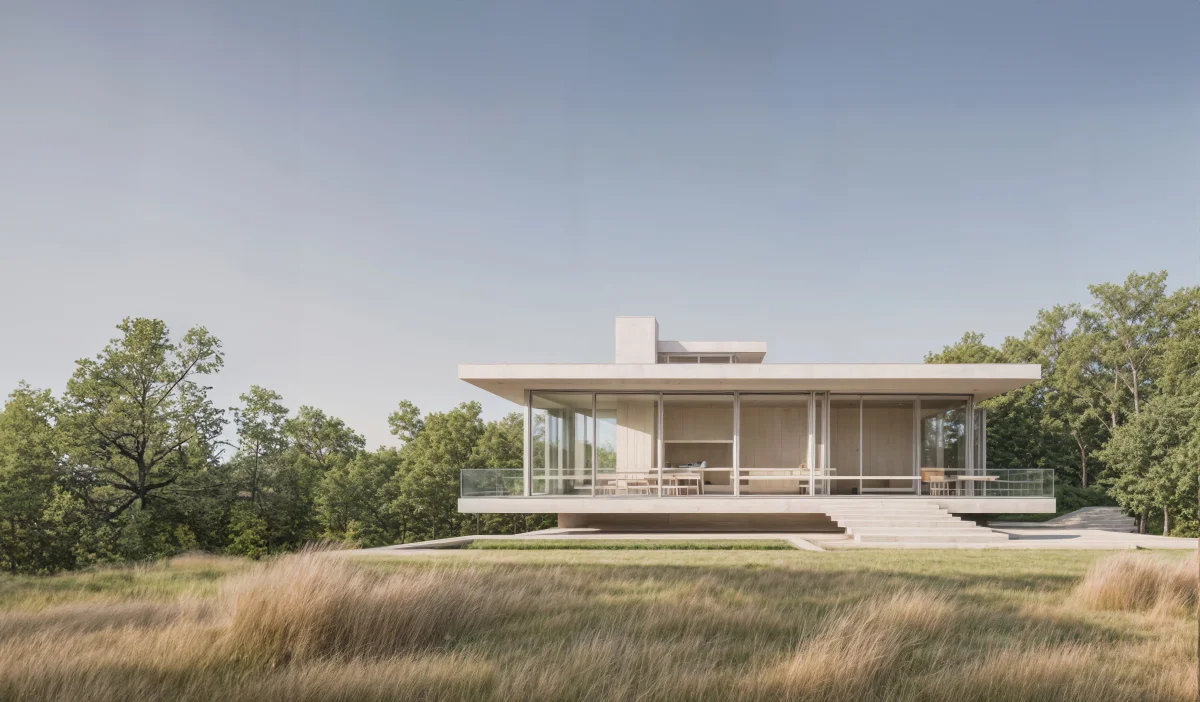
Visoid
Transform 3D models and sketches into photorealistic architectural visualizations in minutes with AI.