
Visoid Review 2026 - AI Architect Renders
Verified Oct 21, 2026 by Tooliverse Editorial
Visoid lets architects render concept sketches, SketchUp or Revit models into client-ready visuals in minutes. Built by architects, it cuts visualization time by up to 90% and needs no texture libraries.
How to render your design in Visoid - step by step
VISOID AI Its Good!
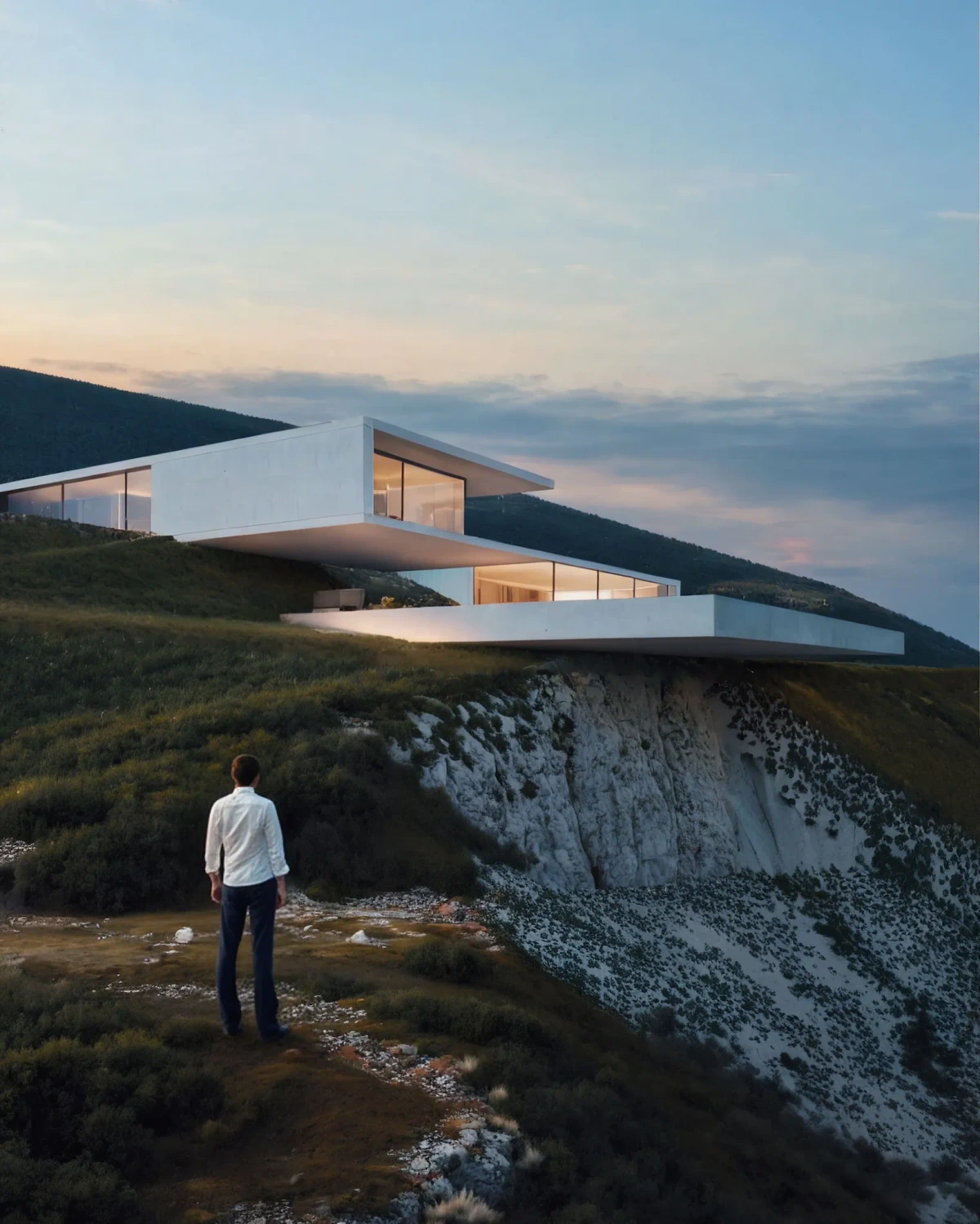
Visualize your architectural designs with stunning photorealistic detail and dramatic landscapes.
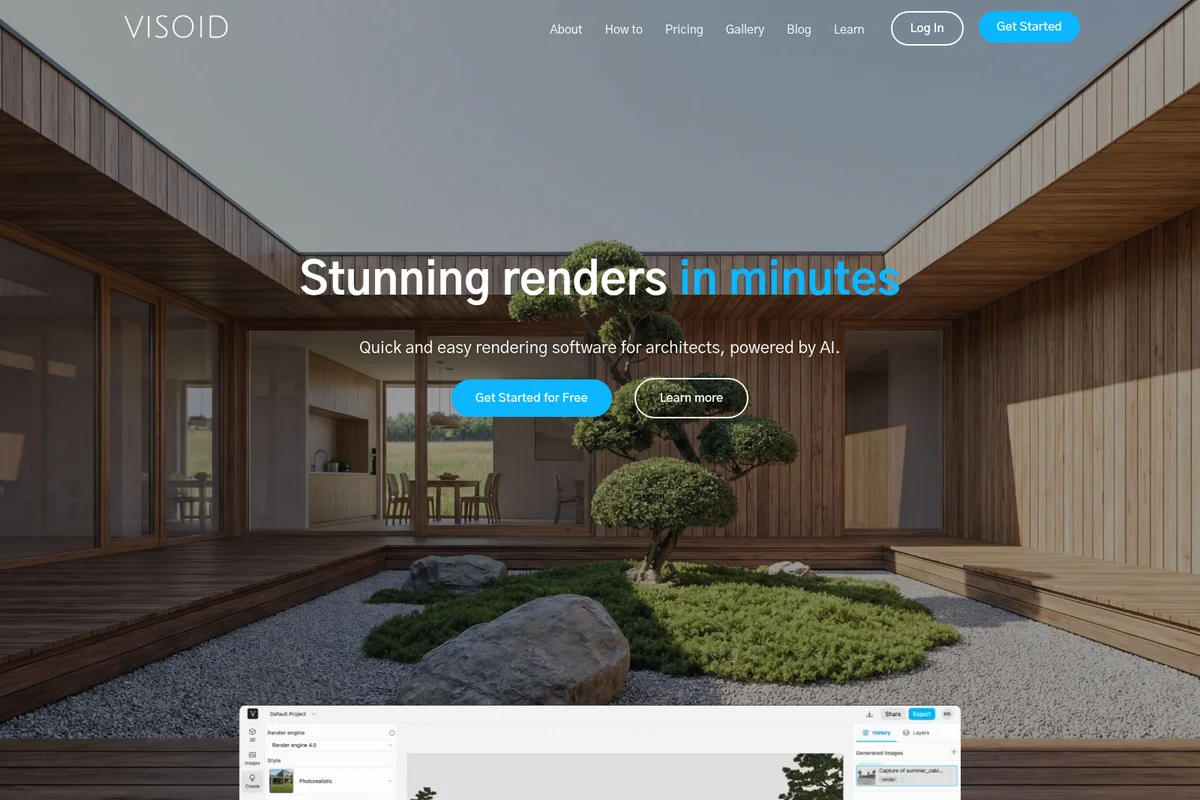
Generate stunning photorealistic architectural renders in minutes with AI.
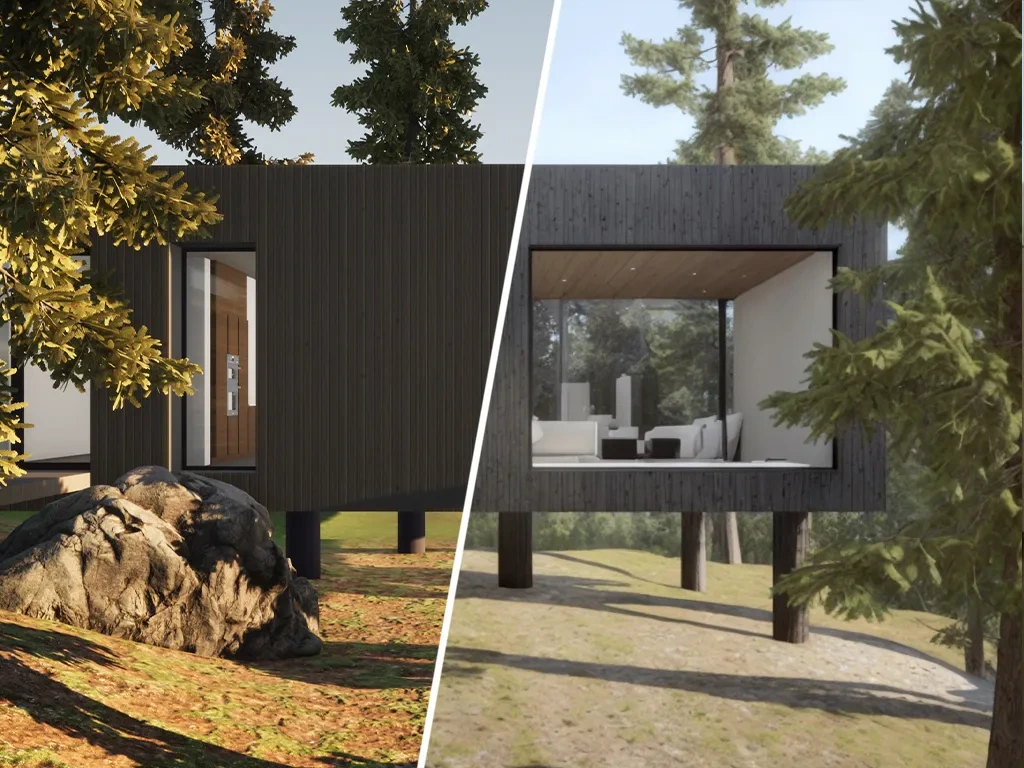
Visualize architectural projects in stunning photorealism and explore different design options.
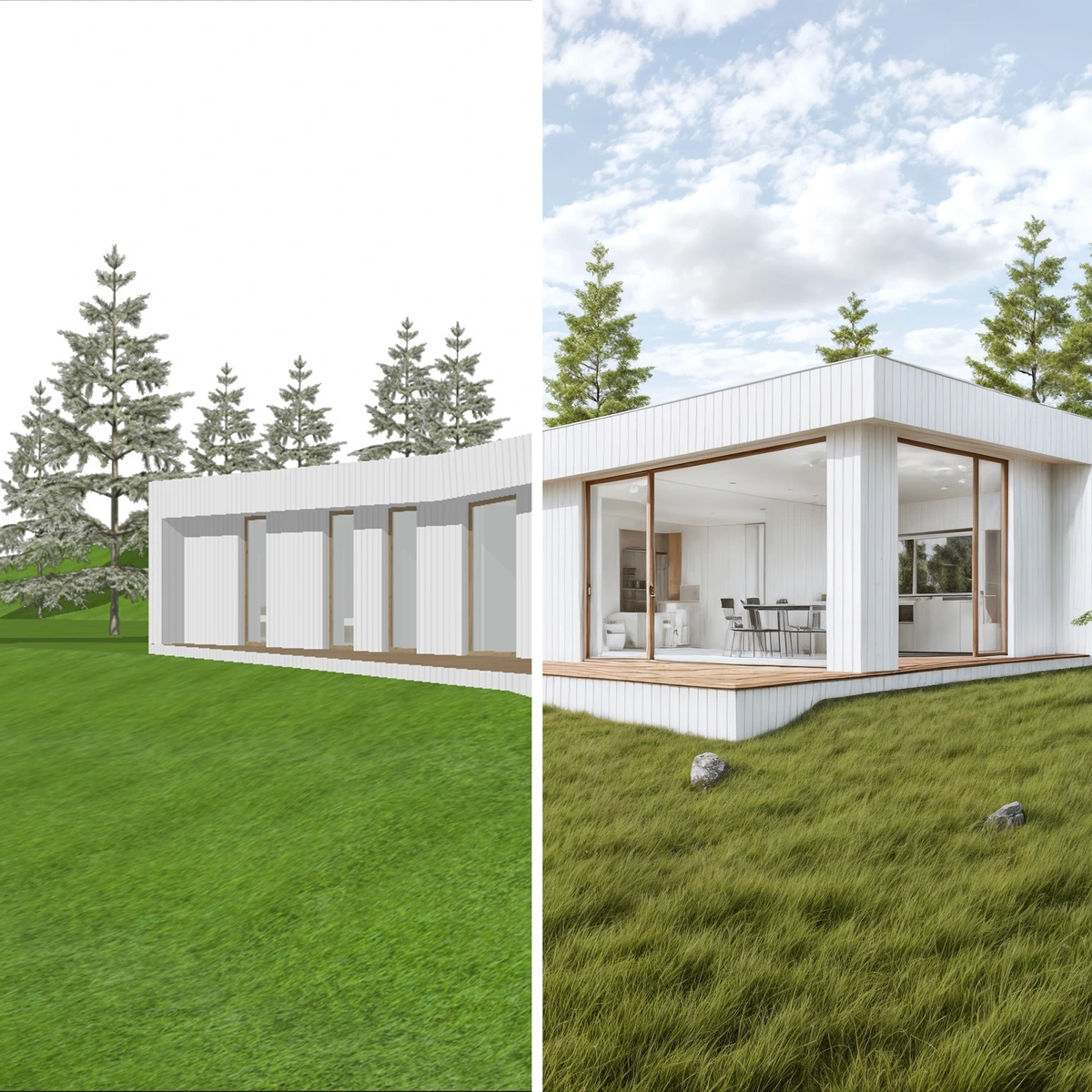
Transform 3D models into stunning photorealistic architectural visualizations.

Explore photorealistic architectural visualizations with advanced rendering capabilities.

Visualize your architectural designs with stunning photorealism.

Visualize architectural designs with photorealistic rendering capabilities.
Visoid Review: Tooliverse Consensus


Based on 202 verified reviews across 4 platforms,
combined with Tooliverse's expert analysis
Visoid turns CAD models and sketches into photorealistic concept renders in seconds, and its Revit, SketchUp and Archicad add-ons keep the geometry faithful to the original design. Speed and a no-expertise interface are the headline strengths, with cloud processing letting low-end laptops handle high-resolution output. The costs are credit-based pricing that stings in heavy project cycles, a free tier capped at 1K, and thin team feedback tools. It works best as a concept-stage accelerator, while final marketing polish still happens elsewhere.
Bottom line: A top-tier concept-stage renderer that delivers faithful, near-instant visuals from CAD models, though credit costs climb on heavy projects and final-polish control still sends some users back to traditional engines.
Visoid | Key Specs
- Platforms
- Web (browser-based), API
- Pricing Model
- Freemium ($0-79/mo, Team from $59/user) See plans
- Privacy/Data Use
- Uploaded and rendered images only accessible by user
- Security
- SSO (Enterprise), centralized access management See details
Wins
- •Transforms 3D models into photorealistic renders in secondsmentioned in 84 reviews
- •Integrates seamlessly with major CAD software like Revit and SketchUpmentioned in 72 reviews
- •Features an intuitive interface that requires zero rendering expertisementioned in 65 reviews
Watch-Outs
- •Credit-based pricing can become expensive during heavy project cyclesmentioned in 38 reviews
- •Lacks collaborative features for team-based review and feedbackmentioned in 32 reviews
- •Requires a well-prepared 3D model to achieve optimal resultsmentioned in 27 reviews
Visoid Features 2026
Concept-stage rendering
Render massing, volume studies and first sketches to see where a design is going early in the process.
Moodboard to render
Use reference images (e.g. from Pinterest) to apply a visual style to your own design.
Site-context rendering with Google Maps
Place your model on the real site and render it in its actual surroundings.
CAD/BIM add-ons
Plugins for SketchUp, Revit, Archicad and Miro send views straight to Visoid; Rhino is coming soon.
Visoid User Reviews
Selected Reviews
"Visoid's biggest flex is its speed. Upload a 3D model from software like SketchUp, set a few basic parameters, and boom — high-quality renders appear faster than you can brew a coffee."
"Visoid is impressively streamlining architectural rendering. Its intuitive interface requires no prior expertise, making high-quality renders accessible to all users in our firm."
"I was playing around with Visoid. I'm not a rendering guy, but the results I got were passably decent with little effort. At least it wasn't putting rogue swimming pools everywhere."
More from the Community
"The results are beautiful, but the pricing is a bit steep for a small studio. I wish there was a pay-per-render option instead of just a high monthly subscription."
"It's a solid AI rendering platform with strong 3D model integration. However, it requires proper 3D model setup for best results, and the free tier is quite limited in resolution."
"Finally an AI tool that doesn't make buildings look like melting cakes. The geometry stays remarkably true to the original model, which is critical for client trust."
"The cloud processing is a lifesaver. I can run high-res renders on my MacBook Air without the fans even kicking in. No more overnight rendering sessions for concepts."
"Great for rapid iteration. I can show a client five different lighting scenarios in a single meeting. It's not a V-Ray killer yet, but it's close for early stages."
"The results are beautiful, but the pricing is a bit steep for a small studio. I wish there was a pay-per-render option instead of just a high monthly subscription."
"It's a solid AI rendering platform with strong 3D model integration. However, it requires proper 3D model setup for best results, and the free tier is quite limited in resolution."
"Finally an AI tool that doesn't make buildings look like melting cakes. The geometry stays remarkably true to the original model, which is critical for client trust."
"The cloud processing is a lifesaver. I can run high-res renders on my MacBook Air without the fans even kicking in. No more overnight rendering sessions for concepts."
"Great for rapid iteration. I can show a client five different lighting scenarios in a single meeting. It's not a V-Ray killer yet, but it's close for early stages."
"It's a powerful tool but lacks the fine-grained control I need for final marketing images. Good for internal reviews, but I still go back to 3ds Max for the final 5%."
"The speed is unmatched. We went from 3D model to client-ready visuals in under 10 minutes. Absolute game changer for competition deadlines."
"Impressive lighting quality. It captures the 'vibe' of a space much better than traditional engines do with default settings. Very intuitive UI."
"Visoid is the first AI tool that actually feels like it was built for architects, not just for making pretty pictures. The Revit plugin is seamless."
"It's a powerful tool but lacks the fine-grained control I need for final marketing images. Good for internal reviews, but I still go back to 3ds Max for the final 5%."
"The speed is unmatched. We went from 3D model to client-ready visuals in under 10 minutes. Absolute game changer for competition deadlines."
"Impressive lighting quality. It captures the 'vibe' of a space much better than traditional engines do with default settings. Very intuitive UI."
"Visoid is the first AI tool that actually feels like it was built for architects, not just for making pretty pictures. The Revit plugin is seamless."
Visoid Pricing 2026
View SourcePro at $15/month billed annually is the tier most architects should pick: it removes the watermark, adds 2k renders and video export, and its 500 credits cover steady concept work. The free plan's watermarked 1k output works only as a trial. Heavy competition periods push toward Premium at $39/month billed annually, mainly for 4K output and 2000 credits.
Visoid In-Depth Review 2026

Visoid is an AI rendering tool built by architects. It turns sketches, 3D models or screenshots into photorealistic images at the early design stage while keeping the concept intact. It runs in the browser with cloud processing, and add-ons for SketchUp, Revit, Archicad and Miro send views straight in, with a Rhino add-on listed as coming soon. Paid plans reach 4K, and you can feed in a Pinterest moodboard or place a model on its real site through Google Maps.
What It's Like Day-to-Day
The workflow is short. Users upload a model or push a view from the CAD add-on, set a few parameters such as season, time of day or reference style, and wait seconds instead of hours. Reviewers on Product Hunt describe going from model to client presentation in under ten minutes during competition crunches, and a design director on G2 says showing a client five lighting scenarios in a single meeting is now realistic. Watching a render finish while the coffee is still hot is a strange sensation for anyone raised on overnight V-Ray sessions.
Geometry fidelity is what architects keep returning to.
Visoid Security & Compliance
Security Features
- Single Sign-On (SSO) on Enterprise
- Centralized access management (Team)
Privacy Commitments
- Uploaded and rendered images are only accessible by the user
Visoid: Frequently Asked Questions (FAQs)
Does Visoid have a free plan?
Yes, Visoid offers a free plan at $0 with no credit card needed. It includes a personal single-user license, standard 1k resolution and a Visoid watermark.
How much does Visoid cost?
Visoid Pro costs $29/month ($15/month billed annually) and Premium costs $79/month ($39/month billed annually). Team starts from $59 per user per month billed annually, and Enterprise is custom.
Is there a discount for students and teachers?
Yes, Visoid offers an educational license at $19/month or $10/month billed annually, with 1000 credits/month and Premium features. It requires an educational email address and is for non-commercial use.
How is Visoid API pricing structured?
Visoid API pricing is usage-based, so you pay only for the resources you use.
Visoid Integrations
| SketchUp | Revit | Archicad |
| Rhino | Miro | Google Maps |
| Twinmotion | Enscape | |
| Lumion |
Visoid: Verified Data Sheet
| # | Label | Data Point |
|---|---|---|
| [1] | Visoid Consensus: 9.09/10 | Visoid is one of the highest-rated AI design tools in the Tooliverse index, with a consensus score of 9.09/10 across 202 verified reviews. |
| [2] | What is Visoid | Visoid is an AI rendering platform built by architects for fast architectural visualization from sketches and 3D models. It claims to cut visualization time by up to 90%, with pricing starting free and paid plans from $29/month. |
| [3] | Tooliverse Consensus on Visoid | Visoid turns CAD models and sketches into photorealistic concept renders in seconds, and its Revit, SketchUp and Archicad add-ons keep the geometry faithful to the original design. Speed and a no-expertise interface are the headline strengths, with cloud processing letting low-end laptops handle high-resolution output. The costs are credit-based pricing that stings in heavy project cycles, a free tier capped at 1K, and thin team feedback tools. It works best as a concept-stage accelerator, while final marketing polish still happens elsewhere. |
| [4] | Visoid Verdict | Visoid bottom line: A top-tier concept-stage renderer that delivers faithful, near-instant visuals from CAD models, though credit costs climb on heavy projects and final-polish control still sends some users back to traditional engines. |
| [5] | Free: Free | Visoid offers a functional Free tier with a Personal license for a single user and Standard resolution 1k, making AI tools accessible at no cost. |
| [6] | Photorealistic renders in seconds | Visoid transforms 3D models into photorealistic renders in seconds, a speed advantage cited in 84 user reviews, with paid plans exporting at up to 4K resolution. |
| [7] | Add-ons for Revit, SketchUp, Archicad | Visoid connects to design software through add-ons for Revit, SketchUp and Archicad 29, an integration strength noted in 72 user reviews, with a Rhinoceros add-on listed as coming soon. |
| [8] | No rendering expertise required | Visoid offers an intuitive interface that needs no rendering expertise, according to 65 user reviews, and accepts both 2D floor plans and 3D interior design models as input. |
| [9] | Pro: $29/month | Visoid Pro gives users a Personal license for a single user for just $29 monthly, expanding significantly on the free tier's capabilities. |
| [10] | Geometry stays true to the model | Visoid preserves architectural geometry accurately without the typical AI hallucinations, a point raised in 58 user reviews as important for client trust. |
| [11] | Credits get costly in heavy cycles | Visoid's credit-based pricing, with 500 credits monthly on Pro at $29/month and 2,000 on Premium at $79/month, can become expensive during heavy project cycles, according to 38 user reviews. |
| [12] | Limited team review and feedback | Visoid lacks dedicated collaborative features for team review and feedback, according to 32 user reports, although Team plans at $59/user/month billed annually add project sharing and a shared credit pool. |
| [13] | Privacy: Uploaded and rendered images are only accessible by the user | Visoid's privacy protections ensure that Uploaded and rendered images are only accessible by the user. |
| [14] | Enterprise: Single Sign-On (SSO) on Enterprise | Visoid offers enterprise security through Single Sign-On (SSO) on Enterprise and Centralized access management (Team). |
| [15] | Client-ready visuals in under 10 minutes | Visoid delivered "client-ready visuals in under 10 minutes" from a 3D model, according to a verified Product Hunt reviewer from a competition team who rated it 5/5. |
Best Visoid Alternatives

ArchiVinci
Turn any sketch, photo, or 3D model into a photorealistic architectural render in seconds—no learning curve required.

mnml.ai
Turn sketches, photos and model views into client-ready architectural renders in minutes.

Spacely AI
Turn sketches, 3D models, and room photos into client-ready renders in under 60 seconds.