
Spark Mail Review 2026 - Smart Email & AI Tools
Verified Jun 22, 2026 by Tooliverse Editorial
Spark Mail transforms email chaos into clarity with AI-powered tools and smart filtering. From priority inbox sorting to AI-assisted writing, it helps 19.5 million users manage multiple accounts across all devices—no more drowning in newsletters and notifications.
From Inbox Chaos to Inbox Zen with Spark Mail
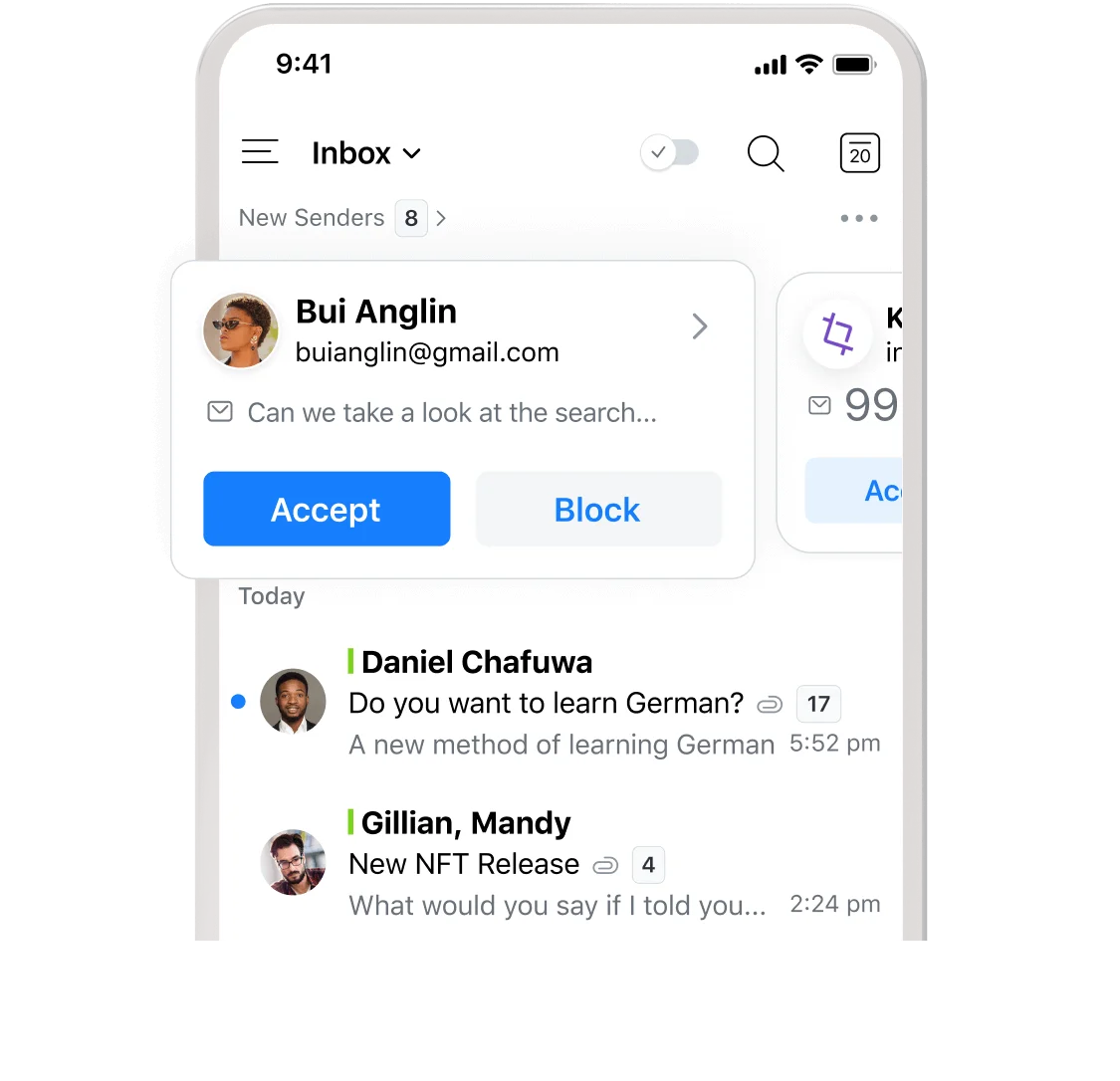
Easily manage new senders with quick accept or block choices.
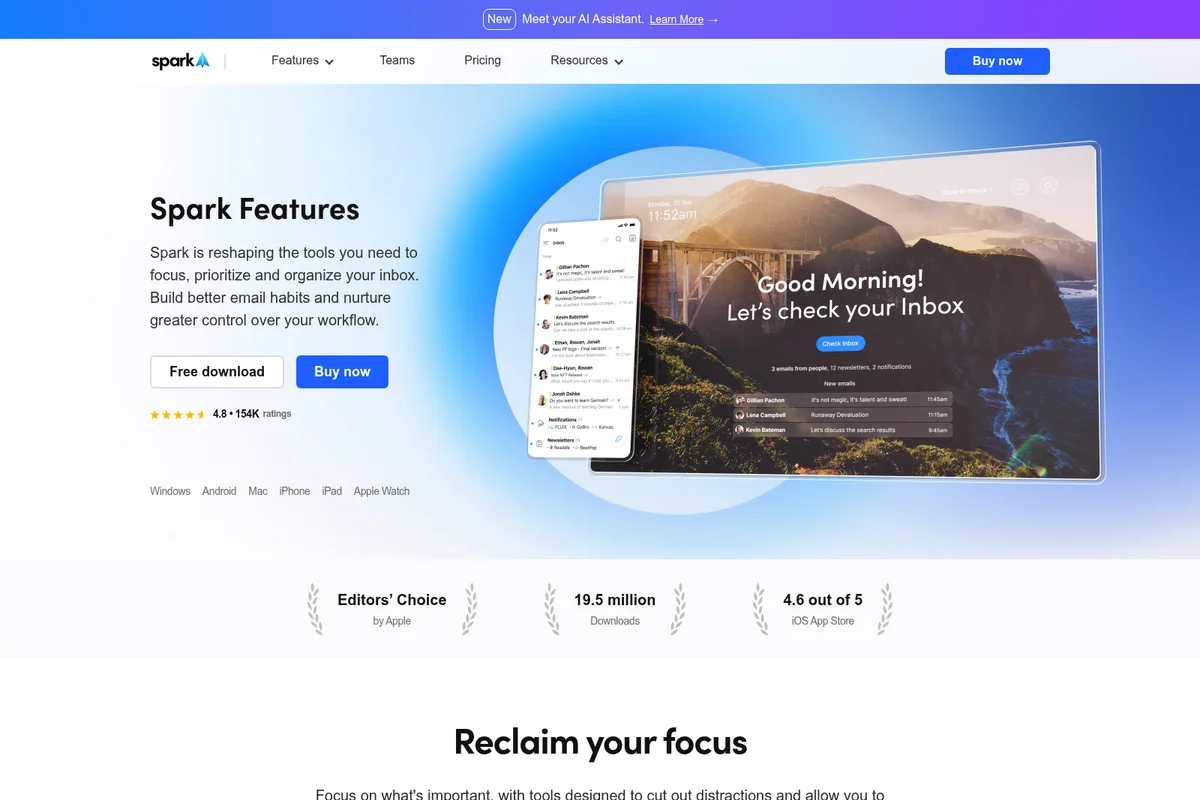
Manage your inbox with smart organization and quick access on any device.

Stay on top of new emails and notifications across all your devices.
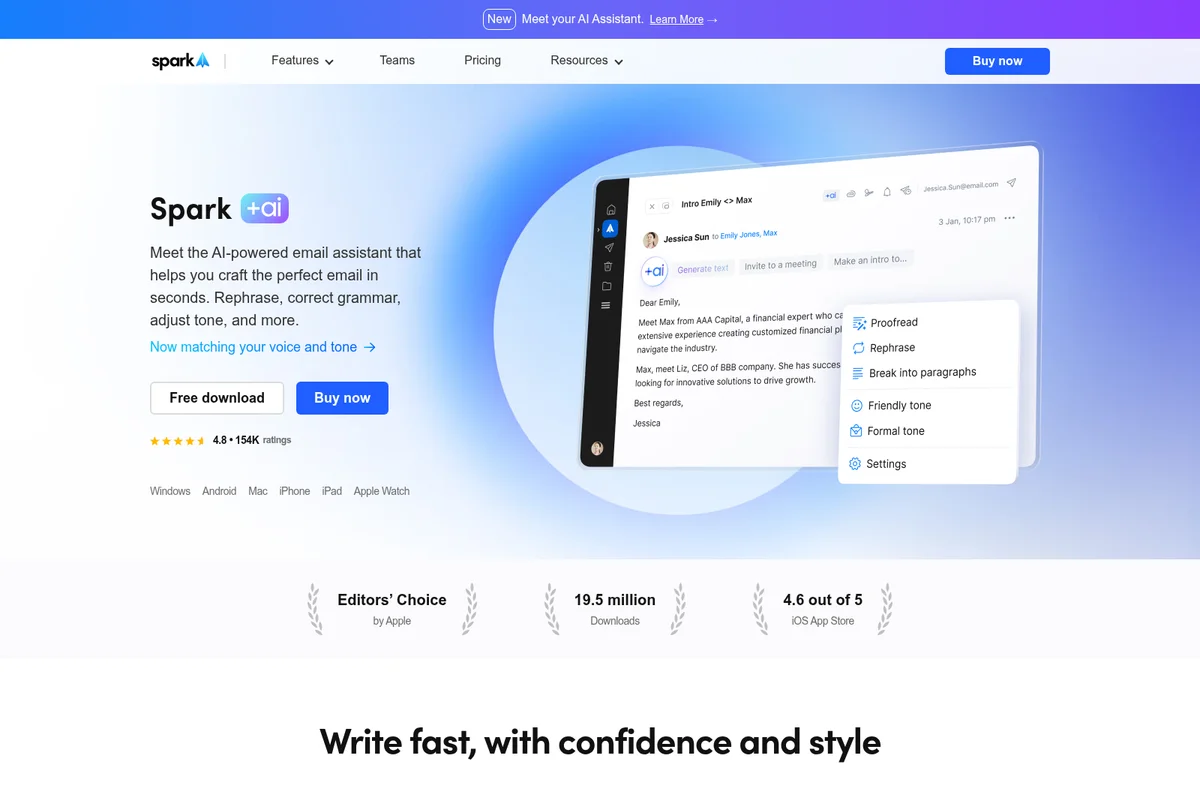
Craft perfect emails in seconds with AI-powered rephrasing and tone adjustment.
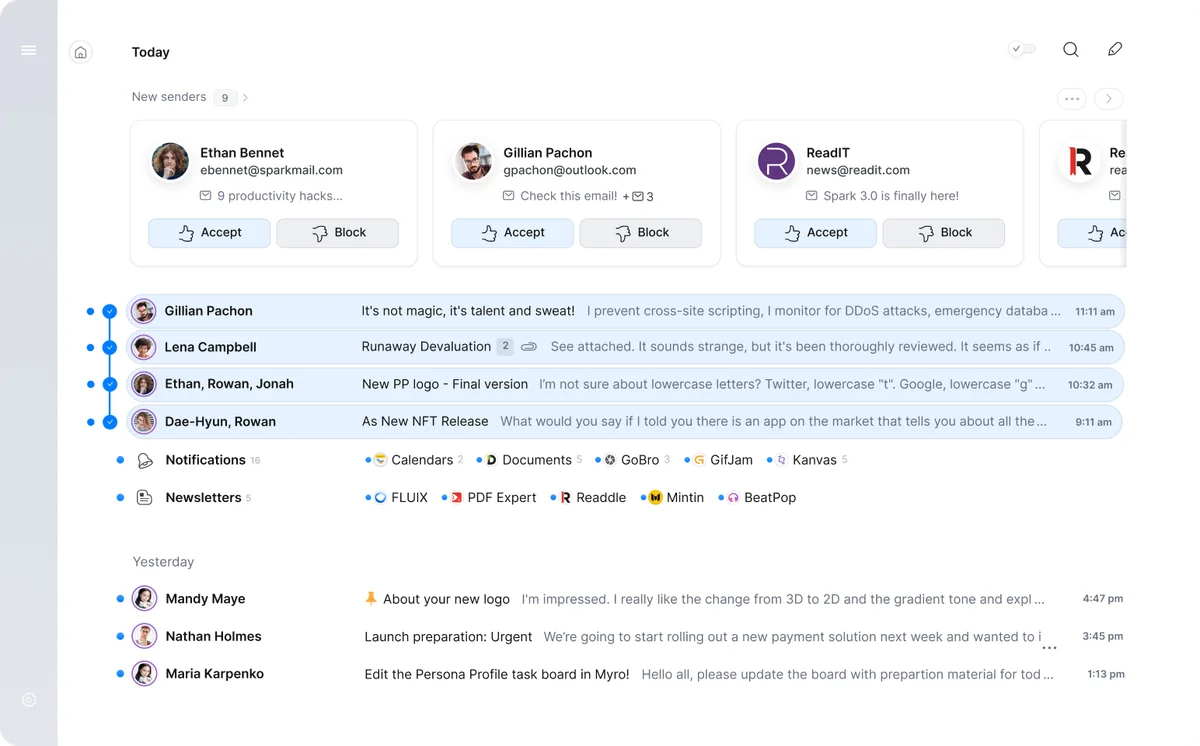
Effortlessly manage new senders and organize your inbox with intelligent categorization.
Spark Mail Review: Tooliverse Consensus




Based on 19k+ verified reviews across 5 platforms,
combined with Tooliverse's expert analysis
Spark Mail solves the signal-to-noise problem that buries professionals under email volume, with its Smart Inbox automatically surfacing priority messages while filing away newsletters and notifications. Cross-platform sync keeps workflows consistent whether you're on Mac, Windows, or mobile, and team collaboration features like shared drafts turn email into a coordination layer for remote teams. The AI tools add useful speed for drafting and summarization without feeling intrusive, though long-time users note frustration with features migrating to paid tiers and occasional performance lag on desktop.
Bottom line: A strong email client that filters inbox noise effectively and syncs seamlessly across devices, though the shift toward subscription-heavy pricing has frustrated loyal users who remember a more generous free tier.
Spark Mail | Key Specs
- Platforms
- Web, iOS, Android, macOS, Windows, Apple Watch
- Pricing Model
- Freemium ($0-20/mo per user) See plans
- Privacy/Data Use
- No training on user data, GDPR compliant
- Security
- HTTPS encryption, Google Cloud storage See details
Wins
- •Features a Smart Inbox that effectively prioritizes essential messages over noisementioned in 4,210 reviews
- •Delivers seamless cross-platform synchronization that keeps workflows consistent across devicesmentioned in 3,150 reviews
- •Provides an exceptionally clean and intuitive interface that simplifies email managementmentioned in 2,840 reviews
Watch-Outs
- •Subscription pricing for Premium features is considered high by many long-term usersmentioned in 1,450 reviews
- •Newer versions occasionally suffer from performance lag and stability issues on desktopmentioned in 890 reviews
- •AI features can feel unnecessary or intrusive to users seeking a basic clientmentioned in 620 reviews
Spark Mail Features 2026
Smart Inbox
Automatically separates priority emails from newsletters and notifications into distinct folders, helping you focus on what matters most without manual sorting.
Spark +AI Writing Assistant
AI-powered email composition, reply generation, proofreading, tone adjustment, translation, and summarization using Azure OpenAI GPT integration.
AI Assistant
Find, summarize, and take action on emails, attachments, meeting notes, and events by asking questions in natural language. Search history ranges from 1 month (Plus) to full email history (Pro/Enterprise).
AI Meeting Notes
Transcribe and summarize any meeting from any platform with AI-powered notes. Plus includes 40 per month, Pro/Enterprise get unlimited.
Spark Mail User Reviews
Selected Reviews
"This app has genuinely revolutionized how I handle my emails. Its AI-driven magic effortlessly identifies what's important, proactively highlights key messages, and even suggests intelligent, ready-to-use responses."
"The shared inbox feature lets me give team members access to emails without sharing passwords, which is a huge security win. The UI is exceptionally clean and intuitive."
"I've used Spark Mail for almost ten years. Paid subscriber. It was worth it until the AI update cycle hit and the pricing followed. Now I'm paying more for features I skip every time."
More from the Community
"Spark used to be an incredible app but the latest version basically ignores performance. If I have to wait 2 seconds for an email to open then you're failing miserably."
"I love the cross-platform sync. I can start an email on my Mac and finish it on my iPhone without any lag. The Smart Inbox is the only reason I stay."
"The Gatekeeper feature is great for blocking spam, but it's annoying that it's now locked behind a $99/year subscription. I might move back to the free tier."
"AI summaries are helpful for long threads, but the drafting tool feels a bit generic compared to other dedicated AI tools. Still, it's a solid client."
"The Windows app still feels like a second-class citizen compared to the Mac version. It's buggy and slow, which is frustrating for a paid product."
"Spark used to be an incredible app but the latest version basically ignores performance. If I have to wait 2 seconds for an email to open then you're failing miserably."
"I love the cross-platform sync. I can start an email on my Mac and finish it on my iPhone without any lag. The Smart Inbox is the only reason I stay."
"The Gatekeeper feature is great for blocking spam, but it's annoying that it's now locked behind a $99/year subscription. I might move back to the free tier."
"AI summaries are helpful for long threads, but the drafting tool feels a bit generic compared to other dedicated AI tools. Still, it's a solid client."
"The Windows app still feels like a second-class citizen compared to the Mac version. It's buggy and slow, which is frustrating for a paid product."
"I appreciate that I can have conversations offline and they will stay within the conversation, which is handy when discussing things that shouldn't involve external clients."
"The new Home screen is a bit polarizing. I liked the old list view better, but I'm getting used to it. The search function is still the best in the business."
"Best email app for managing multiple accounts. The unified inbox actually works without getting cluttered."
"I've been using Spark since 2015 and I'm so frustrated. It's like they didn't listen to the user and tried to keep up with everybody else with this AI crap."
"I appreciate that I can have conversations offline and they will stay within the conversation, which is handy when discussing things that shouldn't involve external clients."
"The new Home screen is a bit polarizing. I liked the old list view better, but I'm getting used to it. The search function is still the best in the business."
"Best email app for managing multiple accounts. The unified inbox actually works without getting cluttered."
"I've been using Spark since 2015 and I'm so frustrated. It's like they didn't listen to the user and tried to keep up with everybody else with this AI crap."
Spark Mail Pricing 2026
View SourceThe free tier covers Smart Inbox and unlimited accounts, which is enough for individuals who just need better email organization. Plus at $8.25/month billed annually is where most professionals land: you get the full AI toolkit, 40 meeting transcriptions monthly, and Gatekeeper spam blocking. Pro at $16.58/month billed annually makes sense for teams managing shared inboxes or running dozens of meetings weekly, since it adds unlimited AI meeting notes and advanced collaboration features. Annual billing cuts the monthly rate by roughly 18% compared to paying month-to-month.
Spark Mail In-Depth Review 2026

Spark Mail runs on Windows, Mac, iPhone, iPad, Android, and Apple Watch, syncing your entire email workflow across devices. The Smart Inbox automatically separates priority messages from newsletters and notifications into distinct folders, while AI-powered tools handle drafting, summarizing threads, and translating emails. It connects with over 30 productivity apps including Todoist, Notion, Asana, and Slack, and supports all major email providers from Gmail to Exchange.
What It's Like Day-to-Day
The Smart Inbox does the heavy lifting without requiring setup or training. Priority emails land in your main view, while newsletters and notifications get filed automatically. You're not manually creating rules or teaching filters; the system learns what matters based on your behavior. One iOS App Store reviewer noted that Spark "effortlessly identifies what's important" and "proactively highlights key messages," which captures the core experience: you open the app and see what needs your attention first.
The cross-platform sync is where Spark separates itself from native mail clients. Start composing on your Mac during a meeting, finish on your iPhone during the commute, and the draft stays perfectly in sync without manual saving or cloud uploads.
Spark Mail Security & Compliance
Security Features
- HTTPS encryption for all data
- Data storage secured through Google Cloud service
Privacy Commitments
- Data solely used for product optimization, never shared with third parties
- Email content and AI requests are private and never used to train AI models
- GDPR compliant and follows other privacy laws
- AI prompts shared with Azure OpenAI solely for text generation, not training
Spark Mail: Frequently Asked Questions (FAQs)
Does Spark offer a free trial of Plus and Pro?
Yes, Spark offers a seven-day free trial for both Plus and Pro when you subscribe directly in the app. You can contact support to prolong it or change the starting day if needed.
If I purchase a subscription on iOS, will it work cross-platform?
Yes, Spark subscriptions unlock paid features on all devices where you use Spark. If you buy your subscription on iOS, it will be valid for Windows, Mac, and Android devices that have Spark installed.
Can I use Spark for free?
Yes, Spark Free includes all essential features for managing your inbox and connecting multiple accounts. It's designed for individuals who want a simple, modern email experience at no cost. Paid plans add AI-powered tools, advanced collaboration, and professional team features.
Is Spark +AI enabled by default?
No, Spark +AI is disabled by default. You can manage your usage of any AI-related features in your app settings → Spark +AI.
Spark Mail Integrations
| Todoist | Notion | Asana |
| Trello | Slack | Microsoft Teams |
| Zoom | Google Meet | GoTo |
| HubSpot | Evernote | OneNote |
| Bear | Agenda | OmniFocus |
| Things | TickTick | 2Do |
| MeisterTask | Apple Reminders | Google Drive |
| Dropbox | OneDrive | Box |
| Instapaper |
Spark Mail: Verified Data Sheet
| # | Label | Data Point |
|---|---|---|
| [1] | Spark Mail Consensus: 7.89/10 | Spark Mail is a well-reviewed tool among AI productivity tools in the Tooliverse index, with a consensus score of 7.89/10 across 19,678 verified reviews. |
| [2] | What is Spark Mail | Spark Mail, operated by Readdle, is a cross-platform email client with AI-powered productivity features for individuals and teams. The platform serves 19.5 million users with Apple Editors' Choice recognition, offering pricing from free to $20/month per user. |
| [3] | Tooliverse Consensus on Spark Mail | Spark Mail solves the signal-to-noise problem that buries professionals under email volume, with its Smart Inbox automatically surfacing priority messages while filing away newsletters and notifications. Cross-platform sync keeps workflows consistent whether you're on Mac, Windows, or mobile, and team collaboration features like shared drafts turn email into a coordination layer for remote teams. The AI tools add useful speed for drafting and summarization without feeling intrusive, though long-time users note frustration with features migrating to paid tiers and occasional performance lag on desktop. |
| [4] | Spark Mail Verdict | Spark Mail bottom line: A strong email client that filters inbox noise effectively and syncs seamlessly across devices, though the shift toward subscription-heavy pricing has frustrated loyal users who remember a more generous free tier. |
| [5] | Free: Free | Spark Mail provides a functional Free tier with Smart Inbox and Unlimited Email Accounts, making essential email management accessible at no cost. |
| [6] | Smart Inbox prioritizes essential messages | Spark Mail features a Smart Inbox that automatically prioritizes essential messages over newsletters and notifications, validated as highly effective by 4,210 user reviews. |
| [7] | Seamless cross-platform sync | Spark Mail delivers seamless cross-platform synchronization across Windows, Android, Mac, iPhone, iPad, and Apple Watch, keeping workflows consistent regardless of device, according to 3,150 user reviews. |
| [8] | Clean, intuitive interface | Spark Mail provides an exceptionally clean and intuitive interface that simplifies email management, praised for its design clarity by 2,840 user reviews. |
| [9] | Pro: $20/user/month | Readdle's Spark Mail Pro empowers users with Unlimited AI Meeting Notes for just $20/user monthly, significantly expanding on the free tier's capabilities. |
| [10] | Robust team collaboration tools | Spark Mail offers robust team collaboration tools including shared inboxes, private comments, and task assignments with deadlines, validated by 1,220 user reviews as essential for team email management. |
| [11] | Premium pricing considered high | Spark Mail subscription pricing for Premium features is considered high by many long-term users, with 1,450 reviews noting the cost increase following AI feature additions. |
| [12] | Desktop performance lag reported | Spark Mail newer versions occasionally suffer from performance lag and stability issues on desktop platforms, with 890 user reports documenting delays of up to 2 seconds when opening emails. |
| [13] | Privacy: Data solely used for product optimization, never shared with third parties | Spark Mail privacy protections include Data solely used for product optimization, never shared with third parties, Email content and AI requests are private and never used to train AI models, and GDPR compliant and follows other privacy laws. |
| [14] | Enterprise: HTTPS encryption for all data | Spark Mail provides enterprise security with HTTPS encryption for all data and Data storage secured through Google Cloud service. |
| [15] | Revolutionizes email handling with AI | Spark Mail "has genuinely revolutionized how I handle my emails" with AI-driven prioritization that "effortlessly identifies what's important" and suggests intelligent responses, according to a verified iOS App Store reviewer. |
Best Spark Mail Alternatives

Clean Email
Declutter your inbox and automate email management with powerful tools designed for privacy.
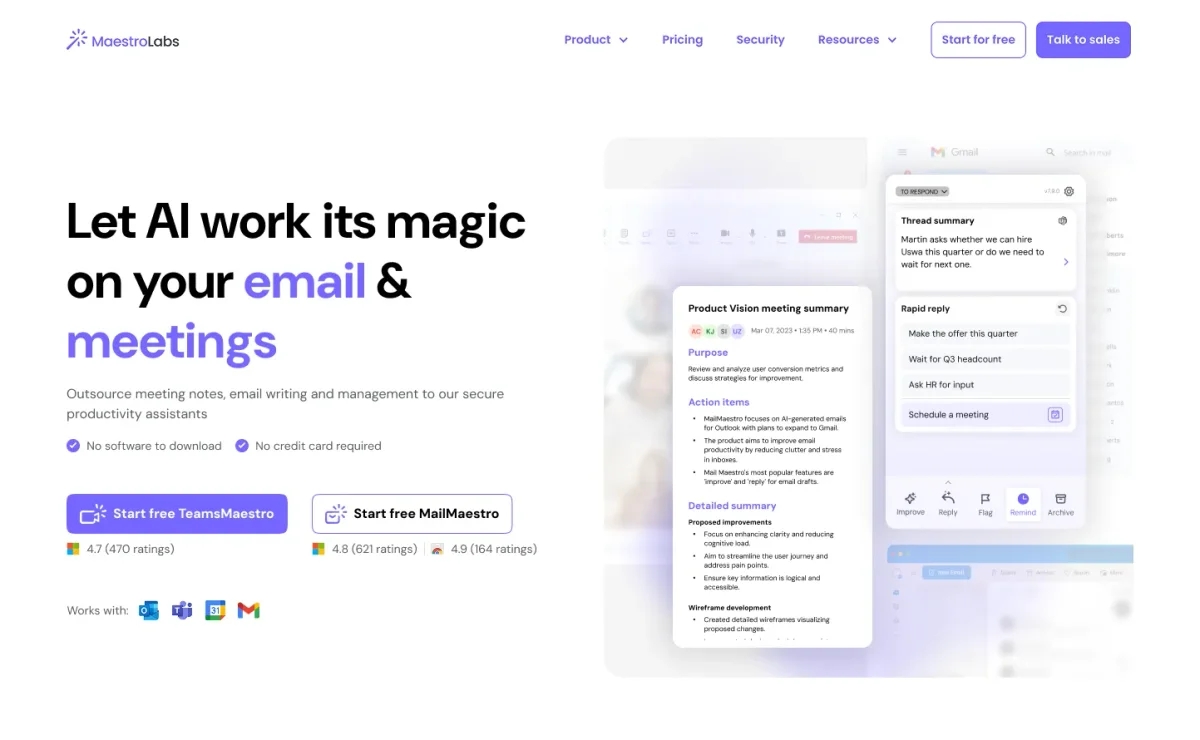
MailMaestro
Turn cluttered inboxes and chaotic meetings into clear, effortless productivity with AI.

SaneBox
Restore sanity to your inbox by automatically filtering unimportant emails into separate folders.