
Reclaim.ai Review 2026 - AI Calendar Scheduling
Verified Jun 18, 2026 by Tooliverse Editorial
Reclaim.ai turns your calendar into an AI-powered scheduling assistant—automatically defending time for focus work, tasks, meetings, and breaks. From solo users to enterprise teams, it adapts your schedule around priorities and deadlines, saving 7.6 hours per week on average.
Intro to Reclaim.ai Live Demo | Tue February 13 9:00am PT
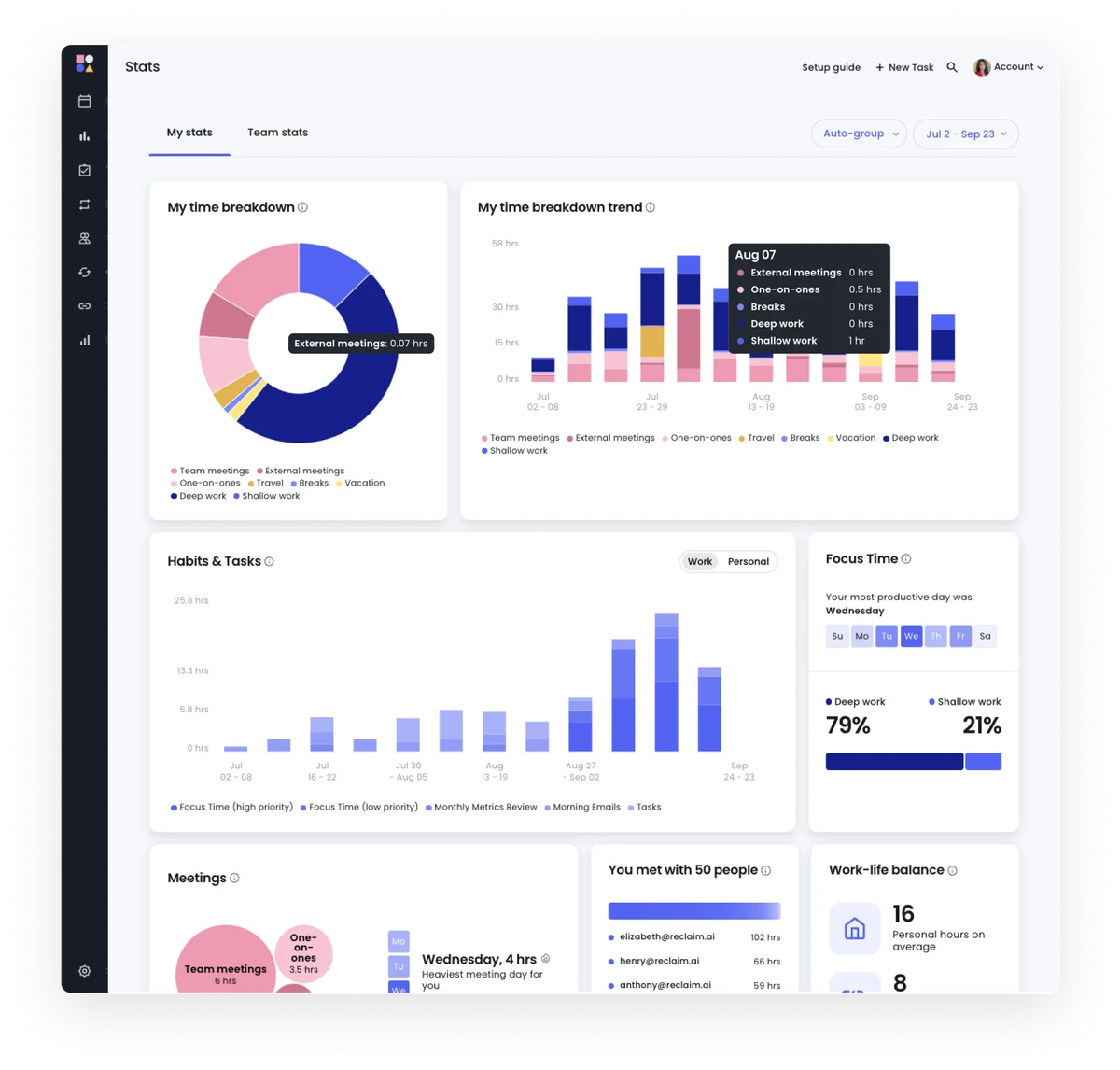
Understand your time allocation across meetings, deep work, and personal habits.
Let AI schedule your habits & track progress to your goals.
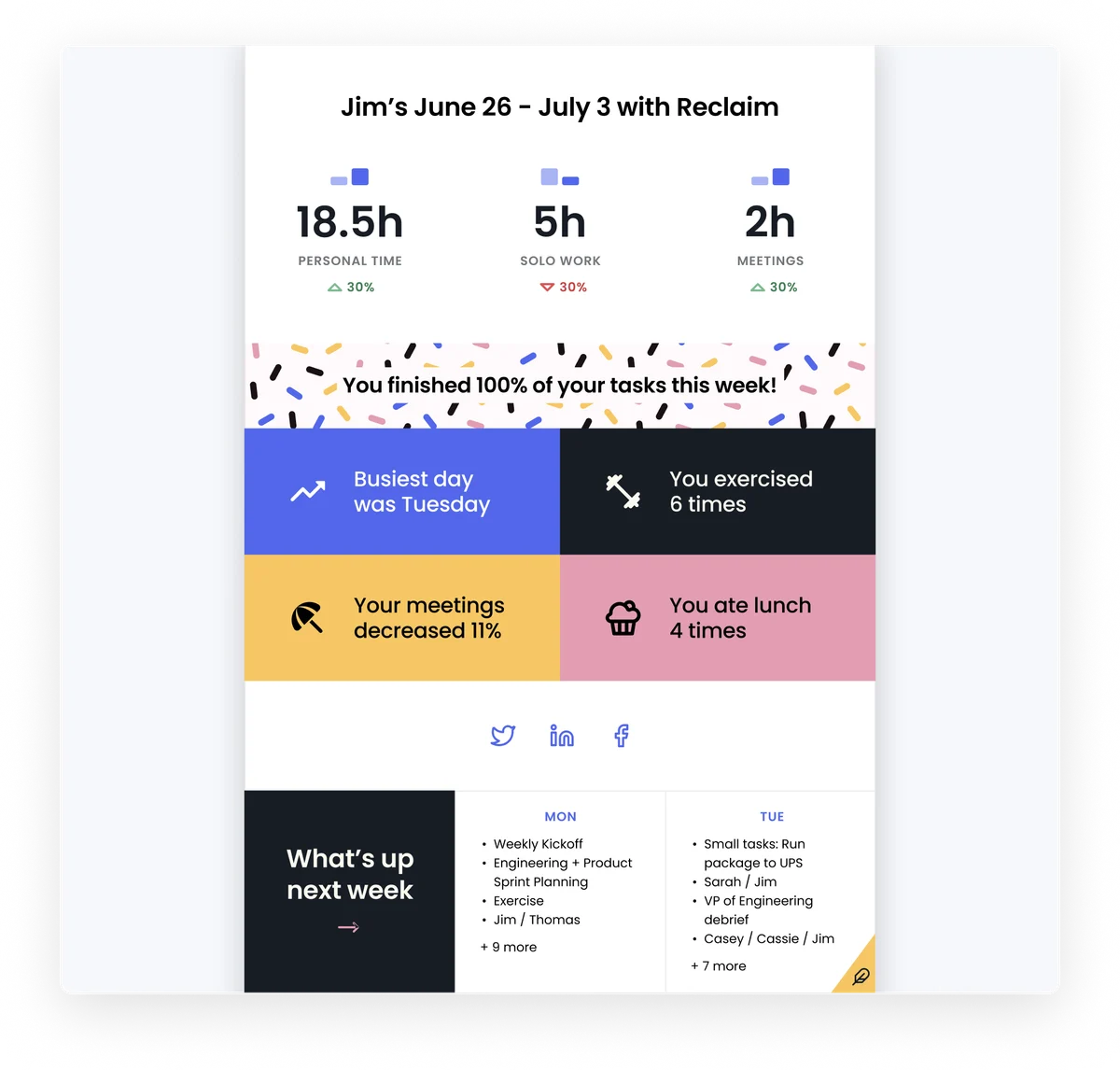
Understand your weekly productivity and plan for the next.
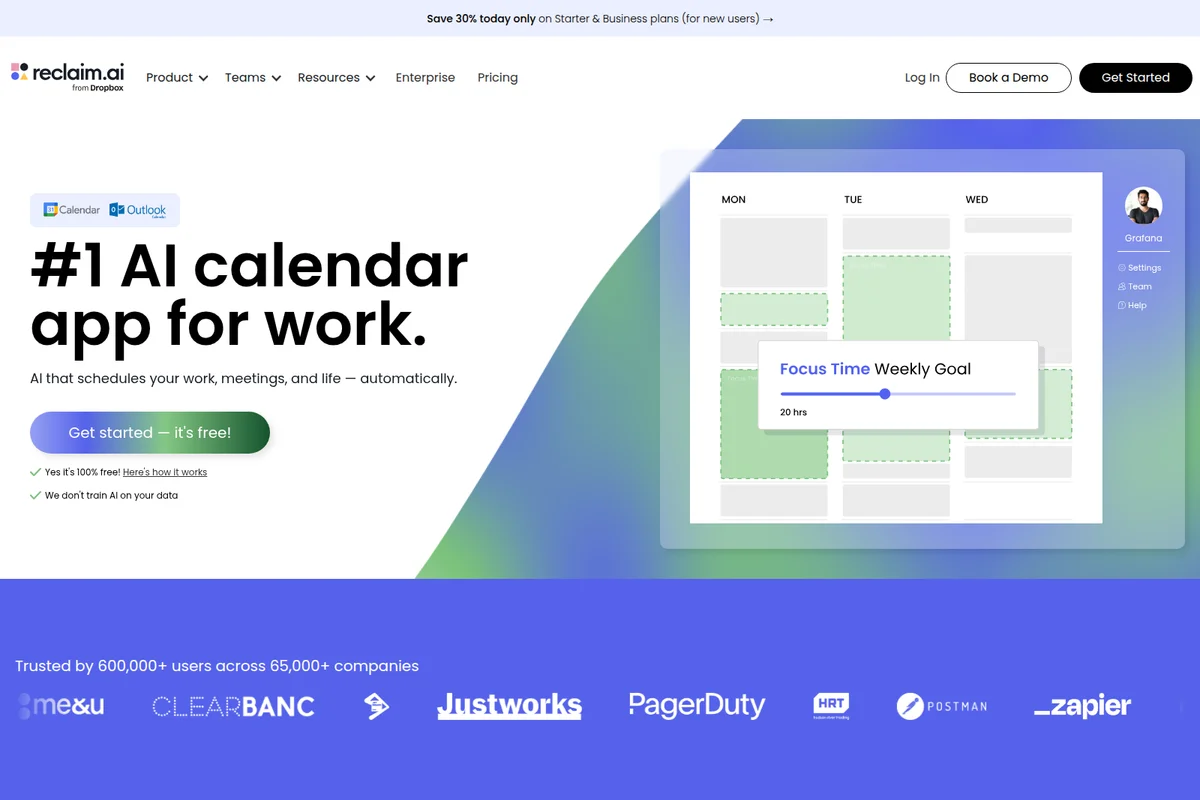
Automatically schedule work and meetings, and visually manage weekly focus time goals.
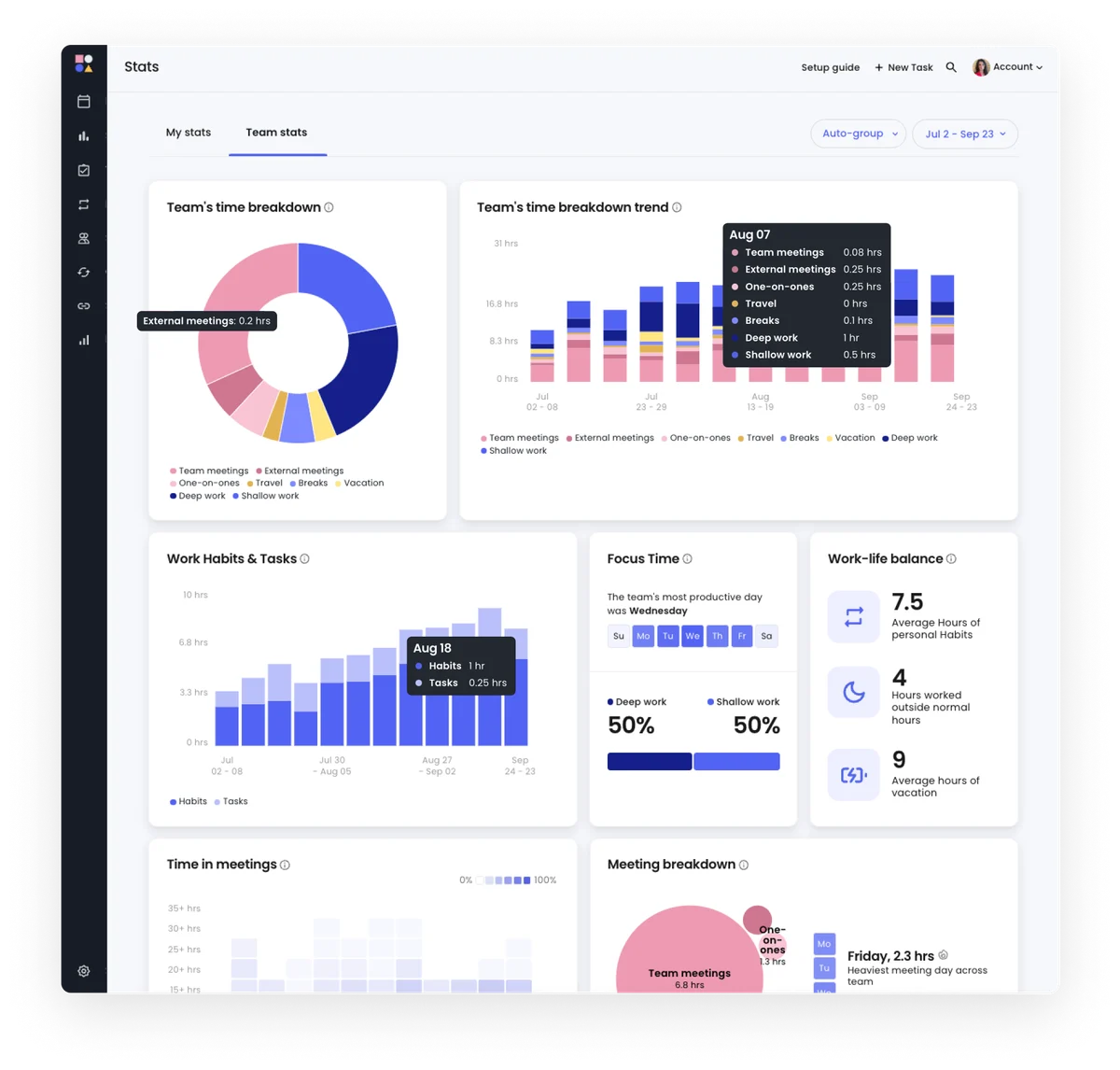
Gain comprehensive insights into your team's time allocation and productivity.

Discover the top causes of wasted time and money in the workplace.

Learn about the new Habits feature in just 30 seconds.
Discover top scheduling apps for efficient time management.
Reclaim.ai Review: Tooliverse Consensus







Based on 5k+ verified reviews across 7 platforms,
combined with Tooliverse's expert analysis
Reclaim.ai solves the scheduling puzzle that consumes hours of manual calendar Tetris each week, automatically protecting focus time, personal habits, and deadline-driven tasks while intelligently rescheduling when conflicts arise. The deep Google Calendar integration and privacy-first multi-calendar sync make it especially strong for knowledge workers drowning in meetings, though the initial setup requires significant configuration time and Outlook users get a noticeably weaker experience. The 7.6 hours saved weekly isn't marketing hyperbole—users consistently validate that the AI actually delivers on the automation promise at scale.
Bottom line: The definitive calendar automation tool for professionals whose schedules have become unmanageable, delivering genuine time savings through intelligent auto-scheduling, though Outlook users should expect feature gaps.
Reclaim.ai | Key Specs
- Platforms
- Web, Google Calendar, Outlook Calendar
- Pricing Model
- Freemium ($0-22/seat/month) See plans
- Privacy/Data Use
- Never sell user data, self-service deletion within 1 hour
- Security
- SOC 2 Type II, GDPR compliant, AES-256 encryption, SSO (Enterprise) See details
Wins
- •Automates habit scheduling to ensure personal priorities aren't buried by meetingsmentioned in 342 reviews
- •Syncs personal and work calendars seamlessly while maintaining strict privacymentioned in 289 reviews
- •Intelligently prioritizes tasks and auto-blocks time based on deadlinesmentioned in 256 reviews
Watch-Outs
- •Requires a significant initial time investment to configure complex settingsmentioned in 84 reviews
- •Outlook integration lacks the full feature parity of the Google versionmentioned in 62 reviews
- •Mobile application functionality remains limited compared to the desktop dashboardmentioned in 55 reviews
Reclaim.ai Features 2026
AI Scheduling Agents
Create specialized AI agents that continuously optimize your schedule across Focus Time, Habits, Buffer Time, Smart Meetings, and Meeting Quality. Agents automatically prioritize work around meetings, deadlines, and availability.
AI Tasks
Sync tasks from Jira, Asana, ClickUp, Todoist, Google Tasks, and Linear into dedicated calendar time. AI automatically schedules tasks with flexible priorities, deadline-aware planning, and auto-rescheduling for conflicts.
Smart Meetings
Convert recurring meetings to Smart Meetings in one click to automatically monitor, prioritize, and resolve scheduling conflicts across attendees' schedules. Finds the best time to meet across all participants.
AI Focus Time
Set a weekly Focus Time goal, and automatically defend time to get stuff done around your existing calendar events. Proactive and reactive modes to protect deep work hours.
Reclaim.ai User Reviews
Selected Reviews
"Reclaim has completely changed how I manage my work-life balance. It automatically protects my lunch breaks and gym time without me lifting a finger."
"The "Decompression Time" feature has saved my sanity during back-to-back meeting days. It's a small feature with a huge impact."
"The mobile app is getting better, but I still find myself going to the desktop version to make major changes to my habits."
More from the Community
"The habit feature is a game changer. I no longer have to manually block time for deep work; it just finds the best slot."
"Great tool, but the Outlook integration still feels like a second-class citizen compared to Google Calendar. It's slower and misses some features."
"I love how it syncs my personal and work calendars without showing my boss what I'm doing. Privacy is handled perfectly."
"The auto-scheduling is smart, but sometimes it packs my day too tight without enough breathing room between meetings. I had to manually adjust the buffer settings."
"Finally, a tool that understands that tasks take time and actually puts them on the calendar instead of just a list."
"The habit feature is a game changer. I no longer have to manually block time for deep work; it just finds the best slot."
"Great tool, but the Outlook integration still feels like a second-class citizen compared to Google Calendar. It's slower and misses some features."
"I love how it syncs my personal and work calendars without showing my boss what I'm doing. Privacy is handled perfectly."
"The auto-scheduling is smart, but sometimes it packs my day too tight without enough breathing room between meetings. I had to manually adjust the buffer settings."
"Finally, a tool that understands that tasks take time and actually puts them on the calendar instead of just a list."
"Reclaim is the only reason I actually get my administrative tasks done every week. It forces me to make time for them."
"It's a bit expensive for a solo user, but the time saved from manual scheduling is worth the subscription cost for me."
"Setup was a bit overwhelming at first. There are so many toggles and settings to get right before it actually works for you."
"Best calendar automation tool on the market. The Dropbox acquisition hasn't slowed down the innovation at all."
"Reclaim is the only reason I actually get my administrative tasks done every week. It forces me to make time for them."
"It's a bit expensive for a solo user, but the time saved from manual scheduling is worth the subscription cost for me."
"Setup was a bit overwhelming at first. There are so many toggles and settings to get right before it actually works for you."
"Best calendar automation tool on the market. The Dropbox acquisition hasn't slowed down the innovation at all."
Reclaim.ai Pricing 2026
View SourceThe free Lite plan is genuinely useful for trying the concept—5 AI agents and a 1-week scheduling range let you test whether automated habit scheduling actually works for you. But Starter at $10/month billed annually is where most individuals should land: 10 agents, 8-week scheduling, and 3 calendar syncs cover the core use case of protecting focus time while syncing work and personal calendars. Business at $15/month makes sense once you're coordinating a team and need unlimited syncs and the 12-week range for quarterly planning.
Reclaim.ai In-Depth Review 2026

Reclaim.ai, now part of Dropbox, transforms your calendar from a passive record into an active defense system. It runs on Google Calendar and Outlook, automatically scheduling tasks from Jira, Asana, ClickUp, Todoist, Google Tasks, and Linear while protecting recurring habits like lunch, exercise, and deep work. The AI continuously reschedules everything when conflicts arise, maintaining your priorities without manual replanning.
What It's Like Day-to-Day
The habit feature is where most users experience the shift from calendar chaos to actual control. You tell it you need an hour for focused work three times weekly, and it finds the slots—moving them automatically when meetings intrude. One iOS reviewer noted that Reclaim.ai "has completely changed how I manage my work-life balance" by automatically protecting lunch breaks and gym time without lifting a finger. The system learns your patterns: if you consistently skip morning slots, it stops suggesting them.
Task integration with project management tools means your Jira tickets and Asana assignments aren't just list items anymore—they're actual calendar blocks with deadlines driving priority.
Reclaim.ai Security & Compliance
Verified Compliance
- SOC 2 Type II
- GDPR compliant
- CCPA compliant
- Data Privacy Framework certified
Security Features
- AES-256 encryption at rest
- TLS encryption in transit
- SSO & SCIM user provisioning (Enterprise)
- AWS infrastructure with SOC1, SOC2, PCI Level 1, HITRUST, ISO27001
Privacy Commitments
- Never sell or share user data with third parties for profit
- Self-service data deletion within one hour
- Data Processing Addendum (DPA) for business customers
- Only stores primary calendar data, not synced calendars
Reclaim.ai: Frequently Asked Questions (FAQs)
Is my data shared with third parties?
Reclaim will never sell or share your data with a third party for profit or comarketing purposes. Reclaim only shares data with third-party tools necessary for operations (like Intercom for support), and makes every effort to redact PII and replace it with anonymized user IDs. For example, Google Analytics receives anonymized data, not personal information.
How do I remove my data from Reclaim?
Reclaim offers self-service deletion. You can click a button in your account, confirm the deletion, and the software will automatically wipe all your calendar data from systems within one hour and clean up your calendar to remove any Reclaim-created events.
Do you store my data?
Reclaim stores data from the primary calendar associated with your Reclaim account (the calendar linked to the email you use to sign up). This is necessary to reschedule Tasks and Habits when conflicts occur, use prediction services, and automatically categorize events. Reclaim does not store data from any other calendars you've connected for Calendar Sync—that data is only held in memory to make a synced copy, then discarded.
Is Reclaim SOC2 certified?
Yes, Reclaim is SOC 2 Type II certified as of September 2023 and was renewed in 2024. SOC 2 Type II is the highest standard for security certification and compliance. IT or security representatives can contact Reclaim for more information about the SOC2 report.
Reclaim.ai Integrations
| Google Calendar | Outlook Calendar | Slack |
| Jira Software | Asana | ClickUp |
| Todoist | Google Tasks | Linear |
| Zoom | Google Meet | Raycast |
| Webhooks | Claude | ChatGPT |
Reclaim.ai: Verified Data Sheet
| # | Label | Data Point |
|---|---|---|
| [1] | Reclaim.ai Consensus: 9.34/10 | Reclaim.ai is one of the highest-rated AI productivity tools in the Tooliverse index, with a consensus score of 9.34/10 across 5,610 verified reviews. |
| [2] | What is Reclaim.ai | Reclaim.ai, now part of Dropbox, is a SOC 2 Type II certified AI calendar scheduling platform serving 550,000+ users across 65,000 companies. The platform saves users 7.6 hours per week on average through AI agents that automatically schedule tasks, meetings, focus time, and breaks, with pricing starting at $10/seat/month. |
| [3] | Tooliverse Consensus on Reclaim.ai | Reclaim.ai solves the scheduling puzzle that consumes hours of manual calendar Tetris each week, automatically protecting focus time, personal habits, and deadline-driven tasks while intelligently rescheduling when conflicts arise. The deep Google Calendar integration and privacy-first multi-calendar sync make it especially strong for knowledge workers drowning in meetings, though the initial setup requires significant configuration time and Outlook users get a noticeably weaker experience. The 7.6 hours saved weekly isn't marketing hyperbole—users consistently validate that the AI actually delivers on the automation promise at scale. |
| [4] | Reclaim.ai Verdict | Reclaim.ai bottom line: The definitive calendar automation tool for professionals whose schedules have become unmanageable, delivering genuine time savings through intelligent auto-scheduling, though Outlook users should expect feature gaps. |
| [5] | Lite: Free | Reclaim.ai offers a functional Lite tier at no cost, providing 5 AI Agents and 1 user team to make AI scheduling accessible for individual users. |
| [6] | Automates habit scheduling for personal priorities | Reclaim.ai automates habit scheduling to protect personal priorities like lunch breaks, exercise, and deep work from being buried by meetings, a capability validated by 342 user reviews. |
| [7] | Privacy-first calendar sync across work and personal | Reclaim.ai syncs personal and work calendars seamlessly while maintaining strict privacy boundaries, preventing double-booking without exposing personal event details to colleagues, according to 289 user reviews. |
| [8] | Deadline-aware auto-scheduling for tasks | Reclaim.ai intelligently prioritizes tasks and automatically blocks calendar time based on deadlines and flexible priority settings, ensuring high-priority work actually gets scheduled, validated by 256 user reviews. |
| [9] | Starter: $10/seat/mo (annual) | Dropbox's Reclaim.ai Starter empowers users with 10 AI Agents per seat for $10/seat/month billed annually, significantly expanding on the free tier's capabilities. |
| [10] | Auto-buffer time prevents meeting burnout | Reclaim.ai automatically adds buffer time between meetings to prevent burnout and allow for decompression, a feature highlighted in 198 user reviews as having outsized impact on daily well-being. |
| [11] | Complex initial setup required | Reclaim.ai requires significant initial time investment to configure complex settings and preferences before the AI scheduling works optimally, a friction point mentioned in 84 user reviews. |
| [12] | Outlook integration trails Google version | Reclaim.ai's Outlook integration lacks full feature parity with the Google Calendar version, with users reporting slower performance and missing capabilities in 62 reviews. |
| [13] | Privacy: Never sell or share user data with third parties for profit | Reclaim.ai privacy protections include Never sell or share user data with third parties for profit, Self-service data deletion within one hour, and Data Processing Addendum (DPA) for business customers. |
| [14] | Enterprise: AES-256 encryption at rest | Reclaim.ai provides enterprise-grade security with AES-256 encryption at rest, TLS encryption in transit, and SSO & SCIM user provisioning (Enterprise) on AWS infrastructure. |
| [15] | Transforms work-life balance management | Reclaim.ai "has completely changed how I manage my work-life balance" by automatically protecting lunch breaks and gym time without manual intervention, according to a verified iOS App Store reviewer. |
Best Reclaim.ai Alternatives
Fyxer AI
Get back an hour every day with AI that organizes your inbox, drafts replies, and takes meeting notes.
Circleback
Never miss a detail—AI captures your meetings, organizes action items, and automates follow-ups so you can focus on what matters.
Lindy
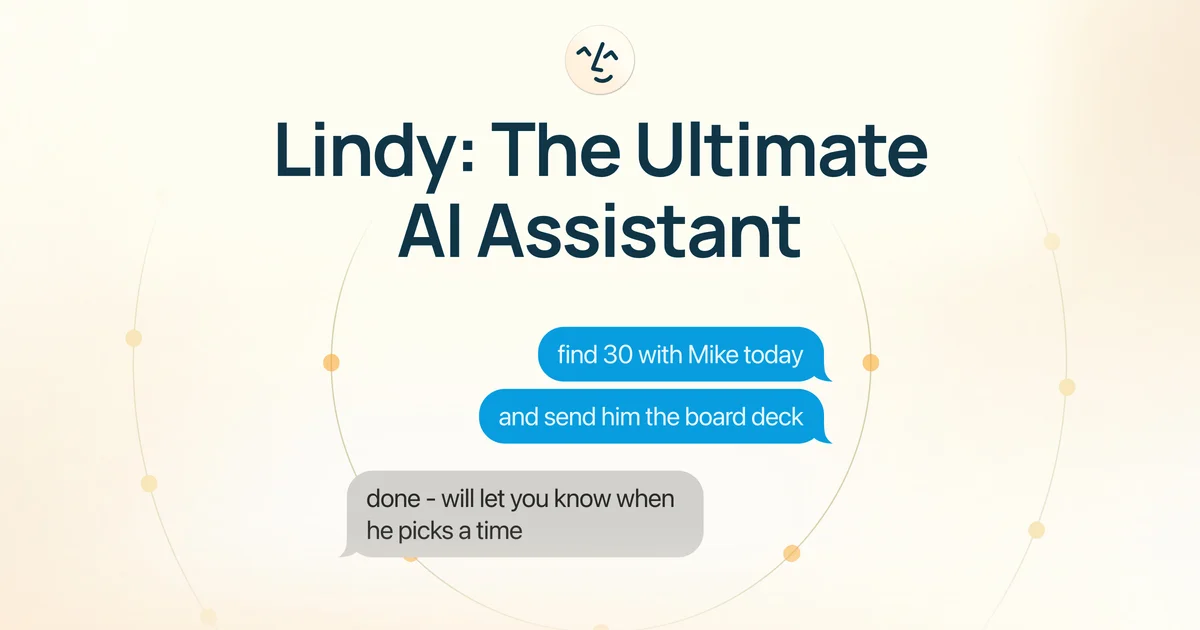
Your AI executive assistant that handles admin work so you can focus on what matters.