
Remove.bg Review 2026 - AI Background Remover
Verified Jun 18, 2026 by Tooliverse Editorial
Remove.bg uses AI to instantly cut out subjects from photos with pixel-perfect accuracy, even handling tricky hair and edges. Trusted by 32 million monthly users and 240+ enterprise clients for e-commerce, marketing, and professional photography.
Remove.bg Review 2026: The Fastest AI Background Remover I've Tested

Showcasing perfect background removal on complex human subjects.
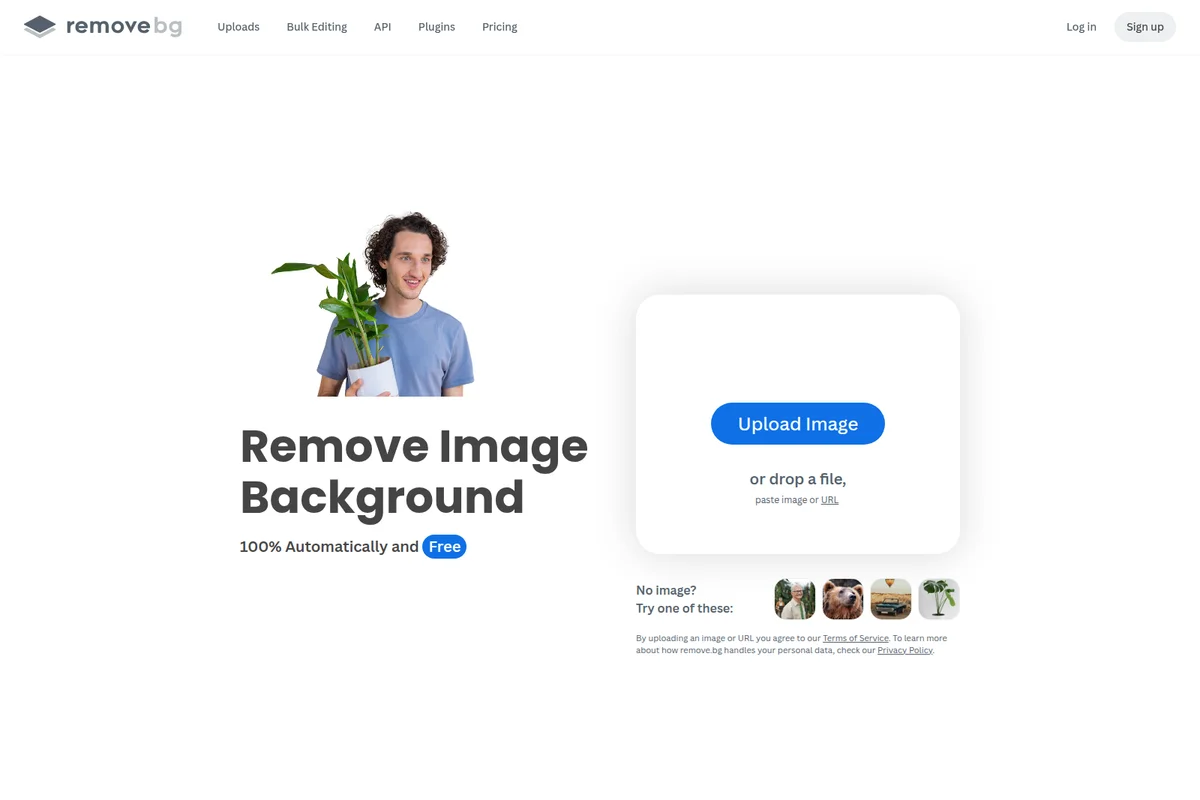
Automatically remove image backgrounds with a simple upload and smart detection.
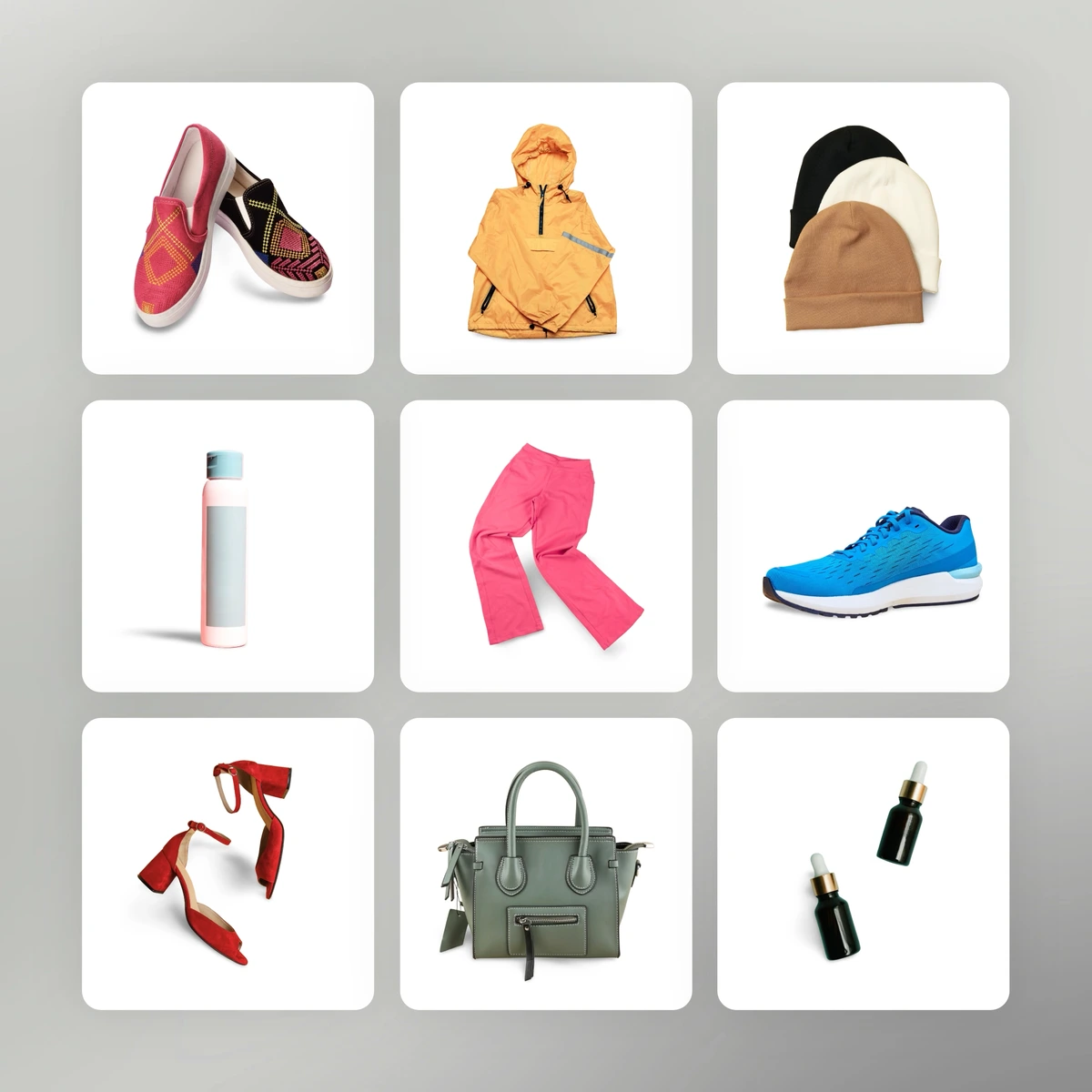
Showcase diverse products with perfectly clear, transparent backgrounds.

Effortlessly remove and replace image backgrounds with creative new settings.
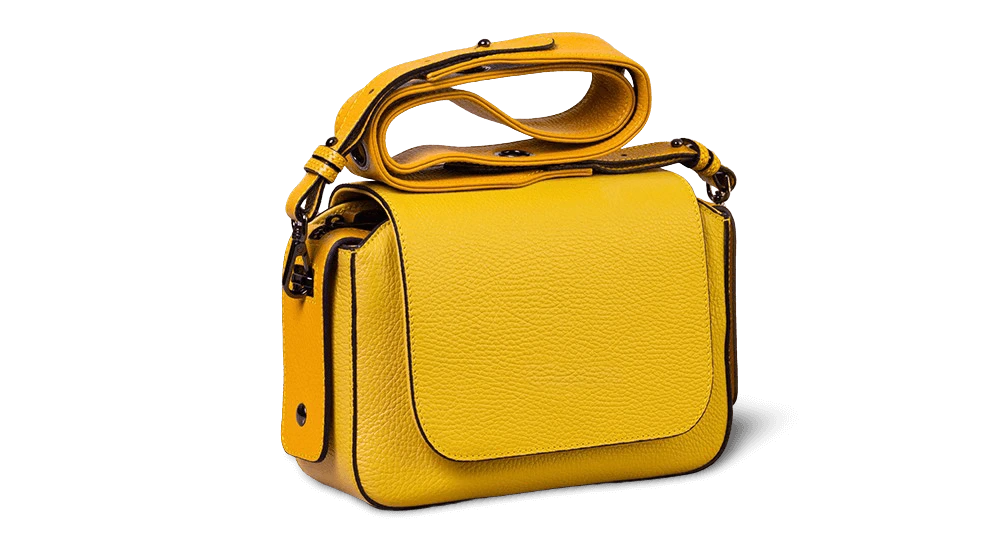
Flawless background removal for crisp, professional product photography.
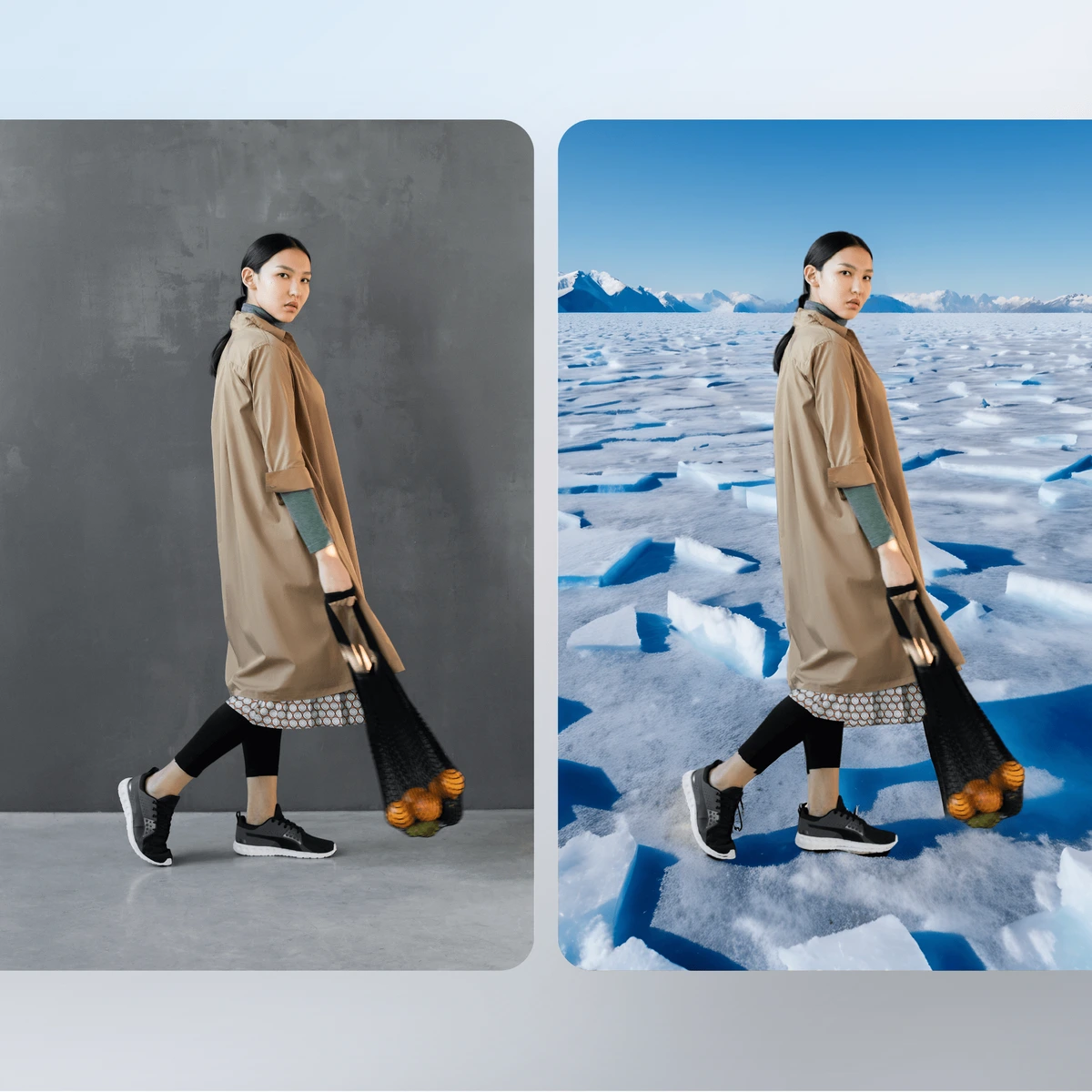
Instantly remove and replace backgrounds with stunning new environments.

Flawlessly replace backgrounds with creative colors and gradients.
Remove.bg Review: Tooliverse Consensus






Based on 11k+ verified reviews across 6 platforms,
combined with Tooliverse's expert analysis
Remove.bg has established itself as the gold standard for AI-powered background removal, delivering edge detection accuracy that handles complex subjects like hair and feathery details better than competing tools. The speed gains for bulk workflows—up to 500 images per minute—and seamless integration into professional tools like Photoshop and Figma make it indispensable for high-volume design work. The credit-based pricing becomes the primary consideration: it's economical for moderate use but scales linearly with volume, pushing heavy users toward enterprise negotiations or alternative solutions despite the superior AI quality.
Bottom line: The definitive AI background removal tool for professionals who need pixel-perfect edge accuracy and bulk processing speed, though high-volume users must carefully evaluate credit economics against their actual usage patterns.
Remove.bg | Key Specs
Wins
- •Delivers pixel-perfect edge detection even with complex subjects like frizzy hairmentioned in 342 reviews
- •Processes images in seconds, significantly speeding up high-volume design workflowsmentioned in 289 reviews
- •Integrates seamlessly into professional tools like Photoshop and Figma via robust pluginsmentioned in 215 reviews
Watch-Outs
- •Credit-based pricing can become expensive for users with high-volume needsmentioned in 187 reviews
- •Free version limits downloads to low-resolution previews, requiring payment for HDmentioned in 164 reviews
- •Requires a stable internet connection to function, which limits offline productivitymentioned in 92 reviews
Remove.bg Features 2026
AI Background Removal
Automatically removes backgrounds from images with 100% accuracy using advanced AI that handles complex edges, hair, and feathery details without manual masking.
Bulk Editing
Process up to 500 images per minute with automated batch background removal, enabling high-volume workflows for e-commerce and photography studios.
Magic Background Generator
AI-powered custom background generation without writing prompts—instantly create professional backdrops for product photos, portraits, and marketing materials.
REST API with SDKs
Developer-friendly API with official Python and Node.js SDKs, command-line tool, and comprehensive documentation for seamless integration into applications.
Remove.bg User Reviews
Selected Reviews
"The hair masking is actually magic. I've tried other AI tools but this one still handles the fine details better than anything else."

"Best in class. I've tested about five different background removers this month and Remove.bg is still the most accurate."
"The Chrome extension is a lifesaver for quick social media posts. Just wish the high-res downloads weren't so many credits."
More from the Community
"Saved me hours of manual pen tool work in Photoshop. The API is also super easy to implement for our web store."
"Great results, but the pricing is getting a bit steep. I wish there were more flexible options for small businesses."
"The tool works well for simple shots, but it often cuts off parts of clothing if the color is too close to the background."
"Literally one click and done. It's the first thing I use for every product photo I take for my eBay shop."
"It's a solid tool, but the mobile app can be a bit laggy when uploading larger files. Results are good though."
"Saved me hours of manual pen tool work in Photoshop. The API is also super easy to implement for our web store."
"Great results, but the pricing is getting a bit steep. I wish there were more flexible options for small businesses."
"The tool works well for simple shots, but it often cuts off parts of clothing if the color is too close to the background."
"Literally one click and done. It's the first thing I use for every product photo I take for my eBay shop."
"It's a solid tool, but the mobile app can be a bit laggy when uploading larger files. Results are good though."
"Very helpful for my real estate photography. It handles windows and reflections surprisingly well most of the time."
"The Photoshop plugin is the real winner here. It fits right into my existing workflow without having to switch apps."
"Impressive speed. I can batch process 50 photos in minutes. It's a bit pricey but the time saved is worth it."
"Good for people, but struggles with complex objects like bicycles or intricate jewelry. Needs manual cleanup often."
"Very helpful for my real estate photography. It handles windows and reflections surprisingly well most of the time."
"The Photoshop plugin is the real winner here. It fits right into my existing workflow without having to switch apps."
"Impressive speed. I can batch process 50 photos in minutes. It's a bit pricey but the time saved is worth it."
"Good for people, but struggles with complex objects like bicycles or intricate jewelry. Needs manual cleanup often."
Remove.bg Pricing 2026
The free tier's 50 API calls monthly at preview resolution let you test accuracy before paying, but professional work requires the pay-as-you-go full-resolution tier at 1 credit per image (roughly $0.20-0.40 depending on volume purchased). That's the pricing most users encounter: straightforward per-image economics that scale with usage. If you're processing thousands of images weekly, enterprise pricing with volume discounts and higher rate limits becomes essential—the standard credit costs will exceed what you'd pay for dedicated software or contract labor.
Remove.bg In-Depth Review 2026

Remove.bg runs as a web app, desktop application (Windows, Mac, Linux), Android mobile app, and integrates directly into Photoshop, Figma, Shopify, and thousands of other tools through its API and automation platform connections. The AI handles the tedious masking work in seconds, processing up to 500 images per minute for bulk workflows.
What It's Like Day-to-Day
The interface is deliberately minimal: upload an image, get a result. No sliders to adjust, no AI prompts to write, no tutorial to complete. The algorithm does the heavy lifting, and for straightforward subjects like people, products, or vehicles against distinct backgrounds, it's essentially perfect on the first pass. One Product Hunt reviewer who tested five competing tools in 2026 concluded Remove.bg is "still the most accurate" after direct comparison.
The hair masking is where it separates from cheaper alternatives. Frizzy edges, flyaway strands, semi-transparent veils—the details that take forever to mask manually come through clean.
Remove.bg Security & Compliance
Privacy Commitments
- Improvement Program opt-in for AI training (users can choose not to contribute images)
Remove.bg: Frequently Asked Questions (FAQs)
How many images can I process for free?
Remove.bg offers 50 free API calls per month at preview resolution (up to 0.25 megapixels, e.g., 625×400 pixels). After that, you can purchase credits on a pay-as-you-go basis with no subscription required.
What image formats and sizes are supported?
Remove.bg accepts JPG, PNG, and WebP files up to 22 MB and 50 megapixels resolution. Output formats include PNG (up to 10MP with transparency), JPG (up to 50MP, no transparency), WebP (up to 50MP with transparency), and ZIP (up to 50MP, fastest processing).
What types of images work best with Remove.bg?
Remove.bg requires images with a clear foreground subject such as people, products, animals, cars, graphics, or transportation. The AI is optimized for photos with distinguishable subjects rather than abstract or scenery-only images.
How fast can I process images in bulk?
Remove.bg can process up to 500 images per minute through the API, depending on input resolution. For example, 10-megapixel images process at 50 images/minute, while 1-megapixel images process at the full 500 images/minute rate.
Remove.bg Integrations
| Figma | Photoshop | GIMP |
| Zapier | Make | Shopify |
Remove.bg: Verified Data Sheet
| # | Label | Data Point |
|---|---|---|
| [1] | Remove.bg Consensus: 9.22/10 | Remove.bg is one of the highest-rated AI image generators in the Tooliverse index, with a consensus score of 9.22/10 across 11,020 verified reviews. |
| [2] | What is Remove.bg | Remove.bg, operated by Canva Austria GmbH, is an AI-powered background removal platform serving 32 million monthly active users and 240+ enterprise clients. The platform processes 150 million images monthly with bulk editing up to 500 images per minute, offering API access and integrations with Figma, Photoshop, Shopify, and Zapier. |
| [3] | Tooliverse Consensus on Remove.bg | Remove.bg has established itself as the gold standard for AI-powered background removal, delivering edge detection accuracy that handles complex subjects like hair and feathery details better than competing tools. The speed gains for bulk workflows—up to 500 images per minute—and seamless integration into professional tools like Photoshop and Figma make it indispensable for high-volume design work. The credit-based pricing becomes the primary consideration: it's economical for moderate use but scales linearly with volume, pushing heavy users toward enterprise negotiations or alternative solutions despite the superior AI quality. |
| [4] | Remove.bg Verdict | Remove.bg bottom line: The definitive AI background removal tool for professionals who need pixel-perfect edge accuracy and bulk processing speed, though high-volume users must carefully evaluate credit economics against their actual usage patterns. |
| [5] | Free: Free | Remove.bg offers a functional Free tier with 50 free API calls per month at preview resolution (up to 0.25 megapixels, e.g., 625×400 pixels), making background removal accessible at no cost. |
| [6] | Pixel-perfect edge detection for hair | Remove.bg delivers pixel-perfect edge detection even with complex subjects like frizzy hair and feathery details, validated as superior to competing AI tools by 342 user reviews. |
| [7] | Processes 500 images/minute | Remove.bg processes images in seconds and handles bulk editing of up to 500 images per minute, significantly accelerating high-volume design workflows according to 289 user reviews. |
| [8] | Seamless Photoshop/Figma integration | Remove.bg integrates seamlessly into professional tools like Photoshop, Figma, Shopify, and Zapier via robust plugins and API access, validated by 215 user reviews as workflow-enhancing. |
| [9] | One-click, zero-skill interface | Remove.bg offers a clean, one-click interface that requires zero technical or design skill to produce professional results, praised for accessibility by 198 user reviews. |
| [10] | Credit pricing steep for high volume | Remove.bg credit-based pricing can become expensive for users with high-volume needs, with 187 user reviews noting cost concerns for sustained professional use. |
| [11] | Free tier limited to preview resolution | Remove.bg free version limits downloads to low-resolution previews (up to 0.25 megapixels), requiring payment for HD output according to 164 user reviews. |
| [12] | Privacy: Improvement Program opt-in for AI training (users can choose not to contribute images) | Remove.bg privacy protections include Improvement Program opt-in for AI training (users can choose not to contribute images). |
| [13] | Best hair masking accuracy | Remove.bg "handles the fine details better than anything else" for hair masking, according to a verified iOS App Store reviewer who tested multiple AI background removal tools. |
Best Remove.bg Alternatives

Photoroom
Create listing-ready product visuals in seconds with AI-powered photo editing built for e-commerce.

Claid.ai
Turn plain product photos into professional lifestyle scenes, on-model fashion shots, and high-quality videos—all with AI.

Pixelcut
Transform your product photos into professional visuals with AI-powered editing tools.