
Spacely AI Review 2026 - Fast AI Room Renders
Verified Oct 20, 2026 by Tooliverse Editorial
Spacely AI turns a rough sketch or SketchUp model into a photorealistic render in under 60 seconds. Join 580,000+ architects, interior designers, and realtors who revise designs instantly and win client approval without outsourcing.
Spacely AI: How to use SketchUp Extension (2026 version)
AI Rendering for SketchUp with Spacely AI
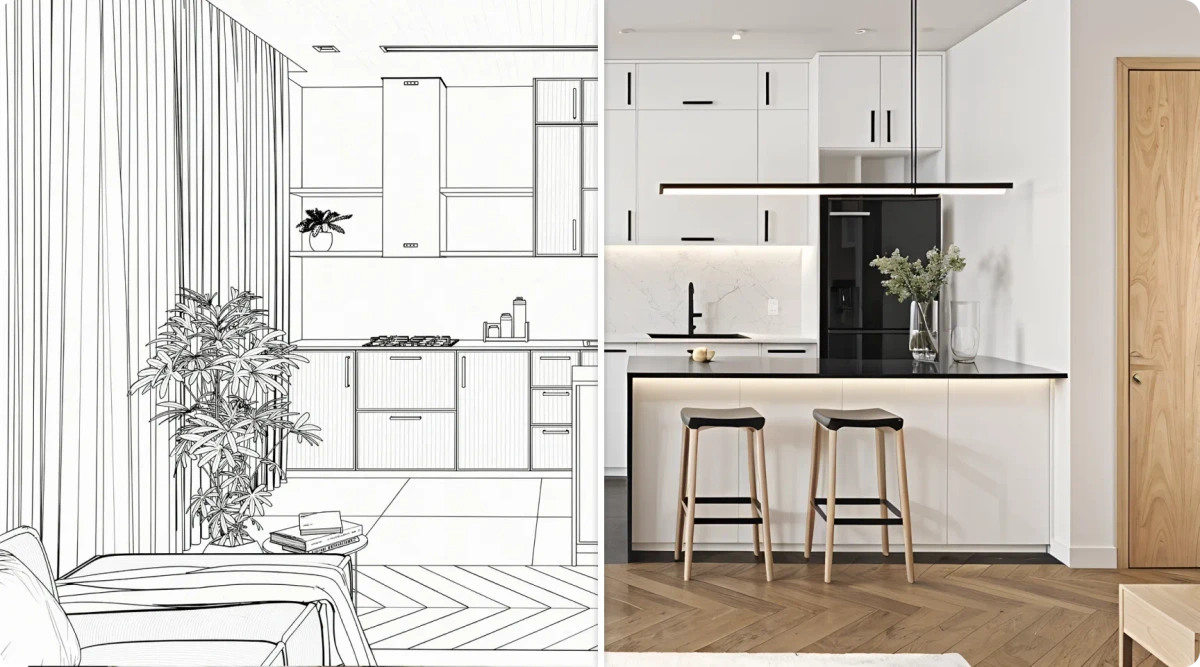
Generate photorealistic interior designs from simple sketches.
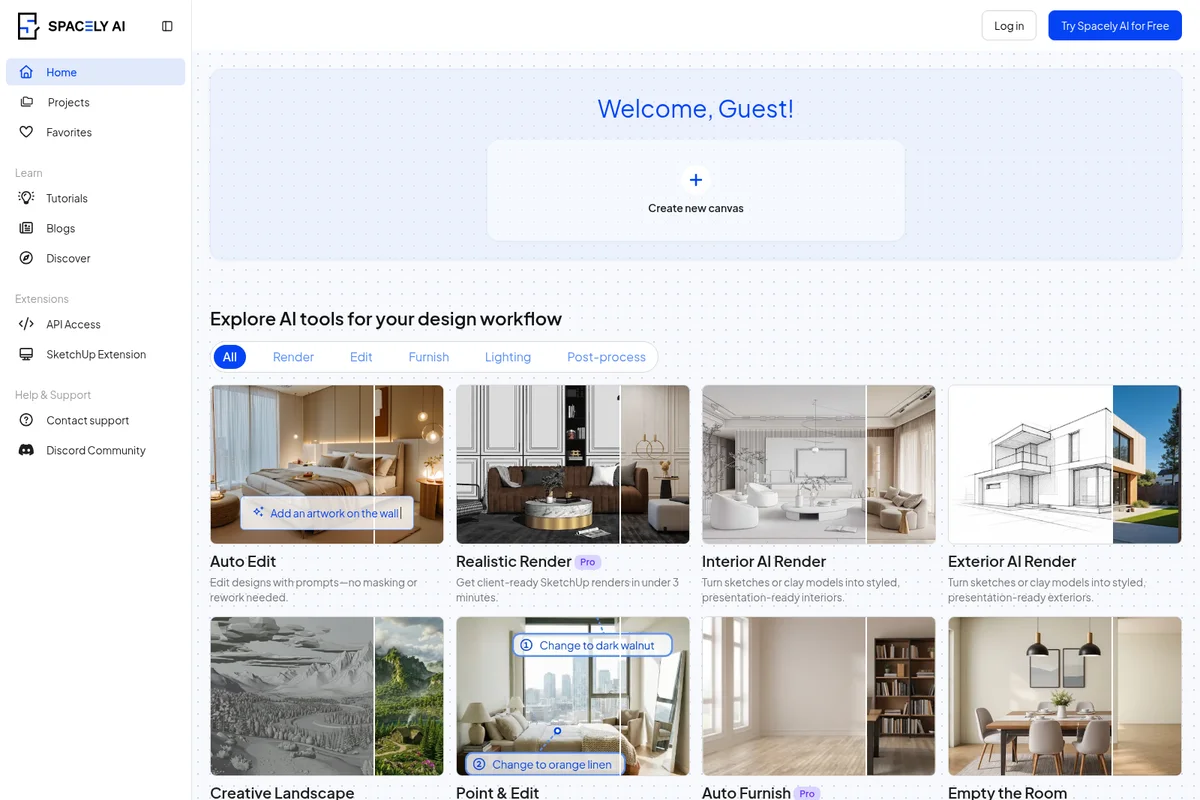
Explore AI tools for design, from auto-editing and realistic renders to interior and exterior transformations.
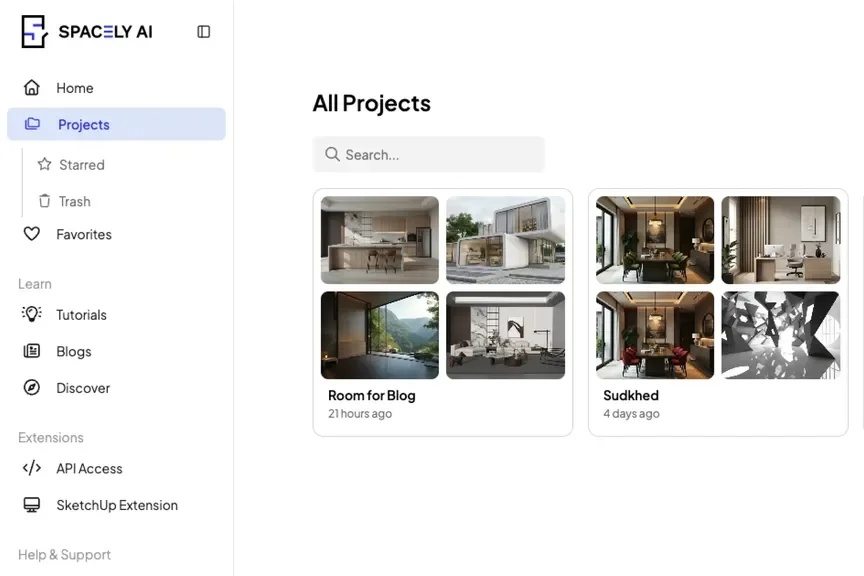
Browse and manage your AI-generated design projects.
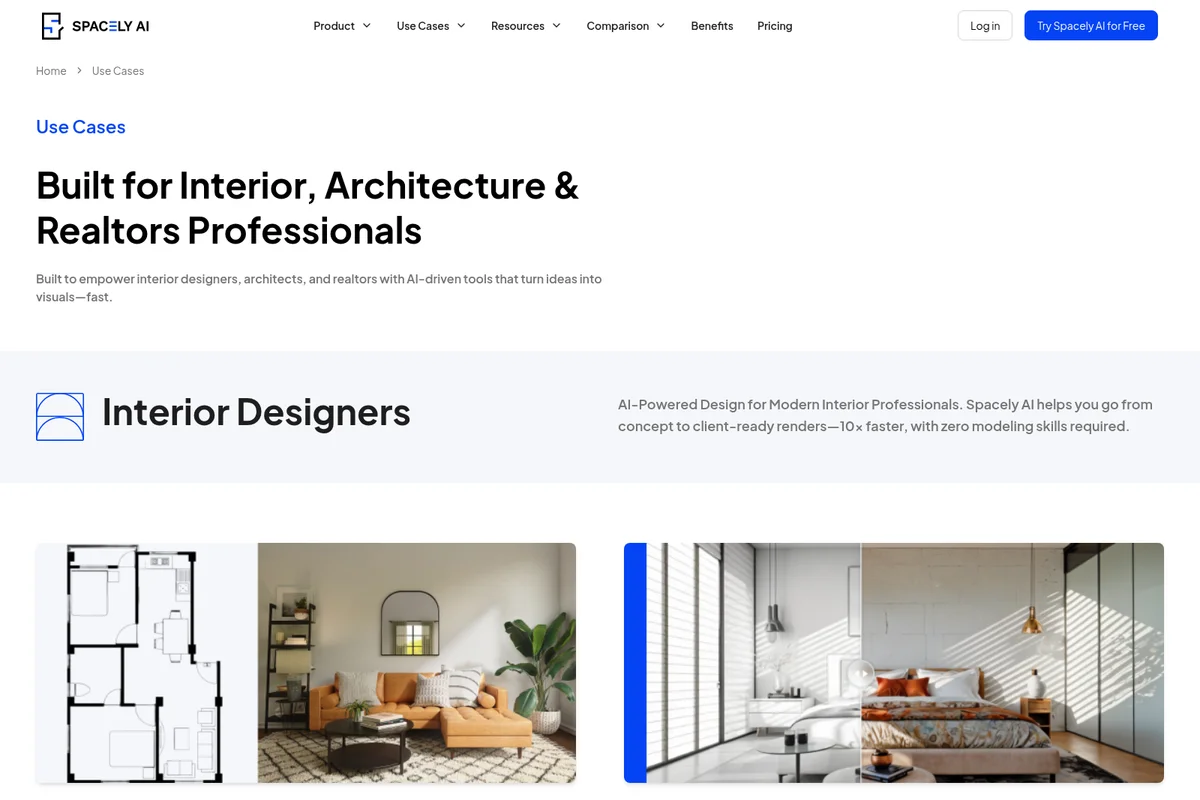
Transform floor plans and concepts into stunning AI renders fast.
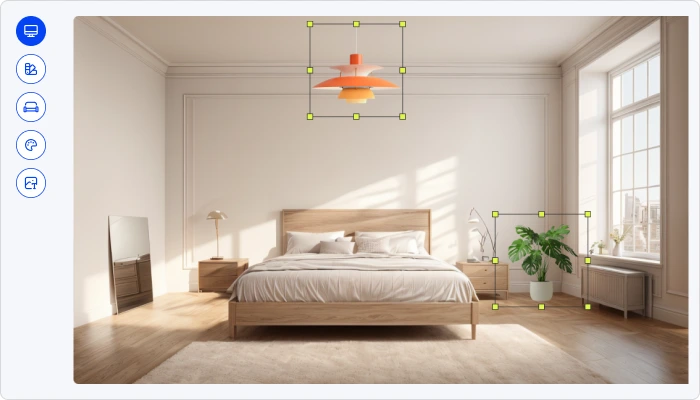
Visualize and refine interior designs, selecting and customizing elements with AI.
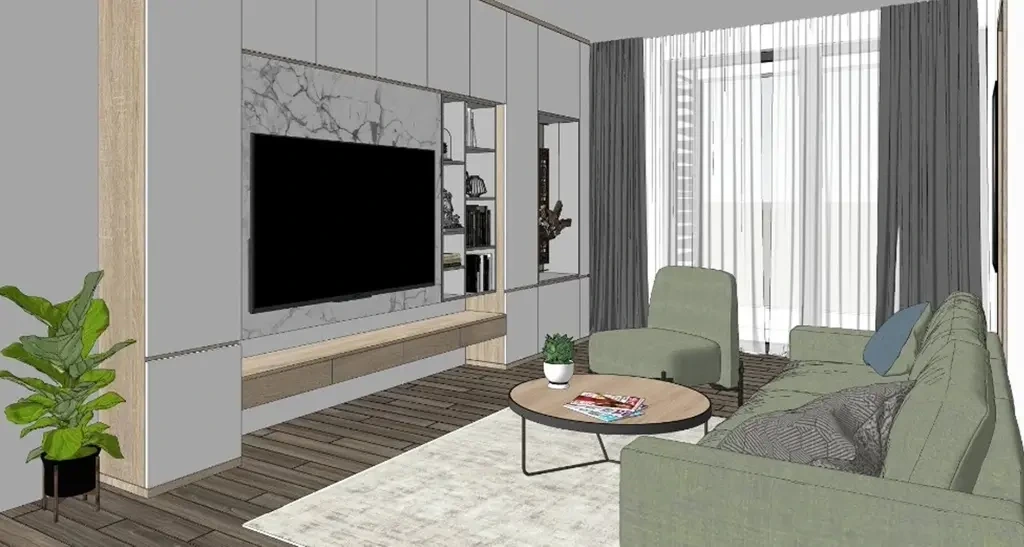
Generate contemporary interior designs with AI.
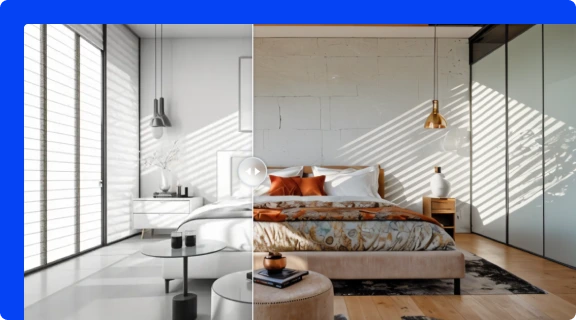
Transform spaces from concept to photorealistic vision instantly.
Spacely AI Review: Tooliverse Consensus



Based on 2k+ verified reviews across 4 platforms,
combined with Tooliverse's expert analysis
Spacely AI is a professional-grade interior and architectural renderer that holds materials and geometry steady while turning sketches, SketchUp models, and room photos into client-ready 4K images. Reviewers prize its believable lighting and textures, the sketch-to-render workflow, and the SketchUp plugin that keeps rendering inside the modeling window. The tradeoffs are a credit system that replaced an unlimited model, free credits that don't refill, and furniture that can drift out of scale when complex camera angles come into play.
Bottom line: One of the strongest AI renderers for architects and designers thanks to believable lighting and SketchUp integration, though the credit-based pricing and non-refilling free credits will frustrate casual experimenters.
Spacely AI | Key Specs
- Platforms
- Web, SketchUp/Rhino/Revit extensions
- Pricing Model
- Freemium ($0-100/mo) See plans
- Security
- Private mode, team access controls See details
- Integrations
- SketchUp, Rhino, Revit + 2 more
Wins
- •Produces photorealistic interior renders that accurately capture lighting and texturesmentioned in 312 reviews
- •Features a powerful sketch-to-render tool that turns rough drawings into professional designsmentioned in 245 reviews
- •Integrates seamlessly with professional software like SketchUp through a dedicated pluginmentioned in 188 reviews
Watch-Outs
- •Transitioned to a credit-based pricing model which some users find restrictivementioned in 92 reviews
- •Occasional inaccuracies in furniture scaling when rendering from complex camera anglesmentioned in 78 reviews
- •Free tier credits do not refill monthly, requiring a paid plan for continued usementioned in 65 reviews
Spacely AI Features 2026
Realistic Render
Turns a sketch, 3D model, or room photo into a photorealistic render in under 60 seconds, keeping original materials and geometry intact.
Team Canvas
Shared real-time canvas where teammates see each other's cursors, edits, and renders, with live feedback, shared credits, and access controls.
SketchUp, Rhino, and Revit Extensions
Render 3D models into photorealistic visuals from inside design software; 50K+ downloads on SketchUp Extension Warehouse.
Auto Furnish
Furnishes empty rooms in seconds without altering the layout.
Spacely AI User Reviews
Selected Reviews
"Spacely AI is a total genius! I've never seen an app that can transform my space like this. The AI-powered design suggestions are always on point."
"The image generation may take a few minutes, but the style transfer feature is an absolute game-changer. I'm totally in love with it."
"Helpful for visualizing my kitchen remodel. The lighting is very realistic, though it sometimes adds windows where there aren't any."
More from the Community
"The renders look really good, but it takes a bit more effort than the simpler apps. Definitely more on the "pro" side."
"Great tool for early concept discussions. It's not a replacement for full CAD, but it's perfect for brainstorming with clients."
"The credit system is a bit frustrating. I liked the old unlimited model better, but the quality of the 4K renders is still the best in class."
"I love the SketchUp plugin. Being able to render directly from my workspace saves so much time in my daily workflow."
"Good app, but the free credits run out fast. You really need the paid plan to get any serious work done."
"The renders look really good, but it takes a bit more effort than the simpler apps. Definitely more on the "pro" side."
"Great tool for early concept discussions. It's not a replacement for full CAD, but it's perfect for brainstorming with clients."
"The credit system is a bit frustrating. I liked the old unlimited model better, but the quality of the 4K renders is still the best in class."
"I love the SketchUp plugin. Being able to render directly from my workspace saves so much time in my daily workflow."
"Good app, but the free credits run out fast. You really need the paid plan to get any serious work done."
"The "Auto Furnish" feature is hit or miss. Sometimes it's perfect, other times the furniture scale feels a bit off for the room size."
"Impressive realism. I used it for a virtual staging project and the clients couldn't tell it was AI-generated."
"The interface is a bit of a puzzle initially, but once you get used to it, the results are stunning."
"Solid performance for interior renders. I wish they had more exterior options, but for rooms, it's my go-to tool."
"The "Auto Furnish" feature is hit or miss. Sometimes it's perfect, other times the furniture scale feels a bit off for the room size."
"Impressive realism. I used it for a virtual staging project and the clients couldn't tell it was AI-generated."
"The interface is a bit of a puzzle initially, but once you get used to it, the results are stunning."
"Solid performance for interior renders. I wish they had more exterior options, but for rooms, it's my go-to tool."
Spacely AI Pricing 2026
View SourceForty trial credits that never refill make the free plan a test drive, not a workflow. Personal at $20/month billed annually buys 500 credits, roughly 250 renders, plus the SketchUp, Revit, and Rhino extensions and 4K download, which covers most solo designers. Studio at $40/month billed annually earns its price only with a second seat or a priority queue under three minutes; one-time top-ups from $9 absorb busy months.
Spacely AI In-Depth Review 2026

Spacely AI turns a sketch, a 3D model, or a room photo into a photorealistic render in under 60 seconds, keeping the original materials and geometry intact so revisions take minutes instead of a file rebuild. It runs as a web app with extensions for SketchUp, Rhino, and Revit, and an AutoCAD extension is still in development. The newly launched Team Canvas adds a shared space where teammates watch each other's edits and renders appear live, a collaboration angle most single-user renderers lack.
What It's Like Day-to-Day
The draw, according to reviewers, is how believable the output looks. Lighting and textures are the most praised quality, mentioned in 312 reviews, and the sketch-to-render tool earns nearly as much credit for turning rough drawings into something a client will take seriously. Editing happens through plain text prompts, with Auto Edit and Point and Edit letting you swap a single element without masking or starting over, which makes "can we see it in oak?" a coffee-break question instead of a ruinous one.
Architects spend less time exporting and re-importing because rendering happens next to the model.
Spacely AI Security & Compliance
Security Features
- Private mode
- Team-wide access controls
Spacely AI: Frequently Asked Questions (FAQs)
Can I try Spacely AI for free?
Yes, Spacely AI has a free plan with 40 trial credits, and no credit card is required. The Free plan includes access to all features, high resolution download, private mode, a commercial license, and watermark-free output.
How much does Spacely AI cost?
Paid plans are Personal at $20/month (billed $240 yearly), Studio at $40/month (billed $480 yearly), and Agency at $80/month (billed $960 yearly). Monthly billing is $25, $50, and $100 respectively.
Is there a student discount for Spacely AI?
Yes, the Education Plan costs $30 and is applied automatically when you sign up with an academic email. It includes everything in the Studio Plan and 1,500 credits monthly, and it is not transferable.
Can I buy extra credits?
Yes, subscribers can buy one-time top-ups: 200 credits for $9, 1,000 for $35, or 5,000 for $150. Credits never expire and are added instantly; top-ups are for subscribers only.
Spacely AI Integrations
| SketchUp | Rhino | Revit |
| AutoCAD | Discord |
Spacely AI: Verified Data Sheet
| # | Label | Data Point |
|---|---|---|
| [1] | Spacely AI Consensus: 9.07/10 | Spacely AI is one of the highest-rated AI design tools in the Tooliverse index, with a consensus score of 9.07/10 across 2,110 verified reviews. |
| [2] | What is Spacely AI | Spacely AI is an AI interior design and rendering platform that turns sketches, 3D models, and photos into photorealistic renders in under 60 seconds. It has 580,000+ users, with paid plans from $20/month. |
| [3] | Tooliverse Consensus on Spacely AI | Spacely AI is a professional-grade interior and architectural renderer that holds materials and geometry steady while turning sketches, SketchUp models, and room photos into client-ready 4K images. Reviewers prize its believable lighting and textures, the sketch-to-render workflow, and the SketchUp plugin that keeps rendering inside the modeling window. The tradeoffs are a credit system that replaced an unlimited model, free credits that don't refill, and furniture that can drift out of scale when complex camera angles come into play. |
| [4] | Spacely AI Verdict | Spacely AI bottom line: One of the strongest AI renderers for architects and designers thanks to believable lighting and SketchUp integration, though the credit-based pricing and non-refilling free credits will frustrate casual experimenters. |
| [5] | Free: Free | Spacely AI offers a Free tier with 40 free trial credits and access to all features, so users can try it at no cost. |
| [6] | SketchUp, Rhino, and Revit extensions | Spacely AI connects to professional design software through dedicated extensions for SketchUp, Rhino, and Revit (with AutoCAD in development), and 188 user reviews praise the SketchUp plugin, which has 50K+ downloads on the SketchUp Extension Warehouse. |
| [7] | Instant room restyling across many styles | Spacely AI lets users restyle a room instantly across a range of looks from Scandinavian to Industrial, a capability that 172 user reviews highlight, and Style Transfer can also apply the look of a mood board. |
| [8] | 4K exports for client presentations | Spacely AI exports high-resolution 4K renders suitable for client presentations and portfolios, as noted in 145 user reviews, and the 4K download is listed among the Pro features starting with the Personal plan. |
| [9] | Personal: $20/mo (annual) | Spacely AI Personal gives users 500 credits/month (~250 renders) for $20/month billed annually, a significant step up from the free tier. |
| [10] | Photorealistic lighting and textures | Spacely AI produces photorealistic interior renders that accurately capture lighting and textures, a strength cited in 312 user reviews and the most frequently mentioned win in the review set. |
| [11] | Credit-based pricing feels restrictive to some | Spacely AI moved to a credit-based pricing model that some users find restrictive, according to 92 user reviews; the Personal plan at $20/month billed annually includes 500 credits (~250 renders), and top-ups start at $9 for 200 credits. |
| [12] | Furniture scale can drift on complex angles | Spacely AI can produce furniture scaling inaccuracies when rendering from complex camera angles, according to 78 user reports, and reviewers describe its Auto Furnish feature as sometimes perfect and sometimes off for the room size. |
| [13] | Enterprise: Private mode | Spacely AI protects client work with Private mode and Team-wide access controls. |
| [14] | Clients couldn't tell staging was AI-generated | A verified Google Play Store reviewer noted that Spacely AI delivers "impressive realism," adding that after using it for a virtual staging project, "the clients couldn't tell it was AI-generated." |
Best Spacely AI Alternatives

ArchiVinci
Turn any sketch, photo, or 3D model into a photorealistic architectural render in seconds—no learning curve required.
mnml.ai
Turn sketches, photos and model views into client-ready architectural renders in minutes.

Rendair
Show clients photorealistic renders in seconds and get design approvals faster.