
Jamie Review 2026 - Bot-Free Meeting Notes
Verified Jun 14, 2026 by Tooliverse Editorial
Jamie captures meeting notes automatically across all platforms—online, hybrid, or in-person—without requiring a bot. Used by thousands of professionals who want to stay present while Jamie handles the details in 100+ languages.
Free AI Note Taker: Jamie AI Review
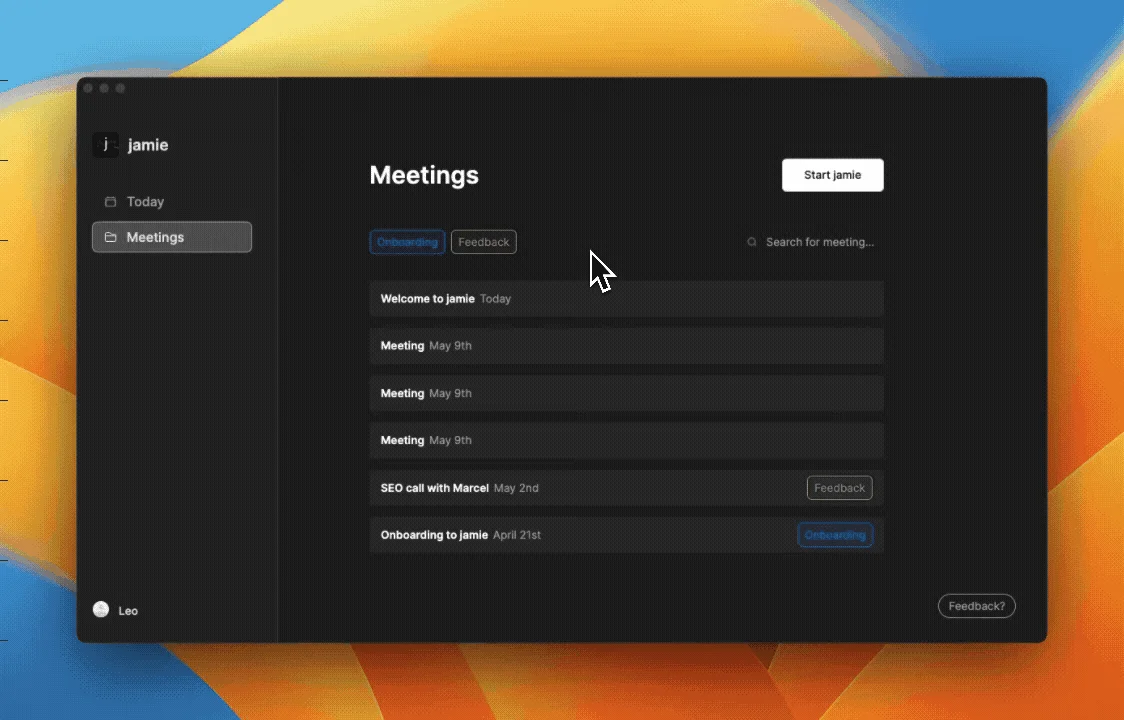
Effortlessly organize and filter your meetings, including dedicated onboarding sessions.
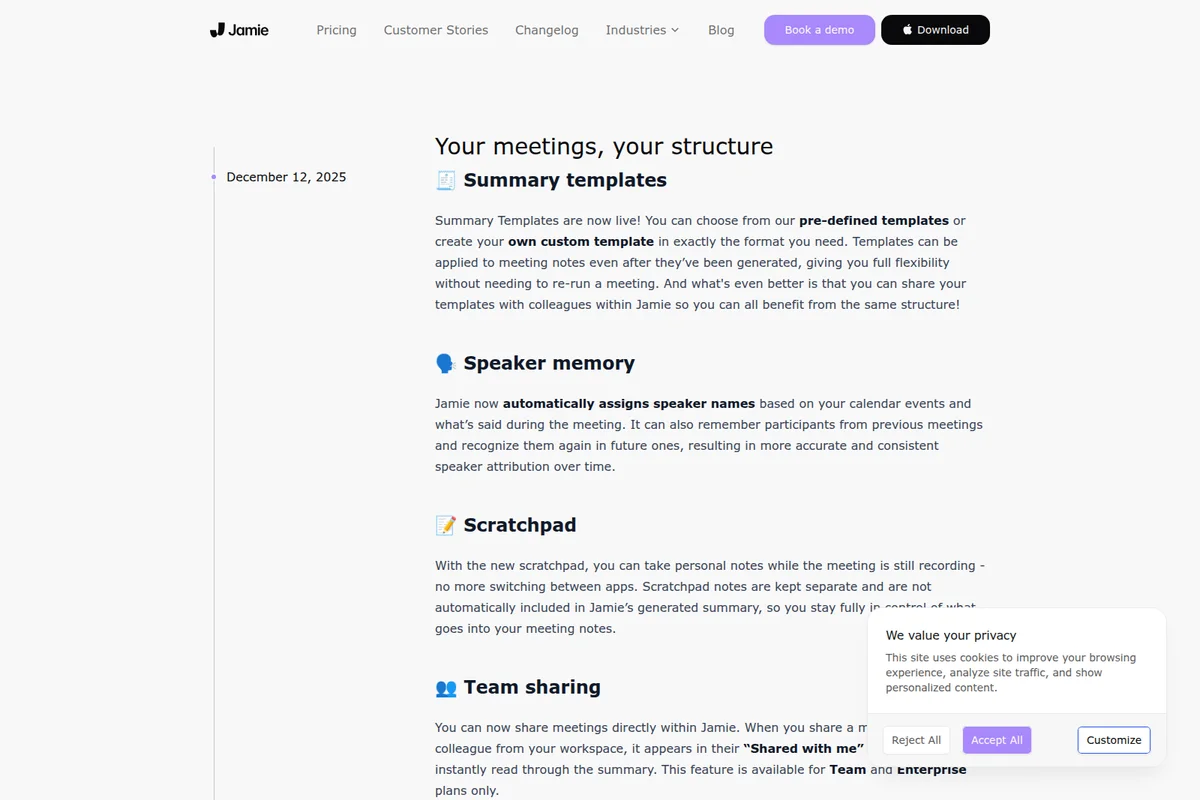
Jamie's latest features: customizable summaries, speaker memory, and scratchpad.
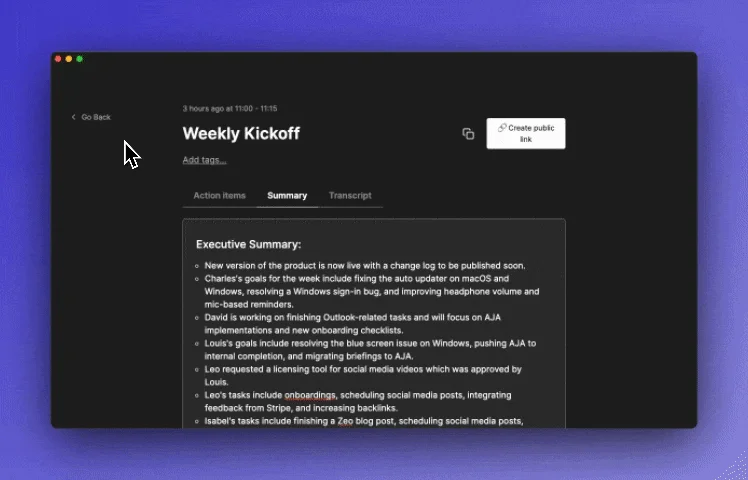
Get concise executive summaries for all your meetings, automatically.
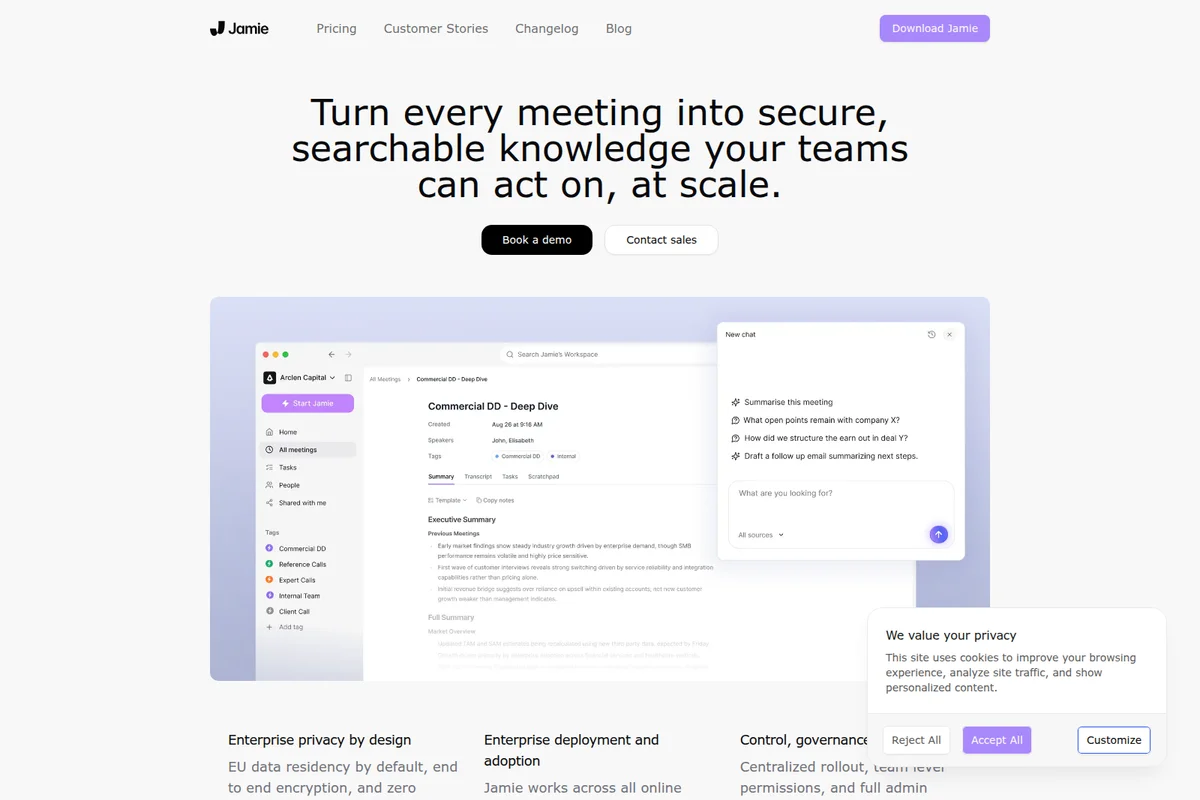
Turn meetings into actionable knowledge with AI summaries and chat.
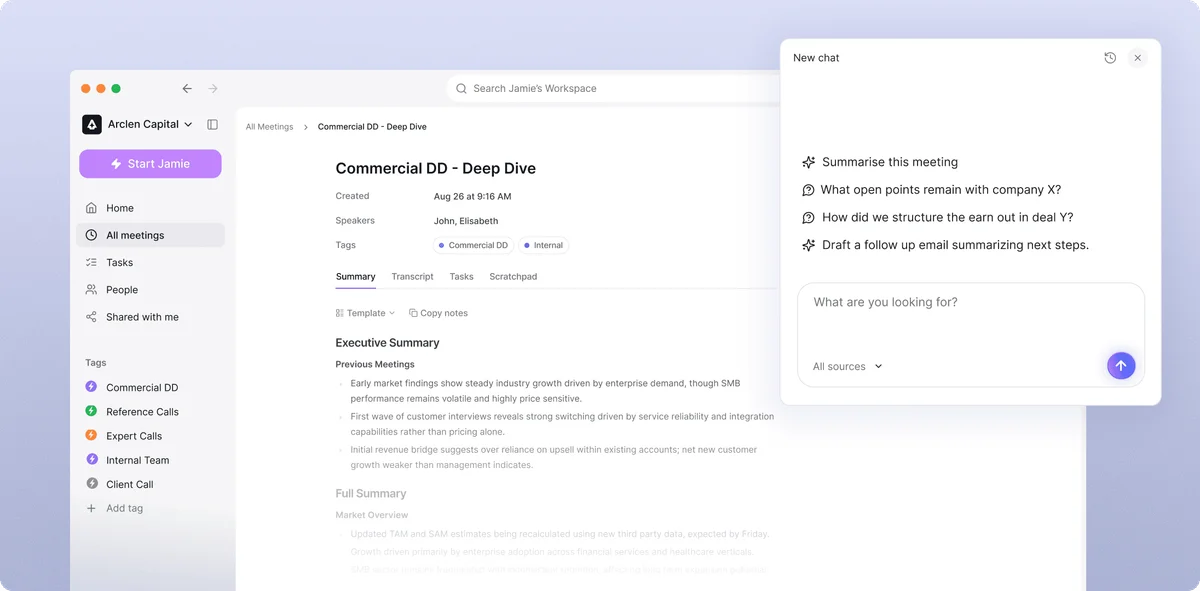
Get instant meeting summaries and ask follow-up questions with Jamie's AI assistant.
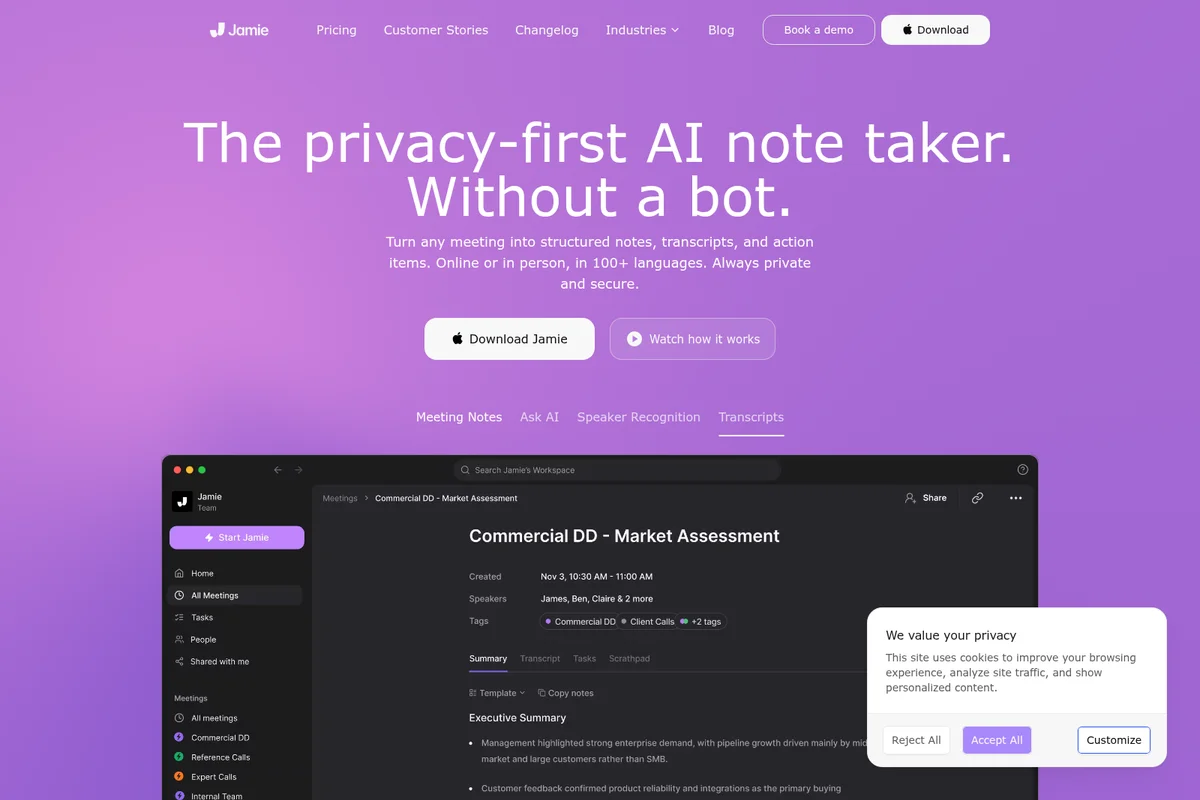
Turn any meeting into structured notes, transcripts, and action items.
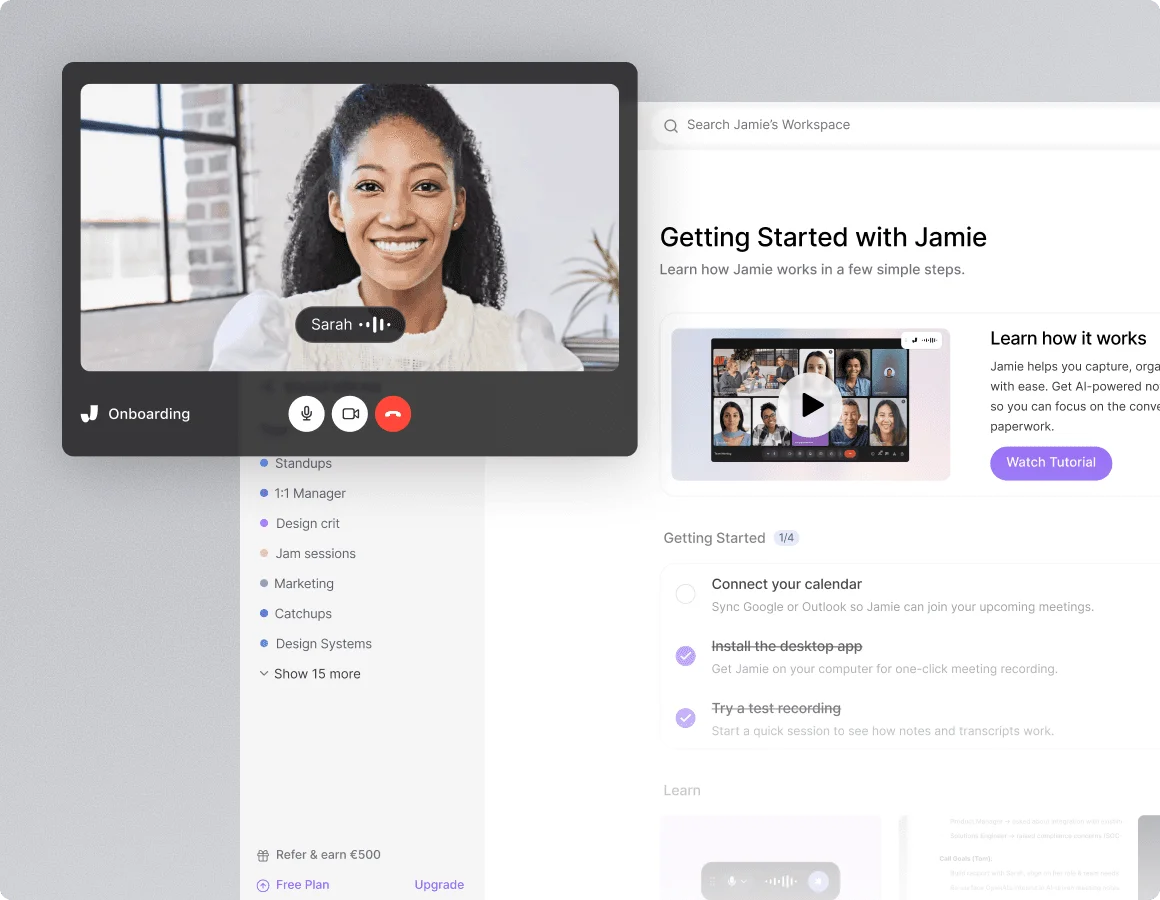
Capture meeting insights and track progress with active video calls and smart onboarding guidance.
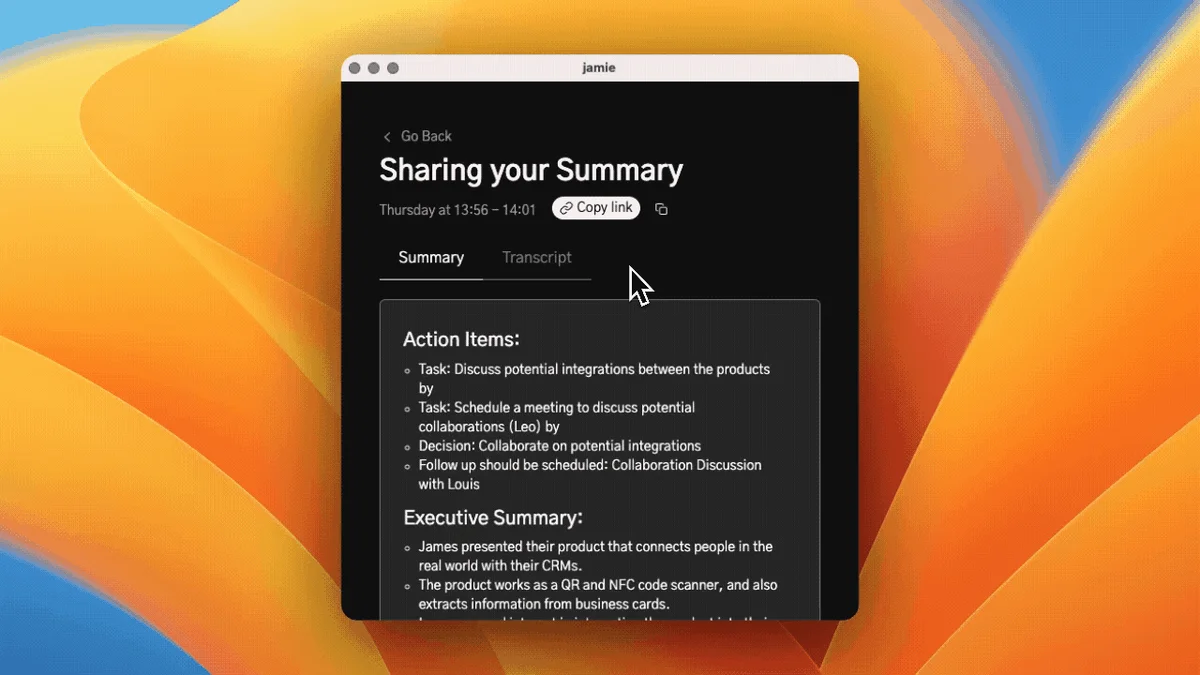
Effortlessly generate actionable meeting summaries and executive overviews.
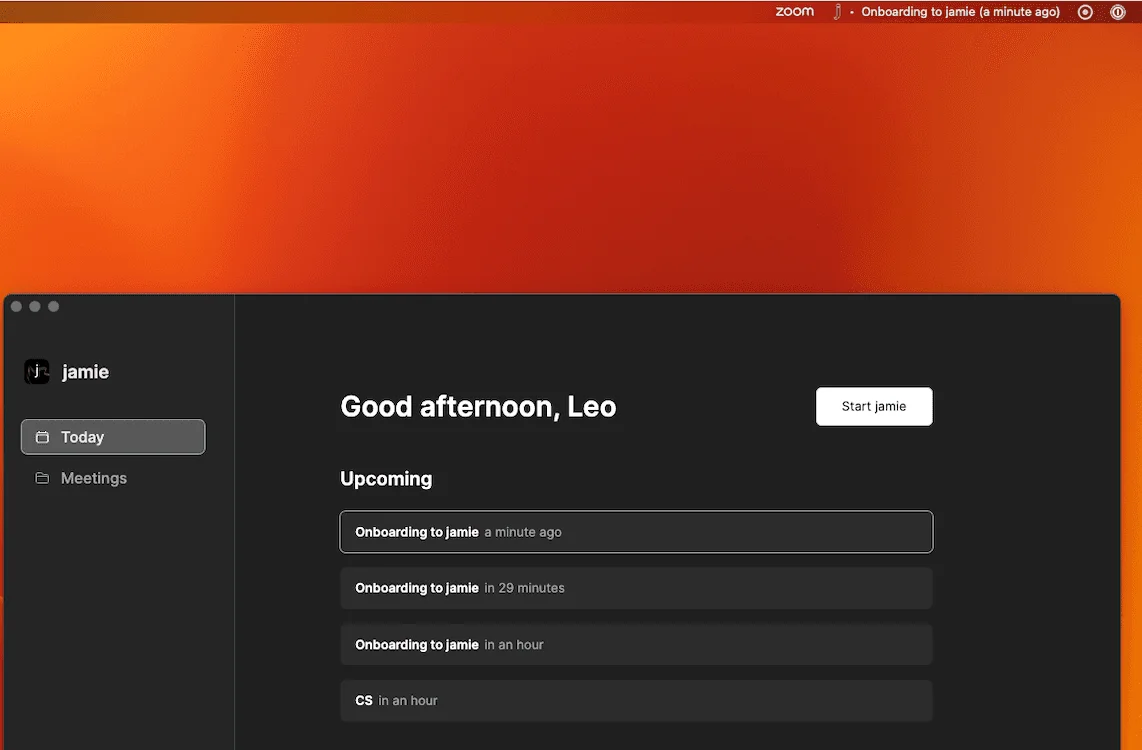
Effortlessly manage your daily schedule and upcoming meetings from a single view.
Jamie Review: Tooliverse Consensus




Based on 324 verified reviews across 4 platforms,
combined with Tooliverse's expert analysis
Jamie operates as a privacy-first meeting assistant that captures notes locally without joining as a visible bot, delivering structured summaries and action items that users consistently describe as more accurate and actionable than transcript-based alternatives. The native application works seamlessly across online platforms and in-person meetings, with strong multilingual support and EU data residency that meets enterprise compliance requirements. The premium pricing and absence of real-time transcription features position it for professionals prioritizing discretion and summary quality over live captions, though speaker identification can falter in large group discussions.
Bottom line: A leading meeting assistant for professionals who need discretion and exceptional summary quality in sensitive conversations, though the premium pricing and lack of real-time transcription make it a selective fit.
Jamie | Key Specs
- Platforms
- Web, iOS, macOS, Windows
- Pricing Model
- Freemium (€0-39/mo) See plans
- Privacy/Data Use
- No training on customer data, EU data residency
- Security
- ISO 27001, GDPR, DORA, SAML SSO See details
Wins
- •Operates discreetly without a visible bot joining and disrupting meetingsmentioned in 112 reviews
- •Produces exceptionally high-quality summaries and structured action itemsmentioned in 98 reviews
- •Features a native application that works seamlessly for both online and in-person meetingsmentioned in 84 reviews
Watch-Outs
- •Subscription costs are significantly higher than many competing AI meeting toolsmentioned in 42 reviews
- •Lacks video recording and real-time transcription features found in other assistantsmentioned in 35 reviews
- •Speaker identification can be inconsistent during large group discussionsmentioned in 28 reviews
Jamie Features 2026
No Meeting Bot Required
Jamie captures notes without joining your meetings as a visible bot, keeping conversations natural and avoiding the awkwardness of recorded meeting notifications.
SAML SSO
Enterprise single sign-on via SAML 2.0 supporting Okta, Azure AD, and other identity providers.
Works Across All Platforms
Automatically takes detailed meeting notes on any platform—Zoom, Teams, Google Meet, and even in-person or hybrid meetings.
100+ Language Support
Get human-like summaries in 99+ languages, making Jamie suitable for global teams and multilingual meetings.
Jamie User Reviews
Selected Reviews
"The action items are actually actionable, not just random sentences pulled from the transcript. Very impressive AI logic."
"Summaries are surprisingly accurate even for technical discussions. It captures the nuances that other tools often miss."
"A bit pricey for a solo freelancer, but the time saved on manual note-taking is worth the investment for me."
More from the Community
"The best part is no awkward bot joining the call. It just works in the background and the summaries are spot on."
"I wish it had a live transcript feature like Otter, but the summary quality is definitely better here. Good for privacy."
"Integrates perfectly with my workflow. No more manual note-taking during client calls which lets me stay fully present."
"The multi-language support is a lifesaver for our international team. It handles German and English meetings flawlessly."
"Sometimes struggles with very fast speakers or overlapping voices in a crowded room. Needs a good mic for best results."
"The best part is no awkward bot joining the call. It just works in the background and the summaries are spot on."
"I wish it had a live transcript feature like Otter, but the summary quality is definitely better here. Good for privacy."
"Integrates perfectly with my workflow. No more manual note-taking during client calls which lets me stay fully present."
"The multi-language support is a lifesaver for our international team. It handles German and English meetings flawlessly."
"Sometimes struggles with very fast speakers or overlapping voices in a crowded room. Needs a good mic for best results."
"Cleanest UI of all the AI meeting tools I've tried so far. It doesn't feel cluttered or overwhelming."
"Setup was a breeze. Had my first summary within 10 minutes of downloading the app. Highly recommend for busy execs."
"I'd love to see more CRM integrations in the future, but for pure note-taking, it's the best I've used."
"Reliable and consistent. It hasn't missed a meeting yet, which is more than I can say for some bot-based competitors."
"Cleanest UI of all the AI meeting tools I've tried so far. It doesn't feel cluttered or overwhelming."
"Setup was a breeze. Had my first summary within 10 minutes of downloading the app. Highly recommend for busy execs."
"I'd love to see more CRM integrations in the future, but for pure note-taking, it's the best I've used."
"Reliable and consistent. It hasn't missed a meeting yet, which is more than I can say for some bot-based competitors."
Jamie Pricing 2026
View SourceThe free tier's 30-minute limit makes it useful for evaluating the summary quality but not much else. Plus at €21/month gets you 20 meetings with two-hour durations, enough for most individual contributors. Pro at €39/month is where the value concentrates for heavy users: unlimited meetings, three-hour durations, and the advanced integrations (HubSpot, Salesforce, Asana) that turn summaries into workflow automation. Teams of two or more should run the math on the Team plan at €33/user/month—the per-seat cost drops as you add people, and centralized billing simplifies procurement.
Jamie In-Depth Review 2026

This AI note taker runs locally on your device, capturing audio without joining as a visible participant. It works across Zoom, Teams, Google Meet, and even in-person meetings, processing everything on your machine before generating structured summaries, transcripts, and action items. The approach trades real-time transcription for discretion, and for professionals in sensitive conversations—legal consultations, executive strategy sessions, confidential client work—that tradeoff makes all the difference.
What It's Like Day-to-Day
The experience centers on what happens after the meeting ends. Within minutes, you receive a structured summary that captures decisions, action items, and key discussion points without the filler. The AI doesn't just transcribe and highlight random sentences; it understands context well enough to pull out what actually matters. As one Product Hunt reviewer noted, it "just works in the background and the summaries are spot on." The action items are genuinely actionable, formatted as clear next steps rather than vague references buried in transcript text.
The multilingual capabilities handle code-switching naturally. If your team jumps between English and German mid-sentence, Jamie follows along and produces coherent summaries in your preferred language.
Jamie Security & Compliance
Verified Compliance
- ISO 27001
- GDPR
- DORA
Security Features
- SAML SSO (Okta, Azure AD)
- AES 256-bit encryption at rest
- TLS 1.2 encryption in transit
- Admin controls
- Regular penetration testing
- SCIM provisioning (pending)
Privacy Commitments
- No training on customer data (all plans)
- EU data residency (EEA, Switzerland, UK)
- Audio deleted after transcription
- GDPR compliant
- Custom data retention policies (Enterprise)
Jamie: Frequently Asked Questions (FAQs)
How does Jamie capture meeting notes?
Jamie captures meeting notes by running locally on your device without joining meetings as a visible bot. It works across all online platforms (Zoom, Teams, Google Meet) and even in-person meetings, processing audio locally and then generating structured notes, transcripts, and action items.
Is Jamie secure and compliant with industry standards?
Yes, Jamie is ISO 27001 certified, GDPR compliant, and DORA compliant. All data is hosted in the EU with full data residency, encrypted in transit (TLS 1.2) and at rest (AES 256), and meeting audio is deleted after transcription. Customer data is never used for model training.
Can Jamie be used for confidential or regulated client conversations?
Yes, Jamie is built for industries where security isn't optional. It's GDPR compliant, ISO 27001 certified, DORA compliant, and offers EU data residency, enterprise SSO, admin controls, and DPAs for regulated industries like finance and healthcare.
Is any customer data used to train AI models?
No, your data is never used for training of models, not by Jamie or any of the model providers. This is a core privacy commitment across all plans.
Jamie Integrations
| Notion | Google Docs | OneNote |
| HubSpot | Salesforce | Asana |
| Linear | Attio | Zoom |
| Microsoft Teams | Google Meet |
Jamie: Verified Data Sheet
| # | Label | Data Point |
|---|---|---|
| [1] | Jamie Consensus: 9.35/10 | Jamie is one of the highest-rated AI productivity tools in the Tooliverse index, with a consensus score of 9.35/10 across 324 verified reviews. |
| [2] | What is Jamie | Jamie, operated by MeetJamie.ai, is an ISO 27001 and GDPR-compliant AI note taker that captures meeting notes without joining as a bot. The platform serves 10,000+ customers with pricing starting at €21/month, offering 100+ language support and EU data residency. |
| [3] | Tooliverse Consensus on Jamie | Jamie operates as a privacy-first meeting assistant that captures notes locally without joining as a visible bot, delivering structured summaries and action items that users consistently describe as more accurate and actionable than transcript-based alternatives. The native application works seamlessly across online platforms and in-person meetings, with strong multilingual support and EU data residency that meets enterprise compliance requirements. The premium pricing and absence of real-time transcription features position it for professionals prioritizing discretion and summary quality over live captions, though speaker identification can falter in large group discussions. |
| [4] | Jamie Verdict | Jamie bottom line: A leading meeting assistant for professionals who need discretion and exceptional summary quality in sensitive conversations, though the premium pricing and lack of real-time transcription make it a selective fit. |
| [5] | Free: Free | Jamie provides a functional Free tier with 10 meetings per month and a 30-minute meeting duration limit, making AI meeting notes accessible at no cost. |
| [6] | No visible bot disruption | Jamie operates discreetly without joining meetings as a visible bot, capturing notes locally on your device to keep conversations natural and avoiding the awkwardness of recorded meeting notifications, validated by 112 user reviews. |
| [7] | High-quality actionable summaries | Jamie produces exceptionally high-quality summaries with structured action items that users describe as actually actionable rather than random transcript excerpts, according to 98 user reviews. |
| [8] | Native app for online and in-person | Jamie features a native desktop application that works seamlessly for both online meetings across all platforms (Zoom, Teams, Google Meet) and in-person conversations, validated by 84 user reviews. |
| [9] | 100+ language support | Jamie supports 100+ languages with impressive accuracy for global teams, enabling human-like summaries across multilingual meetings, according to 67 user reviews. |
| [10] | Pro: $39/mo (annual) | Jamie Pro empowers users with Unlimited meetings for $39/month billed annually, significantly expanding on the free tier's capabilities. |
| [11] | Premium pricing vs competitors | Jamie subscription costs at €39/month for Pro and €33/user/month for Team plans are significantly higher than many competing AI meeting tools, noted as a concern in 42 user reviews. |
| [12] | No video recording or live transcription | Jamie lacks video recording and real-time transcription features found in competing meeting assistants, focusing instead on post-meeting summaries, according to 35 user reports. |
| [13] | Privacy: No training on customer data (all plans) | Jamie privacy protections include No training on customer data (all plans), EU data residency (EEA, Switzerland, UK), and Audio deleted after transcription. |
| [14] | Enterprise: SAML SSO (Okta, Azure AD) | Jamie provides enterprise security with SAML SSO (Okta, Azure AD), AES 256-bit encryption at rest, and TLS 1.2 encryption in transit. |
| [15] | Invisible operation, accurate summaries | Jamie "just works in the background and the summaries are spot on" with no awkward bot joining calls, according to a verified Product Hunt reviewer. |
Best Jamie Alternatives
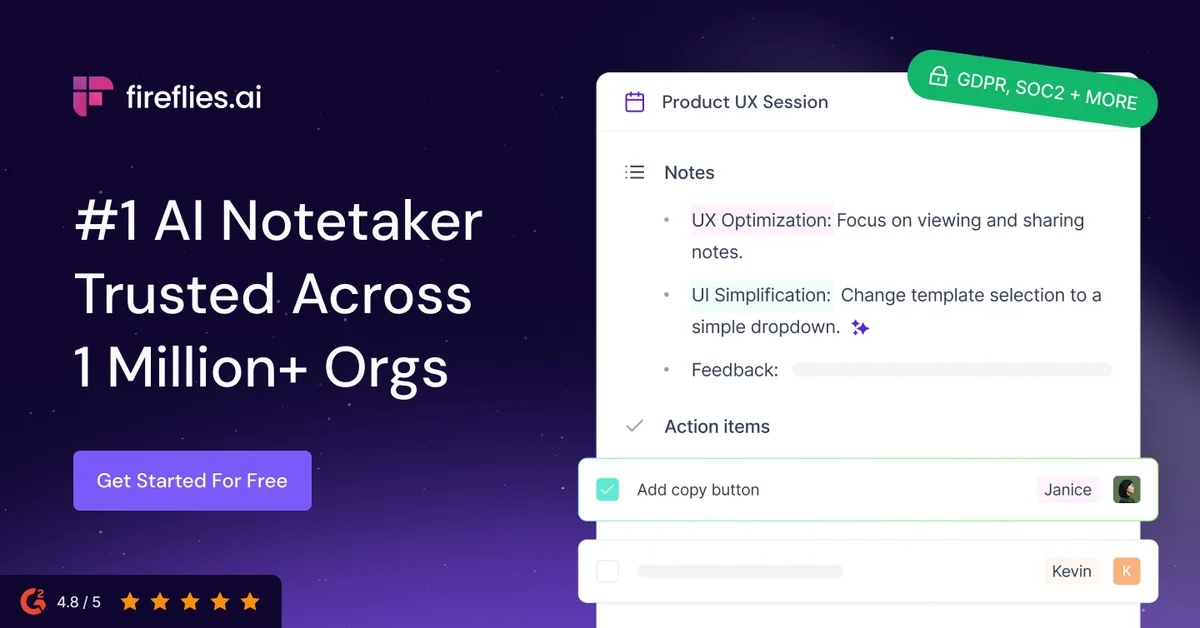
Fireflies.ai
Never miss a meeting detail—let AI capture, transcribe, and organize every conversation automatically.

Otter
Turn every conversation into searchable insights that fuel alignment and workflows across your organization.
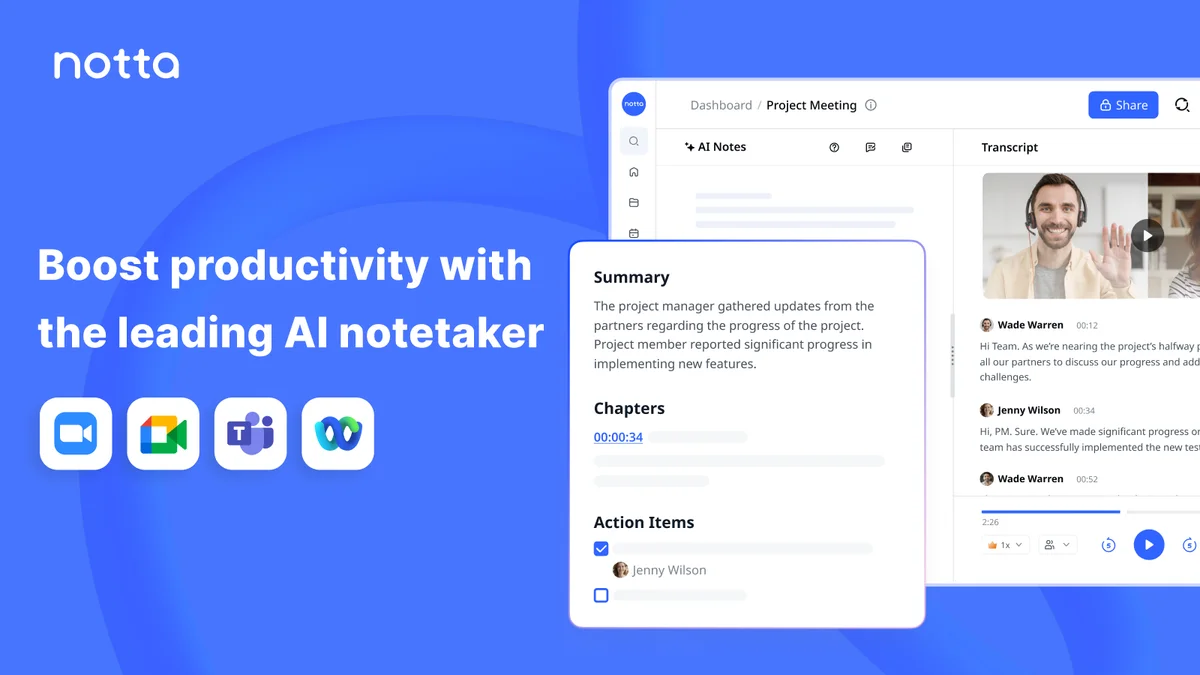
Notta
Turn meetings into searchable transcripts, summaries, and visual deliverables—no bot required.