
Uizard Review 2026 - AI UI Design Tool
Verified Jun 23, 2026 by Tooliverse Editorial
Uizard transforms text prompts into editable UI designs in seconds—no design skills needed. From wireframe sketches to polished prototypes, product teams use this AI-powered platform to visualize ideas 10x faster than traditional tools.
How to prototype an app to market with Uizard ✨
Uizard.io Review: Design Stunning UI Prototypes with AI! 🎨🤖
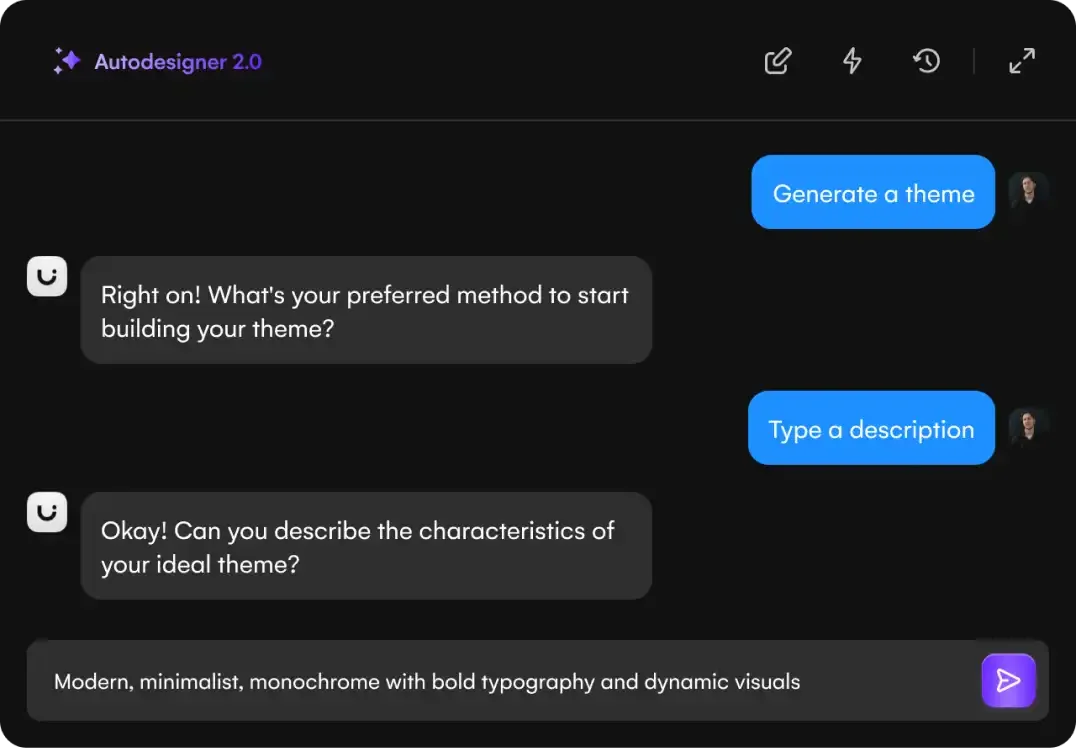
Converse with AI to generate custom design themes based on your descriptions.
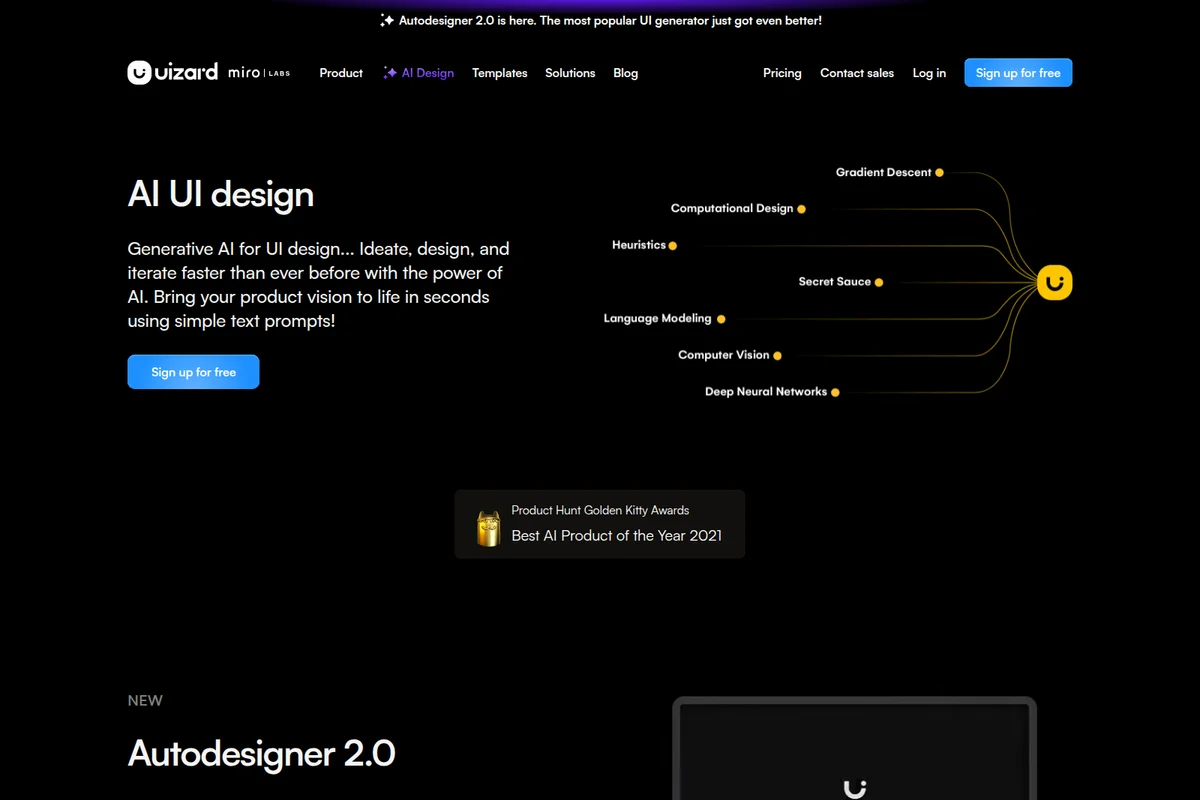
Transform text prompts into stunning UI designs in seconds with AI.
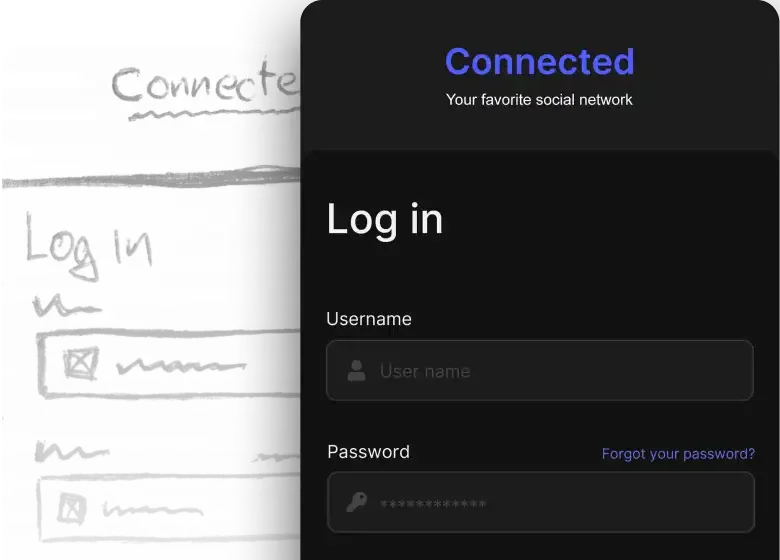
Transform hand-drawn UI sketches into sleek digital designs.
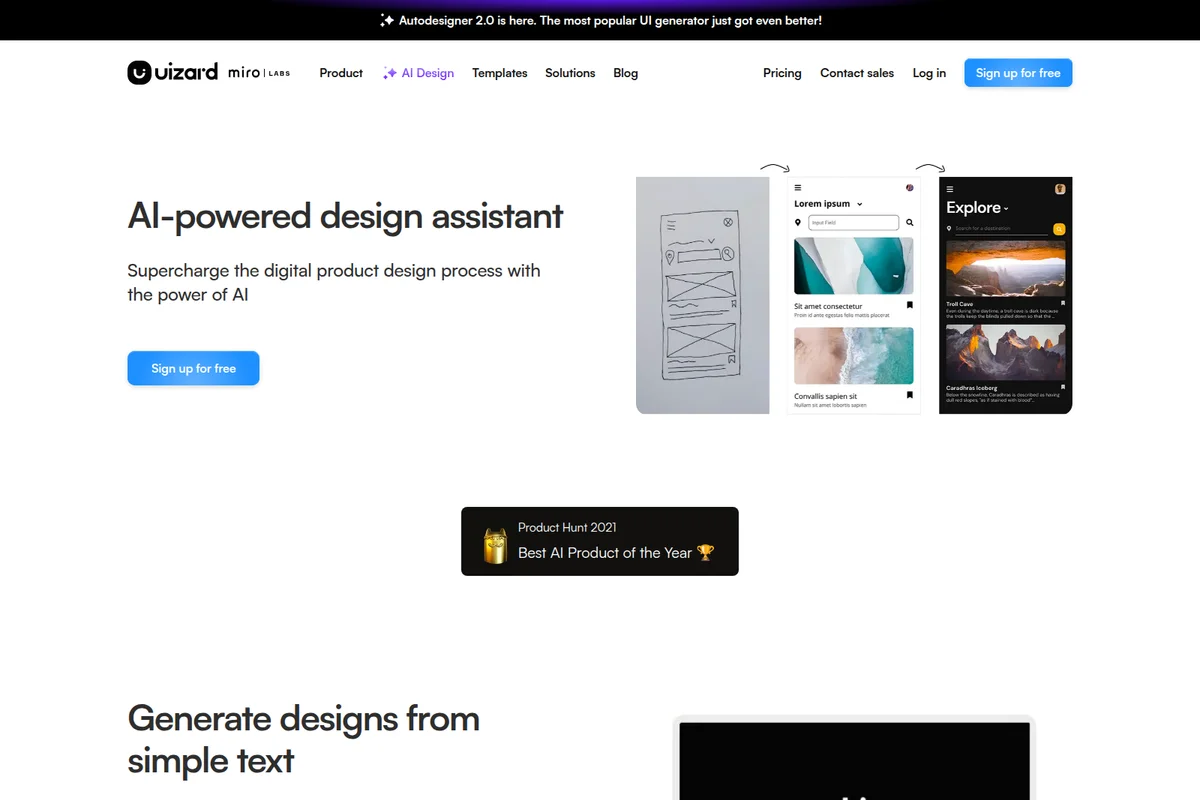
Transform hand-drawn sketches into pixel-perfect designs with AI.
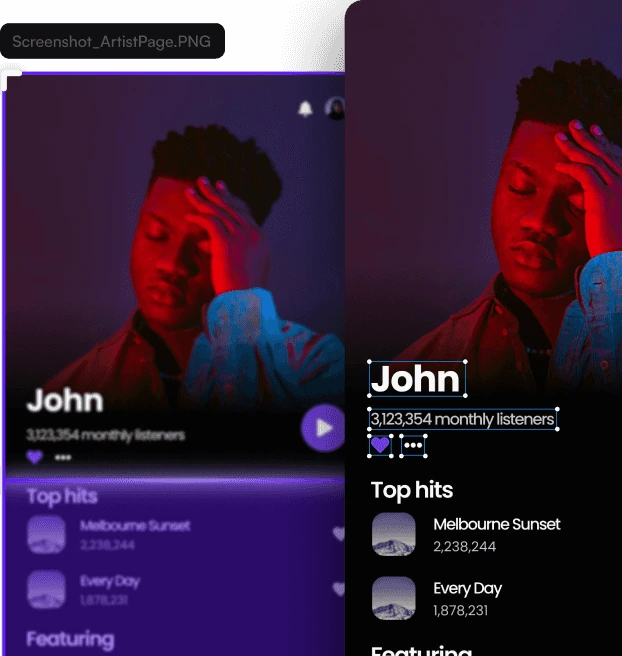
Create visually appealing artist profiles with detailed listener stats and top tracks.

Generate interactive wireframes and prototypes from text prompts instantly.
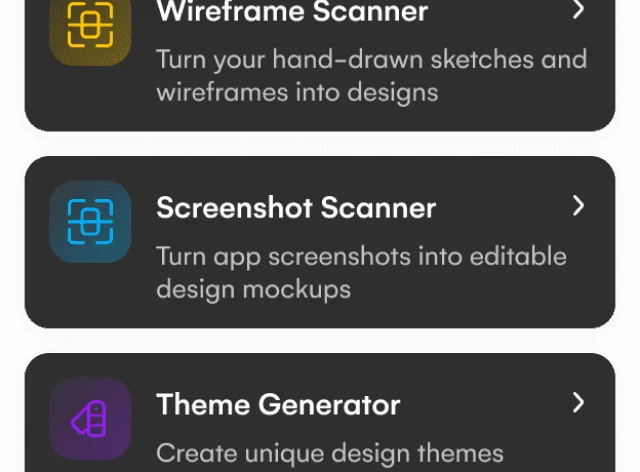
Discover powerful AI-powered tools for design and prototyping.
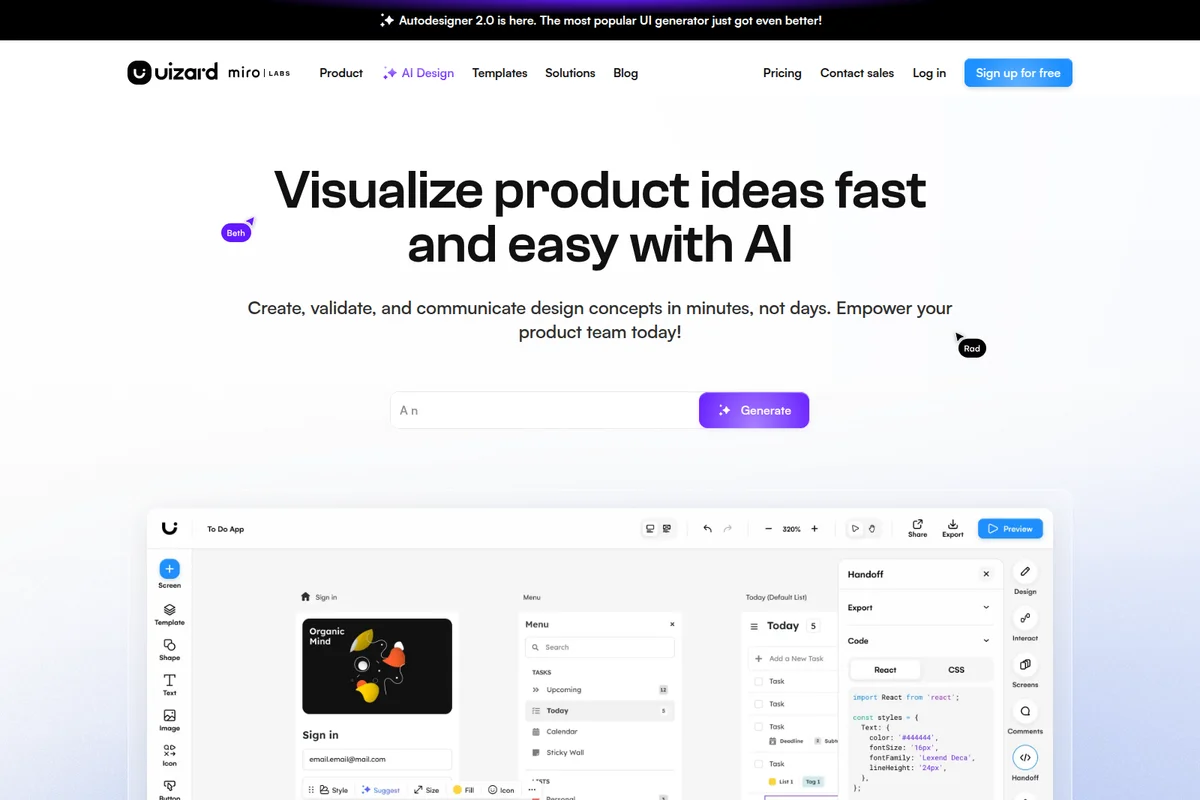
Rapidly visualize and build product ideas with AI-generated UI and code in minutes.
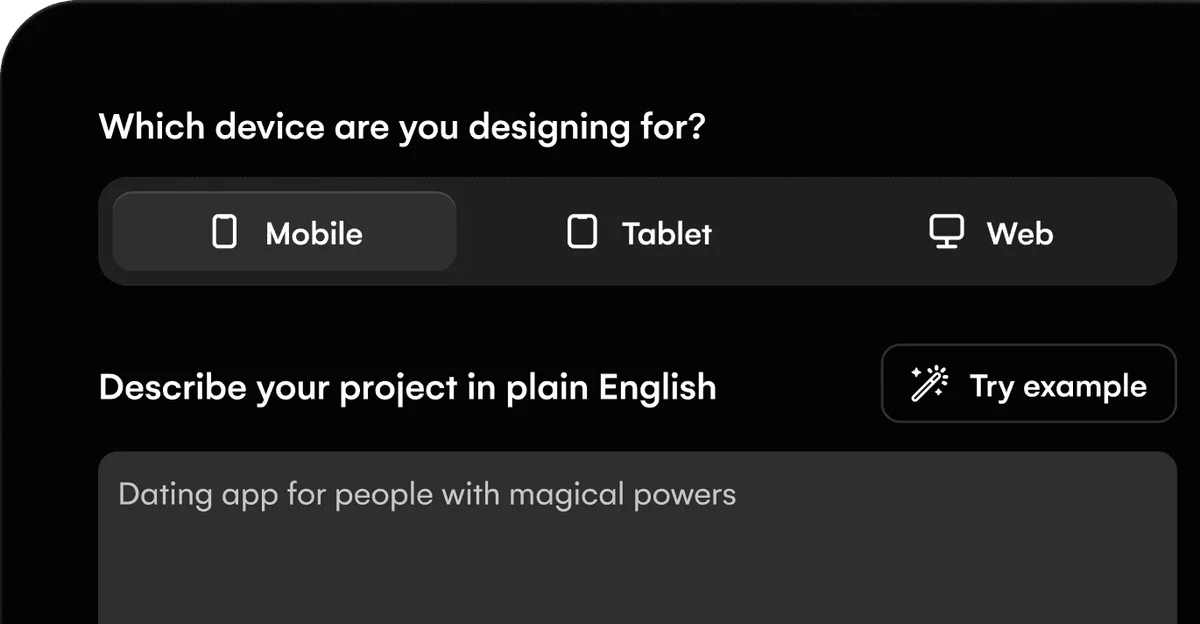
Define your project's target device and describe its purpose.
Uizard Review: Tooliverse Consensus





Based on 1k+ verified reviews across 6 platforms,
combined with Tooliverse's expert analysis
Uizard stands out for its ability to transform screenshots, sketches, and text descriptions into editable prototypes with minimal design expertise required, making professional UI design accessible to product managers and founders who traditionally relied on dedicated designers. The AI-powered generation is fast and contextually aware, with real-time collaboration features that keep teams aligned without version control headaches. The main tradeoff is export quality: while designs look polished within Uizard, exporting to tools like Figma often requires layer cleanup, and complex hand-drawn sketches can confuse the recognition engine.
Bottom line: A leading AI design platform that democratizes prototyping for non-designers, though Figma exports need cleanup and pricing may stretch solo freelancers.
Uizard | Key Specs
- Platforms
- Web
- Pricing Model
- Freemium ($0-39/mo) See plans
- AI Generations
- 3/month (Free), 500/month (Pro), 5,000/month (Business), Unlimited (Enterprise)
- Export Formats
- JPG, PNG, PDF, CSS, React components
Wins
- •Transforms static screenshots into fully editable UI components with impressive accuracymentioned in 210 reviews
- •Accelerates the prototyping phase by generating high-fidelity mockups from simple text promptsmentioned in 185 reviews
- •Provides an exceptionally low barrier to entry for non-designers and product managersmentioned in 160 reviews
Watch-Outs
- •AI-generated layouts occasionally require manual adjustments to fix alignment and spacing issuesmentioned in 85 reviews
- •Exporting designs to other professional tools like Figma can result in messy layer structuresmentioned in 70 reviews
- •Subscription costs for the Pro tier are perceived as high for individual freelancersmentioned in 65 reviews
Uizard Features 2026
Autodesigner 2.0
Generate multi-screen, editable prototypes from simple text prompts. Like ChatGPT for UI design—describe your app idea and get a complete mockup in seconds with conversational AI interface.
Screenshot Scanner
Upload screenshots of any app or website and transform them into editable mockups instantly. Turn design inspiration into working prototypes with AI-powered component recognition.
Wireframe Scanner
Scan hand-drawn wireframe sketches and convert them into digital designs automatically. Digitize paper prototypes in seconds with AI recognition of UI elements.
Developer Handoff
Export designs as CSS or React components for seamless design-to-code workflow. Generate production-ready code from visual designs to accelerate development.
Uizard User Reviews
Selected Reviews
"Uizard is the only tool that actually lets my PMs contribute to the design process without breaking our Figma files. It's a lifesaver for rapid prototyping."
"The collaboration features are seamless. Multiple people can edit the same screen without any lag, which is better than some of the bigger competitors."
"Really fast workflow. I can go from a text prompt to a clickable prototype in under 10 minutes. Some of the generated icons are a bit weird though."
More from the Community
"The screenshot-to-design feature is pure magic. I uploaded a rough wireframe from a napkin and it turned it into a high-fidelity mockup in seconds."
"Autodesigner 2.0 is a huge step up. It understands context much better now, though I still have to fix some of the button alignments manually."
"Great for quick brainstorming but the export to Figma is still a bit messy. I spend a lot of time cleaning up layers after the AI does its thing."
"The mobile app is perfect for showing clients prototypes on the go. It would be 5 stars if I could do minor edits on my iPad."
"The AI is impressive but the pricing for small teams is getting steep. We might have to switch back to simpler tools if the Pro plan keeps increasing."
"The screenshot-to-design feature is pure magic. I uploaded a rough wireframe from a napkin and it turned it into a high-fidelity mockup in seconds."
"Autodesigner 2.0 is a huge step up. It understands context much better now, though I still have to fix some of the button alignments manually."
"Great for quick brainstorming but the export to Figma is still a bit messy. I spend a lot of time cleaning up layers after the AI does its thing."
"The mobile app is perfect for showing clients prototypes on the go. It would be 5 stars if I could do minor edits on my iPad."
"The AI is impressive but the pricing for small teams is getting steep. We might have to switch back to simpler tools if the Pro plan keeps increasing."
"I'm not a designer by trade, but Uizard makes me feel like one. The templates are modern and the AI suggestions are actually helpful."
"If you're doing early-stage startup work, Uizard is a no-brainer. It saves weeks of back-and-forth with designers for basic MVP screens."
"Good for viewing designs, but the interface can be a bit laggy on older Android devices. Still, the web version is top-tier."
"The text-to-UI is cool but often ignores specific brand guidelines I provide in the prompt. It's a good starting point but not a finished product."
"I'm not a designer by trade, but Uizard makes me feel like one. The templates are modern and the AI suggestions are actually helpful."
"If you're doing early-stage startup work, Uizard is a no-brainer. It saves weeks of back-and-forth with designers for basic MVP screens."
"Good for viewing designs, but the interface can be a bit laggy on older Android devices. Still, the web version is top-tier."
"The text-to-UI is cool but often ignores specific brand guidelines I provide in the prompt. It's a good starting point but not a finished product."
Uizard Pricing 2026
View SourceThe free tier with 3 AI generations monthly is enough to test whether the approach works for you, but Pro at $12 monthly is where the platform becomes genuinely useful: 500 AI generations, Autodesigner 2.0, and developer handoff in CSS and React. That's the tier most product managers and startup founders need. Business at $39 monthly makes sense only if you're running an agency or design team burning through thousands of generations monthly and need custom brand kits.
Uizard In-Depth Review 2026

This AI-powered design platform runs on web and mobile, transforming text descriptions, screenshots, or hand-drawn sketches into editable UI mockups in seconds. The Autodesigner 2.0 conversational interface works like ChatGPT for design: describe what you need in plain English, and it generates multi-screen prototypes you can immediately share with stakeholders. The Screenshot Scanner and Wireframe Scanner turn inspiration or napkin sketches into digital designs, while real-time collaboration keeps teams aligned without version control chaos.
What It's Like Day-to-Day
The text-to-UI generation is where Uizard separates itself from traditional prototyping tools. You type "create a fitness app dashboard with workout stats and a progress chart," and within seconds you're looking at a complete screen with realistic components, not wireframe placeholders. The AI understands context well enough that follow-up requests like "make the chart bigger and add a weekly goal widget" modify the existing design instead of starting over. One Reddit reviewer called it "the only tool that actually lets my PMs contribute to the design process without breaking our Figma files," and that captures the core value: it empowers non-designers to participate meaningfully in the creative process.
Uizard: Frequently Asked Questions (FAQs)
What is Autodesigner?
Autodesigner is Uizard's AI design assistant that combines ChatGPT-style conversational flow with generative UI capabilities. It allows you to generate multi-screen, editable prototypes from simple text prompts, modify any component with natural language, and iterate designs in real time without design skills.
What is the Autodesigner 2.0 update?
Autodesigner 2.0 introduces a conversational modality to Uizard, allowing direct interaction with AI to generate designs, add elements, or modify components using text prompts. It empowers users to go from idea to shareable, interactive prototype using plain English.
Who is Autodesigner for?
Autodesigner is for both design professionals and complete novices. It helps project managers, marketers, startup founders, and developers turn ideas into reality by generating and testing concepts faster than ever with generative AI.
Does Uizard have other AI features?
Yes, Uizard has a powerful library of AI design features including Screenshot Scanner, Wireframe Scanner, Focus Predictor, Theme Generator, Text Assistant, and Image Generator. The company was built AI-first from day one when founded in 2018.
Uizard Integrations
| Figma |
Uizard: Verified Data Sheet
| # | Label | Data Point |
|---|---|---|
| [1] | Uizard Consensus: 9.08/10 | Uizard is one of the highest-rated AI design tools in the Tooliverse index, with a consensus score of 9.08/10 across 1,392 verified reviews. |
| [2] | What is Uizard | Uizard, operated by Uizard Technologies and founded in 2018, is an AI-powered UI design platform serving 3,000,000+ professionals worldwide. The platform won Product Hunt's Golden Kitty Award for Best AI Product in 2021, with pricing starting at $12/month. |
| [3] | Tooliverse Consensus on Uizard | Uizard stands out for its ability to transform screenshots, sketches, and text descriptions into editable prototypes with minimal design expertise required, making professional UI design accessible to product managers and founders who traditionally relied on dedicated designers. The AI-powered generation is fast and contextually aware, with real-time collaboration features that keep teams aligned without version control headaches. The main tradeoff is export quality: while designs look polished within Uizard, exporting to tools like Figma often requires layer cleanup, and complex hand-drawn sketches can confuse the recognition engine. |
| [4] | Uizard Verdict | Uizard bottom line: A leading AI design platform that democratizes prototyping for non-designers, though Figma exports need cleanup and pricing may stretch solo freelancers. |
| [5] | Free: Free | Uizard provides a functional Free tier with unlimited free viewers and commenters plus 3 AI generations per month, making AI-powered design accessible at no cost. |
| [6] | Screenshot-to-editable UI conversion | Uizard transforms static screenshots into fully editable UI components with impressive accuracy, validated as a core strength by 210 user reviews. |
| [7] | Text-to-mockup generation | Uizard accelerates the prototyping phase by generating high-fidelity mockups from simple text prompts, with 185 user reviews highlighting this capability as transformative for rapid iteration. |
| [8] | Accessible to non-designers | Uizard provides an exceptionally low barrier to entry for non-designers and product managers, democratizing professional UI design according to 160 user reviews. |
| [9] | Pro: $12/mo (annual) | Uizard's Pro tier delivers unlimited free viewers and commenters, 500 AI generations monthly, and Autodesigner 2.0 access for $12/month billed annually. |
| [10] | Modern template library | Uizard features a robust library of modern templates that jumpstart the creative process, with 145 user reviews citing this as a key productivity accelerator. |
| [11] | Layout alignment needs manual fixes | Uizard's AI-generated layouts occasionally require manual adjustments to fix alignment and spacing issues, according to 85 user reports noting this as the primary refinement step. |
| [12] | Figma export layer structure issues | Uizard exports to professional tools like Figma can result in messy layer structures, with 70 user reviews reporting cleanup work required after export. |
| [13] | Empowers PMs without breaking workflows | Uizard is "the only tool that actually lets my PMs contribute to the design process without breaking our Figma files," according to a verified Reddit reviewer who called it a lifesaver for rapid prototyping. |
Best Uizard Alternatives
Visily
Turn ideas into UI designs in minutes—no design skills required.
Kittl
Turn ideas into professional designs with AI-powered tools and world-class templates.
Figma
Turn big ideas into real products—design, prototype, and collaborate in one powerful platform.